Hello)
I have a problem with loading save from memory card - after game loading it's said there is no memory card in slot 1.
But at pcsx save work without any problem...
I have 105 games on hdd and 3 memory cards, but problem only with this one game\save
I've attach save in any formats - maybe it could be fixed by save_builder or save_creater_or mymc somehow??
Previously I've used this save with OPL's virtual memory card from hdd and it's worked well. But after some modifications with +opl partition, I've lost this ability (https://www.psx-place.com/threads/h...0-opl-cannot-get-access-to-this-folder.35201/)
So, I had to leave this variant.
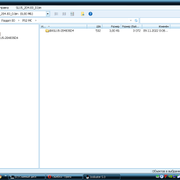
Interesting, that if I've delete any my game's saves (BASLUS-20483SD4 folder from mc0:\) and boot clear game - it's create first save somehow, but if make second save right after that the game wrote - save failure. And after exit game and load it again it's said no memory card in slot 1 again...
- so, maybe is it not my save problem, but some OPL's bug??
I have a problem with loading save from memory card - after game loading it's said there is no memory card in slot 1.
But at pcsx save work without any problem...
I have 105 games on hdd and 3 memory cards, but problem only with this one game\save
I've attach save in any formats - maybe it could be fixed by save_builder or save_creater_or mymc somehow??
Previously I've used this save with OPL's virtual memory card from hdd and it's worked well. But after some modifications with +opl partition, I've lost this ability (https://www.psx-place.com/threads/h...0-opl-cannot-get-access-to-this-folder.35201/)
So, I had to leave this variant.
Interesting, that if I've delete any my game's saves (BASLUS-20483SD4 folder from mc0:\) and boot clear game - it's create first save somehow, but if make second save right after that the game wrote - save failure. And after exit game and load it again it's said no memory card in slot 1 again...
- so, maybe is it not my save problem, but some OPL's bug??