PS3 Syscon fan settings (Coordinate Graphs)

@M4j0r i guess you remember vaguelly this posts i wrote time ago where i was speculating about some of the unknown bytes left in the thermal config structures (posts #261, #262, #263, #264, #265, #366), what i wrote is a bit outdated though
I been modifying your C structs since that day for my personal use because was helping me to understand how it works but in the run i made many changes to them, not sure if you are going to like them :rolleyes:

What i wrote here in the forum was hard to explain and to undertand because is the kind of thing where is needed to look at a file in a hexeditor and compare the values located at 3 different offsets... then do the same with other file... and so on
I dont hope almost anyone to do it while reading my posts, lol, but in the last couple of days i figured i could explain it in wiki, so i rewrote the Syscon Thermal Config (talk page)
Now it can be seen visually how the thermal config structures varied, where are located the unknown bytes... and also the relationship i was talking about in the areas i colored in red
There is a lot to talk related with that unknowns, but thats not the goal of this post, what i want is to show you the new structs i made
ps3_syscon_eeprom_thermal_config_region.c ---> https://pastebin.com/Pt2nLHih

I changed many names trying to use the literal codenames of the commands availables by UART to read/write every setting of the struct (i wanted to make it intuitive, this is one of the things i did to help myself), sadly there are no UART commands specific for every setting :/ (or we have not found them yet)
The way how are splitted... well, the splitting of the "fan_table_sw" was a "must do", then i splitted the "fan_table_common".. and later most of the groups that are common... this way we only need to work in the structs named "special_section_cxrf", "special_section_cxr", "special_section_sw" that are the only with unknowns
Aaaans yeah, the groups named "special_section_unk_1", "special_section_unk_2", and "special_section_unk_2"... are considered 15 individual bytes related with each others... thats an assumption but if at some point are identifyed most probably are going to be identifyed all the 15 bytes together so i think by now are fine grouped like that
Since a couple of days ago i added the structs you posted for the cytology special section

Tell me what do you think about it, feel free to rape/fix it. I think we could add it as an specific page in wiki located as a children of the thermal configs page, this way https://www.psdevwiki.com/ps3/Syscon_Thermal_Config/structs
If you like the idea do the honours and create the page, we can keep a single struct, or several versions, i was about to create the page in wiki with the initial version you published here in jan 21 2020 giving credits to you, and overwrite it entirelly with my new version (to keep a record of both in the history of the wiki page) but that would be a bit unrespectful
Better review my struct, do whatever you want with it, and post it in wiki, this way we are synced ;)

With your UART pyhton scripts we should do something similar, specific page/s for tem


Edit: i replaced the pastebin with a new version, please check again
 
Last edited:
This is why in all the official thermal configs the speeds for a table are identical to the other tables, lets say...
If the CELL table have only 5 speeds with values 0x4D -> 0x73 -> 0x99 -> 0xCC -> 0xFF
Then the table for RSX, SB, etc... needs to have exactly the same speeds
The point is... in every "step" of the progression syscon is using several thermal sensors (multiple inputs) to generate the fan speed (a single output)
Sony never broke this rule, is a "must do" for everyone reading this and thinking in creating custom thermal settings for retail PS3 models
Actually I have tested this and nothing wrong happens. Even writing non-standard fan speeds mixed with the standard ones.
For example, in one system I only modified the RSX curve and left the CPU values alone. Including entirely different fan speeds than the original ones for the RSX.

What happens is, only 1 "rule" is enforced at one time. But I'm not too sure either how it works exactly. I didn't pay so much attention to that until now. But I'm sure the machine didn't explode or anything hehe. So I guess it's not something critical.

In my case when the RSX is driving the setting, then my different speeds are in effect. But when it's actually the CPU taking the lead, then the default speeds from the factory take effect. (For example in CPU intensive emulation)

So the syscon knows what to do at all times.
 
Actually I have tested this and nothing wrong happens. Even writing non-standard fan speeds mixed with the standard ones.
For example, in one system I only modified the RSX curve and left the CPU values alone. Including entirely different fan speeds than the original ones for the RSX.

What happens is, only 1 "rule" is enforced at one time. But I'm not too sure either how it works exactly. I didn't pay so much attention to that until now. But I'm sure the machine didn't explode or anything hehe. So I guess it's not something critical.

In my case when the RSX is driving the setting, then my different speeds are in effect. But when it's actually the CPU taking the lead, then the default speeds from the factory take effect. (For example in CPU intensive emulation)

So the syscon knows what to do at all times.
I realized from the small tutorial you posted before in this same thread, but i was not sure if you changed speeds for both tables, and it was tricky to explain anyway, is nice you are mentioing it :)
Your explanation is very clarifying, it just works, but the reason why i mentioned to dont do it is because sony never did it in any thermal config, is something i realized after checking almost the complete collection and this time i think is better to stick to "sony rules" with this detail because not following sony rules could only create us problems

Think in it from a visual way, by looking at some of the image graphs i made, im painting the fan speeds with an horizontal line (and that speeds always matches for CELL, RSX, SB), but if we use different speeds for each i would have to paint a lot more horizontal lines with other speeds
Noting specially bad about it, but the whole thing becomes so tricky that is hard to configure it... is a bit like if we are complicating it for uneeded reason
And i guess we are increasing the number of times the fan is going to change his speed along the gaming session
Also, im not sure if this kind of modification could make the "logic" of the fantables to fall in some mistake... like a range of temperatures without an assigned fan speed (not sure if the fan would stop under this case)

--------
The good way to configure it is by preparing the fantable for RSX first... starting by the "tshutdown" temperature and the "tempU" values in order (higher to lower), then the values of "tempD" (based in the values of tempU) and after that you can pretty much "copypaste" the whole RSX fan table to the CELL fan table... but substracting around 10ºC to the values "tempU" and "tempD"

Take a look at the graph i made with the thermal config of the DIA-001/DIA-002, is the most good looking visually from all the officials because they did it by following a few strict math rules
We are free to modify a bit that rules... but the overall result of a custom config should be similar to that, a few smooth cuves that goes up like stairs, and with a separation in between CELL and RSX of around 10ºC max
 
Last edited:
I realized from the small tutorial you posted before in this same thread, but i was not sure if you changed speeds for both tables, and it was tricky to explain anyway, is nice you are mentioing it :)
Your explanation is very clarifying, it just works, but the reason why i mentioned to dont do it is because sony never did it in any thermal config, is something i realized after checking almost the complete collection and this time i think is better to stick to "sony rules" with this detail because not following sony rules could only create us problems

Think in it from a visual way, by looking at some of the image graphs i made, im painting the fan speeds with an horizontal line (and that speeds always matches for CELL, RSX, SB), but if we use different speeds for each i would have to paint a lot more horizontal lines with other speeds
Noting specially bad about it, but the whole thing becomes so tricky that is hard to configure it... is a bit like if we are complicating it for uneeded reason
And i guess we are increasing the number of times the fan is going to change his speed along the gaming session
Also, im not sure if this kind of modification could make the "logic" of the fantables to fall in some mistake... like a range of temperatures without an assigned fan speed (not sure if the fan would stop under this case)

--------
The good way to configure it is by preparing the fantable for RSX first... starting by the "tshutdown" temperature and the "tempU" values in order (higher to lower), then the values of "tempD" (based in the values of tempU) and after that you can pretty much "copypaste" the whole RSX fan table to the CELL fan table... but substracting around 10ºC to the values "tempU" and "tempD"

Take a look at the graph i made with the thermal config of the DIA-001/DIA-002, is the most good looking visually from all the officials because they did it by following a few strict math rules
We are free to modify a bit that rules... but the overall result of a custom config should be similar to that, a few smooth cuves that goes up like stairs, and with a separation in between CELL and RSX of around 10ºC max
Well I said I tested it but that doesn't mean I like to do that deliberately. Just a test. And the test results are positive.

If you look at my modified tables, you will see they are fine. Nothing strange. I have been using them and I think the results are very satisfactory.

Although by your logic, this means I should also touch the southbridge fan speeds in order for them to match any non standard speeds like I put the CPU and RSX.
I guess from a "tidy" or "prudent" point of view it makes sense as you say...
But really I see no practical reason. In real world it's nothing bad. Perhaps even good because now you would have a subtle way to tell what is driving the temperatures at specific rare moments.

It wouldn't surprise me if they just did that only because it was simple and easy to think haha. Look at the decr 1000 fan tables. All copy pasted with a "65c is hot" rule of thumb haha.

(Don't forget I also did some things like them, simply for being lazy. In SW VER 001, I didn't bother touching CPU and I only touched a few steps of RSX. But is enough for great result in practice and minimizing headache in hex.)

I still invite anybody to copy and try if they like. If not, they can always customize themselves or even write the original settings back if they change mind.

Edit: To clarify more, the mixed fan speeds will not make the fan go up and down. This will not happen because of the way the smart system works. Only up, never down.
For the speeds to go down, ALL the "rules" need to agree that the temperature is low enough to go down one level.
But for the speeds to go up, only 1 rule is needed of course, and this single rule will be the one that decide the speed.
So everything works fine because the system is well designed. In practice all is good
 
Last edited:
There is a lot to talk related with that unknowns, but thats not the goal of this post, what i want is to show you the new structs i made
ps3_syscon_eeprom_thermal_config_region.c ---> https://pastebin.com/Pt2nLHih
Looks good to me.

I changed many names trying to use the literal codenames of the commands availables by UART to read/write every setting of the struct (i wanted to make it intuitive, this is one of the things i did to help myself), sadly there are no UART commands specific for every setting :/ (or we have not found them yet)
Yes, not all values are accessable via UART.

Tell me what do you think about it, feel free to rape/fix it. I think we could add it as an specific page in wiki located as a children of the thermal configs page, this way https://www.psdevwiki.com/ps3/Syscon_Thermal_Config/structs
If you like the idea do the honours and create the page, we can keep a single struct, or several versions, i was about to create the page in wiki with the initial version you published here in jan 21 2020 giving credits to you, and overwrite it entirelly with my new version (to keep a record of both in the history of the wiki page) but that would be a bit unrespectful
Better review my struct, do whatever you want with it, and post it in wiki, this way we are synced ;)
You can just add your version, I'm fine with that :).
 
Well I said I tested it but that doesn't mean I like to do that deliberately. Just a test. And the test results are positive.

If you look at my modified tables, you will see they are fine. Nothing strange. I have been using them and I think the results are very satisfactory.
I was not critizising the settings you used, for me the best way to understand them is by "drawing" then in a graph like the others i made for the retails, but i didnt made that with your settings, i was only comparing them a bit with the defaults to get an overal idea of what you was trying to achieve

Although by your logic, this means I should also touch the southbridge fan speeds in order for them to match any non standard speeds like I put the CPU and RSX.
I guess from a "tidy" or "prudent" point of view it makes sense as you say...
But really I see no practical reason. In real world it's nothing bad. Perhaps even good because now you would have a subtle way to tell what is driving the temperatures at specific rare moments.

It wouldn't surprise me if they just did that only because it was simple and easy to think haha. Look at the decr 1000 fan tables. All copy pasted with a "65c is hot" rule of thumb haha.

(Don't forget I also did some things like them, simply for being lazy. In SW VER 001, I didn't bother touching CPU and I only touched a few steps of RSX. But is enough for great result in practice and minimizing headache in hex.)

I still invite anybody to copy and try if they like. If not, they can always customize themselves or even write the original settings back if they change mind.
Yes, if you change a speed in one of the active tables you are supposed to change it also in the other active tables (this includes SB... for COK-001 and COK-002 and SEM-001 as far i remember... the other motherboard models doesnt makes a thermal control of SB)

One of the details that was a bit weird when studying this thermal configs is the fact every fan table has his own speeds... when in the practise it looks better to have a single list of speeds that could be shared by all the fan tables, probably you agree with me, right ?, at least for retail PS3 models this would simplify a bit more the config
I could never understand that decission, until i realized the syscon of the DECR-1000 and older PS3 models is doing the control of 2 (or more) fans... in that case yeah... it makes sense to configure different speeds for every fan, is a nice feature inherited from the non-retails that was keept in retails... but in the practise is an annoyance for creating our custom config because in retail we only have 1 fan, lol

Specially when using the UART command "fantbl setini etc..." to change the duty (but in the same command we are overwriting the tempu and tempd)
Is not like if we could do a "duty p5 all fan tables = 30%"... that would be handy but doesnt exists anything like that :D

Anyway, the point is in the retail configs all the speeds from all the active fan tables matches, something like this:
CELL = 10->20->30->40->50->60->70->80->90->ff
RSX = 10->20->30->40->50->60->70->80->90->ff
SB = 10->20->30->40->50->60->70->80->90->ff

If we "interleave them" it means we are going to have triple the amount of speeds
CELL = 10->20->30->40->50->60->70->80->90->ff
RSX = 14->24->34->44->54->64->74->84->94->ff
SB = 18->28->38->48->58->68->78->88->98->ff

But honestly it would not know how to configure that or how it would look if we draw it in one of the coordinate graphs i was using... probably was going to be a huge amount of lines and arrows barelly understandable

Anyway... the only reason i can figure why this experiment could be handy is actually for the COK-001 and COK-002 thermal configs because only allows for 10 fan speeds (and 10 are enabled), the other thermal configs allows for 20 fan speeds (but usually around 16 are enabled)

One of the weird things about the thermal configs from the COK-001 and COK-002 and other old fats is the initial speeds are so low that in the practise it means after 15 or 30 minutes of use you are going to be in the sixth or seventh speed (too much close to the last speed located at tenth position) and that values are very high... ok hard to explain but all the PS3 fat owners knows that feeling when the PS3 starts almost noiseless and eventually you realize it entered in "yet engine mode"... thats an indirect consequence of the small amount of speeds... or a bad configuration of the lower speeds that the PS3 is mostly skipping after 1 minute of use

Long story short... that experiment interleaving speeds could be handy for the old PS3 models if at some point someone prepares a very accurate config to achive that effect, but for the other PS3 models is better to dont do it
The best we can do with the speeds of the other PS3 models is to increase the amount... from the 16 that have from factory (there are some with less as far i remember some with 10 or 12) to the max 20 speeds allowed by the fan table structures, this is a nice improvement imo but requires to modify the whole fan table
Edit: To clarify more, the mixed fan speeds will not make the fan go up and down. This will not happen because of the way the smart system works. Only up, never down.
For the speeds to go down, ALL the "rules" need to agree that the temperature is low enough to go down one level.
But for the speeds to go up, only 1 rule is needed of course, and this single rule will be the one that decide the speed.
So everything works fine because the system is well designed. In practice all is good
Well, the syscon have a feature very handy that gives preference to the high speeds, in plain words... is intended to keep the fan speed at a value that matches the higest temperature peak that happened in the last X minutes
I realized about it lot of time ago, but i never understood how is made, the first time i took a look at the thermal config dump from a syscon i m4j0r mentioned in the code there is a "tempD" i started figuring it but to be honest im not sure if i understand it completly
But what you mentioned seems to be right, are like conditions, if all the "tempD" conditions from all the active fan tables (of the current "px") are satisfyed... the syscon "jumps" back to read the previous "px"
And to do a "jump" up to the next "px" is only needed to satisfy one of the conditions of "tempU"

Not sure if thats everything though, we still have a couple of settings i dont understand well, the "hyst" seems that could affect everything else because seems to be some kind of "sensitivity" of the thermal sensor and the default value is "nerfing" it a bit (probably to make the thermal control less nervous), there is another for "trp" that i cant figure what it means based on the name... and not much related as far i remember
Looks good to me.
Yes, not all values are accessable via UART.
You can just add your version, I'm fine with that :).
I created this page with it ---> https://www.psdevwiki.com/ps3/Syscon_Thermal_Config/structs
The syntaxhighlight wiki plugin is not working but is still handy for a fast check and to stay synced
The next change i expect to happen to that structs is in the comments (the table_id and zone_id for the SB of new cookies and sherwoods, maybe some change in the other comments at top with the list of syscons, and maybe something more notes related with the UART commands required to mess around with the thermal configs)

Other than that... the next "unknown" that i see it could be relativelly easy to catch is the speculation i mentioned before about the "fan_shutdown_time"
Is the kind of experiment where we would be trying something that looks probable, if it works is a BINGO, but if it doesnt works we are not going to be completly sure why it didnt worked

Bsically... we need to change the value of 1 byte from the original 0x00 to 0x0A (the 10 seconds we found in your DECR-1000).. then power ON the console... wait some seconds and power it OFF (back to standby)
At that point (when it returns to standby) is where the PS3 is supposed to keep the fan spinning using a timer

So... im wondering if this should work even without fixing the eepcsum (lol) or in a PS3 with other problems like a YLOD, etc... because we dont really care if the PS3 is booting normally, we just need the PS3 to return to standby (to trigger the timer)
Syscon knows very well when the PS3 enters and exists the standby mode... so i think for this test doesnt matters is there are other components in the motherboard damaged or missing

Maybe vyktor is interested to use one of his guinea pig scrapped boards for this test ? :rolleyes:
I dont think is much risky, if you dont fix the checksum the PS3 is going to boot in a error (with 3 beeps) because the eepcsum is not matching and this would make it return to standby
 
Last edited:
Yes I can run some tests, what type of board should I use?
Now my new toy is alive again, running few more tests on it then intend to work on new cok002 board that I suppose to use modchip with 40 nm rsx. I'm thinking of something like giving access over Internet for an pc connection with ps3 for advenced users to run on pc over UART test? Would be interested in teamviewer access to bringup shutdown ps3 should work @sandungas. When I get finished you get access to run test if you want.
5a64e3bb893019710dd66fbfeaf04777.jpg
af2bfd07b80380be884eafe140344f8c.jpg
b7c0ed6a41b835559d406544ff553589.jpg
 
Last edited:
Yes I can run some tests, what type of board should I use?
Nice, which scrap boards do you have for the experiment ?, it would be better to try with a mullion syscon (either COK-001, COK-002, SEM-001, DIA-001, or DIA-002)
If you dont have any board with mullion we can try with any of the other scrap boards you have with sherwood syscon... in the dumps you made some days ago you had 5 or more scrap bopards with sherwood (MPX-001, MSX-001, NPX-001, PQX-001, REX-001, etc...), the experiment should work with them too

Dont do anything yet, first tell me the board you are going to use and i will tell you the exact UART commands you need to use

Just to be clear... the goal of this test is to identify the byte colored in yellow in the samples at top of this page
In mullion is only 1 byte, so we are sure we need to write that exact byte... but in sherwood are 2 bytes
This is why it would be better to make this experiment in a mullion first
 
I can run any, apar from cok001, haven't seen one for about 6 years or more. I will just pick cok002.
Ok, try this in the COK-001, the first command is intended to enable the "fan_shutdown_time" with a value of 10 seconds... and the second command updates the checksum

Code:
w 3482 0a
w 34fe 0b

After that you need to power ON the motherboard (i guess you can do it with the command "bringup")... wait some seconds and power OFF (i guess you can do it with the command "shutdown")
Aaaand keep attention at the fan... it should continue spinning 10 seconds after the PS3 goes to standby

To restore the original settings you can use this commands
Code:
w 3482 00
w 34fe 15

And you can use the "eepcsum" command before or after doing the changes, it should tell either:
Original thermal config ---> checksum at addr 0x34fe should be 7115
Modifyed for this test ----> checksum at addr 0x34fe should be 710b
 
i think ive sorted mistery of failing cpu in games? This is tha first board with modchip on it after a while is giving only this 1002 ,so it should take me few hours more to get it opened again.

Auth successful
>$ eepcsum
eepcsum
Addr:0x000032fe should be 0x528c
Addr:0x000034fe should be 0x710b
Addr:0x000039fe should be 0x0038
Addr:0x00003dfe should be 0x00ff
Addr:0x00003ffe should be 0x00ff
>$
kind wired never seen it until now on diag. it just wont power before to write anything . it just failig after so log time so probably this was first issue in place? We will see.
 

Attachments

  • 1002.jpeg
    1002.jpeg
    243.9 KB · Views: 40
Last edited:
i think ive sorted mistery of failing cpu in games? This is tha first board with modchip on it after a while is giving only this 1002 ,so it should take me few hours more to get it opened again.

Auth successful
>$ eepcsum
eepcsum
Addr:0x000032fe should be 0x528c
Addr:0x000034fe should be 0x710b
Addr:0x000039fe should be 0x0038
Addr:0x00003dfe should be 0x00ff
Addr:0x00003ffe should be 0x00ff
>$
kind wired never seen it until now on diag. it just wont power before to write anything . it just failig after so log time so probably this was first issue in place? We will see.
Im not sure if i understood your results and i dont know the history of the board, but the error code is related with RSX vram power, right ?
Are you going to check tokins, rsx voltages, etc... ?

Btw, the result of the eepcsum command is a 100% confirmation that the changes in the thermal config are exactly what i was trying to do, is this line Addr:0x000034fe should be 0x710b
So the thermal config is ready for the experiment, remember, if the fan continues spinning for 10 seconds after the PS3 returns to standby (static red led, no video signal, etc...) it means the experiment was successful
 
This board was my first cok002 with rsx 40nm that was working but cpu was failing in games, not in XMB for hours. Even before with 2 rsx swap of 90nm. I could not understand this issue. After 40 nm porting still failing only on games, didn't get 1002 before. Testing few days, left on shelf for few months, it came with this 1002 after bunch of 3034 and 40xx after few fails of modchip install without short on its pcb I've cleared log and only 1002. I assumed should start fine but it didn't. I work with it if not we will pass to second one, which I will take out those neks from now. It seems they really are a pain.
7ca67e055d1bd5c026e6403d563eda3f.jpg
b98fe15f8e42cf2907afe74e7fad4548.jpg

And I understand now why in UK people are selling those BC units with 200 pounds, they are really hard/to much work to get it back fixed.
 
Last edited:
I thought it was a COK-001.. anyway the thermal config for COK-001 and COK-002 are identical, so the experiment i mentioned works in both in the same way i wrote the commands

The 2 bytes we changed in the experiment are not related with the error you are having btw, because in the screenshot can be seen the error was appearing before you wrote the 2 bytes
Are you sure you never had the 1002 error code before ?, while you was doing other tests with different RSX's and the modchip ?, if you are sure it looks like the kind of problem that appears when an old part is stressed a bit after a long period of inactivity

Btw, as i was mentioning before for the experiment of the thermal config, im not so sure if is really required for the PS3 to complete the boot sequence... in some way syscon doesnt cares if the motherboard is half destroyed... syscon is going to be able to return to standby anyway
But for that i guess you need to run the command "shutdown" (if it doesnt works try in uppercase "SHUTDOWN"), you didnt tryed it in the screenshot
Please try it at least one time (with the fan connected)
1) do a "bringup" (and the syscon is going to display errors, the PS3 maybe is locked with a YLOD or dunno, this doesnt matters)
2) and then a "shutdown"
3) and keep attention at the fan
 
Last edited:
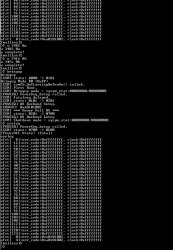
got it working back
>$ bringup
bringup
Code:
[SSM] state: 0000 -> 0101
Bringup Mode #0 (0xFF)
[SSM] ssmCb_OnStartingBePowOn() called.
[SSM] First Boot.
[SSM] Bringup mode : syspm_stat=00000000/00000000
[POWSEQ] PowerSeq_Setup called.
[SSM] state: 0101 -> 0201
[POWSEQ] AV Backend Setup
[SSM] state: 0201 -> 0102
[SSM] state: 0102 -> 0202
[SSM] state: 0202 -> 0103
[SSM] state: 0103 -> 0203
[SSM] ssmCb_BeforeBeOn() called.
[SSM] state: 0203 -> 0104
Psbd_SbTransMode_Half:0x21e2
>$ bringup
[SSM] state: 0104 -> 0204
[SSM] state: 0204 -> 0105
[SSM] state: 0105 -> 0400
(PowerOn State)
[SERV NVS] READ CMD
Boot Loader SE Version 1.6.0 (Build ID: 2040,21378, Build Data: 2007-04-
:43)
Copyright(C) 2006 Sony Computer Entertainment Inc.All Rights Reserved.
[SERV SETCFG] XDR (CH0,CH1) ASSERT
[SERV SETCFG] XDR (CH0,CH1) DEASSERT
[INFO]: Connecting to Debug Device (SB UART)
[SERV NVS] READ CMD
[SERV NVS] READ CMD
[SERV NVS] READ CMD
[SERV NVS] READ CMD
[SERV NVS] READ CMD
[SERV NVS] READ CMD
[SERV NVS] READ CMD
[SERV NVS] READ CMD
[SERV NVS] READ CMD
[SERV NVS] READ CMD
[SERV NVS] READ CMD
[SERV NVS] READ CMD
[SERV NVS] READ CMD
[SERV NVS] READ CMD
[SERV NVS] READ CMD
[SERV NVS] READ CMD
[SERV NVS] READ CMD
[SERV NVS] READ CMD
[SERV NVS] READ CMD
[SERV NVS] READ CMD
[SERV NVS] READ CMD
[SERV NVS] READ CMD
[SERV NVS] READ CMD
[SERV NVS] READ CMD
[SERV NVS] READ CMD
[SERV NVS] READ CMD
[SERV NVS] READ CMD
[SERV NVS] READ CMD
[SERV NVS] READ CMD
[SERV NVS] READ CMD
[SERV NVS] READ CMD
[SERV NVS] READ CMD
[SERV THERM] NOTIFY_MODE CMD
[SERV NOTIF] CONTROL_LED
[SERV NOTIF] RING_BUZZER
[SERV NOTIF] CONTROL_LED
[SERV NVS] READ CMD
[SERV NVS] READ CMD
[SERV NVS] READ CMD
[SERV NVS] READ CMD
[SERV NVS] READ CMD
[SERV NVS] READ CMD
[SERV NVS] READ CMD
[SERV NVS] READ CMD
[SERV NVS] READ CMD
[SERV NVS] READ CMD
[SERV NVS] READ CMD
[SERV NVS] READ CMD
[SERV NVS] READ CMD
[SERV NVS] READ CMD
[SERV NVS] READ CMD
[SERV NVS] READ CMD
[SERV NVS] READ CMD
bringup
Do nothing. (PowerOn State)
>$ shutdown
shutdown
[SSM] state: 0400 -> 0500
[POWSEQ] AV Backend Letup
[SSM] ssmCb_AfterBeOn() called.
[SSM] Shutdown mode ... req_wake_src = 000000F4, ctxt=00/00
[SSM] Shutdown mode : syspm_stat=00000000/00000000
[POWSEQ] PowerSeq_Letup called.
[SSM] state: 0500 -> 0000
(PowerOff State)
>$
I can't hear fan for 10 seconds delay after red light?
Anyway going to sleep or I can give a teamviewer access if you wish to run more tests.
8fe55cadc10a90756e3fa41872086686.jpg
 
Last edited:
as testing rsx wont let you read while power on
Code:
rrsxc 1000 10
+0       +4       +8       +C
-----------------------------------
[SSM] RSX Interrupt : Detected !
RSX SY_IES register (0x0008) = 0x2
[SSM] state: 0400 -> 0700
[POWSEQ] AV Backend Letup
[SSM] ssmCb_AfterBeOn() called.
[SSM] Shutdown mode : syspm_stat=00000000/00000000
00000000 00000000 00000000 00000000
00000000 00000000 00000000 00000000
00000000 00000000 00000000 00000000
00000000 00000000 00000000 00000000
[mullion]$ [ERROR]: 0xa0801802
[POWSEQ] PowerSeq_Letup called.
[SSM] state: 0700 -> 0600
(PowerOff State) (Fatal)
>$ rrsxc 1000 10
[SSM] state: 0600 -> 0000
[SSM] Error state is cleared.
(PowerOff State)
rrsxc 1000 10
+0       +4       +8       +C
-----------------------------------
>$ rrsxc 1000 20
02679003 02679003 02679003 02679003
02679003 02679003
>$ rrsxc
02679003 02679003
02679003 02679003 [SSM] state: 0000 -> 0101
Bringup Mode #0 (0xFF)
[SSM] ssmCb_OnStartingBePowOn() called.
[SSM] Bringup mode : syspm_stat=00000000/00000000
[POWSEQ] PowerSeq_Setup called.
02679003 [SSM] state: 0101 -> 0201
[POWSEQ] AV Backend Setup
[SSM] state: 0201 -> 0102
[SSM] state: 0102 -> 0202
[SSM] state: 0202 -> 0103
FFFFFFFF
FFFFFFFF FFFFFFFF FFFFFFFF FFFFFFFF
[mullion]$ rrsxc 1000 20
+0       +4       +8       +C
-----------------------------------
FFFFFFFF FFFFFFFF FFFFFFFF FFFFFFFF
[mullion]$ [SSM] state: 0103 -> 0203
[SSM] ssmCb_BeforeBeOn() called.
[SSM] state: 0203 -> 0104
Psbd_SbTransMode_Half:0x21e2
[SSM] nonfatalreq delayed.
[ERROR]: 0xa0501802
[SSM] state: 0104 -> 0204
[SSM] RSX Interrupt : Detected !
RSX SY_IES register (0x0008) = 0x2
[SSM] state: 0204 -> 0700
[POWSEQ] AV Backend Letup
[SSM] ssmCb_AfterBeOn2() called.
[SSM] Shutdown mode : syspm_stat=00000000/00000000
[POWSEQ] PowerSeq_Letup called.
[SSM] state: 0700 -> 0600
(PowerOff State) (Fatal)
[SSM] state: 0600 -> 0000
[SSM] Error state is cleared.
(PowerOff State)
rrsxc
*** Invalid Argument ***
[mullion]$
>$
 
Last edited:
got it working back...
I can't hear fan for 10 seconds delay after red light?
Nice you fixed it
So you still have the checksum at "Addr:0x000034fe should be 0x710b" and the fan is not doing anything special ?, then i guess the experiment is not working :/
Well, the last thing i suggest to do is to install the system firmware and try to turn OFF the PS3 with the icon in XMB
Im mentioning this because maybe the "fan_shutdown_time" (the byte we are changing from the original 0 to 10 seconds) is not applyed when using the UART "shutdown" command
 
Yes same address. I've been listening to hear that delay. I first need to put all parts, what firmware should I use. It was on 4.86 rebug I think.
 
Yes same address. I've been listening to hear that delay. I first need to put all parts, what firmware should I use. It was on 4.86 rebug I think.
The firmware version doesnt matter, i just mentioned to try to turn OFF the PS3 with the icon in XMB for a confirmation that the experiment is not working

There is not much we could try... we could increase the time from the actual 10 seconds to 1 minute or more but i guess this is not going to make much difference... if you cant notice the actual 10 seconds it seems syscon is ignoring it
 

Similar threads

Back
Top