PS3 [Tutorial] HDD mounting and decryption on Linux

@andshrew That's sound strange even more. :/ But why do You calculating GB/GiB in the first place? I believe all tools which using M, G, T etc. counts by 1024, not 1000. Even if displaying eg. GB, because in IT, we always using SI description of 1024 counting. And because it was misleading, new units has been introduced but still not many projects using it. Counts by 1000 however using damn media producers but this can be bypassed by checking block size and multiplying it by 512 which results in bytes. This is far less cancerous than 1000 stuff "converting" to 1024. :)

Yes, I was just getting confused as I've not really had to think too much about this for a while. :stupid:

Positions will be different because script don't using any padding (empty spaces between partitions and tables). I don't know why Sony using it and why they have different size on different consoles and/or HDD. Maybe that is the key here? But I completely have no idea how to deal with that because I don't know from what depends size and their existence in the first place. In addition, we still have flags which we don't know what means in PS3PT. I leaving them intact but maybe they are somehow related to that problem?
I tried changing the script so that the partition table would match what my PS3 is generating when it formats the drive, but that doesn't seem to have made any difference. To do that I had to offset LBA_CACHE_START by a further -24, and change LBA_USERDATA_LENGTH to use -524320
Code:
LBA_CACHE_START=$(echo "$((${LBA_MAX}-4194296-24))")
LBA_USERDATA_LENGTH=$(echo "$((${LBA_CACHE_START}-524320))")

But despite now having an identical PS3PT I still cannot use growfs to use the maximum size of the partition.

What I had noticed is that if I incrementally grew the size of the file system I could break it (ie. get 0KB free on PS3) with one size, and then increase the size again to fix it and it would work fine again on the PS3.

The only thing I knew for certain was that increasing the size by whole GiB worked every time, so I did some testing to try and figure out what's causing it to go wrong.

Size (bytes) Size (GiB) PS3 State
80888192800 75.333 Working
82558720400 76.8888 0KB Free
83631603200 77.888 0KB Free
84109418300 78.333 Working
85039278700 79.199 Working
86614458000 80.666 0KB Free
88036092100 81.99 0KB Free
89013197200 82.9 0KB Free
89657442300 83.5 Working
90838558300 84.6 0KB Free
91901562700 85.59 0KB Free
92878560400 86.4999 Working
316753838080 295 Working
317022273536 295.25 Working
317290709000 295.5 0KB Free
317656989696 295.841125 0KB Free
So - unless I'm missing some other pattern in the data - it appears there is a bug/limitation in the PS3 OS that means if you grow the file system by a number of bytes that when converted to GiB gives you a total partition size with a decimal place that would result in it being rounded up to the next whole number then it thinks the system is out of space.

The safest course of action is probably to grow to 1GiB below the maximum that growfs says it will expand to:
Code:
root@:~ # growfs /dev/vtbd1
It's strongly recommended to make a backup before growing the file system.
OK to grow filesystem on /dev/vtbd1 from 54GB to 296GB? [yes/no] no

In this case it would automatically expand to 296GiB, so instead expand to 295GiB
Code:
root@:~ # growfs -s 295g /dev/vtbd1
It's strongly recommended to make a backup before growing the file system.
OK to grow filesystem on /dev/vtbd1 from 54GB to 295GB? [yes/no] yes

Otherwise convert the size in bytes of your partition to GiB and work out the highest number you can use without it rounding up. Then run growfs using the exact number of bytes you calculate as the size. In my case the partition is 317656989696 bytes which is 295.841125 GiB, and the largest I successfully grew it to was 295.25 GiB or 317022273536 bytes (I could probably have gone higher than this but I messed it up by going to 295.5 expecting that to work, when it didn't and I don't want to re-image the drive any more today :beaten:).

Code:
root@:~ # growfs -s 317022273536b /dev/vtbd1
It's strongly recommended to make a backup before growing the file system.
OK to grow filesystem on /dev/vtbd1 from 295GB to 295GB? [yes/no] yes

Edit: Just to add I'm doing this testing on OFW, so perhaps CFW can work around this limitation on the PS3 side.

Alternatively maybe some logic could be added to the extender script such that it calculates the p2 length in such a way that takes account for this, so then you could just run growfs without having to worry about what size to use.
 
Last edited:
I don't want to re-image the drive any more today
:D

Just to add I'm doing this testing on OFW, so perhaps CFW can work around this limitation on the PS3 side.
Nah, in that manner, OFW and CFW are the same. More, no one ever yet investigated those issues, but I believe it is somehow connected to fsck fail on drives larger than 1TB and inconsistency why for some 1.75TB is accepted, for another 1.5TB.

Alternatively maybe some logic could be added to the extender script such that it calculates the p2 length in such a way that takes account for this, so then you could just run growfs without having to worry about what size to use.
Actually that is easy. Take v0.5 of Expander and edit line no.106 (for NOR case) or line no. 62 (for NAND case):
Code:
LBA_USERDATA_LENGTH=$(echo "$((${LBA_CACHE_START}-${LBA_USERDATA_START_DEC}))")
And replace by:
Code:
LBA_USERDATA_LENGTH=$(echo "$((${LBA_CACHE_START}-${LBA_USERDATA_START_DEC}-2097152))")
It came from: 1GiB = 1073741824 bytes = LBA 2097152
Because sector size is 512, so I divided bytes number by 512 and in results got LBA.

- - -
In addition, we cool thing to do could be natively reduce 8% of preservation to 1%. The larger partition, the larger gain and users tested this functionality since few years. No negative reports so far.
https://man.freebsd.org/cgi/man.cgi?tunefs(8)
-m minfree
Specify the percentage of space held back from normal users;
the minimum free space threshold. The default value used is
8%. Note that lowering the threshold can adversely affect per-
formance:

o Settings of 5% and less force space optimization to always
be used which will greatly increase the overhead for file
writes.

o The file system's ability to avoid fragmentation will be
reduced when the total free space, including the reserve,
drops below 15%. As free space approaches zero, throughput
can degrade by up to a factor of three over the performance
obtained at a 10% threshold.

If the value is raised above the current usage level, users
will be unable to allocate files until enough files have been
deleted to get under the higher threshold.
And this one:
-t enable | disable
Turn on/off the TRIM enable flag. If enabled, and if the un-
derlying device supports the BIO_DELETE command, the file sys-
tem will send a delete request to the underlying device for
each freed block. The trim enable flag is typically set when
the underlying device uses flash-memory as the device can use
the delete command to pre-zero or at least avoid copying blocks
that have been deleted.

Note that this does not trim blocks that are already free. See
the fsck_ffs(8) -E flag.
Of course not performed on PS3 side, but as I understand, it will not work on FreeBSD side without it. Important for SSD users to do from time to time. MAYBE. :)
 
Last edited:
Actually that is easy. Take v0.5 of Expander and edit line no.106 (for NOR case) or line no. 62 (for NAND case):
Code:
LBA_USERDATA_LENGTH=$(echo "$((${LBA_CACHE_START}-${LBA_USERDATA_START_DEC}))")
And replace by:
Code:
LBA_USERDATA_LENGTH=$(echo "$((${LBA_CACHE_START}-${LBA_USERDATA_START_DEC}-2097152))")
It came from: 1GiB = 1073741824 bytes = LBA 2097152
Because sector size is 512, so I divided bytes number by 512 and in results got LBA.

I tried this but it didn't seem to work quite run, I ended up writing this little addition to calculate the the max bytes for the partition which I inserted under that line in the script (feel free to use or modify as you like):

Code:
USERDATA_LENGTH_BYTES=$(( $LBA_USERDATA_LENGTH * 512 ))
        GIB_BYTES=1073741824
        if (( ($USERDATA_LENGTH_BYTES % $GIB_BYTES) >= ($GIB_BYTES / 2) )); then
            printf "\nWarning USERDATA would round up: $USERDATA_LENGTH_BYTES bytes ($(echo "scale=3; $USERDATA_LENGTH_BYTES / $GIB_BYTES" | bc) GiB)\n"
            USERDATA_CALC_MINUS_REMAINDER=$(( $USERDATA_LENGTH_BYTES - ($USERDATA_LENGTH_BYTES % $GIB_BYTES) ))
            printf "Safe max bytes for USERDATA:\n"
            printf "\t$USERDATA_CALC_MINUS_REMAINDER bytes ($(echo "scale=3; $USERDATA_CALC_MINUS_REMAINDER / $GIB_BYTES" | bc) GiB)\n"
            printf "\t$(( $USERDATA_CALC_MINUS_REMAINDER / 512 )) sectors\n\n"
            # -512 remove one sector worth of bytes to bring length under .5
            USERDATA_CALC_MAX_BYTES=$(( $USERDATA_CALC_MINUS_REMAINDER + ($GIB_BYTES / 2) - 512 ))
            printf "Absolute max bytes for USERDATA:\n"
            printf "\t$USERDATA_CALC_MAX_BYTES bytes ($(echo "scale=3; $USERDATA_CALC_MAX_BYTES / $GIB_BYTES" | bc) GiB)\n"
            printf "\t$(( $USERDATA_CALC_MAX_BYTES / 512 )) sectors\n\n"
            printf "1) Safe\n2) Max\n3) No Change\n"
            read USERDATA_SIZE_TYPE
            case $USERDATA_SIZE_TYPE in
                1) # Safe
                    LBA_USERDATA_LENGTH=$(( $USERDATA_CALC_MINUS_REMAINDER / 512 ))
                    ;;
                2) # Max
                    LBA_USERDATA_LENGTH=$(( $USERDATA_CALC_MAX_BYTES / 512 ))
                    ;;
                *) # No change
                    printf "No changes made to LBA_USERDATA_LENGTH\n"
                    ;;
            esac
        else
            printf "USERDATA partition: $USERDATA_LENGTH_BYTES bytes ($(echo "scale=3; $USERDATA_LENGTH_BYTES / $GIB_BYTES" | bc) GiB)\n"
            printf "\t$LBA_USERDATA_LENGTH sectors\n\n"
        fi

So if the maximum number of bytes available would result in it rounding up when converted to GiB, it calculates two options. The "safe" option should always work, as it just reduces the size to the nearest whole GiB. The "max" option should work and sets it to one sector worth of bytes below the nearest 0.5 GiB (so it shouldn't round up). But needs more testing from different size drives.

When running the script now it outputs like:

Code:
Warning USERDATA would round up: 317656989696 bytes (295.841 GiB)
Safe max bytes for USERDATA:
    316753838080 bytes (295.000 GiB)
    618659840 sectors

Absolute max bytes for USERDATA:
    317290708480 bytes (295.499 GiB)
    619708415 sectors

1) Safe
2) Max
3) No Change

Using the max option I can then use growfs to automatically expand to the maximum:
Code:
root@:~ # growfs /dev/vtbd1
It's strongly recommended to make a backup before growing the file system.
OK to grow filesystem on /dev/vtbd1 from 54GB to 295GB? [yes/no] yes
super-block backups (for fsck_ffs -b #) at:
 112919360, 113510560, 114101760, 114692960, 115284160, 115875360, 116466560,

All happy on the PS3 side.

In addition, we cool thing to do could be natively reduce 8% of preservation to 1%. The larger partition, the larger gain and users tested this functionality since few years. No negative reports so far.

I did try this before but it didn't seem to make any difference on what the PS3 showed the free space was. I can't even get it to display within FreeBSD, in that the way I understand it if I log into FreeBSD as a non-root user then I should see the available space reduced by 8%, which I don't. Need to do further testing/reading as to whether there is something else that needs to be done.

The trim option is also interesting. There is an option on fsck_ufs too (https://man.freebsd.org/cgi/man.cgi?query=fsck_ufs&sektion=8&n=1) -E which initiates a TRIM (it mentions it's useful for disks that have been mounted on systems without TRIM support). But because this is being passed through to the VM I'm not sure if the TRIM commands make it back to the physical disk? Not sure if there is a way to tell from the drive in Linux.

Edit: it looks like it may do: https://reviews.freebsd.org/D21708?id=70437

Edit2: also I forgot to mention, I think add a "sudo kpartx -u /dev/mapper/ps3hdd" to the script after making the changes to the partition table so that the mapper is updated ready for the next steps. Otherwise it continues to point to the old locations and so running mkfs.fat doesn't write the new CACHE partition in the correct location.
 
Last edited:
A bit more investigation with tunefs and the file system.

The PS3 formatted 60GB drive shows as this in FreeBSD:
Code:
root@:~ # df -h /dev/vtbd1
Filesystem    Size    Used   Avail Capacity  Mounted on
/dev/vtbd1     52G    502M     47G     1%    /cell_mw_cfs

The actual partition size is 55GiB; so it appears the file system has some overhead reserved in addition to the 8% minfree thats reserved for the root user. So 52GiB usable space - 4GiB (8% of 52) - 0.5GiB (files created by PS3) equals the 47GiB available.

On the PS3 side it shows 47GB / 55 GB free, so matches FreeBSD.

After having used growfs the PS3 and FreeBSD start to go out of sync in terms of how much they think is free:

Code:
root@:~ # df -h /dev/vtbd1
Filesystem    Size    Used   Avail Capacity  Mounted on
/dev/vtbd1    286G    502M    263G     0%    /cell_mw_cfs

Actual partition size is 295.499 GiB; 286GiB usable space - 22GiB (8% of 286) - 0.5GiB (files created by PS3) equals the 263GiB available.

But on the PS3 it shows 285GB / 298GB free.

I cannot seem to force it to recalculate how much it has free (I've tried restore file system, rebuild database, and restore default system settings. I also tried copying some video files via USB and then deleting them - but the free space remains relative to what the PS3 thinks it has). It seems that the PS3 OS may be keeping its own running total of how much space is free, rather than directly querying the file system. Now having changed the size of the file system outside of its control this has caused it to become out of sync with the real available size.

Also, changing minfree via tunefs does work. I changed it to 5%:
Code:
root@:~ # tunefs -m 5 /dev/vtbd1
tunefs: minimum percentage of free space changes from 8% to 5%
tunefs: should optimize for space with minfree < 8%

root@:~ # df -h /dev/vtbd1
Filesystem    Size    Used   Avail Capacity  Mounted on
/dev/vtbd1    286G    502M    271G     0%    /cell_mw_cfs

So gained the space back when viewing available space in FreeBSD, but no change on how much the PS3 thinks is free. It would be interesting if people who previously made this change by hex edit saw the extra space reported as available by their PS3.

If there isn't a way to make the PS3 fully recalculate how much space is free I guess there is the risk you run out of space on the file system while the PS3 still thinks there is space available.
 
I don't really comprehend any sense in that script part. I was thinking before that You talking about just cutting 1GiB of total size on that partition (which still sounds ridiculous), but I see, You rounding it to absolute values. Why this work and full doesn't? Maybe this is some growfs issue or we don't understand something in UFS structure.

BTW: I will add it to next Expander version anyway. Thank You for Your time!

- - -
After changing % via app from link below, PS3 shows enlarged space. So it must be some additional thing to do.
https://www.psx-place.com/resources/ps3-unlock-hdd-space.1157/

- - -
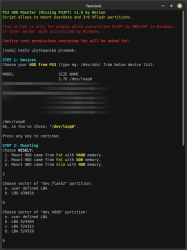
PS3 HDD Decryption Helper [DLC1] ;)
Mounter script allowing user to access UserData partition and VFlash area where xRegistry.sys is stored. Script is useful for people whom Windows overwritten partition table by MBR or GPT (by so called disk initializing). If none of LBA presets works, try custom one with incremented or decremented border value by 8.

Only for advanced users.
In future, this will be part of next update and then attachment will be deleted.
  • PS3 HDD Mounter (Missing PS3PT).sh
  • PS3 HDD Umounter (Missing PS3PT).sh
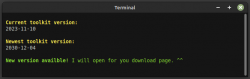
  • Updater.sh

mounter-no-ps3pt.png updater.png
 
Last edited:
I don't really comprehend any sense in that script part. I was thinking before that You talking about just cutting 1GiB of total size on that partition (which still sounds ridiculous), but I see, You rounding it to absolute values. Why this work and full doesn't? Maybe this is some growfs issue or we don't understand something in UFS structure.

BTW: I will add it to next Expander version anyway. Thank You for Your time!
Ah, what I meant was making the script check whether the number of bytes that would be used for the USERDATA partition would result in a number that would be rounded up when converted to from bytes to GiB (and therefore cause the 0% free disk space issue on the PS3 after growfs is used).

So my script checks that, and if that is the case it lowers the number of bytes that would be used to a number that won't round up when converted from bytes to GiB. The safe option being a number that should definitely work, the max number being as close to the maximum number of bytes that could be used without causing the 0% issue (but needs more testing before I'd say this is guaranteed to work like the safe option).

Hopefully that makes more sense.

- - -
After changing % via app from link below, PS3 shows enlarged space. So it must be some additional thing to do.
https://www.psx-place.com/resources/ps3-unlock-hdd-space.1157/

- - -

That's interesting, I wonder if the fact it's being done on console while the OS is running means it gets calculated correctly. Interestingly in FreeBSD you cannot make the change on a mounted file system (via tunefs anyway). I wonder if anyone who hex edited it via PC saw the extra space available on the PS3 - in theory that should see the same behaviour from the PS3 as setting it via tunefs in FreeBSD.

It would be useful to understand exactly how the PS3 is calculating free space, and whether it is then storing that somewhere that is accessible.

Doing some searching I came across this thread where the user experienced their PS3 loosing track of how much space is free, which would go to support the idea that the PS3 is keeping track of free space somewhere itself rather than directly querying the file system (in the way that a command like df does):
https://www.psx-place.com/threads/p...-after-deleting-more-than-35gb-of-data.35529/
 
Oh, but I understand the code. ^^ I just don't get it why PS3 complains. If FreeBSD tools would breaking it, then it would breaking it always. If this would be bugs on growfs side, then I believe quickly be spotted (FreeBSD is wildly chosen for servers).

Edit2: also I forgot to mention, I think add a "sudo kpartx -u /dev/mapper/ps3hdd" to the script after making the changes to the partition table so that the mapper is updated ready for the next steps. Otherwise it continues to point to the old locations and so running mkfs.fat doesn't write the new CACHE partition in the correct location.
That's true. ^^ In WIP version I doing it on loop cut from ps3hdd and forgot to add that in release versions.
It would be interesting if people who previously made this change by hex edit saw the extra space reported as available by their PS3.
I doing the same in Tasker script and PS3 not update it. But... I'm pretty sure I tested this before and works. :/

If there isn't a way to make the PS3 fully recalculate how much space is free I guess there is the risk you run out of space on the file system while the PS3 still thinks there is space available.
Yes, if PS3 not shows updated fs table, it is not safe to use it in such state.
 
Last edited:
Databases are in SQL format, editable eg. via SQLite. Somewhere in tmp, mms or vm. Three if I remember correct.

I thought about that too, but I doubt. Rebuild database option CFW Tools or from recovery or forced recovery via flag in mms should should fix that if there is indeed such info. ;]
 
@Berion do these look like them, in /mms/db:

Code:
-rw-------  1 root wheel  262160 Jan  4  2012 metadata_db_hdd
-rw-------  1 root wheel  178176 Jan  3  2012 metadata_db_hdd.idx
-rw-------  1 root wheel  262160 Jan  4  2012 metadata_db_system
-rw-------  1 root wheel    8192 Jan  4  2012 metadata_db_system.idx

I can't open them in SQLite, the header for one of them:

Code:
root@:~ # hexdump -C /cell_mw_cfs/mms/db/metadata_db_hdd | head
00000000  b9 8d 9a 9e 94 af ac cc  00 0a 00 00 00 00 00 00  |................|
00000010  00 00 00 00 00 00 00 00  00 00 00 00 00 00 20 00  |.............. .|
00000020  00 00 00 00 40 00 00 00  00 00 00 00 00 00 00 00  |....@...........|
00000030  00 00 00 00 00 00 00 40  00 00 00 00 00 00 00 00  |.......@........|
00000040  00 00 00 00 00 00 00 00  00 00 00 00 00 00 1e 50  |...............P|
00000050  00 00 20 00 00 00 00 00  00 00 01 90 00 00 00 00  |.. .............|
00000060  00 00 00 09 53 74 6f 72  61 67 65 4d 65 64 69 61  |....StorageMedia|
00000070  00 00 00 00 56 69 64 65  6f 00 00 00 56 69 64 65  |....Video...Vide|
00000080  6f 4c 69 73 00 00 00 00  00 00 20 40 50 65 6f 70  |oLis...... @Peop|
00000090  6c 65 52 65 63 6f 67 6e  69 74 69 6f 6e 00 00 00  |leRecognition...|
 
Oh damn, so I mislead it with Vitas databases. Sorry, that was long time ago. ^^" But for sure those are XMB databases.

- - -
PS3 HDD Expander v0.6
[+] added Andshrew round calcs to both, NAND and NOR cases
[+] added kpartx update mappings.
[f] fixed dd|xz target (needs uncommenting but commenting mkfs.fat)

In attachment script (totally untested yet ;d) and clean cache partition image if user want exactly the same FAT32 type as original.

edit: and I forgot to fix cache writing by dd too... Replace:
Code:
sudo dd if=${HOME}/ps3/storage/hdd/cache_empty.xz | xz -d -k | dd of=/dev/mapper/ps3hdd3 status=progress
by:
Code:
xz -d -c ${HOME}/ps3/storage/hdd/cache_empty.xz | sudo dd of=/dev/mapper/ps3hdd3 status=progress
And ps3hdd2 in NAND section.
 
Last edited:
Oh damn, so I mislead it with Vitas databases. Sorry, that was long time ago. ^^" But for sure those are XMB databases.

I thought I'd try comparing the database files between the 60gb image and immediately after increasing the file system - just in case there were any references - but there's too many between to two to easily compare.

I did a few more tests increasing the file system to different sizes to see how much free space the PS3 reported as being available.

What I noticed is that after using growfs the PS3 seems to show the free size as being the total size of the partition (minus any actual used space). So for some reason it ignores the 8% UFS reserve in its calculation, even if that is still set on the partition.

So I guess if your intention is to also reduce that reservation anyway this may not be much of an issue. Otherwise need to test what happens if you were to fill the drive to the reservation. The drive wouldn't be physically full, but the file system should behave as if it is and need to see how the PS3 reacts to that given it would think there is space available still.

Edit:

I realised I don't need to fill the drive to test this. I did the reverse - increased the reservation to 98% and then I filled remaining usable space while in FreeBSD.

Code:
root@:~ # df -h
Filesystem      Size    Used   Avail Capacity  Mounted on
/dev/vtbd1       97G    2.3G   -331M   117%    /cell_mw_cfs

Back in the PS3, everything appears to work fine. There are no out of space warnings, I could create files and install a game from disc. It correctly shows 94G free.

So my theory is when the PS3 formats the drive it does something to account for the 8% reservation so that the OS includes that in the amount of free space that is displayed.

When we change the file system size with growfs that same function doesn't get applied so you then see the full available space; which also suggests the PS3 is always operating in a way that either ignores the reservation (or it's running as a root equivalent so the reservation doesn't apply). The only thing enforcing the reservation on normal PS3s is whatever process accounted for it in the free space display when the drive is first formatted.
 
Last edited:
So I can now answer does this let you use larger drives than were possible before? Probably not. :grin:

I tried extending my 1.5TB SSD to the full 1.8TB and the PS3 just boots forever, no error messages and no HDD activity light.


If I go into safe mode I get:

3ZGWyZm.png
 
Some final large drive testing notes (from my Slim CECH-2503A).

With a 2TB SSD at it's full capacity (3907029168 sectors, 2000398934016 bytes, 1863.02 GiB) you cannot access safe mode at all.

The largest USERDATA partition I was successfully able to boot into after running growfs was 1600 GiB (3355443200 sectors, 1717986918400 bytes). You may be able to go higher than this, but I didn't test further as without access to safe mode to be able to reinstall firmware or rebuild the database you'd be at very high risk of getting into a state that an external fsck alone could fix. Once the system has crashed once the UFS file system remains in a perpetually "dirty" state (which you can fix by mounting the drive back in FreeBSD and running fsck).

With the 2TB SSD capacity reduced to 1 sector below 1.5 TiB via limiting max visible sectors (HPA) I could access safe mode. This is 3221225471 sectors, 1649267441152 bytes, 1535.99 GiB).

This size may be viable for long term usage, given that you can access safe mode and can reinstall firmware if needed. In safe mode option "3. Restore File System" is broken, trying to use it puts your system into an unbootable state where it wants to format the drive. If it gets into this state reinstalling the firmware may allow it to boot again without formatting. As above, normal crashes result in the UFS file system being marked perpetually "dirty" but it doesn't prevent the system from booting. If you were to go with this you would have to routinely mount the drive into FreeBSD to run an fsck to repair any UFS file system issues.

Personally I'm going to give up on using a 2TB drive now and go to a 1TB SSD, since that seems the safest option from the extensive testing people have done. So the last thing I will do is document and share the steps of cloning my old drive to the 1TB SSD, and then using FreeBSD to extend the file system to the full size. Then I can get back to playing some games. :joyous:
 
So it seems that bug with UFS2 is in the CellOS kernel. What a shame.

Yes, PS3 respecting HPA. Also I added year ago to Tasker script some presets like:
  • 4GiB (minimal rounded size accepted)
  • 22GiB (minimal size accepted to use with OtherOS)
  • 1TiB (max safe capacity)
  • 1,5TiB (max semi-safe capacity minus broken emetini)
  • custom value, so user can set his own.

BTW: Thank You for Your time. ^^ Really appreciated.
 
Last edited:
PS3 HDD Expander v0.8
  • Changed QEmu cores usage from 2 to 1 and ram reservation from 2 to 1.
  • Added stable FreeBSD link but commented. By default is upstream version.
  • Changed "cache_empty.xz" (in attachment on page earlier) to "dev_hdd1_empty.xz" which must be placed in "${HOME}/ps3/storage/hdd".
  • Changed writing cache partition chunks from 512 bytes to 64MiB which speed up process a lot on HDDs.
  • Added at the bottom of script all FreeBSD magic so user don't need seek the man pages.
  • Various of cosmetic changes

@andshrew Today I spend a lot of time, and no matter what I set, it results me always 0 free space (BTW: script not asking me about what to do, so it looks like I fitting into calculations). There is something which we don't understand here and TBH I gave up with this. So I leaving this script in experimental state here and will add it near end of this year to the others with next PS3HDDDH update.

Thank You all for all the efforts (partition table dumps turned to be very very helpful also in this task). ^^
 
@Berion No problem. I've got a few more partition tables to share with you.

I'm running into the same problem too trying to clone my 640GB drive to the 1TB drive.

Interestingly cloning the 60GB drive to the 1TB worked fine, and the PS3 shows the correct amount of space. But cloning the 640GB drive results in the 0KB free error, unless I run growfs with a command to limit how much it expands by (eg. growfs -s 928g /dev/vtbd1). My 640GB has a lot of data on it where as the 60GB is a fresh install, so perhaps the amount of free space available also affects it somehow.

Either way there is definitely something that is not being fully understood as to why the 0KB free error happens.

I'm thinking the simplest or most reliable way to moving to a larger drive is actually letting the PS3 format the new drive, and then do a file level copy of your data from the old drive to it (as I did previously).
 
Last edited:
I've got a few more partition tables to share with you.
I am and still be interested in PS3PT dumps. ^^ So, thank You.
so perhaps the amount of free space available also affects it somehow.
What not giving me peace is why Sony using padding between partitions, but not always. Those are 4KiB and 8KiB gaps. Maybe we have some situation here that somehow fs must fitting to, I dunno, CHS?
Either way there is definitely something that is not being fully understood as to why the 0KB free error happens.
Especially that FreeBSD and Linux says it is fine, showing fine amounts of free space.
I'm thinking the simplest or most reliable way to moving to a larger drive is actually letting the PS3 format the new drive, and then do a file level copy of your data from the old drive to it (as I did previously).
That's true but such enlarging fs could lift from user a files backup burden. Only if could be reliable, which is not in current state. :/
 

Similar threads

Back
Top