PS3 [Tutorial] HDD mounting and decryption on Linux

Your problem is that Your key is named "eid_root_key" instead "eid_root_key.bin". ;) Remove all those files except ERK, rename it and attempt to generate keys.

Besides that, You cannot use "PS3 HDD Mounter (Read Only).sh" but "PS3 HDD Mounter (Missing PS3PT).sh" because so called initialization, overwriting PS3PT by MBR/GPT. First script is for fully working disk, Yours isn't so that's Your last resort. Steps are the same as for standard version with addition that You will need to tell the script where to start seeking partitions (You can choose one of presets displayed during that ask (twice because one is for dev_flash2, and one for dev_hdd0, none other partitions will be mounted), high probably one of them will fit for Your environment). If You will choose wrong LBA, You will not mount partitions. In that case, do umounting (which also removing mappers and loops), and try again (from mounter script, no need for re-genarating keys and compiling bswap16) but with different number (there are four often used but in theory they can be any).
 
Last edited:
Hi, thanks for the help. you are a boss
53457324031_4a331571d2_b.jpg
 
@RyanPPss Hello and thanks.
I see that You have used normal version to mount stuff, which also means initializing fix has been applied successful. So, if console in that state are in boot loop, use normal Mounter (or remount "/dev/mapper/ps3hdd3" with rw permission), then delete all content from "${HOME}/ps3/storage/hdd/dev_hdd1/". It is possible that this will fix boot loop and You will be able to attend again to install fw.
 
Hi, I deleted everything in dev_hdd1 but still the ps3 update freezes at 98%. I can copy files from PS3 to PC with HDD reader?
 
If that so, then it is possible that You have damaged NOR flash memory (if HDD format will not bring her back to the living).

You can copy any data from any mounted partition by PS3 HDD Decryption Helper. If You prefer PS3 HDD Reader, it is also possible but this is CLI app, so IMO more handy is PS3HDDDH and in this case Nemo (file manager in Cinnamon in Linux Mint). ;]

Remember what I wrote in tutorial about Windows fast boot and hibernation. You must turn them off before copying from Linux side in assumption target partition is one mounted on Windows as "C:\".
 
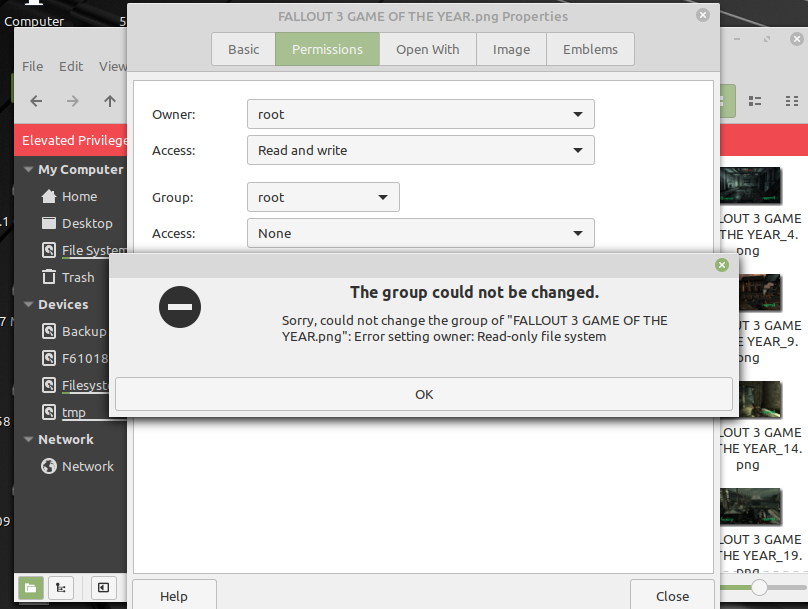
Hi, I'm sorry for bothering you again, I can't copy and paste the files. I use `ps3 mounter` but it only works when reading.

Screenshot-from-2024-01-12-22-06-47.png
Screenshot-from-2024-01-12-22-10-53.png
 
You asked before to copy data from PS3 HDD, not to PS3 HDD. You cannot copy to PS3 HDD (to "dev_hdd0", everywhere else You can) until You make ufs.ko with write privilege and load it. KO Manager allows that but at the end, output kernel module not allowing rw for unknown to me reason. You don't need it to copy any files and folders from PS3 HDD. ;]

Also, never change file permissions on PS3 HDD (even if You could) because it will results in ownership issues on PS3 firmware side.

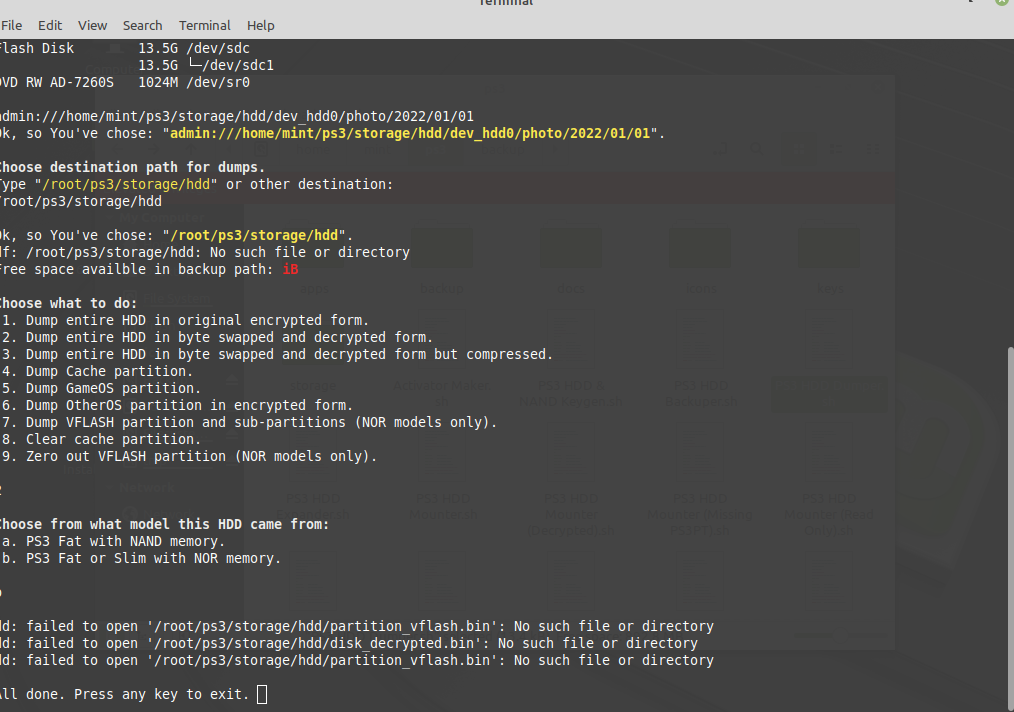
Toolkit scripts working only from "/home/<user>/ps3/". Putting it into "/root/ps3/" will break all scripts which seeking "${HOME}" (which means the same as "%HOMEPATH%" in Windows) and even if You would replace this in all scripts, still it will lead You nowhere because all commands which needs root privilege are run with "sudo" which telling bash (command line like "CMD" in Windows) to do it as root user. That's why "PS3 HDD Dumper.sh" does not work on screenshot above.

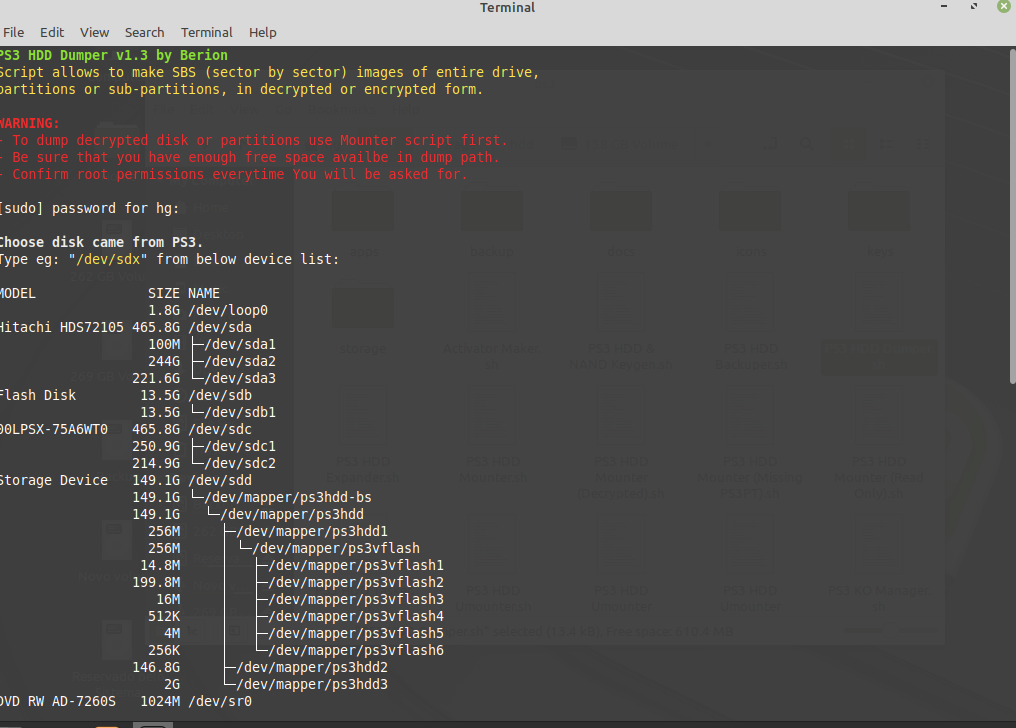
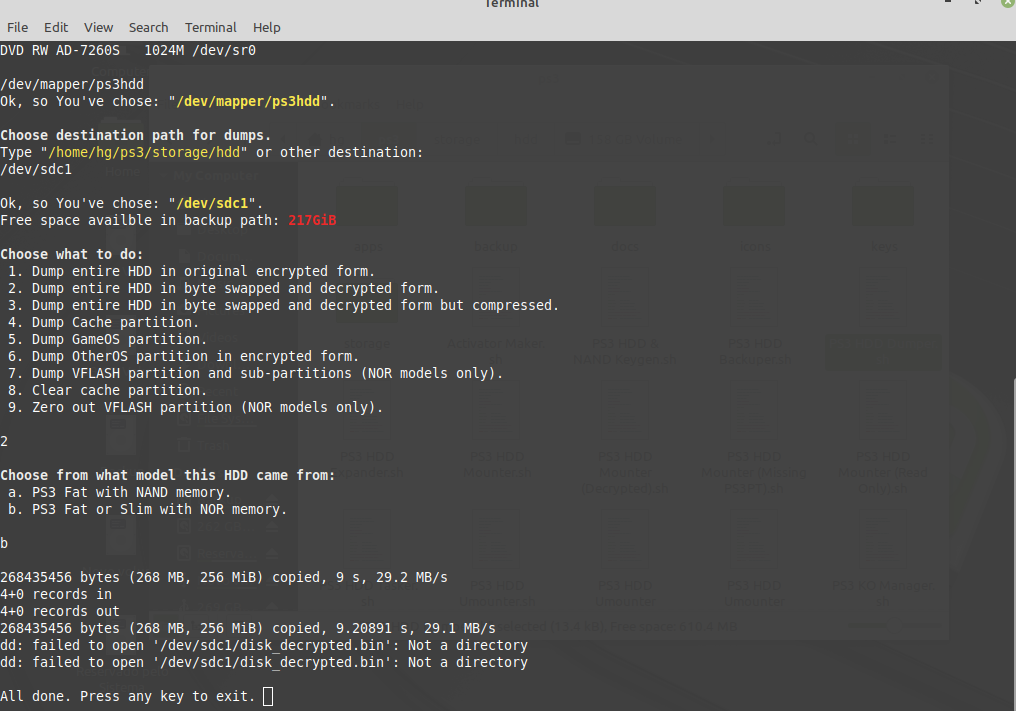
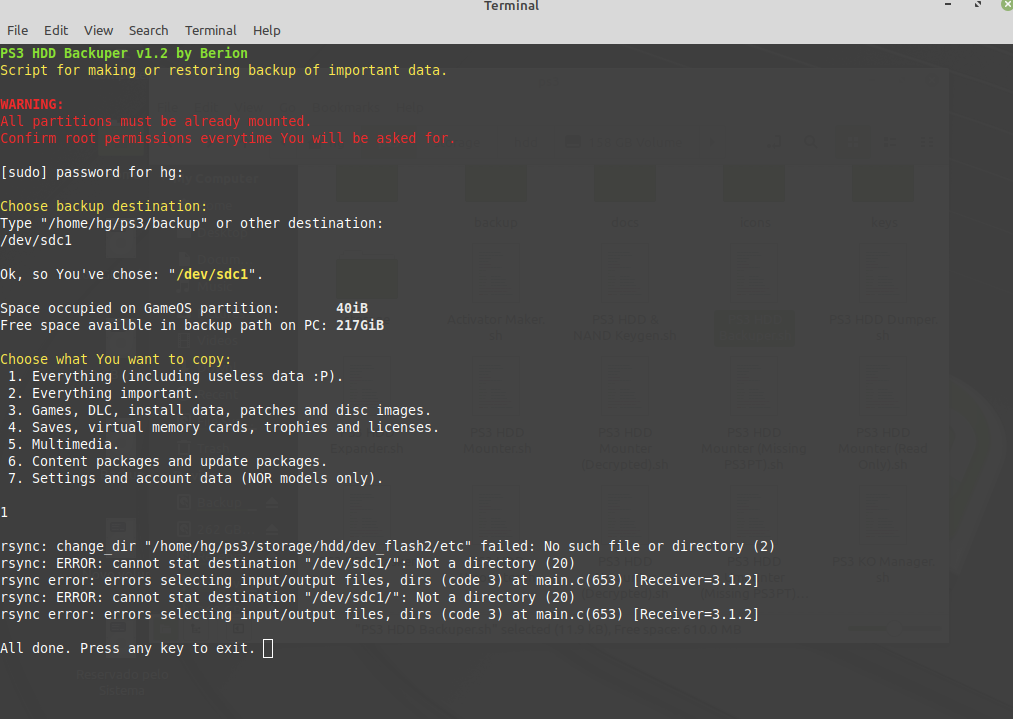
Path You chose is wrong. Script on first asking for device mapper, not path. Second question is to where write it (a path). And You need to be sure that destination path have enough free space for that, because it will not be check later. However, I believe You don't want dump any decrypted partitions judging by wrong path You've chose. ;P

Don't worry, You don't bothering me. That's why forums was invented. Your case will be example for others from the future. ;]

Well, instead experimenting on Your own, better be if You tell us what You exactly want to achieve.
 
Last edited:
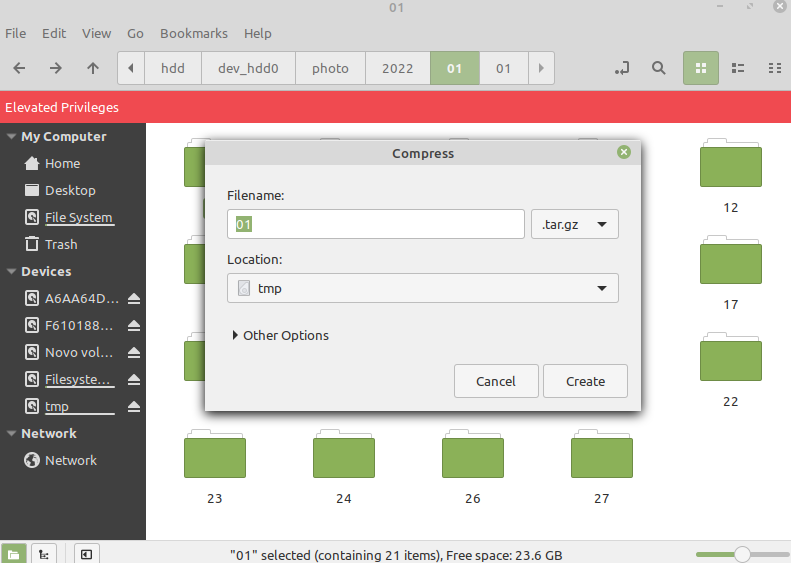
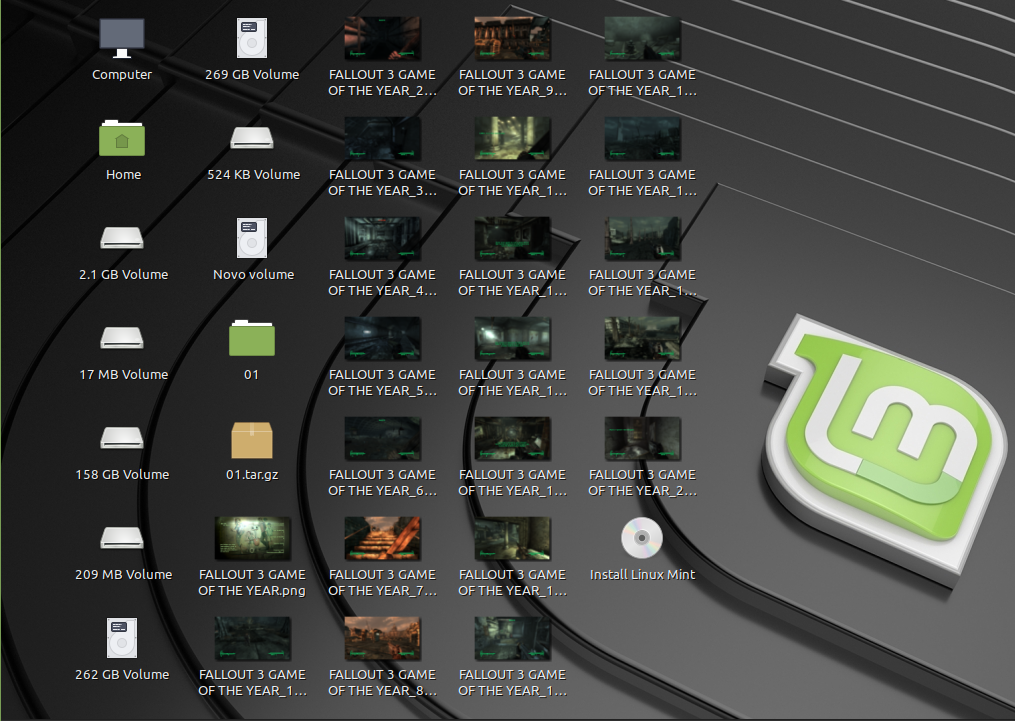
@RyanPPss You do not need to pack - in Your case - game screenshots. Very awkward way You've chose. Permission denied was because You tried copy data which belongs to root as normal user. Nemo with user permissions don't have red ribbon. Nemo with root rights, have red ribbon. Every operations in file manager like eg. Nemo, You must do as root, so only in Nemo with red ribbon.

About dumper script: You was asked for path but You have chose device. You misleading those two different things. Windows mounting automatically partitions as letters and those are mount points. Devices in Windows are, in some meaning, hidden from user. So in examples: "C:\Users\Ryan\" in Linux would be "/home/ryan/". "disk0" in Windows would be "/dev/sda"in Linux. You cannot in Windows copy any file to eg. disk0, so You also cannot do the same in Linux.

In Backuper script You did the same mistake. You need give him path, not device. So in example, first You need mount "/dev/sdc1" (which means, partition 1 on device sdc) if You want use it (just click on partition in Nemo as user, and it will be mounted). Then go to "/media/" and find under which folder is mounted. If partition have no label, then it will be mounted as GUID (some long letters and numbers); if have label like eg. "RYAN", then it will be inside "/media/RYAN/". If You go there and then click on arrow with dot icon (near the loupe icon), then it will reveal direct path which You can copy via right mouse button. And this is Your path for usage with script.
 
PS3 USB Formatter v1.0

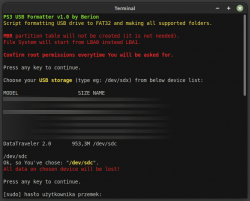
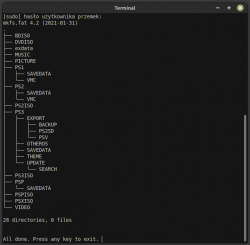
Script not much related to HDD, especially decryption, but oh well, fit to he rest of scripts family. ;] Script will make FAT32 without MBR partition table (PS3 support it ;]) on target device plus make all needed folders (if You don't know which one is for what, I left in the code comments which describing that).

Create "usb" folder inside "${HOME}/ps3/storage/" and install tree if You don't have it ("apt install tree"). When asked, feed him device name (eg. /dev/sdx), not partition (eg. /dev/sdx1)!

ps3_usb_formatter_1.png ps3_usb_formatter_2.png
 

Attachments

Last edited:
Hey @Berion

I've had some time to test the issues I was seeing with the 512e drive. I thought I'd write up all the BSD information on a blog, so I've started with a write up of how I tested the 512e drive here:- https://ps3hdd.pages.dev/blog/ps3-512e-compat

My conclusion was avoid using 512e drives if you can. Then my question was "but which drives are 512n?" :angel: Apparently it's quite difficult to find this information. I can't find the information listed on most consumer tier SSDs spec sheet, so I tried contacting some manufactures directly but they mostly weren't at all helpful. In the end I resorted to asking people on tech forums if they could share the information from drives they owned.

So I now have a list of 512n drives:- https://ps3hdd.pages.dev/blog/ps3-512e-compat#list-of-known-512n-drives
Avoid the Crucial MX500, unless you like to play the lottery. It is produced in both 512n and 512e format, and there appears to be no way to be able to determine which version you might be buying:- https://ps3hdd.pages.dev/blog/ps3-512e-compat#beware-the-crucial-mx500

I've got a 1TB 512n drive now (WD Blue SA510), so I can finally complete my data restoration. :encouragement:

I saw your post on PS4 HDD decryption, if my model is one that will give up its keys I might try the same drive on that and see if it shows the same issue.
 
@andshrew
I will look more closely at article later but after quick view I can say it is the same interesting as titanic work put into it. Thank You for Your time!

If You looking for 512n drives, then all my are "natives" (I think fw doesn't matter, but producer can change spec without notice client so it is possible that one product with the same model number using different sector size):
  • Plextor PX-256M6Pro (SATA)
  • WD WDS120G2G0B-00EPW0 (M.2, can be used in theory in PS3 via additional controller in the middle)
Instead lsblk, You can use hdparm which giving more info:
Code:
sudo hdparm -I /dev/sdx
 
Thanks @Berion, I'll add those to my list.

I was actually looking into using an M.2 drive, as the 2.5" SATA SSD prices here are quite high at the moment. But I managed to get a 2.5" in the end.

The manufacturer of the M.2 adapter was actually one of the more helpful companies I contacted, as they confirmed their adapter was just a mechanical modification of the M.2 to SATA connector (the components on the PCB are just for the power supply). So they confirmed the adapter wouldn't change or mask drive sector sizes, like a USB to SATA adapter seems to.
 
@andshrew I have read into you article a little bit regarding the 512e vs 512n topic. In the past I had a problem on my slim OFW PS3 which I have described here: https://www.psx-place.com/threads/t...decryption-on-linux.23308/page-13#post-375416

Could it be the result of using a 512e drive maybe? The drive being used was a Crucial BX500 1TB.

There hasn't been enough testing to say that is definitively the issue, but I would say that yes it is possible.

Have you confirmed your drive is 512e? The small sample of responses I got suggested the BX500 1TB was a 512n drive, although it could well be like my MX500 and there are variants of both out there.

You can follow the steps here to confirm what your drive is if you haven't already: https://ps3hdd.pages.dev/blog/ps3-512e-compat#how-do-i-know-if-my-drive-is-512e
 
Hello.
I am new to working on consoles, I have executed the step-by-step tutorial on the Linux distributions mentioned and those not mentioned, but I have a problem. I am mounting a 369 disk with dead storm pirate special to repair this disk I need to be able to write on it but it is not possible, when mounting the disk with sudo mount -t ufs -o ufstype=ufs2,rw /dev/mapper/ps3hdd2 ${HOME}/ps3/storage/hdd/dev_hdd0 says ps3hdd2 is read-only, the command sudo mount -t ufs -o remount,ufstype=ufs2,rw /dev/mapper/ps3hdd2 doesn't work on many linux, on 18.2- cinnamon does run but generates this error
FOxKeTc.png

In conclusion, I cannot write the partition, only read it.
Does anyone know what to do in this case? Or better yet, who has arcade images and how to install them?
Thanks for sharing:chuncky:
 

Similar threads

Back
Top