PS3 [TUTORIAL] How to split a large PKG file for OFW

The reason we are using these tools to split is these are the only tools that help in splitting PKG for ofw. there isn't much splitting going on it just takes small files and packs them into small PKG for example a 10gb PKG which has 1gb+2gb+3gb+4gb can't be transferred directly to fat 32 as it has a limit of 4gb so the PKG splitter turns it into 4gb+4gb+2gb.then we take a another PKG of 10gb which is 6gb+4gb this cannot be split as a single file is exceeded the 4gb limit and the program will say large file detected and stop.now you can ask there is other tools to split this type of file into how many ever part's you desire but those types can't be installed in the ofw.those are only for cfw users having multiman which actually combines those files for them

Sent from my Lenovo K33a42 using Tapatalk
 
If you have installed Aldo's tools you can just double click on the PKG it will show you it's contents and so you can check out if it has any files over 4gb

Sent from my Lenovo K33a42 using Tapatalk
 
The reason we are using these tools to split is these are the only tools that help in splitting PKG for ofw. there isn't much splitting going on it just takes small files and packs them into small PKG for example a 10gb PKG which has 1gb+2gb+3gb+4gb can't be transferred directly to fat 32 as it has a limit of 4gb so the PKG splitter turns it into 4gb+4gb+2gb.then we take a another PKG of 10gb which is 6gb+4gb this cannot be split as a single file is exceeded the 4gb limit and the program will say large file detected and stop.now you can ask there is other tools to split this type of file into how many ever part's you desire but those types can't be installed in the ofw.those are only for cfw users having multiman which actually combines those files for them

Sent from my Lenovo K33a42 using Tapatalk

Yeah I agree and people misunderstood my post. You can consider a pkg as a rar file which you can extract. It contains all kinds of files that run the game.it can be textures and shit. If a texture is over 4gb, you won't be able to overcome the fat32 limit cuz you can't split the texture as it is a single file afaik for ofw. Basically you yourself can extract the pkg and make your own pkg using the files but the splitter does this automatically for you.
 
Yeah I agree and people misunderstood my post. You can consider a pkg as a rar file which you can extract. It contains all kinds of files that run the game.it can be textures and shit. If a texture is over 4gb, you won't be able to overcome the fat32 limit cuz you can't split the texture as it is a single file afaik for ofw. Basically you yourself can extract the pkg and make your own pkg using the files but the splitter does this automatically for you.
Yes that's correct PKG are very similar to rar files.even when a file seems like a 3gb when extracted it can be over 4gb in size

Sent from my Lenovo K33a42 using Tapatalk
 
Hi! I wasn't dead, just busy with work. Sorry for no answering.
v0.4 introduced a small bug in the assistant. I am trying to fix it. Will update the first post soon.

Deezeewhytea, i will wait maybe for a fix in the next version .
You need to enable Debug on each boot to play installed games with montcer's method ?
If you follow the instructions on the first post, then yes, you need to enable Debug PKG with the HAN tools!


So people are still splitting..... The amount of time u guys waste on splitting is ridiculous.
So if splitting can't work if the game has a file greater than 4 gb, then it works by Dividing the files into different pkgs and doesn't really 'split'. For example if a pkg has a bunch of X megabytes of files and a 4 gb file, it'll create a pkg containing those X files and another pkg with the 4gb file. Correct me if I'm wrong. So basically it's useless and more time consuming
Why are you having such a bad time with people splitting a large PKG? I have already lost the count on how many times you have post something like "stop splitting, use PKG linker" or "this is just a waste of time", which, by the way, posting that isn't a waste of time? Let the people be! Don't be a troll as no one likes a troll.
I am sure that almost all users that came to this post are looking an alternative for LAN connection, and almost all users know how badass is PKG linker and how much time and effort their devs put on it to make it better, however, they can't control the environment OS that each user have and we can't request to them to do such a thing, so, for users like me, that can't user PKG linker because or OS won't allow the connection we have to seek for alternatives and this is one. Like it or not, people wants to transfer data to their PS3 and they will do it with or without this thread.
I will add to the first post a communication regarding how cool is PKG linker, trying to encourage users to use it if they haven't :)
 
Hi! I wasn't dead, just busy with work. Sorry for no answering.
v0.4 introduced a small bug in the assistant. I am trying to fix it. Will update the first post soon.


If you follow the instructions on the first post, then yes, you need to enable Debug PKG with the HAN tools!


Why are you having such a bad time with people splitting a large PKG? I have already lost the count on how many times you have post something like "stop splitting, use PKG linker" or "this is just a waste of time", which, by the way, posting that isn't a waste of time? Let the people be! Don't be a troll as no one likes a troll.
I am sure that almost all users that came to this post are looking an alternative for LAN connection, and almost all users know how badass is PKG linker and how much time and effort their devs put on it to make it better, however, they can't control the environment OS that each user have and we can't request to them to do such a thing, so, for users like me, that can't user PKG linker because or OS won't allow the connection we have to seek for alternatives and this is one. Like it or not, people wants to transfer data to their PS3 and they will do it with or without this thread.
I will add to the first post a communication regarding how cool is PKG linker, trying to encourage users to use it if they haven't :)

I gave up on that. My latest post were to explain that not all pkgs can be split for Han
 
Hi! I wasn't dead, just busy with work. Sorry for no answering.
v0.4 introduced a small bug in the assistant. I am trying to fix it. Will update the first post soon.


If you follow the instructions on the first post, then yes, you need to enable Debug PKG with the HAN tools!


Why are you having such a bad time with people splitting a large PKG? I have already lost the count on how many times you have post something like "stop splitting, use PKG linker" or "this is just a waste of time", which, by the way, posting that isn't a waste of time? Let the people be! Don't be a troll as no one likes a troll.
I am sure that almost all users that came to this post are looking an alternative for LAN connection, and almost all users know how badass is PKG linker and how much time and effort their devs put on it to make it better, however, they can't control the environment OS that each user have and we can't request to them to do such a thing, so, for users like me, that can't user PKG linker because or OS won't allow the connection we have to seek for alternatives and this is one. Like it or not, people wants to transfer data to their PS3 and they will do it with or without this thread.
I will add to the first post a communication regarding how cool is PKG linker, trying to encourage users to use it if they haven't :)
Keep doing your thing, if your contribution is useful to some people, it's the only thing that matters. ;)
 
Nice hideg.i still think pkglinker is better though as it can transfer big files without a split. Unsure if it has a size limit though
 
Nice hideg.i still think pkglinker is better though as it can transfer big files without a split. Unsure if it has a size limit though
This isn't a debate and is not related to the thread so stop with the comparisons

Sent from my Lenovo K33a42 using Tapatalk
 
I wrote nice guide but the auto correct messed it up. It was just my honest opinion not trying to compare or saying this is a bad guide. I wasnt aware others made similar posts that apparently put people in their feelings so I apologize
 
I wrote nice guide but the auto correct messed it up. It was just my honest opinion not trying to compare or saying this is a bad guide. I wasnt aware others made similar posts that apparently put people in their feelings so I apologize
Ok good to see you understand [emoji4]. just furstrating seeing everyone repeat the same thing

Sent from my Lenovo K33a42 using Tapatalk
 
I'm still new to here so I wasn't about to read every page. Honestly I think when I made that comment I thought there was only one page and it was new. Back in pspmod days we got tired of people saying the same thing over and over and having fifty million threads about the same topics so trust me when I say I got you
 
I'm still new to here so I wasn't about to read every page. Honestly I think when I made that comment I thought there was only one page and it was new. Back in pspmod days we got tired of people saying the same thing over and over and having fifty million threads about the same topics so trust me when I say I got you
Ok [emoji16]

Sent from my Lenovo K33a42 using Tapatalk
 
Hi guys.
I'm trying to split a 6 gb pkg with the split assitant 0.4, but when it tries to repack it just creates hundreds of 100 kb pkgs and the logs say that "Illegal Package: PARAM.SFO and ICON0.PNG are required." What is the solution?
 
And the log for the main file also says that "
[PARAM.SFO Check]: APP_VER entry cannot be included for GameData.
Illegal Package: PARAM.SFO check fail."

And that its not protected by drm.
 
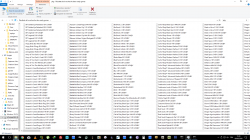
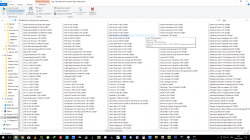
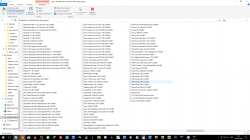
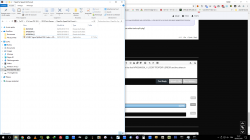
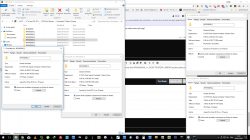
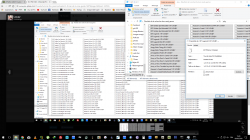
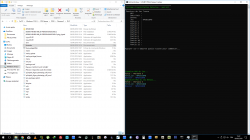
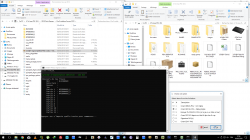
i split manually into folder NPXX_1 NPXX_2 NPXX_? because the splitt assistant doesn't suit me so i create a script to create pkgs from folders i have splitted without the need of changing packag.conf each time the folders created i always prefer to make them 3.99GB near 4gb and i have about more than 338 OFW games in packages format tested and work only one game which is gta5 after installed when starting the game its just blackscreen
 

Attachments

  • Capture d’écran (622).png
    Capture d’écran (622).png
    254.7 KB · Views: 480
  • Capture d’écran (623).png
    Capture d’écran (623).png
    254.5 KB · Views: 514
  • Capture d’écran (624).png
    Capture d’écran (624).png
    217.3 KB · Views: 536
  • Capture d’écran (625).png
    Capture d’écran (625).png
    163.5 KB · Views: 586
  • Capture d’écran (626).png
    Capture d’écran (626).png
    241.8 KB · Views: 607
  • Capture d’écran (627).png
    Capture d’écran (627).png
    704.1 KB · Views: 428
  • Capture d’écran (628).png
    Capture d’écran (628).png
    189.2 KB · Views: 494
  • Capture d’écran (629).png
    Capture d’écran (629).png
    309.4 KB · Views: 455
i split manually into folder NPXX_1 NPXX_2 NPXX_? because the splitt assistant doesn't suit me so i create a script to create pkgs from folders i have splitted without the need of changing packag.conf each time the folders created i always prefer to make them 3.99GB near 4gb and i have about more than 338 OFW games in packages format tested and work only one game which is gta5 after installed when starting the game its just blackscreen


So lets say we have a 6 gb pkg. You extract it with which tool?
After you extracted it you have a 6 gb folder named NXXX..... something. You create one more folder with the same name and add a "_1" to the end of the folders name, right?
After that, which files do you must copy to the other folder? Everything except USRDIR?
And after that, in the second folder create a USRDIR folder and cut some files from the original?
Do you need to make any changes to the param.sfo file?
And which tool do you use to repack the folders?

And with this method am I able to split psn pkgs, or only disk games converted with cfw2ofw helper?
 
in every NPXX_? folder USRDIR PARAM.SFO ICON.0 must be there in all the folders
in the NPXXXXX_1 must be LICDIR TROPDIR USRDIR ICON0 PARAM.SFO PIC1.PNG PIC2.PNG PIC0.PNG ...... and inside USRDIR must be EBOOT.BIN and you have bunch of files calculate from there and there and see if the size exceed 4GB then calculate the diffrence taking for example 5GBtake a 1.01gb from the first folder to the second USRDIR folder the first folder will be 3.99gb now done
and do the same to th othher if exceed 4gb then move the files to the NPXXX_3 ............
 
Back
Top