dazzaXx
Member
What if the positionOverrideX and Y are "0x700"? or a 3 digit number?The first thing you need to do is to keep in mind the value is composed by 2 groups of 2 bytes each (in other words "cut" the value at half)

What if the positionOverrideX and Y are "0x700"? or a 3 digit number?The first thing you need to do is to keep in mind the value is composed by 2 groups of 2 bytes each (in other words "cut" the value at half)
Here's a thought, since the position overrides are hexidecimal pointers to which number line it reads off of, couldn't you simply add in your own override for a specific plane that doesnt have one and work out the hexidecimal for it?Btw @RandomDude im not sure if the xml line you pasted here is exactly what you was looking for
By the name of the object ("avatar_usrname") looks probable, but im not sure
Im going to eplain this in short...
The positionX, positionY, positionZ... are values inherited from PSP firmware
In a PSP the screen have always the same resolution... so the objects always uses the same positions and sizes
But in PS3 the XMB supports 4 screen resolutions, and every resolution needs to use different values for positions and sizes, this is why exists the "XMB layout" files, every layout belongs to a resolution and the PS3 loads only one layout
The values stored inside the XMB layout files "overrides" the values of positionX, positionY, positionZ (inherited from PSP)
So... the value of positionX is overrided by positionOverrideX (and so on for Y and Z... the same happens with sizes btw)
And this is the reason why positionX, positionY, and positionZ uses to be always 0
In other words... if you want to change the values of positions and sizes... what you need to modify is the "XMB layouts" (but there is no need to modify the RCO files, because the RCO files loads the values of positions and sizes "externally" from the XMB layouts)
Im going to show you an example with the values you posted in that line... what you need is to "translate" this values:
positionOverrideX="0x8e020000"
positionOverrideY="0x8f020000"
positionOverrideZ="0x0" <--- Z is zero, so lets forget about it
The first thing you need to do is to keep in mind the value is composed by 2 groups of 2 bytes each (in other words "cut" the value at half)
positionOverrideX = 8e02 (first group) and 0000 (second group)
positionOverrideX = 8f02 (first group) and 0000 (second group)
The second group is unknown... so forget about it (if someone finds how works the second group please post it in wiki)
Both groups needs the bytes to be "flipped" (because the PS3 and PSP processors uses different endianess), keep attention at how im flipping them !
positionOverrideX = 028e
positionOverrideX = 028f
Now is needed to convert them to decimal (use a calculator, hexadecimal to decimal) and add a +1
positionOverrideX = 654 + 1 = 655
positionOverrideX = 655 + 1 = 656
Now open the "XMB layout" files in notepadd++ and look at the values in lines 655 and 656, this is what you need to change
dev_flash/vsh/etc/layout_grid_table_1080.txt <--- this one is for 1920x1080 pixels screen resolution
If you want to release a mod publically you should change it too for the other resolutions, just because you dont know which TVs and which resolutions other people is using
Anyway... you should change the values in all resolutions even if is not a public release just incase you have some problem with the TV or you connect the PS3 in other display with other resolutions... is mostly a "just incase"

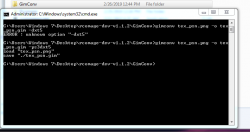
You mean in the config of gimconv, right ?Apparently -dxt5 isn't working, tried checking the conf file & ps3dxt5 is there. Tried -ps3dxt5 & it worked perfectly. Might need to update rcomage i think @sandungas
Im going to write some examples, i think wil be better than a explainationWhat if the positionOverrideX and Y are "0x700"? or a 3 digit number?

Not sure if i understood you correctly, but i think the answer is yes, i never tryed it but it should workHere's a thought, since the position overrides are hexidecimal pointers to which number line it reads off of, couldn't you simply add in your own override for a specific plane that doesnt have one and work out the hexidecimal for it?

-dxt5 is invalid it says, although -ps3dxt5 works...You mean in the config of gimconv, right ?
Is made like that on purpose, what happens is the option -dxt5 (used alone without other options) is not enought for PS3. By using the option -dxt5 alone gimconv also uses some of the other "default" options (located at top)

Does the PS3dxt5 gim setting let it show on the xmb ? or white box?
Ok, i been checking it and you are right, what i said before is because i thought (from memory) that inside GimConv.cfg exists an option named -dxt5, but i been looking at all the GimConv.cfg (official, rcomage, and mine) and doesnt exists an specific option for it-dxt5 is invalid it says, although -ps3dxt5 works...
also I tried with coordinates 400, 400.. to display a simple text and it fails. What if rcomage actually uses local coordinates?
	puts "examples GIM-to-GIM:"
	puts "         gimconv original.gim -o try1.gim -ps3rgba8888"
	puts "         gimconv original.gim -o try2.gim -ps3rgba8888 --update_fileinfo on"
puts " gimconv original.gim -o try3.gim -ps3dxt5"Sorry if what i mentioned before could confuse you, but all the coordinates are localalso I tried with coordinates 400, 400.. to display a simple text and it fails. What if rcomage actually uses local coordinates?
You might need to edit the .txt files in DOCS:Thanks for advising me, i fixed the typo in the tutorial, the good news is the RCOmageMOD is fine, there is no need to update it because was not affected by this typo
That was my exact thought, and i can confirm it does work, you are indeed able to add your own X and Y overrides into the grid layout and point it to a specific UI plane.Lets say... the official file dev_flash/vsh/etc/layout_grid_table_1080.txt have 4321 lines... you can add a custom value at line 4322 and then make the reverse calculation
4322 -1, then converted to hex (0x10e1), then flipped, then added the group at the right (initially with 0, and incase it doesnt works with 1)
0xe1100000
or...
0xe1100100

Ops, now i fixed it in the forumA typo still remains for try 3....
Auch, this hurts because i will need to make a new release to fix that... is just a tutorial (so not a critical bug) but is importantYou might need to edit the .txt files in DOCS:
Thanks to you for finding the problemsBtw Tysm for helping out.
NiceThat was my exact thought, and i can confirm it does work, you are indeed able to add your own X and Y overrides into the grid layout and point it to a specific UI plane.
So what i did was split up "page_xmb_indicator" into two parts and made my own group with custom names since those are the only ones i want to move, but it seems to have made the UI elements dissapear.Nice
Another thing you could do is to create a special object named group at a intermediate level of the hierarchy (with lot of objects under it), and then move the group object, this way you can move a group of objects without "breaking" his local positions
The object "group" is special because doesnt have any specific attributes, and doesnt displays anything on screen
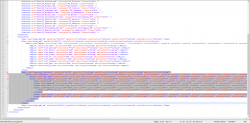
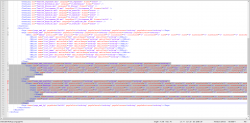
Where'd you figure out the x and y coordinates from?So what i did was split up "page_xmb_indicator" into two parts and made my own group with custom names since those are the only ones i want to move, but it seems to have made the UI elements dissapear. View attachment 15061View attachment 15060
Have you tryed this way ?So what i did was split up "page_xmb_indicator" into two parts and made my own group with custom names since those are the only ones i want to move, but it seems to have made the UI elements dissapear. View attachment 15061View attachment 15060

Just to confirm, is the group tag the same as a plane? with all the positions and color scales, etc.?Have you tryed this way ?
I didn't, those are the stock co-ordinates that were already there if you mean the positionX and Y.Where'd you figure out the x and y coordinates from?

Right, that worked, making progress nowI was editing the post to explain it
You can see all the object names, followed by the attribute names used by that object, and his data types inside objattribdef-ps3.ini
Also, in this page of psdevwiki: https://www.psdevwiki.com/ps3/RCOXML_Objects#.280x812.29_Group