PS3 Apollo save tool (development thread)

I've finished implementing the owners.xml stuff, but now I've a kind of a developer's dilemma... :D

For XML parsing I used the libxml2 library (included with the ps3toolchain), and linking to it adds ~500Kb to the final EBOOT.BIN ... it feels a bit too much overhead for just parsing a small xml text file.

So now I'm wondering if I should try using some smaller (and lesser known) xml library to reduce that overhead or not... if my project heavily relied on XML stuff, then I'd stick with libxml2, but in this case, the owners.xml is only a small optional feature that most Apollo users won't ever use at all.
The risk with using a small /unknown library is mostly related to memory leaks or unexpected results if the user provides a bad/broken/invalid XML file. The advantage would be a small binary foot-print (a few Kbytes)

I'm still wondering which way to go with it

btw, here's an example owners.xml , based on @Berion idea:
Code:
<?xml version="1.0" encoding="UTF-8"?>
<apollo version="1.2.0">
  <owner name="Test User">
    <console idps="0000AAAAAA111111 1111DDDDD8888888" psid="0000AAAAAA111111 1111DDDDD8888888"/>
    <user id="00000001" account_id="ffffffffffffffff"/>
  </owner>
  <owner name="Some User">
    <console idps="0000AAAAAA111111 1111DDDDD8888888" psid="FFFFFFFFFF111111 000000DDDD888888"/>
    <user id="00000008" account_id="aaaaaaaaaaaaaaaa"/>
  </owner>
  <owner name="PS3 User">
    <console idps="0000AAAAAA111111 1111DDDDD8888888" psid="FFFFFFFFFF111111 000000DDDD888888"/>
    <user id="00000002" account_id="aaaaaaaaaaaaaaaa"/>
  </owner>
</apollo>
 
Last edited:
I've finished implementing the owners.xml stuff, but now I've a kind of a developer's dilemma... :D
The memory footprint should be small only if you are using a background process (sprx) that shares the memory with other processes.

If the library is used in an EBOOT.BIN the memory footprint is not very important unless your app is using a lot of memory.
There is no need to invest time and effort in something that is working fine, and the change don't add new functions.

If you suffer of OCD, and need to optimize it, then replace the library with a more simple function that use less memory ;)
 
There is no need to invest time and effort in something that is working fine, and the change don't add new functions.

If you suffer of OCD, and need to optimize it, then replace the library with a more simple function that use less memory ;)

:D You're right, investing more time in re-doing something that is already done and working makes no much sense. So I'll go ahead and prepare a release with libxml2

and it can always be changed later if an issue/bug related to memory issues shows up. The .xml file will be compatible with any xml parser.
 
and linking to it adds ~500Kb to the final EBOOT.BIN ... it feels a bit too much overhead for just parsing a small xml text file.

While we have HDDs in few hundreds GiB's You are concerning about ~63KiB? ;)))
But I fully admire optimization soul.
here's an example owners.xml
Looks very nice.

Are those white spaces are intentional? Isn't they makes Your life harder?
Case is sensitive in parrams values? Because once I see upper case, and once lower case. My Asperger conflicting with this. :D

The risk with using a small /unknown library is mostly related to memory leaks or unexpected results if the user provides a bad/broken/invalid XML file. The advantage would be a small binary foot-print (a few Kbytes)

So then better for the user to learn basics of text files syntaxes. ;p

To be honest: it is rational if You would works on some commercial or government project, because there is high tension to reduce such risk. But we are using unofficial software for literally hacking saves on hacking consoles, on application which even can't kill the console if user provide bad file (and 99% will not even touching it, this file is for guys like me who know what to fill in file). ;)

I would love to see fixed GUI displaying (You know, this strange screen transition, smoothing/scalling all bitmaps and pallete colour range reduction) rather than XML parser optimizing. I would happy to even provide Your "stone GUI" instead of my "green" one which You unexpectedly repainted. ;D
 
Last edited:
While we have HDDs in few hundreds GiB's You are concerning about ~63KiB? ;)))
But I fully admire optimization soul.

:D probably a bit of my experience doing stuff with more limited systems like the Dreamcast... you really had to keep an eye on the memory :D

Looks very nice.

Are those white spaces are intentional? Isn't they makes Your life harder?
Case is sensitive in parrams values? Because once I see upper case, and once lower case. My Asperger conflicting with this. :D

I parse the values as 64-bit integers, so I kept the spaces for simplicity (and to remember myself about it :) )
(btw, I think that the web interface of WMM also "splits" the psid/idps as 2 inputs, right? probably it will also help the copy&paste users :-p)

regarding lowercase /uppercase, the parsing doesn't care about the casing, it will work in any case. I just kept the account_id lowercase because the official methods store it as lowercase in the PARAM.SFO file. (I'd also prefer everything uppercase for hex values, but I followed the original definition)

So then better for the user to learn basics of text files syntaxes. ;p

To be honest: it is rational if You would works on some commercial or government project, because there is high tension to reduce such risk. But we are using unofficial software for literally hacking saves on hacking consoles, on application which even can't kill the console if user provide bad file (and 99% will not even touching it, this file is for guys like me who know what to fill in file). ;)

you're right, at this point if a user complains , they should know what they're doing or RTFM :)

I would love to see fixed GUI displaying (You know, this strange screen transition, smoothing/scalling all bitmaps and pallete colour range reduction) rather than XML parser optimizing. I would happy to even provide Your "stone GUI" instead of my "green" one which You unexpectedly repainted. ;D

there have been some improvements in PSL1GHT lately from shagkur (one of the original devs) adding a lot of stuff for the RSX ... also @Crystal updated tiny3d to work with the latest toolchain, so perhaps it's a chance to either improve tiny3d and get over those annoyances or just jump to another library or code.
 
For XML parsing I used the libxml2 library (included with the ps3toolchain), and linking to it adds ~500Kb to the final EBOOT.BIN ... it feels a bit too much overhead for just parsing a small xml text file.

So now I'm wondering if I should try using some smaller (and lesser known) xml library to reduce that overhead or not... if my project heavily relied on XML stuff, then I'd stick with libxml2, but in this case, the owners.xml is only a small optional feature that most Apollo users won't ever use at all.
The risk with using a small /unknown library is mostly related to memory leaks or unexpected results if the user provides a bad/broken/invalid XML file. The advantage would be a small binary foot-print (a few Kbytes)

I'm still wondering which way to go with it
I would keep the libxml2, is stable and the xml format is like an asset you have in the source code that eventually could be used for other stuff, i like xml a lot because is something intermediate in between "human readable" and "not human readable"
I mean... there are many formats that could be converted to "human readable" just by storing the data in a xml
As example... the main apollo settings file... or the cheat files

Btw... in apollo installation there are a lot of cheat files (some hundreds?)
This is an small problem because at the time we install it the progress bar of the package installer does a pause, and that pause is a bit confusing because it looks like the installation have stopped (but is not stopped, is just copying some hundred of cheat files to dev_hdd0). Also, this huge amount of files copyed to dev_hdd0 is not good for the dev_hdd0 filesystem
This made me think if adding .zip support (to create a .zip with all the cheat files)
But now you are mentioning xml... i guess it could be posible to create a huge single xml file (a cheat database in xml format) with all the cheat data
 
Btw... in apollo installation there are a lot of cheat files (some hundreds?)
This is an small problem because at the time we install it the progress bar of the package installer does a pause, and that pause is a bit confusing because it looks like the installation have stopped (but is not stopped, is just copying some hundred of cheat files to dev_hdd0). Also, this huge amount of files copyed to dev_hdd0 is not good for the dev_hdd0 filesystem
This made me think if adding .zip support (to create a .zip with all the cheat files)

in the last few versions I changed the release package and added a single .Zip file with all the cheats inside, so the installation is much faster. When the user executes Apollo for the first time, the app detects the .zip and unpacks all the cheat files (a one-time task).

But now you are mentioning xml... i guess it could be posible to create a huge single xml file (a cheat database in xml format) with all the cheat data

yes, but it would require quite some work to convert /move all the BSD cheats from the current .ps3patch files to the .XML format, and then also re-write the parsing code to load the cheats from this new format.
It would also make harder for a user to move or re-use codes from BSD to Apollo, so I guess that for now the cheat DB can stay in the same plain-text format.
Also, I don't think there's nobody doing new cheat patches for PS3 at all... it feels like it's a "ROM"-database by now :D
 
Yeah, i was thinking in the cheat databases used in some nintendo flashcards, where the cheats are intended to patch a "game rom" :D
In them the database is a single file, i guess using some custom format originally created by the flashcard manufacturers, and later inherited by the scene
The idea of creating a database in xml is pretty much the same, the biggest differences is in xml is still a bit "human readable", and the size is going to be way bigger

(offtopic) I been thinking in this kind of xml databases also for the PS3 config files used by PS2 games... is pretty much the same "problem"
 
Last edited:
(offtopic) I been thinking in this kind of xml databases also for the PS3 config files used by PS2 games... is pretty much the same "problem"

talking about ps2 games, probably not really related to savegames...I was thinking about adding an option to import PS2 plain unencrypted ISOs from USB and encrypt them for PS2 classic format + copy to HDD.

Since Apollo is already doing a lot of encryption/decryption (AES, SHA, MD5, etc., using a lot of polarSSL's crypto lib) I was thinking that I could just add it to the mix (using flatz's ps2classic source code)

Something like:
  • User selects the .ISO file from USB
  • Apollo encrypts the .ISO
  • Apollo saves the ISO.BIN.ENC to /dev_hdd0
  • the user opens PS2 classic launcher and the game should be there ready

now, I do have 2 questions about this idea:
1. would it be a useful feature? The conversion tools are already available for PC users, so I'm not adding anything new, just simplifying the process (I assume mostly for slim/superslim users that can only use PS2 games with the emulator)
2. makes sense to add it to Apollo, or should be a stand-alone app?

what do you think? :)
 
A little of topic but I must ask: why peoples encrypt images in the first place? This force user to use also encrypted vmc which are literally pain in the ass to import from plain saves or none ECC vmcs and painfully also backuping them (if someone don't want backup 8MiB of impossible efficient to compress data instead of literally few hundreds KiB). What's the advantage of this is? Isn't used emulator is the same in both examples? Or maybe because on HEN there is no other way to play PS2 games?

Speaking of which: what about VM1, VM2 and VME plus PSP saves support? :D First is super easy to implement (just copy-paste-rename, or in three format cases also demanding to cut header (GME, VCS/VGM, VMP)). Second needs additional code for adding ECC if user provide mc without it, VME additionally involves encrypting/decrypting and PSP is also easy, just copy/paste.
 
Last edited:
Something like:
  • User selects the .ISO file from USB
  • Apollo encrypts the .ISO
  • Apollo saves the ISO.BIN.ENC to /dev_hdd0
  • the user opens PS2 classic launcher and the game should be there ready

now, I do have 2 questions about this idea:
1. would it be a useful feature? The conversion tools are already available for PC users, so I'm not adding anything new, just simplifying the process (I assume mostly for slim/superslim users that can only use PS2 games with the emulator)
2. makes sense to add it to Apollo, or should be a stand-alone app?

what do you think? :)

1. If there is not much effort involved coding it, it's always good to have options, e.g. multiMAN already has that feature.
2. Having all feature in a single application is more convenient, Just be aware that you're entering in the terrain of converting Apollo in a backup manager.

BTW In your design you should consider that the PS2 classic launcher is one XMB item, but the user could have multiple PS2 games.
So you need to think also in a system to choose and "mount" the ISOs already encrypted,

Additionally you should consider support the encryption of CONFIG and of course select it from a database, and maybe the icons/images too.

Be warned that you may be looking just the tip of the iceberg.
 
talking about ps2 games, probably not really related to savegames...I was thinking about adding an option to import PS2 plain unencrypted ISOs from USB and encrypt them for PS2 classic format + copy to HDD.

Since Apollo is already doing a lot of encryption/decryption (AES, SHA, MD5, etc., using a lot of polarSSL's crypto lib) I was thinking that I could just add it to the mix (using flatz's ps2classic source code)

Something like:
  • User selects the .ISO file from USB
  • Apollo encrypts the .ISO
  • Apollo saves the ISO.BIN.ENC to /dev_hdd0
  • the user opens PS2 classic launcher and the game should be there ready

now, I do have 2 questions about this idea:
1. would it be a useful feature? The conversion tools are already available for PC users, so I'm not adding anything new, just simplifying the process (I assume mostly for slim/superslim users that can only use PS2 games with the emulator)
2. makes sense to add it to Apollo, or should be a stand-alone app?

what do you think? :)
Well, personally i dont use the "PS2 classics" format, but i like it for HEN users, and as you mentioned apollo is doing a bunch of functions related with crypto, so is not so different after all... we are still talking about games/savegames, etc...
If you do you should consider what berion mentioned... eventually could be handy to add some features related with virtual memory cards for PS1/PS2

Btw, managunz have some code to identify the TITLE of the PS2 ISO (by reading the .elf inside it), you could use this identification method to find the non-encrypted ISO
This way apollo could search for ISO in the standard path locations and show to the user his "state" (either encrypted or not)
And yeah... you should add some option to select the "target" path (where the ISO is going to be copyed), and things like that to simplify the procedures

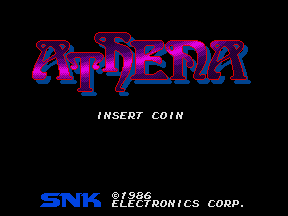
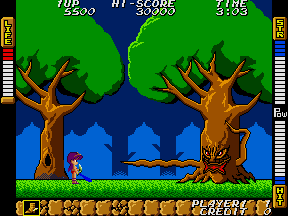
Good game :D
http://www.hardcoregaming101.net/athena/
0000-2.png
0017.png
 
A little of topic but I must ask: why peoples encrypt images in the first place?
Or maybe because on HEN there is no other way to play PS2 games?

like Coro said, for users with HEN the only way to play PS2 games is with the "ps2 classic" emulator workaround, and that emu needs to have encrypted images and memory cards. I could understand encrypting the ISO, but honestly I don't see any reason for encrypting the memory card at all.

Speaking of which: what about VM1, VM2 and VME plus PSP saves support? :D First is super easy to implement (just copy-paste-rename, or in three format cases also demanding to cut header (GME, VCS/VGM, VMP)). Second needs additional code for adding ECC if user provide mc without it, VME additionally involves encrypting/decrypting and PSP is also easy, just copy/paste.

if I add the ps2 classic code from flatz, it also includes the VMC encryption/decryption stuff so both things could be added. Regarding the other saves, a first attempt could be adding a very basic listing of ps1/ps2/psp saves on USB/HDD (basic support for the standard format files as stored in the PS3)
if that works alright, then support for custom formats/conversions could be added at a later stage
 
1. If there is not much effort involved coding it, it's always good to have options, e.g. multiMAN already has that feature.

I wasn't aware about multiman already doing it, but I remember there's a "PS2 classic manager" homebrew app that allows to handle the ISOs, memory cards and stuff.

I need to review flatz's ps2classic code in detail, but I assume the effort won't be critical. (probably I'll have to pay attention to big-endian / little-endian conversions and stuff like that)

2. Having all feature in a single application is more convenient, Just be aware that you're entering in the terrain of converting Apollo in a backup manager.

oh, I don't really want to jump into that iceberg :D the main reason for Apollo is to handle savegames :)
This ps2 .iso stuff was an idea I had while I was reviewing how to handle encrypted ps2 memory cards ... since flatz's code was already there doing cards, isos, and configs, I thought "why not"

BTW In your design you should consider that the PS2 classic launcher is one XMB item, but the user could have multiple PS2 games.
So you need to think also in a system to choose and "mount" the ISOs already encrypted,

Additionally you should consider support the encryption of CONFIG and of course select it from a database, and maybe the icons/images too.

Be warned that you may be looking just the tip of the iceberg.

from @Coro feedback, webman mod can already handle mounting these encrypted PS2 images to the ps2 classic launcher, so I think I can just focus on "import+encrypt" and leave all the mounting to the real backup manager.
In this case, Apollo can simply save the encrypted .iso to /dev_hdd0/PS2ISO/My_game.BIN.ENC , and then the user will mount them using wMM.

about configs, on a first approach I could just encrypt a Config if it's provided by the user while doing the ISO import (avoiding a database or any fancy presentation :-p )
 
Well, personally i dont use the "PS2 classics" format, but i like it for HEN users, and as you mentioned apollo is doing a bunch of functions related with crypto, so is not so different after all... we are still talking about games/savegames, etc...
If you do you should consider what berion mentioned... eventually could be handy to add some features related with virtual memory cards for PS1/PS2

yes, if I go ahead with this, I should also add the handling of the memory cards, to have a complete feature

Btw, managunz have some code to identify the TITLE of the PS2 ISO (by reading the .elf inside it), you could use this identification method to find the non-encrypted ISO
This way apollo could search for ISO in the standard path locations and show to the user his "state" (either encrypted or not)
And yeah... you should add some option to select the "target" path (where the ISO is going to be copyed), and things like that to simplify the procedures

yes, I think having a way to detect the title and status could help too. For configs and saves :)
Unless I want to go the lazy way and assume:
  • if the file has .ISO extension = then it's unencrypted
  • if the file has .BIN.ENC ext = then it's encrypted
probably a check on the header or first bytes could be enough to know if it's encrypted or not
 
yes, if I go ahead with this, I should also add the handling of the memory cards, to have a complete feature


yes, I think having a way to detect the title and status could help too. For configs and saves :)
Unless I want to go the lazy way and assume:
  • if the file has .ISO extension = then it's unencrypted
  • if the file has .BIN.ENC ext = then it's encrypted
probably a check on the header or first bytes could be enough to know if it's encrypted or not

The easiest way to find the title id of the PS2ISO is to open SYSTEM.CNF and read the name of the ELF found after cdrom0:\

A way to find the SYSTEM.CNF in the ISO is:
1- reading the sector of the root directory at 0x80A2 (assuming it's a raw image with sector size of 0x800).
2- Multiply the sector number (u32) * 0x800 to find the root offset.
3- From that offset search for SYSTEM.CNF;1.
4- Substract 0x1B to the offset found, and multiply the value (u32) * 0x800 to find the offset of SYSTEM.CNF.

Note: The sector number (u32) is always in both formats: big and little endian.

A simplified method could be just finding the SLUS/SLES/SCUS/SCES/etc. in the step 3.

You can validate this method yourself before try to implement it.
 
In this case, Apollo can simply save the encrypted .iso to /dev_hdd0/PS2ISO/My_game.BIN.ENC , and then the user will mount them using wMM.
This made me think in another asset used by @Zar :D

The problem is inside a PS2 ISO doesnt exists the TITLE of the game (as example "silent hill 3"). The only thing we have is the TITLE (as example "SLUS12345")

The solution is to use an external database to store that info about the relationship in between TITLE_ID and TITLE, and for this purpose it was needed to create this file:
https://github.com/Zarh/Get_CONFIG/blob/master/get_title/PS2.txt
It was created using the info from redump.org... so is supposed to contain the TITLE & TITLE_ID of the whole PS2 game library

----------------------------
Im not sure how to implement this conversion of titles. This depends of what you want to do when renaming files, or how you want to display them to the user, etc...
But anyway... i guess it could come in handy
 

Similar threads

Back
Top