
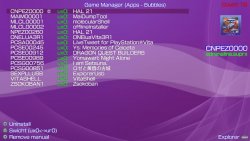
Here is a handy utility for HENkaku user's brought to you by the ONElua team called App Manager. After you install this VPK, the homebrew will allow you to manage you installed Applications & Games, A nice file explorer that includes a media player with various other features and uses you can checkout in the release quote

-
An easy to use App Manager for, as the name suggests, manage your PS Vita apps/files and your PSP games.
With AppManagerPlus from Onelua Team you can switch your PS vita apps/games from ux0: to ur0: in case you need some room to install more games, plus you can either launch or delete the apps you already have, also, it allows you to delete the apps manual.
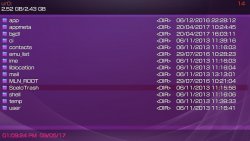
It comes with built in File Explorer, vpk installer, custom theme installer/remover, media player, and the
hability to export/set your favorite images to use as background on livearea.
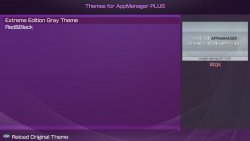
As a bonus feature you can design your own theme for AppManagerPlus, with a set of various images and colors and even the font can be changed.
#Themes for AppManager
++ Create a new folder with the theme name and place the next resources inside:
font.ttf Font ttf for your Theme# Create a ini file
back.png Background image for Explorer (960*544)
wave.png Background Image with Alpha for AppManager section (960*544)
buttons1.png Image Sprites (80*20)
buttons2.png Image Sprites (120*20)
cover.png Image for Song Cover in Music section (369x369)
music.png Image for Music section (960*544)
ftp.png Background Image for FTP port message (960*544)
list.png Image for ExplorerFiles and vpk/iso/cso search results found on memory card (960*544)
menu.png Image for blitting the options submenu (167*443)
themesmanager.png Background Image for AppManager theme selection section (960*544)
preview.png Your image preview for your theme for AppManager (391*219)
icons.png Sprites (112x16) must follow next order:
- position 0 Blitting icon for general files
- position 1 Blitting icon for folders
- position 2 Blitting icon for: pbp, prx, bin, suprx, skprx files
- position 3 Blitting icon for: png, gif, jpg, bmp image files
- position 4 Blitting icon for: mp3, s3m, wav, at3, ogg sound files
- position 5 Blitting icon for: vpk, rar, zip files
- position 6 Blitting icon for: iso, cso, dax files
theme.ini
This .ini file stores the text printing colors according to file extension
TITLE = "Name of your theme"
AUTHOR = "Name of Author"
Main Colors
BKGCOLOR = 0x00000000
BARCOLOR = 0x64FFFFFF
TITLECOLOR = 0xFF9E9E9F
PATHCOLOR = 0xA09E9E9F
DATETIMECOLOR = 0xFF9E9E9F
Explorer
SELCOLOR = 0x6400FF00
SFOCOLOR = 0XFFFF07FF
BINCOLOR = 0XFF0041C3
MUSICCOLOR = 0xFFFFFF00
IMAGECOLOR = 0xFF00FF00
ARCHIVECOLOR = 0xFFFF00CC
MARKEDCOLOR = 0x508B4513
FTPCOLOR = 0xA0CCCCFF
*Change only the Hex-Dec part for the desired color.
AppManager Plus Themes must be placed in the next path:
ux0:data/AppManPlus/themes/yournameTheme
Languaje
For new AppManager lenguage You can translate the file ING.LUA, rename to LANG.LUA and place it in the next path: ux0:data/AppManager/lang.lua
*Remember to translate only the quoted words from ING.LUA.
Credits
- Xerpi for vita2d
- Vitasdk
- Team Molecule for Henkaku
Download via: github.com/ONElua
Last edited:







