• Official PS3 Toolset is now supporting 4.92 Firmware

    View Official Release Post for additional information HERE

PS3 [BG Toolset] User Issues and Dump Submissions

esc0rtd3w

Developer
IMPORTANT NOTICE FOR NAND USERS! (04-08-2020)
The NAND Fix link will from now on be on a per case basis, as we now have 2 fixes, one for each ros bank due to the fact that certain users have not followed recommendations & used the fix several times including when there was nothing to fix.

Please PM @esc0rtd3w or post in this thread, with the issue submission template filled in & a fresh dump, and if your situation warrants it, we will send you a link to an alternative Toolset you can use to fix your issue.

IMPORTANT NOTICE FOR NAND USERS! (04-04-2020)
We have fixed a bug where user couldn't install any FW after patch, but boots fine. It happens only on non-qa flagged CFW Compatible NAND.

@bguerville @Joonie @habib @littlebalup


Instructions In Spoiler For NAND Users Only That have below problems

- NAND Stuck in FW Issue Resolved
This applies to these CFW Compatible NAND users ONLY!

- You Cannot Install Any Firmware (OFW/CFW/HFW)
- 2.50 FW Displayed. Wants Version "ffff.ffff" in Recovery Mode
- 8002F169 or 8002F334 Error on XMB Installing Firmware
- 0.0 Minver In Toolset

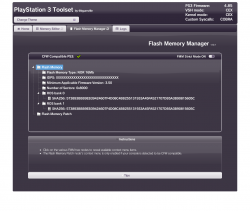
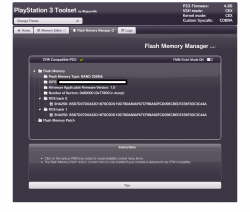
Once we have provided you with the alternate toolset link, navigate to the EXACT page provided, and click the "Flash Memory Manager" tab, once beeped.
  • Click "Flash Memory Patch"
  • Click "Load Patch via HTTPS"
  • Wait
  • Click "Close" when finished!
  • Click "Flash Memory Patch" again
  • Click "Apply Loaded Patch"
  • Click "Yes"
  • Wait
  • Click "Close" when finished

If it says anything other than "You can reboot your console" in a green toast message when complete....STOP! Contact @esc0rtd3w by PM to further analyze the problem!

That's All
Reboot your PS3 and try to install a 4.86 CFW, such as Rebug Lite, from recovery

!End Important Messages!


>>> Submission Templates For Users To Copy & Paste Are Located At Bottom of This Post <<<

How To Use The Toolset

Create A Backup
  • Click "Flash Memory Manager" tab
  • Click On The "Flash Memory" tree node
  • Click "Save Flash Memory Backup"
  • Save to USB or another destination
  • Wait
  • Click "Close" when finished

Patch CFW Compatible NAND/NOR
  • Click "Flash Memory Patch"
  • Click "Load Patch via HTTPS"
  • Wait
  • Click "Close" when finished!
  • Click "Flash Memory Patch" again
  • Click "Apply Loaded Patch"
  • Click "Yes"
  • Wait
  • Click "Close" when finished

NAND Patch Should Take 6 - 8 seconds to apply
NOR Patch Should Take Roughly 1:30 - 1:40 to apply


If it says anything other than "You can reboot your console" in a green toast message when complete....STOP!
Make a New Backup! Post on this thread with your original and patched dumps


This is the url you should be using on your PS3 to take a picture/screenshot:
** www.** ** www.ps3xploit.net > D...p://ps3toolset.com)/bgtoolset/index.php#tblog


This will be a place for users to submit screenshots and dump submissions for any issues related to bguerville's PS3 Toolset (BG Toolset)

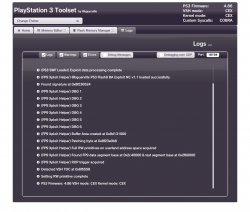
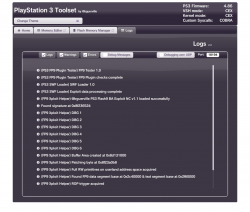
PLEASE DO NOT SUBMIT AN ISSUE OR PROBLEM WITHOUT AT MINIMUM, AN ACCOMPANYING LOGS SCREENSHOT AND EXAMPLE INFO COPIED AND FILLED OUT, EXCEPT DUMP INFO, IF UNAVAILABLE


You can also submit your good dumps to help further progress in the checking of abnormalities.


To dump your flash, please use the Flash Memory Manager tab on main exploit page.


Your IDPS should be masked before submitting dump (to protect your Unique Console ID), and there is a great tool by @pink1 for this exact thing here:
https://www.mediafire.com/file/lkc6xj6ewgeueua/IDPSMasker.exe/file

You may also manually mask them, usually done by replacing hex characters with FF

IDPS Masking Offsets

S252pFu.png


0x0002F070 1st IDPS instance on NOR
0x000303D0 2nd IDPS instance on NOR

0x00040870 1st IDPS instance on NAND/eMMC
0x00041BD0 2nd IDPS instance on NAND/eMMC


The original thread is located here:
https://www.psx-place.com/threads/u...ion-of-tools-fueled-by-new-ps3-exploit.28658/


To report a problem, please copy and paste the code below and replace with your information. Please also post accompanying screenshots, by means of a camera or screenshot tool in browser.


Submission Templates

Please copy and paste the correct one for your firmware type.
You will replace the following template answers with your own to match the system with the problem.

  • PS3 Model: CECH-[YOUR_MODEL_HERE]
  • Firmware Version: [YOUR_FIRMWARE_VERSION_HERE]
  • IDPS Is Masked: [Yes or No ONLY]
  • Have Original Dump: [Yes or No ONLY]
  • Dump 1 URL: https://myfile.com/file.zip [Replace with actual valid link]
  • Have Patched Dump: [Yes or No ONLY]
  • Dump 2 URL: https://myfile.com/file.zip [Replace with actual valid link]
  • System Boots To XMB: [Yes or No ONLY]
  • System Boots To Recovery: [Yes or No ONLY]
  • Firmware Version Displayed In Recovery: [VERSION_DISPLAYED]
  • Minimum Firmware Version Displayed In Toolset: [VERSION_DISPLAYED]
  • Disc In Drive: [Yes or No ONLY]


OFW
Copy & Paste Below Code For Submission

Code:
PS3 Model: CECH-A01
Firmware Version: 4.86
Firmware Type: OFW CEX
IDPS Is Masked: Yes
Have Original Dump: Yes
Dump 1 URL: https://myfile.com/file.zip
Have Patched Dump: Yes
Dump 2 URL: https://myfile.com/file.zip
System Boots To XMB: Yes
System Boots To Recovery: Yes
Firmware Version Displayed In Recovery: 4.86
Minimum Firmware Version Displayed In Toolset: 1.0
Disc In Drive: No

HFW
Copy & Paste Below Code For Submission

Code:
PS3 Model: CECH-A01
Firmware Version: 4.86.1
Firmware Type: HFW CEX
IDPS Is Masked: Yes
Have Original Dump: Yes
Dump 1 URL: https://myfile.com/file.zip
Have Patched Dump: Yes
Dump 2 URL: https://myfile.com/file.zip
System Boots To XMB: Yes
System Boots To Recovery: Yes
Firmware Version Displayed In Recovery: 4.86
Minimum Firmware Version Displayed In Toolset: 1.0
Disc In Drive: No


Common Upload Sites
https://uploadfiles.io/
https://www.mediafire.com
https://mega.nz/


This thread will be updated...
 
Last edited:
Please also post accompanying screenshots, by means of a camera.
Using the browser ScreenShot function okay?

View attachment 25101
lol :)

seems like a nand thing, yes

If you want to hide something in this scene just put it in bold red letters and large text.
Guaranteed not to get read.
Anyone not following instructions are going to see the post removed in this thread..
 
Last edited:
Please also post accompanying screenshots, by means of a camera.
Screenshots can be taken within the PS3's web browser by pressing :but tri: and navigating the sidebar to File > Save Screenshot. The resulting screenshot(s) will be saved in dev_hdd0/photo under the year & month they were taken. Just might be better for clarity when examining them :) A couple of sample screenshots I made are attached.
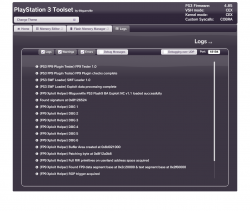
Edit: (by STLcardsWS)
--- Be sure to HIDE IDPS (so XXXXXXXXXX) is displayed in the screenshots before sharing online. Just click on the IDPS and the option to hide will appear.
 

Attachments

  • 1.png
    1.png
    98.1 KB · Views: 877
  • 2.png
    2.png
    86 KB · Views: 852
Last edited by a moderator:
PS3 Model: CECH-C03
Firmware Version: 4.86
Firmware Type: OFW CEX
IDPS Is Masked: Yes
Have Original Dump: NO
Have Patched Dump: Yes
Dump URL: http://www.mediafire.com/file/z9e91up8i3qf7er/dump.hex/file
System Boots To XMB: Yes
System Boots To Recovery: Yes
Firmware Version Displayed In Recovery: States FW 2.50 and then has an odd requirement of ffff.ffff
Minimum Firmware Version Displayed In Toolset: 1.0
Mounted Devices: None
Disc In Drive: No

I can provide screens of the recovery menu if required aswell.
 

Attachments

  • PS3 Toolset by @bguerville.png
    PS3 Toolset by @bguerville.png
    98.3 KB · Views: 553
  • PS3 Toolset by @bguerville_1.png
    PS3 Toolset by @bguerville_1.png
    97.8 KB · Views: 532
  • PS3 Toolset by @bguerville_2.png
    PS3 Toolset by @bguerville_2.png
    123.3 KB · Views: 528
I have exact same issue with exact same stuff @Rozus, but what id like to add is that now i cant install CFW,HFW or even OFW :(

EDIT: I got REBUG to install again, it got to 100% then went to what i assume you call recovery place to start the real install and then gave me the data corruption error once again.

EDIT2: I fixed the browser error, i can access bgtoolset again! IDK if maybe u guys know better but the last Firmware i successfully installed was HFW not OFW CEX but on toolset site it does say CEX, and in system settings it just says 4.86, i would love if someone could give me exact instructions what to do, last time i tried the patch didnt fix my corrupt data error.

PS3 Model: CECH-G04
Firmware Version: 4.86
Firmware Type: OFW CEX
IDPS Is Masked:
Have Original Dump: Yes
Have Patched Dump: Yes
Dump URL:
System Boots To XMB: Yes
System Boots To Recovery: Yes
Firmware Version Displayed In Recovery: States FW 2.50 and then has an odd requirement of ffff.ffff
Minimum Firmware Version Displayed In Toolset: 1.0
Mounted Devices: None
Disc In Drive: No

Any updates? Now i cant access browser anymore aswell!
 
Last edited by a moderator:
I have exact same issue with exact same stuff @Rozus, but what id like to add is that now i cant install CFW,HFW or even OFW :(

EDIT: I got REBUG to install again, it got to 100% then went to what i assume you call recovery place to start the real install and then gave me the data corruption error once again.

EDIT2: I fixed the browser error, i can access bgtoolset again! IDK if maybe u guys know better but the last Firmware i successfully installed was HFW not OFW CEX but on toolset site it does say CEX, and in system settings it just says 4.86, i would love if someone could give me exact instructions what to do, last time i tried the patch didnt fix my corrupt data error.

PS3 Model: CECH-G04
Firmware Version: 4.86
Firmware Type: OFW CEX
IDPS Is Masked:
Have Original Dump: Yes
Have Patched Dump: Yes
Dump URL:
System Boots To XMB: Yes
System Boots To Recovery: Yes
Firmware Version Displayed In Recovery: States FW 2.50 and then has an odd requirement of ffff.ffff
Minimum Firmware Version Displayed In Toolset: 1.0
Mounted Devices: None
Disc In Drive: No

Any updates? Now i cant access browser anymore aswell!
Well...a few things here.

You are not filling out that form quite fully. Such as what is the minimum version the toolset displayed? The model you have cannot have that minver, as from the default example.

Also there are no screenshots or dumps posted.

Explain what happens when you press power button from off state. (Example: it boots up and the xmb loads)

There is no good reason the browser won't work if it's booting.

You could try restoring system settings
 
Last edited:
PS3 Model: CECH-A01
Firmware Version: 4.85
Firmware Type: OFW CEX
IDPS Is Masked: Yes
Have Original Dump: No (I apologize for not having the dump)
Have Patched Dump: Yes
Dump 2 URL: http://www.mediafire.com/file/9tzs5w4oabh80pm/Masked_dump.hex/file
System Boots To XMB: Yes
System Boots To Recovery: Yes
Firmware Version Displayed In Recovery: States FW 2.50 and then has an odd requirement of ffff.ffff
Minimum Firmware Version Displayed In Toolset: 1.0 (I know it can take this firmware as its one of the original BC models) :)
Mounted Devices: None
Disc In Drive: No

Hello currently I'm not able to update at all even after applying the new nand fix from the nand_fix.php site.

I have attached pictures of the issue here:

This image is on the XMB and when I try to update using multiple different USB sticks as well as multiple different 4.85 and 4.86 OFW and CFW images it gives this error:
http://www.mediafire.com/file/dzwz96cp0lmn1ve/20200407_220941.jpg/file

I then go to recovery (safe mode) and go to option 6 and it gives this message:
http://www.mediafire.com/file/7cz65h2g4jpc8d2/20200407_221403.jpg/file

It then fails to find the USB no matter what images is on there. I understand how to place the image on the USB stick (i.e needs to be FAT32 and MBR with no additional partitions).
http://www.mediafire.com/file/gqyga2w86v7h5su/20200407_221503.jpg/file

I have tried doing all this with multiple images (i.e SONY's OFW firmware directly from website as well as HFW as well as CFW firmwares such as REBUG)

It just does not seem to want to work.

Basically my PS3 is in a sort of a brick where I can't even update normally or go to any other firmware.

It was my understanding that the www.** ** www.ps3xploit.net > Domain no Longer owned by team** (NEW URL = http://ps3toolset.com) > Domain no Longer owned by team** (NEW URL = http://ps3toolset.com would be able to fix the issue but it seems to not even want to update with normal OFW firmwares.

I have attached links to my logs below:
http://www.mediafire.com/folder/bzhpz38viocje/LOGS_FILES

I understand you guys are busy, but if you have any time to take a look at my issue and if possibly you have seen this issue before please let me know.

Also I have never opened up / installed a CFW / HFW before on this PS3, obtained from gamestop a little while ago and was stocked because it was the BC model.

Also I have tried ALL the other options in recovery menu such as restoring PS3 and file system etc. I also tried restoring PS3 on XMB (The one that usually gives you an estimate of 3-4 hours before it finishes)

This is an image of the flash memory manager:
http://www.mediafire.com/file/dqdr9rwweu1rf2l/20200407_225702.jpg/file

Thank you,
An Annoymous College Student

Also I had another question, why does it now say COBRA at the top when I go to the nand_fix.php version of the site?
 
Last edited by a moderator:
PS3 Model: CECH-A01
Firmware Version: 4.85
Firmware Type: OFW CEX
IDPS Is Masked: Yes
Have Original Dump: No (I apologize for not having the dump)
Have Patched Dump: Yes
Dump 2 URL: http://www.mediafire.com/file/9tzs5w4oabh80pm/Masked_dump.hex/file
System Boots To XMB: Yes
System Boots To Recovery: Yes
Firmware Version Displayed In Recovery: States FW 2.50 and then has an odd requirement of ffff.ffff
Minimum Firmware Version Displayed In Toolset: 1.0 (I know it can take this firmware as its one of the original BC models) :)
Mounted Devices: None
Disc In Drive: No

Hello currently I'm not able to update at all even after applying the new nand fix from the nand_fix.php site.

I have attached pictures of the issue here:

This image is on the XMB and when I try to update using multiple different USB sticks as well as multiple different 4.85 and 4.86 OFW and CFW images it gives this error:
http://www.mediafire.com/file/dzwz96cp0lmn1ve/20200407_220941.jpg/file

I then go to recovery (safe mode) and go to option 6 and it gives this message:
http://www.mediafire.com/file/7cz65h2g4jpc8d2/20200407_221403.jpg/file

It then fails to find the USB no matter what images is on there. I understand how to place the image on the USB stick (i.e needs to be FAT32 and MBR with no additional partitions).
http://www.mediafire.com/file/gqyga2w86v7h5su/20200407_221503.jpg/file

I have tried doing all this with multiple images (i.e SONY's OFW firmware directly from website as well as HFW as well as CFW firmwares such as REBUG)

It just does not seem to want to work.

Basically my PS3 is in a sort of a brick where I can't even update normally or go to any other firmware.

It was my understanding that the www.** ** www.ps3xploit.net > Domain no Longer owned by team** (NEW URL = http://ps3toolset.com) > Domain no Longer owned by team** (NEW URL = http://ps3toolset.com would be able to fix the issue but it seems to not even want to update with normal OFW firmwares.

I have attached links to my logs below:
http://www.mediafire.com/folder/bzhpz38viocje/LOGS_FILES

I understand you guys are busy, but if you have any time to take a look at my issue and if possibly you have seen this issue before please let me know.

Also I have never opened up / installed a CFW / HFW before on this PS3, obtained from gamestop a little while ago and was stocked because it was the BC model.

Also I have tried ALL the other options in recovery menu such as restoring PS3 and file system etc. I also tried restoring PS3 on XMB (The one that usually gives you an estimate of 3-4 hours before it finishes)

This is an image of the flash memory manager:
http://www.mediafire.com/file/dqdr9rwweu1rf2l/20200407_225702.jpg/file

Thank you,
An Annoymous College Student

Also I had another question, why does it now say COBRA at the top when I go to the nand_fix.php version of the site?
the NAND Fix should apply to your situation.

did you run it as suggested, following steps in OP?

we will check your flash dump

EDIT:
the error you posted was 80029CCA. Thats for my reference lol
 
Hi all,

the fix_nand.php file has been removed from the server, the reasons being that most ppl having experienced the issue have already fixed it by now & the removed fix could mess with a NAND system when used despite not being required, as we can see from the last 2 reports in this thread!
People who have not yet had time to fix their consoles can still do so by filling the report submission template & submitting a fresh dump, if their situation requires a fix, we will provide it on an individual basis.

Thanks.
 
Hi all,

the fix_nand.php file has been removed from the server, the reasons being that most ppl having experienced the issue have already fixed it by now & the removed fix could mess with a NAND system when used despite not being required, as we can see from the last 2 reports in this thread!
People who have not yet had time to fix their consoles can still do so by filling the report submission template & submitting a fresh dump, if their situation requires a fix, we will provide it on an individual basis.

Thanks.
Nice, is better that way, you are preventing the "normal" users to apply the incorrect patch by mistake, but the people that really needs the "fix" patch (affected by the problem that happened some days ago) can still use it under request
Most probably in a matter of 1 or 2 weeks you are not going to have any more request... so problem solved definitivelly and no need to track it anymore


Btw i have a couple of doubts after the changes of the last days
The noFSM patch for NAND CFW models has been replaced by a new one ? (in pyps3tools too?)
The actual toolset is using a single noFSM patch for all NAND CFW models ?
 
Thank you all for the help thus far.

I look forward to the fix and sincerely apologize for any errors with me applying the patch incorrectly.

I will be monitoring this thread closely. :)
 
Last edited:
Nice, is better that way, you are preventing the "normal" users to apply the incorrect patch by mistake, but the people that really needs the "fix" patch (affected by the problem that happened some days ago) can still use it under request
Most probably in a matter of 1 or 2 weeks you are not going to have any more request... so problem solved definitivelly and no need to track it anymore
Yes I agree. At this stage, fixes made available to the general public could create more problems than they solve.
Btw i have a couple of doubts after the changes of the last days
The noFSM patch for NAND CFW models has been replaced by a new one ? (in pyps3tools too?)
The actual toolset is using a single noFSM patch for all NAND CFW models ?
No, the patch file remains the same because it was never source of issues.
The syscall available to write to Flash Memory only allows us to write sector by sector, ie 512 bytes at a time, so when we overwrite the ROS regions with a nofsm patch, we cannot just write the 0x6FFFE0 bytes of the patch file as it cannot be divided by 0x200, we must make up for the remaining bytes (different on ros0 & on ros1 but also different between nor/nand) so that we can write 0x700000 bytes in each ros.
The issue on v1.0.20/21 was located in the made up bytes, only on ros0 in NAND. A NAND console user using v1.0.20/21 had 50% of probability to experience the issue (those probabilities only applied to non QA flagged consoles, on QA flagged consoles, the issue did not stop users from installing a fw afaik). The wrong bytes were not enough to fully brick the console but sufficient to mess with minver calculation & consequently lead to fw update failure. In v1.0.22, the issue is fixed permanently.
 
No, the patch file remains the same.
The syscall available to write to Flash Memory only allows us to write sector by sector, ie 512 bytes at a time, so when we overwrite the ROS regions with a nofsm patch, we cannot just write the 0x6FFFE0 bytes of the patch file as it cannot be divided by 0x200, we must make up for the remaining bytes (different on ros0 & on ros1 but also different between nor/nand) so that we can write 0x700000 bytes in each ros.
The issue on v1.0.20/21 was located in the made up bytes, only on ros0 in NAND. A NAND console user using v1.0.20/21 had 50% of probability to experience the issue. The wrong bytes were not enough to fully brick the console but sufficient to mess with minver calculation & consequently fw update failure. In v1.0.22, the issue is fixed permanently.
Got it :)
The center area of the noFSM patch is common, but the surrounding bytes (to increase the patch size up to 0x700000) are 4 posible scenarios, for: NANDros0, NANDros1, NORros0, NORros1
And the patch applyed by the toolset is composed by: center area (common) + surroundings (specific)
So are like 4 patches to support all the CFW compatible PS3 models
 
Thank you all for the help thus far.

I look forward to the fix and sincerely apologize for any errors with me applying the patch incorrectly.

I will be monitoring this thread closely. :)
The work is done at my end.

Expect a pm from @esc0rtd3w in coming hours. When he gets up, I suppose. ;-)
He will give you strict instructions & a url to an alternative toolset you should use ONLY ONCE to patch your system.. After that patch has successfully completed, you should immediately switch to using the standard PS3 Toolset 1.0.22.
If you have further questions, don't hesitate to ask him.

Good luck with your endeavours.
 
The work is done at my end.

Expect a pm from @esc0rtd3w in coming hours. When he gets up, I suppose. ;-)
He will give you strict instructions & a url to an alternative toolset you should use ONLY ONCE to patch your system.. After that patch has successfully completed, you should immediately switch to using the standard PS3 Toolset 1.0.22.
If you have further questions, don't hesitate to ask him.

Understood, will do. As of this moment, I haven't received a message from him but I'm sure he will message me soon. :)

Thank you.
 
Back
Top