
You are using an out of date browser. It may not display this or other websites correctly.
You should upgrade or use an alternative browser.
You should upgrade or use an alternative browser.

PS2 FunTuna (Free McBoot for Fortuna) v1 (r3)
- Thread starter HWNJ
- Start date
-
- Tags
- fortuna freemcboot hwc opl ulaunchelf ule wle

jolek
Senior Member
A timestamp of BOOT folder is not affected when you copy or replace files there.
However files are affected, for example "OPL.ELF".
When you add a new file with low\normal date something begins to fall...
I do not know if it is a bug in FunTuna or in Fortuna, but differently something is not right.
I had this issue when I "made" the unofficial version.
I needed to change a timestamp for all files.
However files are affected, for example "OPL.ELF".
When you add a new file with low\normal date something begins to fall...
I do not know if it is a bug in FunTuna or in Fortuna, but differently something is not right.
I had this issue when I "made" the unofficial version.
I needed to change a timestamp for all files.

El_isra
Developer
A timestamp of BOOT folder is not affected when you copy or replace files there.
However files are affected, for example "OPL.ELF".
When you add a new file with low\normal date something begins to fall...
I do not know if it is a bug in FunTuna or in Fortuna, but differently something is not right.
I had this issue when I "made" the unofficial version.
I needed to change a timestamp for all files.
My forked version of FunTuna should solve the timestamp issue
Or you can move fortuna icon to a new folder, set the timestamp with my uLaunchELF mod for that new folder and then change the mc?:/BOOT timestamp back to normal
EDIT:
It won't work as a definitive solution because FMCB_CFG.ELF will change BOOT folder timestamp Back to 2099 when writing the configs to any mc slot.
Leaving my forked version as the only solution (AS LONG AS YOU DONT MESS WITH THE FORTUNA ICON FOLDER)
Last edited:

HWNJ
Developer
Prueba a cargarlo usando DEV1 (mantén presionado R1 al aparecer el logo de MATRIX)Hola Buen día !!
Es la primera vez que me registro en el foro aunque hace ya muchos años que entro aquí para buscar información que siempre me ha ayudado con mi PS2. Me he registrado porque quería saber si me pueden ayudar en algo.
Tengo una PS2 slim SCPH-79001 NTSC U / C con chip matrix 1,93
Quiero instalar FunTuna en una MC pirata de 32MB pero no puedo lograr que funcione.
En la misma MC he querido instalar muchas veces FMCB sin éxito debido a que me sale el famoso cartel "No se puede vincular el archivo MagicGate a la tarjeta de memoria" por lo que seguramente esta MC no es compatible con Magic Gate. He probado con distintas versiones 1.8b, 1.8c, 1.965, 1966 ... y nunca tuve éxito. Sin embargo siempre uso la misma MC en el slot1 para guardar las partidas ya que siempre me funcionó para las save de todos los juegos, por lo que uso otra MC de 64MB en el slot2 com FMCB hace ya muchos años y nunca tuve problemas mayores. Sólo a veces es necesario apagar y reiniciar 3 ó 4 veces la PS2 para que arranque bien el FMCB porque parece como que le es difícil arrancarlo. pero lo demas, siempre me funcionó muy bien la MC de 64 en el slot2.
Cuando termino de instalar "FunTuna-R2.psu" reinicio la PS2, entro al navegador, comienza a cargar los iconos de los juegos, luego aparece el icono invisible, presiono 1 vez O, vuelve a aparecer el ícono invisible, presiono otra vez O y se me queda la pantalla negra y ahi no se puede hacer otra cosa. Sólo pantalla negra.
Probé instalando FunTuna pero deshabilitando el chip matrix por si el chip era el que estaba causando un problema de compatibilidad con la MC, y obtuve un reslutado parecido pero con un cambio. Al momento de presionar 2 veces O en el ícono invisible, no aparece la pantalla negra, sino que me vuelve al menú de inicio de la PS2 (donde dice NAVEGADOR y CONFIGURACIÓN DE SISTEMA).
También probe instalar la versión no oficial de @jolek por si el problema estaba en el uLE, o en el Boot pero los resultados fueron los mismos.
O cosa que probé fue usar el uLE que viene dentro del archivo RAR (WorkingULE.ELF) y no me funcionó. Intenté cargar WorkingULE.ELF desde mi propio explorador uLE que he usado siempre, o desde el OPL en el menú APPS y de ambas formas no puedo ajecutarlo.
Lo único que me queda por probar en esata MC es con Fortuna, pero viendo los resultados que tuve con FunTuna y con FMCB, seguramente pase lo mismo.
¿Cuál será mi problema? ¿Será solamente que Funtuna no funciona en las MC que no son compatibles con Magic Gate o quizás sea otro el problema?
ENGLISH:
Hi good day !! It is the first time that I have registered in the forum, although it has been many years since I have been here to find information that has always helped me with my PS2. I have registered because I wanted to know if you can help me with something. I have a PS2 slim SCPH-79001 NTSC U / C with 1.93 matrix chip I want to install FunTuna on a 32MB pirate MC but I can't get it to work. In the same MC I have wanted to install FMCB many times without success because I get the famous poster "Cannot link the MagicGate file to the memory card" so surely this MC is not compatible with Magic Gate. I have tried different versions 1.8b, 1.8c, 1965, 1966 ... and never had success. However I always use the same MC in slot1 to save the games since it always worked for me for the saves of all games, so I use another 64MB MC in slot2 with FMCB many years ago and I never had major problems. Only sometimes is it necessary to shut down and restart the PS2 3 or 4 times for the FMCB to start properly because it seems like it is difficult to start it. but the rest, the MC of 64 in slot2 always worked very well for me. When I finish installing "FunTuna-R2.psu" I restart the PS2, I enter the browser, it begins to load the icons of the games, then the invisible icon appears, I press 1 time O, the invisible icon appears again, I press O again and the screen is black and there you can not do anything else. Black screen only. I tried installing FunTuna but disabling the matrix chip in case the chip was causing a compatibility problem with the MC, and I got a similar result but with a change. At the moment of pressing 2 times O on the invisible icon, the black screen does not appear, but it returns me to the start menu of the PS2 (where it says BROWSER and SYSTEM CONFIGURATION). I also tried to install the unofficial version of @jolek in case the problem was in the uLE, or in the Boot but the results were the same. Or thing I tried was to use the uLE that comes inside the RAR file (WorkingULE.ELF) and it didn't work for me. I tried to load WorkingULE.ELF from my own uLE browser that I have always used, or from the OPL in the APPS menu and both ways I can't run it. The only thing I have left to test in esata MC is with Fortuna, but seeing the results I had with FunTuna and with FMCB, surely the same thing happens. What will my problem be? Is it just that Funtuna does not work on MCs that are not compatible with Magic Gate or maybe something else is the problem?
Try to launch it using DEV1 (press and hold R1 at the MATRIX logo)
You MUST save the CNF again using the provided FMCB Configurator after changing the contents of BOOT.Hey Im pretty new to this modding stuff and sorry if this sounds stupid but I cant seem to figure it out. When I try to update the opl version in funtuna my console returns back to its normal unmodified version and I cannot reactivate funtuna after that. The same goes for esr gui. After that I can reinstall funtuna and it runs without a problem. Its only happening when I try to update these two programs. Could anyone explain to me the reason that this is happening?
It is in the main post, you just need to read everything...... There is definitely a need for a simple guide on how to upgrade OPL in FunTuna.
Last edited by a moderator:
Prueba a cargarlo usando DEV1 (mantén presionado R1 al aparecer el logo de MATRIX)
Try to launch it using DEV1 (press and hold R1 at the MATRIX logo)
I had also tried enabling DEV1 with R1 but was getting the same black screen error. I have been looking for information about the matrix chip that I have and to load apps I must use triangle and not R1. I did not know that. When I try I inform you
sorry for not editing it before 20 minutes. I read that in Matrix with triangle I enable INFMAN and not DEV1 (boot.elf), so it surely won't work.
I had already tried with R1 or changing the configuration of the chip in BOOT MODE putting DEV1 there
Last edited by a moderator:
jolek
Senior Member
@HWNJ I updated a little bit an unofficial package.
I created 2 packages.
One with SMS (full), one without (lite) to save some space.
It has:
I do not know why but the uLe that comes with FunTuna package corrupted my USB drive,
so I replaced it with wLaunchELF 41e4ebe.
EDIT: A new version is here:
https://www.psx-place.com/threads/funtuna-free-mcboot-for-fortuna.30973/page-12#post-309339.
I created 2 packages.
One with SMS (full), one without (lite) to save some space.
It has:
- OPL v1.0.0 instead of 1553 which can be a little bit buggy.
- USB drivers from 14\01\2019 (these drivers should support 2 TB HDD).
- Power off from here, because the one that comes with FunTuna was not working on my console:
https://www.psx-place.com/threads/fmcb-fhdb-v1-9-series-release-thread.13413/page-2#post-126749. - Removed ESR entry from FMCB menu, because some people reported that "it was not working, giving BSOD".
- ESR will launch automatically after ESR patched disc will be inserted.
- A timestamp set to ~2093 for all files.
- wLaunchELF 41e4ebe (14\01\2019) instead of uLe from FunTuna package.
- *Simple media system 2.9 rev 4 instead of 2.9 rev 2.
I do not know why but the uLe that comes with FunTuna package corrupted my USB drive,
so I replaced it with wLaunchELF 41e4ebe.
EDIT: A new version is here:
https://www.psx-place.com/threads/funtuna-free-mcboot-for-fortuna.30973/page-12#post-309339.
Attachments
Last edited:
El_isra
Developer
I had also tried enabling DEV1 with R1 but was getting the same black screen error. I have been looking for information about the matrix chip that I have and to load apps I must use triangle and not R1. I did not know that. When I try I inform you
sorry for not editing it before 20 minutes. I read that in Matrix with triangle I enable INFMAN and not DEV1 (boot.elf), so it surely won't work.
I had already tried with R1 or changing the configuration of the chip in BOOT MODE putting DEV1 there
You can keep Infinity manager as a backup if something happens to FunTuna.
Infman boots this file:
mc0:/MATRIXTEAM/MANAGER.ELF
You should use uLaunchELF as infman (my modded version might be useful if you need to fix the fortuna icon folder)
I forgot that I had some premade infinity manager packages as PSU files
I'll leave them here if you want the original infinity manager icon file
https://www.mediafire.com/folder/vikvroauvvt4f/Infinity Manager
Last edited:
jolek
Senior Member
I am not sure what "Popstarter Boot.elf" means, but delete BOOT folder in "mc0" or "mc1".
Copy FunTuna to your memory card (psuPaste).
Or use wLaunchELF 4.43a_ISR:
https://www.psx-place.com/threads/funtuna-free-mcboot-for-fortuna.30973/page-8#post-279176.
Copy FunTuna to your memory card (psuPaste).
Or use wLaunchELF 4.43a_ISR:
https://www.psx-place.com/threads/funtuna-free-mcboot-for-fortuna.30973/page-8#post-279176.

Fannste94
Member
It's a file that plays PS1 games, I tried deleting all Funtuna files and paste it again in the memory card and it still won't loadI am not sure what "Popstarter Boot.elf" means, but delete BOOT folder in "mc0" or "mc1".
Copy FunTuna to your memory card (psuPaste).
Or use wLaunchELF 4.43a_ISR:
https://www.psx-place.com/threads/funtuna-free-mcboot-for-fortuna.30973/page-8#post-279176.
El_isra
Developer
remove the BOOT folder, decompress the PSU file again, check that the BOOT folder is set to 2099 (if not, modify the timestamp with wLaunchELF 4.43a_ISR as shown in the youtube video attached to the resource overview https://www.psx-place.com/resources/wlaunchelf-4-43a_isr.1112/It's a file that plays PS1 games, I tried deleting all Funtuna files and paste it again in the memory card and it still won't load
Fannste94
Member
Boot.elf, no I didn'tYou mean "POPSTARTER.ELF" (POPStarter_20190605)
or "packed_BOOT.ELF" (wLE_kHn_20191110)?
Have you messed with the console date?
El_isra
Developer
A filename means nothing.Boot.elf, no I didn't
Fannste94
Member
I already coped the Funtuna files with the modified Boot.elf and it won't loadA filename means nothing.
El_isra
Developer
because BOOT.ELF is FreeMcBoot!I already coped the Funtuna files with the modified Boot.elf and it won't load
if you replace the ELF file that will be launched by fortuna then dont expect anything good to happen!
quit messing around with the apps provided inside the package, if you want something to launch VCD files then use wLaunchELF 4.43a_KHN
HWNJ
Developer
Triangle for DEV1? That's not MATRIX, that's TOXICI had also tried enabling DEV1 with R1 but was getting the same black screen error. I have been looking for information about the matrix chip that I have and to load apps I must use triangle and not R1. I did not know that. When I try I inform you
sorry for not editing it before 20 minutes. I read that in Matrix with triangle I enable INFMAN and not DEV1 (boot.elf), so it surely won't work.
I had already tried with R1 or changing the configuration of the chip in BOOT MODE putting DEV1 there
If that's a MATRIX clone, it could have issues...
It will update it later when I re-install my FTP client...@HWNJ I updated a little bit an unofficial package.
I created 2 packages.
One with SMS (full), one without (lite) to save some space.
It has:
* - Only in a full version.
- OPL v1.0.0 instead of 1553 which can be a little bit buggy.
- USB drivers from 14\01\2019 (these drivers should support 2 TB HDD).
- Power off from here, because the one that comes with FunTuna was not working on my console:
https://www.psx-place.com/threads/fmcb-fhdb-v1-9-series-release-thread.13413/page-2#post-126749.- Removed ESR entry from FMCB menu, because some people reported that "it was not working, giving BSOD".
- ESR will launch automatically after ESR patched disc will be inserted.
- A timestamp set to ~2093 for all files.
- wLaunchELF 41e4ebe (14\01\2019) instead of uLe from FunTuna package.
- *Simple media system 2.9 rev 4 instead of 2.9 rev 2.
I do not know why but the uLe that comes with FunTuna package corrupted my USB drive,
so I replaced it with wLaunchELF 41e4ebe.
EDIT: Uploading right now...
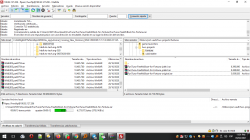
EDIT2: Done! Uploaded on my personal server (same link as always) and uploaded on the OP (splitted in 5MB parts due to size limit)
Maybe due to old libs or fragmentation on the pendrive? I did NOT edited anything on the code regarding mass, so...I do not know why but the uLe that comes with FunTuna package corrupted my USB drive,
so I replaced it with wLaunchELF 41e4ebe.
Last edited:
jolek
Senior Member
Maybe due to old libs or fragmentation on the pendrive? I did NOT edited anything on the code regarding mass, so...
To be honest I do not know...
Did you use USB drivers from 17\05\2020:
https://github.com/ps2dev/ps2sdk/commits/master/iop/usb.
Or the ones that comes with FMCB 1.8b?
Fannste94
Member
Ok but how do I make it work again? How do I format the memory card?because BOOT.ELF is FreeMcBoot!
if you replace the ELF file that will be launched by fortuna then dont expect anything good to happen!
quit messing around with the apps provided inside the package, if you want something to launch VCD files then use wLaunchELF 4.43a_KHN
Similar threads
-

-
-
 PS2 OpenTuna - An open source version of "Fortuna", based on reverse engineering!
- Started by alexparrado
- Replies: 216