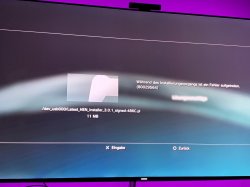
(UPDATE) -- @lmn7 has released Auto HEN Installer for HFW 4.86. It is a SIMPLER method that doesnt require HAN installation first but can still be done OFFLINE. You can download it and read my new guide for it HERE).
(UPDATE) -- I have added instructions to setup kWS webser on android HERE.
----------
(GUIDE) How to Install HEN Offline
Since the mirrored ps3xploit site hen installers don't seem to be working, I came up with a guide to help you install hen offline. I'm giving instructions for 4.86, but the procedure is the same for other firmares--you just need the right files. I installed hen on my superslim using this method. You will get some files from the site and host them yourself. You can use KWS for android as a webserver to host the files.
---INSTALL HFW---
First install hfw 4.86 (download here)
You should reinstall if you lost icons using mirrored site.
---GETTING HAN FILES---
1 goto ps3xploit website (link)
2 click v3 HAN Tools
3 click Download Release Files
the HAN zip file will be saved as ps3_tools-v3.0-HAN486_HFW_release_PS3XPloit.zip
---GETTING HEN FILES---
1 click PS3HEN
2 click 4.86 HFW
3 click Download Release Files
the HEN zip file will be saved as PS3HEN_3.0.1_4.86_FW.zip
---PREPARE FILES---
1 extract ps3_tools-v3.0-HAN486_HFW_release_PS3XPloit.zip to a new folder
2 extract han_supportfiles-485-486.zip to root of usb
3 go under html folder
4 change han_instller.html filename to index.html
5 copy index.html and ps3xploit_v303.js files to root folder of webserver
6 extract PS3HEN_3.0.1_4.86_FW.zip to a different new folder
7 copy Latest_HEN_Installer_3.0.1_signed-486C.pkg to root of usb
8 go under html folder
9 copy han_flash_mount_rewrite.html to root of webserver
---INSTALL HAN---
1 put usb in ps3 (use port closest to disc drive)
2 turn on ps3
3 connect ps3 and webserver to same network and start webserver (if using kws then connect phone to the wifi that ps3 is connected to)
4 open browser
5 enter webserver address (kws will tell you the address)
6 set as homepage
7 clear cookies, cashe, and everything else
8 make sure "confirm browser close" is off
9 exit browser
10 open broswer (it should load han installer)
11 click initialize
12 when its ready click the launch button.
ps3 will restart. if you see package manager then han installed correctly (if not restart ps3 and open browser to retry)
---INSTALL HEN---
1 delete index.html and ps3xploit_v303.js files from webserver root
2 change han_flash_mount_rewrite.html filename to index.html
3 open ps3 browser
4 it should say "Enabling HAN & Mounting Flash as /dev_rewrite" and exit on its on (if it fails, restart ps3 and try again)
5 installl Latest_HEN_Installer_3.0.1_signed-486C.pkg from package manager
6 shutdown ps3
7 start ps3 and enable hen from the icon.if you do not see enable hen icon when you start ps3, turn off "Display [What's New]" in system settings.
(UPDATE) -- I have added instructions to setup kWS webser on android HERE.
----------
(GUIDE) How to Install HEN Offline
---INSTALL HFW---
First install hfw 4.86 (download here)
You should reinstall if you lost icons using mirrored site.
---GETTING HAN FILES---
1 goto ps3xploit website (link)
2 click v3 HAN Tools
3 click Download Release Files
the HAN zip file will be saved as ps3_tools-v3.0-HAN486_HFW_release_PS3XPloit.zip
---GETTING HEN FILES---
1 click PS3HEN
2 click 4.86 HFW
3 click Download Release Files
the HEN zip file will be saved as PS3HEN_3.0.1_4.86_FW.zip
---PREPARE FILES---
1 extract ps3_tools-v3.0-HAN486_HFW_release_PS3XPloit.zip to a new folder
2 extract han_supportfiles-485-486.zip to root of usb
3 go under html folder
4 change han_instller.html filename to index.html
5 copy index.html and ps3xploit_v303.js files to root folder of webserver
6 extract PS3HEN_3.0.1_4.86_FW.zip to a different new folder
7 copy Latest_HEN_Installer_3.0.1_signed-486C.pkg to root of usb
8 go under html folder
9 copy han_flash_mount_rewrite.html to root of webserver
---INSTALL HAN---
1 put usb in ps3 (use port closest to disc drive)
2 turn on ps3
3 connect ps3 and webserver to same network and start webserver (if using kws then connect phone to the wifi that ps3 is connected to)
4 open browser
5 enter webserver address (kws will tell you the address)
6 set as homepage
7 clear cookies, cashe, and everything else
8 make sure "confirm browser close" is off
9 exit browser
10 open broswer (it should load han installer)
11 click initialize
12 when its ready click the launch button.
ps3 will restart. if you see package manager then han installed correctly (if not restart ps3 and open browser to retry)
---INSTALL HEN---
1 delete index.html and ps3xploit_v303.js files from webserver root
2 change han_flash_mount_rewrite.html filename to index.html
3 open ps3 browser
4 it should say "Enabling HAN & Mounting Flash as /dev_rewrite" and exit on its on (if it fails, restart ps3 and try again)
5 installl Latest_HEN_Installer_3.0.1_signed-486C.pkg from package manager
6 shutdown ps3
7 start ps3 and enable hen from the icon.if you do not see enable hen icon when you start ps3, turn off "Display [What's New]" in system settings.
Last edited: