edit: ok, I think I know where the problem is. Click right mouse button in there and from context menu choose "open as root". The You should be able to see and managing data.
- - -
No, You don't need any additional apps. UFS2 support is in every Linux kernel at least for read only. And if wouldn't be, You wouldn't be able to mount fs.
Maybe there are some changes in new Cinnamon and/or in Nemo which cause this problem. TBH I never mounting stuff in /mnt as for at least few years ago it is /media for that and I even don't use it, instead directory in my home (I doubt it is the reason but who knows).
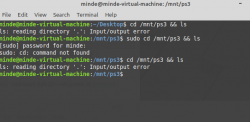
What command line saying? After type below script it will show the files? Because You know, it is impossible to i.e clean all data on PS3HDD from PS3 level, also gdisk show some free/occupied.
What history is of this HDD? Is this Your unit? Your dump? How did You decrypted it? Maybe filesystem was already damaged on PS3 and that's the strange results? Make another copy of this file or dump only this partition ("
sudo dd if=/dev/mapper/loop1p2 of=/home/you/mini_dump.img bs=512B") and attach it as another free dev loop. Then perform "
sudo fsck.ufs -b 160 /dev/loop2" (if loop2 will be this mini dump; it is not a mapper, it is not a mistake). I don't know on what level of Linux environment understating You are, but You must know the basics. One mistake in choosing device or fs and You loose data.

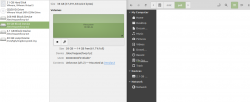
This how it looks for me (after going through on the fly decryption and mounting all; You goes by shortcut so it looks a little different
).
And this view from file manager Nemo (I have mounted game partition in "/home/mint/ps3/dev_hdd0/" and on the right is view from some place there):


 )
)