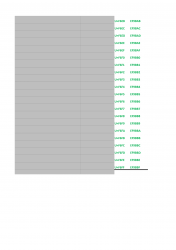
imagefont.bin tool for PS3 and Vita

Maybe we are missing some slots in what we are using too, or not sure, I dont fully understand it.

See the index.txt, we have some F4s and F5s, F6s, F7s, F8s.

So if each block is meant to be 256 and we only have 5 blocks... that should still be 5x256 in total?
Yep, i was looking at this too right now, in the PS3 official firmware are used the codes from slots: F4, F5, F6, F7, and F8
And the system icons are in F8 so seems to be used in opposite order ? (most importants are at the last slot for some reason)

So... is better to try to use the others next to them, we have 4 empty: F3, F2, F1, F0
 
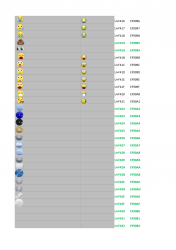
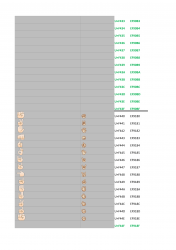
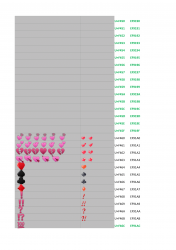
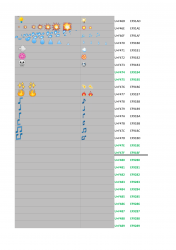
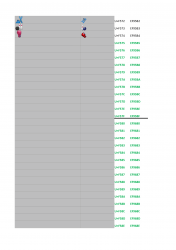
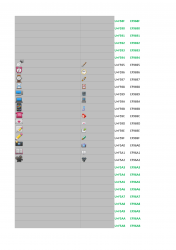
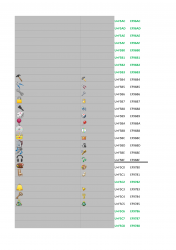
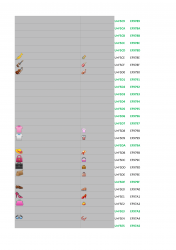
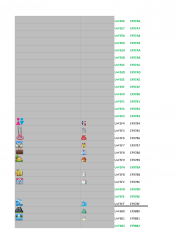
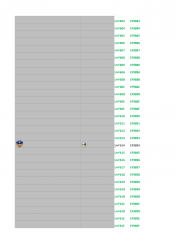
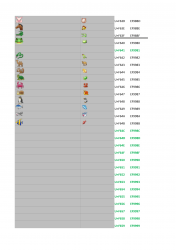
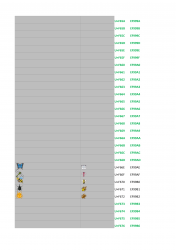
Please check the spreadsheet or PDF too, why are we not getting 256 per "F" like we should be, maybe there are just places missing from the spreadsheet?

I will test F3
 
Yep, i was looking at this too right now, in the PS3 official firmware are used the codes from slots: F4, F5, F6, F7, and F8
Wait, this is not true :D

Check the index.txt generated by littlebalup tool, are used (in this order from top to bottom)
F8
F4
F5
F6

So... it seems we have F7 available in between them (sony reserved it for scene, lol?)
I hope that blocks are enabled together by the PS3 firmware with something like "from F4 up to F8"... in that case F7 should be enabled

Try with F711, and btw... you should locate it at the end in the index (to avoid problems just incase, because it goes after F6** codes)
 
Oh cool. I missed it, saw 8 4, 5 , 6 skipped to end ... ok, 7 must be there...doh. Spread sheet goes 8,4,5,6 for some reason.
 
Please check the spreadsheet or PDF too, why are we not getting 256 per "F" like we should be, maybe there are just places missing from the spreadsheet?

I will test F3
Not sure what you mean, so not sure if what im going to say is related, but i think they are following some kind of standard they got some somewhere (who knows, maybe is something very popular in japanese programmers for chat services)

This is the reason why there are groups of icons that doesnt starts in a specific (rounded) code, or they have codes in between them not used

Like the group of icons for "transports" (where you added the tesla car the other day, lol), that slot where you added the tesla car probably is intended to have another vehicle... is just sony refused to add the icon but they kept the slot empty (because that code is assigned to another vehicle in the standard they are using)
With other icons for food or vegetals happens the same

The only ones (as far i noticed) that starts at a rounded code are the smileys at F400
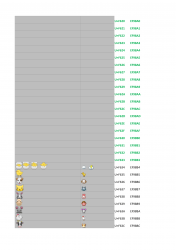
 
What I mean is we have got the blocks F4, F5, F6, F8.... but we do not seem to have 4x256 spaces..... we only have 833 in the spreadsheet, not 1024.


I just tried adding F711, and it packed ok, unpacked it to check. It calculated the HEX code as EF9C91 in the unpack...

But it does not show up AND adding it break every other icon and stops those showing up.. :(

@littlebalup might know why F7 is not used and if 833 is the hard limit or something to be explored more?
 
Just tried an F3, no luck...


Off topic, but I have another Idea. If we added single "icons" for these 3 words into the imagefont.bin then we would have way more room to work with when adding custom text to the sprx, as those words would only take up 3 bytes each in the sprx.

upload_2020-1-9_16-14-38.png


This is a perfect place to do something like this because those words are hardcoded in english and in white normally. Is there no downside except that we lose 3 slots. But if you add these words as icons, you can add lots of text, change the colour to match your theme, change the font , translate them etc.
 
Last edited:
upload_2020-1-9_17-51-0.png

upload_2020-1-9_17-54-53.png

^^ Not adding these, just showing that there are more that fit with existing ones.


It's a shame we dont have 6400 spaces, there are about 2000 icons from ps4 I would add..I have attached them in case anyone might be interested, I have a lot of them sorted into categories. I was about to start adding loads of matching ones but we cant now as spaces are limited.

upload_2020-1-9_17-57-22.png
 

Attachments

Last edited:
What I mean is we have got the blocks F4, F5, F6, F8.... but we do not seem to have 4x256 spaces..... we only have 833 in the spreadsheet, not 1024.


I just tried adding F711, and it packed ok, unpacked it to check. It calculated the HEX code as EF9C91 in the unpack...

But it does not show up AND adding it break every other icon and stops those showing up.. :(

@littlebalup might know why F7 is not used and if 833 is the hard limit or something to be explored more?

It seems $ony didn't mapped/activated the U+E000 - U+F3FF and U+F700 - U+F7FF portions of the unicode basic multilingual plane private use area (https://codepoints.net/private_use_area). I explored those ranges time ago and I didn't found any additional "opened" slots. Maybe I missed some but I doubt.
Maybe if we find the plugin responsible to map the chars we may patch it to open more slot ranges... idk.
 
Wait, this is not true :D

Check the index.txt generated by littlebalup tool, are used (in this order from top to bottom)
F8
F4
F5
F6

So... it seems we have F7 available in between them (sony reserved it for scene, lol?)
I hope that blocks are enabled together by the PS3 firmware with something like "from F4 up to F8"... in that case F7 should be enabled

Try with F711, and btw... you should locate it at the end in the index (to avoid problems just incase, because it goes after F6** codes)

Hystorically, the early versions of the imagefont.bin files (before fw 2.50), only F4 to F6 were used. Then they added the F8 "system icons" starting at FW 2.50. It would be interesting to test on a downgraded console if the F8 slots were activated before 2.50.

edit: forget, I say stupid things... F8 was used from the begining with only buttons icons.
 
Last edited:
@sandungas I think we need to change a couple of those icons, either for Vita ones, or some of a similar style if you want to make em?

test.jpg


See the "R1", this is at 1080p and its just too small really. I think those and the D-Pad ones are just the wrong style.
 
@sandungas I think we need to change a couple of those icons, either for Vita ones, or some of a similar style if you want to make em?

View attachment 22277

See the "R1", this is at 1080p and its just too small really. I think those and the D-Pad ones are just the wrong style.
Well, the goal of that icons was to have them as perfect squares in a realistic style, when displayed "inline" could look small incase the font is small

But i dont want to rebuild them because it implyes "breaking" the realistic style
 
Last edited:
Ok, I think I will swap a few for the Vita ones. Perfect squares are not needed here and they are just too small.
 
I think we should just release this and see what others can do with it. It's been too long and this tool is wasted here in this thread. For me now between deciding which icons to add, and deciding where to put each custom icon, and creating the spreadsheet its just too much work for me to do and I would rather move onto more interesting things that are not known.
 
Massive Credits to littlebalup and sandungas for all the work on this tool.

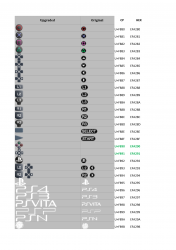
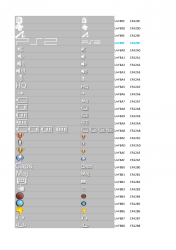
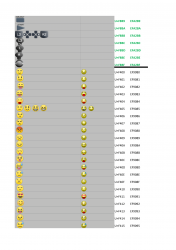
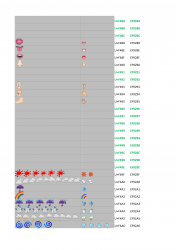
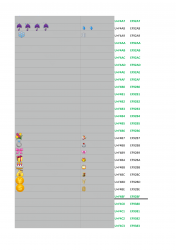
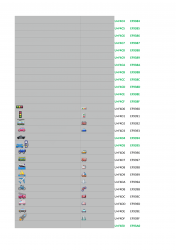
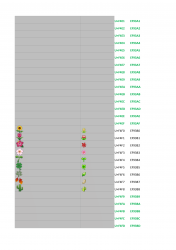
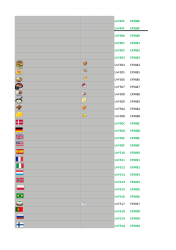
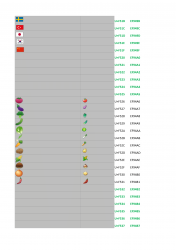
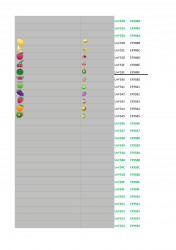
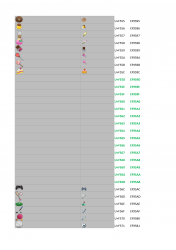
Here is an upgraded imagefont.bin with all icons upgraded from 23 pixels high to 36 pixels high (the widths vary). There are a few icons added but not many. 20 flags, a few disc images by Berion, Some timer animations.

This was a WIP that I never completed, I wanted to add tags, finish off the PDF etc, but anyway here it is.

These upgraded icons were 90% taken from PS4 rcos and Vita imagefont.bin, with the complete button set and most system symbols like battery icons etc made by Sandungas. I created about 20 missing images from google images.

No tags added yet as no idea which ones to add.

I have attached a bin, and the source folder used for the bin, and a PDF that shows most of upgrades, the PDF might not be 100% accurate but its fairly close.


imagefont_upgrade_v004-01.png imagefont_upgrade_v004-02.png imagefont_upgrade_v004-03.png imagefont_upgrade_v004-04.png imagefont_upgrade_v004-05.png imagefont_upgrade_v004-06.png imagefont_upgrade_v004-07.png imagefont_upgrade_v004-08.png imagefont_upgrade_v004-09.png imagefont_upgrade_v004-10.png imagefont_upgrade_v004-11.png imagefont_upgrade_v004-12.png imagefont_upgrade_v004-13.png imagefont_upgrade_v004-14.png imagefont_upgrade_v004-15.png imagefont_upgrade_v004-16.png imagefont_upgrade_v004-17.png imagefont_upgrade_v004-18.png imagefont_upgrade_v004-19.png imagefont_upgrade_v004-20.png imagefont_upgrade_v004-21.png imagefont_upgrade_v004-22.png imagefont_upgrade_v004-23.png imagefont_upgrade_v004-24.png imagefont_upgrade_v004-25.png imagefont_upgrade_v004-26.png imagefont_upgrade_v004-27.png imagefont_upgrade_v004-28.png imagefont_upgrade_v004-29.png
 

Attachments

Last edited:
Massive Credits to littlebalup and sandungas for all the work on this tool.

Here is an upgraded imagefont.bin with all icons upgraded from 23 pixels high to 36 pixels high (the widths vary). There are a few icons added but not many. 20 flags, a few disc images by Berion, Some timer animations.

This was a WIP that I never completed, I wanted to add tags, finish off the PDF etc, but anyway here it is.

These upgraded icons were 90% taken from PS4 rcos and Vita imagefont.bin, with the complete button set and most system symbols like battery icons etc made by Sandungas. I created about 20 missing images from google images.

No tags added yet as no idea which ones to add.

I have attached a bin, and the source folder used for the bin, and a PDF that shows most of upgrades, the PDF might not be 100% accurate but its fairly close.


View attachment 24468 View attachment 24469 View attachment 24470 View attachment 24471 View attachment 24472 View attachment 24473 View attachment 24474 View attachment 24475 View attachment 24476 View attachment 24477 View attachment 24478 View attachment 24479 View attachment 24480 View attachment 24481 View attachment 24482 View attachment 24483 View attachment 24484 View attachment 24485 View attachment 24486 View attachment 24487 View attachment 24488 View attachment 24489 View attachment 24490 View attachment 24491 View attachment 24492 View attachment 24493 View attachment 24494 View attachment 24495 View attachment 24496


Thanks =)
 
Last edited:
sorry to jump a bit late on this topic, but is there any other decoder implementation besides @littlebalup Python's one? also, is the source available?

to explain my question: if we want to use the imagefont.bin on the fly on a homebrew app (ps3 or vita) I assume we need to parse/decode the imagefont.bin file , take the resulting .png and show it on the screen, right? on the XMB that's automatic, but on a homebrew we'll have to do it manually

I already have quite a lot of stuff, but perhaps I'll get back to this and try to make a generic decoder in C that hopefully would be cross-platform across ps3 and vita.
 
Back
Top