Berion
Developer
@bucanero No, it is read only and extracted data is extracted file (so it is literally *.vms alone). Yet still thanks for the information! ^^
@sandungas :P
@sandungas :P

1. Dumps via i.e DMDE first 512KiB. There is partition table BRFR and this is why this is important.
2. If You could also show me the addresses where "F:\" and "G:\" starting. This will help determine if LBA in partition table is correct. However, this step is very time consuming (~3 hours for 1TiB).


Address must correspond with partition table. Since start of G can be anywhere, it must be find in partition table and must fit to found via hex address (to determine where it is and if this exactly this).
You don't need working Xbox. In preview posts I wrote how to do that (post with DMDE + post with HxD). ^^
 For some reason this value can be a multiplier.
@Peppe90 X/Y/Z/C/E partitions have always the same size and start from the same point. "F:\" will also always start from the same point (right after "E:\"). But if "F:\" size can be determine, also start point of "G:\" will not be always the same.
That's the reason why I need partition table + confirmed offset where at least "G:\" starting.
@Peppe90 If You could do two things from all those disks I will be glad and this helps a lot to implement proper G support.
1. Dumps via i.e DMDE first 512KiB. There is partition table BRFR and this is why this is important.
2. If You could also show me the addresses where "F:\" and "G:\" starting. This will help determine if LBA in partition table is correct. However, this step is very time consuming (~3 hours for 1TiB).
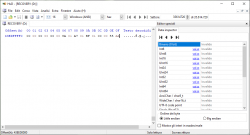
a. Open disk in hex editor (any, i.e HxD on which I base). To do that, run HxD as administrator (because direct HDD reading needs elevated privileges; and don't worry it will be read-only so You will not break anything by accident). Go to menu >> Additions (?) >> Open hard disk >> physical disk.
View attachment 28973
b. Put pointer at the end of HDD. Press CTRL+F and type "464154580000000000" (this is FATX header), data type choose "hex values" and also very important: direction: up. Click ok and string searching will start.
First two matches will shows FATX offset starts for F & G (after first shot, write down the offset, then press F3 to search again from this point, after another match also write down the offset - I need them both ^^).
View attachment 28975
Thank You for Your time! ^^
b. Put pointer at the end of HDD. Press CTRL+F and type "464154580000000000" (this is FATX header), data type choose "hex values" and also very important: direction: up. Click ok and string searching will start.
@Peppe90 Oh right, I'm using ancient version. In "Opzioni", should be something like hex values (because on screen above is set up text; if You want text You can search for "FATX" string and check checkbox "Distingui tra (...)" but if You have some XBE's on G or F it is possible that this search shows us false positives (part of compiled code instead of start of partition); so better is to search only hex values).

I updated today HxD app and see that indeed this dialogue box has changed a little. Also I forgot that after FATX with contents on it, there are other values instead of zeros. So it doesn't matter if we search for hex (46415458 (yes, exactly this)) or text (FATX). First card is for text strings (as on screen below), the second is hex values (in earlier versions this was on one). In "Opcje" ("Opzioni") there is codepage ("Kodowane tekstu" / "Codifica del testo"), can be ANSI or UTF as this text string will stay the same in both. If You decide to search by hex, then this listbox of course will not be visible.
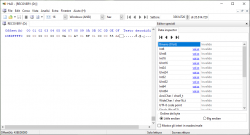
Found partition starting will looks like on screen below. Which means, always started on "00 top bar" up to 03 (no later or earlier). I need only offset, so in example below is "1DD156000" which is in this example start of F (the same should be in Your case; so You can press CTRL+G and go directly to that address). If You put cursor on there (yes, in left window on Your screen ;]), direction should be then "Tutto". I think this will be shorter wait if G is larger than F.
View attachment 29038
@Peppe90 Of course, the Italiano! I'm using DeepL translator which shows me Spain so I blindly just retype it. ^^ I'm sorry of course.
I updated today HxD app and see that indeed this dialogue box has changed a little. Also I forgot that after FATX with contents on it, there are other values instead of zeros. So it doesn't matter if we search for hex (46415458 (yes, exactly this)) or text (FATX). First card is for text strings (as on screen below), the second is hex values (in earlier versions this was on one). In "Opcje" ("Opzioni") there is codepage ("Kodowane tekstu" / "Codifica del testo"), can be ANSI or UTF as this text string will stay the same in both. If You decide to search by hex, then this listbox of course will not be visible.
Found partition starting will looks like on screen below. Which means, always started on "00 top bar" up to 03 (no later or earlier). I need only offset, so in example below is "1DD156000" which is in this example start of F (the same should be in Your case; so You can press CTRL+G and go directly to that address). If You put cursor on there (yes, in left window on Your screen ;]), direction should be then "Tutto". I think this will be shorter wait if G is larger than F.
View attachment 29038
This is a executable right? It is close to F start so it cannot be already G partition. If I correctly understood, the code 46415458 must start at 00 top bar.
Yes, only at the top of 00. That's why I mentioned that FATX alone as text string or as hex values can produce false positives (like part of XBE executable code) but we don't have other choice.
Thanks for Your big effort and time! ^^
 ). Drive letters are nowhere written on Xbox HDD so it cannot be determine for all cases perfectly, that's why application guess it (normally You will have symbol "-" near the "FAT" rectangle but I ask author if he could set letters for better look). On standard partitions configurations (on all HDD from unhacked Xbox'es and majority of hacked Xbox'es this will works perfect (because it is not something common that user modifying original normally hardcoded LBAs for partitions up and including to E)). So in other words, current IsoBuster version expecting that E have standard ~4,7GiB size and that's why now You see unassigned partition as next partition starting far higher. I let the author know and this probably can be fixed in next version. ^^ Again, big thanks!
Based on the image, it looks like that You have gigantic E partition, beyond standard. This was unexpected and big thanks to hunt this issue!
In addition, partition with label "XBOX G" starting before partition with label "XBOX F" and drive letters X/Y/Z/C/E/F/G are putting for partitions in order. So actually this is ok (You messed partitions a little in Xbox Partitioner
View attachment 29106