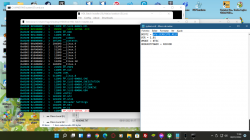
PS2 mini-OPL v1.0

I'm using what HDL-Batch-installer has i think is the latest development build and i use this app and hdl dump for modify_header in PP
What I did was
install the game
__.game
and
PP.game with execute.elf injected and copied on the folder root
and when try boot the game the behavior is back to PSBBN so i think i'm doing something wrong
on system.cnf on the path for sure because i think but can i be wrong i need to tell to PP.game
to boot __.game on my though PP.game is the arguments to boot __.game but i can be wrong
Ok, where is your OPNPS2LD.ELF file placed and I guess you're using an up to date version supporting argument passing from OPL-Launcher.
 
works is only need Updated OPNPS2LD.ELF
everything i did in the end was Correct
opl launcher had a bug with this new works
 

Attachments

  • upload_2022-1-8_11-38-27.png
    upload_2022-1-8_11-38-27.png
    292.7 KB · Views: 99
Last edited:
Hi! I am newbie here. Trying to revive the gameboot logo, when starting a game from HDDOSD. The games I install with HDL Dump on PC and HDL srv on PS2. I have a boot.elf file that is miniOPL. Games are working fine. But there is no gameboot logo.
 
i have 1.2.0 installed and setted up. but i don't get about how to switch to opl launcher.

Inject OPL launcher to all games and paste OPL (1.1.0 or 1.2.0) inside hdd0:/+OPL/OPNPS2LD.ELF

If you can locally connect the HDD to the PC use HDL Batch installer, Wich can do the injection automatically to all games
 
Since 1.1.0, "+OPL" is useless (if You not plan to use any older OPL in the future), because better place is "__common/OPL/" + set the resources path in "__common/OPL/conf_hdd.cfg" (if I remember correct).

The idea behind OPL-Launcher is to run standard OPL which will automatically launch game from bootable partition, using all the features of OPL and its game configs.
 
Inject OPL launcher to all games and paste OPL (1.1.0 or 1.2.0) inside hdd0:/+OPL/OPNPS2LD.ELF

If you can locally connect the HDD to the PC use HDL Batch installer, Wich can do the injection automatically to all games
...or via NBD, if he has LAN!

I also want to thank @Krah, @Tupakaveli, @akuhak (and everyone I missed) for it!

OPL installed at PP.OPL/EXECUTE.kelf
so do i need to copy the elf file to _common/OPL/
and then, how do i setup the OPL-Launcher?
Simply use HDL Batch Installer and/or PFS Batchkit Manager...
 
So does which OPL config does this use? For some reason even though I have disabled debug colors in OPL, it still shows up when I boot the game directly from the HDDOSD.
 

Similar threads

Back
Top