Omar Aqoub
Member
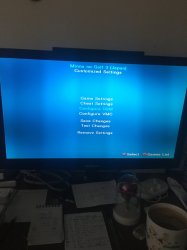
The OPL GUI shows everything!
GUI? What does that stand for?
And what mode number?
I know it's a forum.

The OPL GUI shows everything!
In "Game settings".
What can I do in Game settings in order to fix the game freezing?

The IGR, you can perform i.e. from the game's MENU (or from anywhere the game doesn't freezes) by pressing the buttons @TnA suggested, isn't meant to solve anything. I'd like to know if it works because it can be a clue for understanding what this game's problem can be.
If IGR works, it should kick you back to FMCB OSDSYS if you have IGR path as default (anyway, it should exit from the game).
If IGR doesn't works, it would either, give you a black screen, freeze the picture, or simply nothing happens (the game keeps running like you do nothing).
So what happens when you IGR?
Also if you want you can already try some MODEs. I suggested you MODE 2 ON (enable MODE 2 then hit test). If it doesn't solve, try MODE 1+3+6.
IGR is also useful for do testing more quickly without the need of removing your ass from the chair
(keep in mind that IGR doesn't work if you have MODE 6 ON. It keeps working if you enable any other MODE).
You didn't mention it.I already tried mode 2...
It's not... You could do some tests... Like those with IGR, that we mentioned.It's hopeless...
You didn't mention it.
It's not... You could do some tests... Like those with IGR, that we mentioned.
You double-post again.
U serious?
O.k.
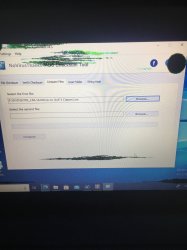
Compare your ISOs MD5 & SHA-1 or SHA256 with those on redump.
No... You need to click onto the "file Checksum"-Tab.