PS3 Multi-Track PS1 Games on PS3

There was no "just" Vigilante for PS1.

There was Vigilante 8:
Vigilante-8.jpg


And there was Vigilante 8: 2nd Offense:
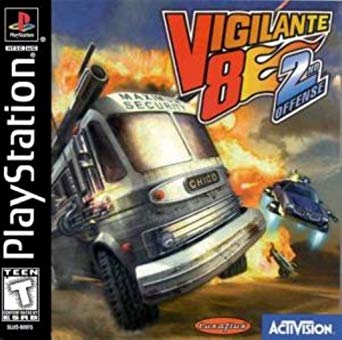
71z4-Ov-SZnt-L-SX342.jpg
 
Last edited:
When testing PSX games with either IRISMAN or webMAN MOD, it's suggested to try both emus: ps1_netemu and ps1_emu.

Some games work better with ps1_netemu, while others work with ps1_emu.

BTW Vigilante 8 - 2nd Offensive (SLUS-00868) and Sled Storm (SLUS-00955) were two of the games with multi-track background music that I tested and confirmed playing fine in the aforementioned backup managers .
 
Last edited:
When testing PSX games with either IRISMAN or webMAN MOD, it's suggested to try both emus: ps1_netemu and ps1_emu.

Some games work better with ps1_netemu, while others work with ps1_emu.

BTW Vigilante 8 - 2nd Offensive (SLUS-00868) and Sled Storm (SLUS-00955) were two of the games with multi-track background music that I tested and confirmed playing fine in the aforementioned backup managers .
where do i find this ps1_netemu and ps1_emu? tell me please and how does the process work correctly for the ringtone
 
where do i find this ps1_netemu and ps1_emu? tell me please and how does the process work correctly for the ringtone

ps1_netemu and ps1_emu are the files for PlayStation One emulators. They are found in /dev_flash/ps1emu

They are selected in IRISMAN pressing TRIANGLE having selected the PSX ISO in the menu, then choose the emulator
52177d1399925726-resident-evil-1.5.png

In webMAN MOD, hold R2 for ps1_netemu or L2 for ps1_emu when you mount the game.
Or go to /setup.ps3 and select the default emulator in the section "Scan for content"**.
**The section needs to be expanded to show options.
maxresdefault-jpg.10159
 
BTW Vigilante 8 - 2nd Offensive (SLUS-00868) and Sled Storm (SLUS-00955) were two of the games with multi-track background music that I tested and confirmed playing fine in the aforementioned backup managers .

music not work in IRISMAN as I mention in #78 , multiman and others work fine but old_emu and old_netemu in IRISMAN work also fine

and there are another issue for this game as I mention in "Vigilante 8: 2nd offense unlock V8 Levels with IRISMAN"
 
Last edited:
[QUOTE = "aldostools, post: 211627, membro: 89"] ps1_netemu e ps1_emu sĂŁo os arquivos dos emuladores do PlayStation One. Eles sĂŁo encontrados em / dev_flash / ps1emu

Eles sĂŁo selecionados no IRISMAN pressionando TRIANGLE apĂłs selecionar o PSX ISO no menu e depois escolher o emulador
52177d1399925726-resident-evil-1.5.png

No webMAN MOD, mantenha pressionado R2 para ps1_netemu ou L2 para ps1_emu ao montar o jogo.
Ou vá para /setup.ps3 e selecione o emulador padrão na seção "Procurar conteúdo" **.
** A seção precisa ser expandida para mostrar opções.
maxresdefault-jpg.10159

[/ spoiler] [/ CITAÇÕES]
mas funciona para galinha? veja a versão do seu webman e irisman mine está muito atualizado
[QUOTE = "aldostools, post: 211627, membro: 89"] ps1_netemu e ps1_emu sĂŁo os arquivos dos emuladores do PlayStation One. Eles sĂŁo encontrados em / dev_flash / ps1emu

Eles sĂŁo selecionados no IRISMAN pressionando TRIANGLE apĂłs selecionar o PSX ISO no menu e depois escolher o emulador
52177d1399925726-resident-evil-1.5.png

No webMAN MOD, mantenha pressionado R2 para ps1_netemu ou L2 para ps1_emu ao montar o jogo.
Ou vá para /setup.ps3 e selecione o emulador padrão na seção "Procurar conteúdo" **.
** A seção precisa ser expandida para mostrar opções.
maxresdefault-jpg.10159

[/ spoiler] [/ CITAÇÕES]
mas funciona para galinha? veja a versão do seu webman e irisman mine está muito atualizado
ps1_netemu and ps1_emu are the files for PlayStation One emulators. They are found in /dev_flash/ps1emu

They are selected in IRISMAN pressing TRIANGLE having selected the PSX ISO in the menu, then choose the emulator
52177d1399925726-resident-evil-1.5.png

In webMAN MOD, hold R2 for ps1_netemu or L2 for ps1_emu when you mount the game.
Or go to /setup.ps3 and select the default emulator in the section "Scan for content"**.
**The section needs to be expanded to show options.
maxresdefault-jpg.10159
but is it for hen? because i see there an older version of webman and irisman because mine is updated to newer version
 
Has anyone gotten multi-track ps1 games to work properly on cfw with webman? what I mean is that if I put all the .bin files in the PSXISO folder and refresh webman, all bin files will show in the xmb and background music won't play in games like twisted metal etc... and if I combine all the bins into one single bin the music still wont play... any ideas or a full on solution would be greatly appreciated. Thanks.
I'm not exactly sure as I haven't done that in a long time but I remember dumping the games to .ISO is the best option you have.
And it's a dead certain that it will work.
And I understand what you're saying because some games have Data on Track 1 and the rest are Audio Tracks aka Mixed CD.

.ISO's the answer.
 
Last edited:
I'm not exactly sure as I haven't done that in a long time but I remember dumping the games to .ISO is the best option you have.
And it's a dead certain that it will work.
And I understand what you're saying because some games have Data on Track 1 and the rest are Audio Tracks aka Mixed CD.

.ISO's the answer.

I'm not sure what you mean?
You want to rip CD game(s) with audio tracks into ISO?
ISO is not supporting CDDA, so there will not be any music in e.g. Fighting force, etc.
GTA will not start without CDDA.

ISO is good for games on DVD\Blu-ray, not for CD.
For CD games BIN+CUE is the best option.
 
This is something new for me...

Here most of games with CDDA can be found:
https://ipfs.io/ipfs/QmXoypizjW3Wkn...f_PlayStation_games_with_CD_audio_tracks.html.
Are you sure that all of these titles plays music from CDDA while being rip as ISO?

As I remember ISO will not "catch" audio track.
You can have it with BIN, IMG...
WAV, FLAC other lossless format, mp3, wma or other lossy format.
Additionally CUE, CCD is needed for information where these tracks are located.
 
Iso captures the whole thing Jolek.
Yes they do mate, I have several games in Iso such as Wipeout and so on , they all play properly.
 

I've tried PowerISO 7.5 on WinXP SP3:
verpower.png


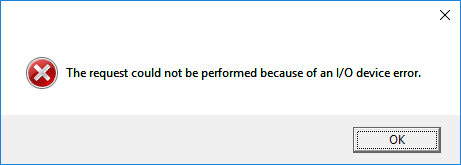
When I wanted to create ISO from Command & Conquer: Red Alert I was getting this error:
oj.png

This screen is not from program, because I was getting it in different language.

When I wanted to create BIN+CUE from the same disc, everything was fine (without any error).

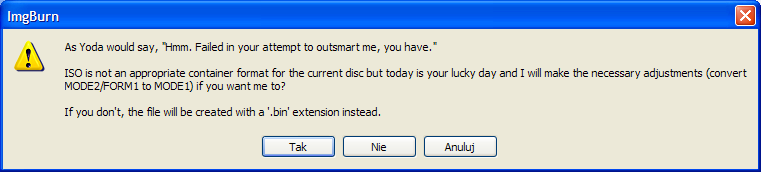
I've also tried to create ISO using ImgBurn 2.5.8.0 and this error appears:
ISO-BIN.png


From what I also remember BIN has got 2,352 bytes per sector while ISO has got 2048,
so there is no way to copy raw image using ISO:
https://en.wikipedia.org/wiki/Cue_sheet_(computing).
 
No idea mate.
I've done that ages ago , as far as I remember them CDs are recorded as Mixed media , I probably converted from Bin. Cue to Iso for games that don't play the tracks right because sometimes Cue files I think you can edit them with a notepad and it'll indicate the exact section of where the tracks are on the CD.
Some games were giving me major hassle like Wip3out and I just converted them over and problem solved.
Thanks for trying anyways.
 
Back
Top