PS3 multiMAN v04.82.00 - deank adds 4.82 CFW Support

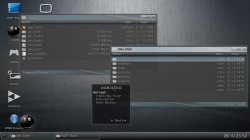
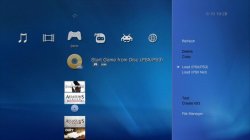
I am sure many of you who have been on the outskirts of CFW for years might of heard of deank's multiMAN, well the developer has made an update to the popular homebrew via the app online updater, the changelog is simple but effective adding 4.82 CFW CEX Support. This backup manager and is a very functional homebrew, the file manager is quite impressive and spawns it own name mmOS, this is a great ps3 homebrew that continues to see support from developer deank,


  • multiMAN_4.81_CFW_deank.jpg

    Screenshot_4.jpg MM3.jpg multiman-backup-manager-3.jpg


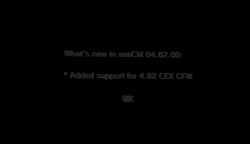
    NEW---> multiMAN v04.82.00

    • Added 04.82 CEX CFW Support
    upload_2017-11-29_0-52-8.png

    multiMAN v04.81.02

    • Fixed nethost/netiso issues on DEX CFW
    multiMAN v04.81.01
    • Added support for CFW 4.81 (DEX)
    multiMAN v04.81.00
    • Added support for CFW 4.81 (CEX)
    • Added update for Stealth version
    multiMAN v04.80.00
    • * Added support for CFW 4.80
    • * Added update for Stealth version

    multiMAN v04.78.02/04.78.03
    • * Fixed naming of FLASH/LV1/LV2 exports for CFW 4.66/4.76/4.78
    • * Fixed EBOOT.BIN/SPRX patching for CFW 4.66/4.76/4.78
    • * Updated Showtime/Movian to latest Bleeding Edge (04.99.812) - http://movian.tv
    • * Updated stealthMAN (multiMAN Stealth version) to 04.78.02

    multiMAN v04.78.01
    • * Fixed crash when scanning for /net_host (ps3netsrv) games

    multiMAN v04.78.00
    • * Added support for CFW 4.78
    • * Updated Japanese translation by Kyan_dudl

    multiMAN v04.76.00
    • * Added support for CFW 4.76
    • * Fixed BD-Mirror for 4.75 DEX

Download: multiMAN 04.82.00 (SendSpace) (BASE)

Source: multiMAN's ONLINE Updater (thanks @bitsbubba)​
 
Last edited:
Hi.
There is a bug in multiman that says my firmware version is 4.81 and that is not true because i am on Rebug 4.84.2 REX and RebugToolbox can prove that. Is there any fix for this issue?
 
I am sure many of you who have been on the outskirts of CFW for years might of heard of deank's multiMAN, well the developer has made an update to the popular homebrew via the app online updater, the changelog is simple but effective adding 4.82 CFW CEX Support. This backup manager and is a very functional homebrew, the file manager is quite impressive and spawns it own name mmOS, this is a great ps3 homebrew that continues to see support from developer deank,


  • NEW---> multiMAN v04.82.00

    • Added 04.82 CEX CFW Support

    multiMAN v04.81.02

    • Fixed nethost/netiso issues on DEX CFW
    multiMAN v04.81.01
    • Added support for CFW 4.81 (DEX)
    multiMAN v04.81.00
    • Added support for CFW 4.81 (CEX)
    • Added update for Stealth version
    multiMAN v04.80.00
    • * Added support for CFW 4.80
    • * Added update for Stealth version

    multiMAN v04.78.02/04.78.03
    • * Fixed naming of FLASH/LV1/LV2 exports for CFW 4.66/4.76/4.78
    • * Fixed EBOOT.BIN/SPRX patching for CFW 4.66/4.76/4.78
    • * Updated Showtime/Movian to latest Bleeding Edge (04.99.812) - http://movian.tv
    • * Updated stealthMAN (multiMAN Stealth version) to 04.78.02

    multiMAN v04.78.01
    • * Fixed crash when scanning for /net_host (ps3netsrv) games

    multiMAN v04.78.00
    • * Added support for CFW 4.78
    • * Updated Japanese translation by Kyan_dudl

    multiMAN v04.76.00
    • * Added support for CFW 4.76
    • * Fixed BD-Mirror for 4.75 DEX

Download: multiMAN 04.82.00 (SendSpace) (BASE)

Source: multiMAN's ONLINE Updater (thanks @bitsbubba)​

multiMAN-3.jpg

multiMAN's ONLINE Update

Oficial
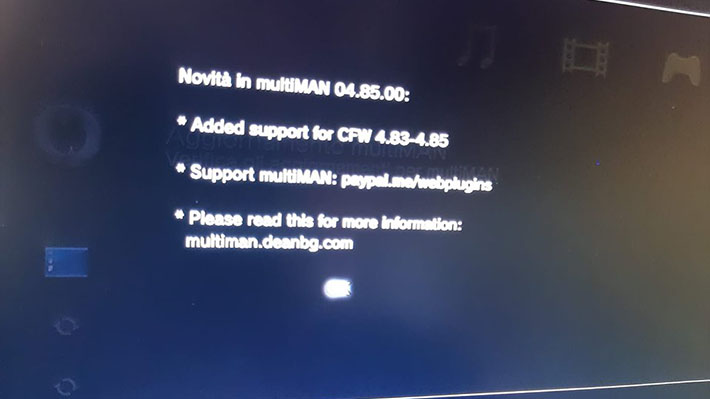
multiMAN v04.85.00

mirror:
http://www.mediafire.com/file/aznh7b5khzna15l/multiMAN_04.85.00.pkg/file
 
how is official and deank himself doesn't update it ?? he is the only one that have source files so he is the only one that can update it officially i also create a 4.85 multiman but unofficial


Unofficial multiMAN 04.85.00
Why are you having a lot of problems? After the installation, the MultiMAN icon is gone.
R1 and R2 can't switch, the mode can't be used, I also brushed it back.
You cannot switch the display mode by pressing L1 and R1.
 
Unofficial multiMAN 04.85.00
Why are you having a lot of problems? After the installation, the MultiMAN icon is gone.
R1 and R2 can't switch, the mode can't be used, I also brushed it back.
You cannot switch the display mode by pressing L1 and R1.
for icon i think you have overflow cfw as most of users report for this problem using overflow for switch display mode i have locked display to 5x4x5 go settings option and scroll down till you see
default display mode and lock display or lock display mode
 
for icon i think you have overflow cfw as most of users report for this problem using overflow for switch display mode i have locked display to 5x4x5 go settings option and scroll down till you see
default display mode and lock display or lock display mode
There should be no problem with SPY cfw
 
From where did you get this link to this version?

Looks like @deank may of pushed an official update through the app

how is official and deank himself doesn't update it ?? he is the only one that have source files so he is the only one that can update it officially i also create a 4.85 multiman but unofficial


You see why i was suggesting you to change the name now ?

edit: Actually now you should honestly pull those links for your unofficial build.
Since it would be advisable to all to just use the official from the person who created it
 
Last edited:
I want to report a bug affecting multiman 04.82.00 (don't know if it's fixed in 04.85.00).

Wrong cuesheet generated for create iso function:

PS1 CD: MODE2/2352 (black surface)
this is ok, but libcrypt sectors will be lost, since 2352 ignores subchannels, 2448 is needed to store this info, however it seems not to be supported in cobra 7

PS2 CD: MODE2/2352 (blue surface)
this is fine since there are no libcrypt ps2 games, only ps1 games have libcrypt

PS2 DVD: MODE2/2352 (silver surface)
this is wrong for sure because ps2 dvds are in MODE1/2048

PS3 BD: MODE2/2352 (silver surface)
i think it's wrong, they should be MODE1/2048 (better to wait for someone from redump to explain us) even made a test, images are multiple of 2048 in bytes

this bug shouldn't affect playability while mounted on hdd since cuesheets are ignored from backup managers, but there is a huge error in cuesheet, so if the image is transferred to pc and then burnt, the resulting burned media won't play at all. this bug colud be fixed simply and with no hurry (even waiting for next release or next ofw)

note about ps1 cd iso: should be left in 2352 in the meanwhile to the time 8.2 cfws will come out with support to MODE1/2448 images (ccd/img/sub or mds/mdf) i hope someone will develop a new image type for supporting at all this kind of games preserving cdda tracks and libcrypt protection. now we can play correctly this kind of games only burning cds from 2448 images with right settings and certain software such as alcohol or clonecd.

@deank thanks for your beatiful work ;)
 
MultiMan 4.85.01 doesn't boot on SuperSlim HEN PS3s... getting error 8001003A, made sure to enable HEN too of course. Any help is appreciated!
 
Yo wsg. I tried installing MULTIMAN on my PS3, then the TV flashed once but not twice. If it flash twice then the application is working, but its just stuck in a black screen and it just got frozen, also why do u put indian music on the XMB menu when you launch MULTIMAN.
 
Back
Top