
VegaVegas
Forum Noob
I'm gonna aim to test this game now on my 77xxx for you and see if it fails for me too. Sometimes it's like that, not 100% of the games are compatible, especially when cross region.
Thank you for your time : - )

I'm gonna aim to test this game now on my 77xxx for you and see if it fails for me too. Sometimes it's like that, not 100% of the games are compatible, especially when cross region.

Yes, if you load it with default settings it doesn't work. I noticed it only boots up if you turn on mode 1. After that I haven't found a way to progress beyond the save screen. This is "interesting"...

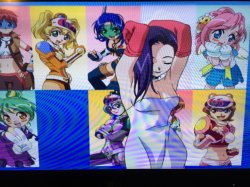

This game is for Japanese educational purposes... only........ Anyway, what configuration worked for you and which versions of each did you use??
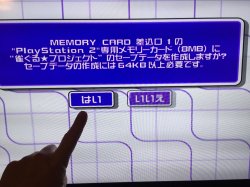
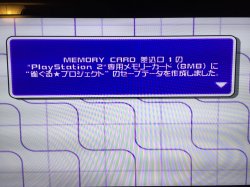
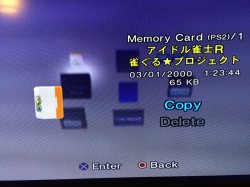
Ah crap... I feel so stupid. I'm more than aware Japanese games usually have X as cancellation and O as confirmation. I assumed there was some sort of incompatibility issue (because you can never expect anything from OPL) and accidentally kept pressing the wrong button. Well, I pressed O and yes it worked and even saved. Thanks!
By the way, talking about that game, I noticed some real incompatibility issue and this time it's the oppisite. This game works fine on MX4SIO but the voices are all screwed up (sounds completely robotic) but it works perfectly fine on USB with all voices completely clear. This is interesting
The game switches to NTSC but I forced NTSC in GSM settings anyway. I tried all possible combination of modes 1+2+3+6 and turning all of them on but all I get is same result- robotic voices on MX4SIO. I use PS2 slim SCPH-70004. Maybe it's worth taking note of
Nah, I don't think we should go over all of the trouble for just 1 game. After all this is OPL. I constantly get inconsistencies between various games where somethings works right on SD card but doesn't work on USB or vice versa or some aspect works on one solution but something else is broken in the other etc. Overall yes you are right about power wires and this is usually a good practice to give thicker traces or wires to power rails for all designs and I overlooked it. I should try improving them. I will only post a message if I see any improvements after that
But wait.... does anyone work on that OPL compatibility list every day and who is it??

Yes I did. There is a form for users to submit and I'll add to the master copy. Will make video this week to spread the word.
https://docs.google.com/spreadsheet...ouid=114220944458343422583&rtpof=true&sd=true
 This is really great news! ...i can't wait to submit some games soon, which are already on the master spread-sheet, in red or yellow (not working) that now do work when tested using BDM3 (and with no Modes enabled) on my 77xxx Deckard.
I also have tested 50+ games over the last few days, (yeah it was painful lol) many are not on the master spread-sheet yet, and they work perfectly, the compatibility is super high, i'm excited to share the results and now we can submit them via the form for the master spread-sheet is amazing news!
For friends here testing their games for MX4SIO ....There is one important thing to note:- as has been mentioned here already, some games won't work with a Sony PS1 / DS1 controller, and freeze on loading screens. Some games will only work with a Dual Shock2 connected, or a DS3 / DS4 via BlueTooth, or USB cable (with PadEmu enabled).
So if when testing, the game fails to load, make sure not to be testing with only a PS1 / DS1 controller, for best results.
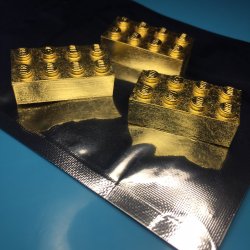
I would pay material + shipping + 50$-labor for one that looks better than the one I made. Or whatever you need to charge.

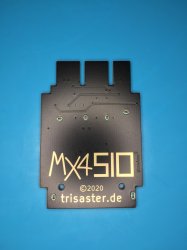
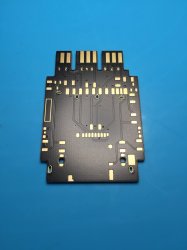

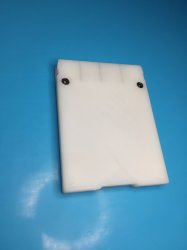
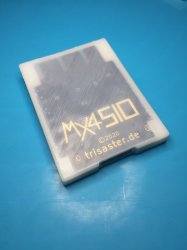
Great, you used the original files!
That dark PCB looks good as well!
 ...so OSHPark etc are good for small orders like this.
