Fedor Wearing A Fedora
Member
[02/09/2019]
[REPOSITORY OFFLINE]
[REPOSITORY OFFLINE]
[DOWNLOAD LINK REMOVED UNTIL FURTHER NOTICE]
Hello all,
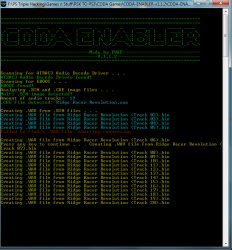
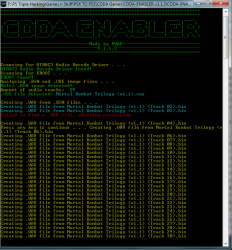
I've made a tool to make the process of CDDA playpack for PSX EBOOT's on the PS3 easier. No more CDMage needed for BIN to WAV conversion, no more SoundForge needed for WAV to ATRAC conversion and no more manual hex editing. The tool is a combination of serveral tools (see credits) that i've forked and modified for this particular cause. For now enough talking......let's get to it:
CDDA-ENABLER
Q: What does it do?
A: Enables CDDA playback for PSX EBOOT's on PS3
Q: More info?
A: This here:

Q: How does it work?
A:
- First you'll need to download the Sony Atrac3 Audio Codec. Google is your best friend.
- After downloading the codec check if the following files are present in the downloaded .ZIP:

- After installing the codec with atrac3.exe check if the atrac3.acm file in the downloaded .ZIP has the following hash values:
SHA256:
C617E91380F6FBA70DB4E4480082BB45273C9E313E55A3110C88C4518A544D1D
C617E91380F6FBA70DB4E4480082BB45273C9E313E55A3110C88C4518A544D1D
- If the values match proceed and replace the file named atrac3.acm located in C:\Windows\SysWOW64 with the atrac3.acm file from the downloaded .ZIP.
- Install Microsoft Visual C++ 2015 Redistributable, download the files from here:
The steps mentioned above are important, without the drivers the audio conversion will fail. Proceed after finishing them.
Also keep in mind that this tool is for x64 systems only!
Also keep in mind that this tool is for x64 systems only!
- Reboot after finishing the steps above.
- Download and unpack CDDA-ENABLER:
Now that the boring stuff is out of the way, let's get the thing working:
1.Create an EBOOT.PBP from a single bin image file with PSX2PSP. (Otherwise wrong TOC will be generated = No CDDA)
2.Place your EBOOT.PBP in the EBOOT directory
3.Place your .CUE and multi .BIN files in the ISO\DISC_# directory
4.Start CE.EXE by double clicking
5.Wait, till the application will tell you that it has finished it's work
A: Yes, remember to always RTFM and like said before...the tool might not work correctly on your system but feel free to let me know


Last edited: