Thanks for answering. I installed the latest multiman 4.84.0 and irisman 4.84.5 and tried the single bin files, also made by cdmage.I tried with 2 single bin isos: Overboard! and Blast Radius, both PAL versions.On multiman they both worked like a charm! (music played flawlessly, all tracks) Best part: I had them stored in an external NTFS formatted hard disk.No delays whatsoever.Even tried running a PS3 game from there which also worked flawlessly.On the other hand irisman loaded the PSX ISO, but after the intro the ps3 froze which forced me to a manual reboot, file check etc. I thing I'm going to stay with multiman for the time being.But it would also be nice to make them work as a package. If nothing else I would like to know if it is possible for multi-bin PS1 games to run properly on HEN/HAN and if that is the case what exactly am I doing wrong? Let's hope that Fedor Wearing A Fedora will see this post and answer.Once again thank you for your help.One last thing: Is it possible to copy the psx isos from the external ntfs to the internal ps3 hdd and launch them from there with multiman?

- Forums
- PlayStation 3 (PS3)
- PS3 Homebrew
- PS3 Homebrew Apps / Plugins / Emulators
- Emulators for PS3
- PS1/PS2/PSP on PS3
You are using an out of date browser. It may not display this or other websites correctly.
You should upgrade or use an alternative browser.
You should upgrade or use an alternative browser.
PS3 [Obsolete] CDDA-ENABLER for PSX EBOOT's on PS3
- Thread starter Fedor Wearing A Fedora
- Start date
- Status
- Not open for further replies.

Fedor Wearing A Fedora
Member
Hello.First of all congratulations for making this truly useful program.I could really use your help with multi-bin games because so far nothing works.I am on a PS3 slim with hybrid 4.84 firmware installed and HEN 2.1.1 (and of course HAN). My PC has Windows 10 Pro 1903 build 18362.114 64 Bit installed. I have been trying for some time now to make multi bin games work on HAN and later HEN but to no avail.Yesterday I tried again with Mortal Kombat Trilogy and Overboard!, both PAL versions.These are the exact steps I followed:
1.Downloaded Sony Atrac3 Audio Codec, installed it by clicking on the atrac3.exe
2. I hashed the atrac3.acm by using a command prompt in Windows 10 and the hash values were indeed SHA256:
C617E91380F6FBA70DB4E4480082BB45273C9E313E55A3110C88C4518A544D1D
3.I copied the atrac3.acm from the downloaded zip file to C:\Windows\SysWOW64 and overwrote the one there.
4. Microsoft Visual C++ 2015 Redistributable both 32 & 64 bit was already installed on my computer
5. Rebooted my PC
6.Tried with Overboard! The original folder had 31 bin files and 1 cue file
7.Used cdmage to make an iso (cue/bin) for PSX2PSP 1.4.2 and made an eboot file.
9.I put the eboot in the CCDA enabler's eboot folder and the original 31 bin files & cue on the programs DISC_1 folder
8.Run the program
9.Here's the log: http://txt.do/1dlt8
As you can see no error messages
10.Proceeded to make a PKG for HEN the usual way
11. I installed the PKG on my PS3 slim.The game loaded fine but NO SOUND! The exact same thing happened with Mortal Kombat Trilogy. I even tried using IMGburn to create an iso for PSX2PSP (step 7) from the original multi-bin folder. PSX2PSP didn't recognize the game automatically as usual, I had to manually put in the game's ID and title. Also the resulting pkg gave an error message on HEN
Can you please help me?I am at the end of my rope here.I'm
beginning to think that multi bin games don't work on HAN/HEN. I previously tried @ayassinsayed solution but that didn;t work either. Thank you
Hello @jasgan, it seems you've done everything right except for 1 part. And that's the multi do single bin conversion, i use imgburn for that but you might have the wrong settings enabled there. I think that's the reason but just to verify that fact could you do the next steps please?
-open eboot in a hex editor
-go to offset 10800
-make a printscreen and post here
Dinner Supreme
Forum Noob
One last thing: Is it possible to copy the psx isos from the external ntfs to the internal ps3 hdd and launch them from there with multiman?
Yes you can copy/cut the game into the PS3 with Multiman file manager. Just press triangle while in the folder areas when in the "games" selection and select "file manager" or any way that you can access the "PC Desktop" look of multiman so that you can browse and manage stuff through the different storage devices including the PS3's root location. (i'm still new to multiman and homebrew since I upgraded to HEN yesterday)
Thank you for answering. Since I don't have the pkg any more I will gladly make it once again with imageburn. But could you please tell me the exact settings I should use? Starting from the mode screen.The 1st time I tried the program (which by the way I've been using for quite some time but mostly for music cds) I selected: create Image from files/folders, browse for a folder and chose the game's folder (Overboard! PAL) which contained 31 bin & 1 cue and proceeded to make the bin/cue which, as I have said in my previous post was NOT recognized properly by PSX2PSP.That is the game ID and name had to be written manually.After making the eboot I placed it to the apropriate folder and of course the 32 bin files and cue in DISC_1 folder.
Fedor Wearing A Fedora
Member
Thank you for answering. Since I don't have the pkg any more I will gladly make it once again with imageburn. But could you please tell me the exact settings I should use? Starting from the mode screen.The 1st time I tried the program (which by the way I've been using for quite some time but mostly for music cds) I selected: create Image from files/folders, browse for a folder and chose the game's folder (Overboard! PAL) which contained 31 bin & 1 cue and proceeded to make the bin/cue which, as I have said in my previous post was NOT recognized properly by PSX2PSP.That is the game ID and name had to be written manually.After making the eboot I placed it to the apropriate folder and of course the 32 bin files and cue in DISC_1 folder.
That way the TOC will be incorrect with some games. Mount the image as a virtual drive, start imgburn and choose this instead of the method you described:
Then proceed with PSX2PSP and the rest of the steps. Then make the screenshot mentioned in the previous post and post it here. Without a correct TOC the CDDA isn't going the work.
And could you reply to messages please? otherwise i won't receive a notification and might not see your post right away.
Unfortunately I can't do that. I currently have PowerISO and UltraISO on my PC, both with virtual drives enabled but imageburn can't see any of those. Last week I had the same problem with Alcohol120% where I couldn't even enable the virtual drive. After some digging I found out that after October update for windows 10 virtual drives don't work properly any more.The only thing I can do is rip my original cd with imageburn but that would create a single bin image, and If I understand CDDA enabler correctly it only works with multi bin images, right?
Fedor Wearing A Fedora
Member
Unfortunately I can't do that. I currently have PowerISO and UltraISO on my PC, both with virtual drives enabled but imageburn can't see any of those. Last week I had the same problem with Alcohol120% where I couldn't even enable the virtual drive. After some digging I found out that after October update for windows 10 virtual drives don't work properly any more.The only thing I can do is rip my original cd with imageburn but that would create a single bin image, and If I understand CDDA enabler correctly it only works with multi bin images, right?
try daemon tools otherwise for the virtual drive or the built in windows solution.
This tool makes a cdda toc based on the cue file, this must match the image toc otherwise the ps3 wont play the converted tracks. The problem you're encountering now is only because the single to multibin conversion.
Last edited:
Fedor Wearing A Fedora
Member
Unfortunately I can't do that. I currently have PowerISO and UltraISO on my PC, both with virtual drives enabled but imageburn can't see any of those. Last week I had the same problem with Alcohol120% where I couldn't even enable the virtual drive. After some digging I found out that after October update for windows 10 virtual drives don't work properly any more.The only thing I can do is rip my original cd with imageburn but that would create a single bin image, and If I understand CDDA enabler correctly it only works with multi bin images, right?
I made eboots out of images made by imgburn and cdmage for overboard, as you can see there are differences so that might right there might be the problem:
The first 2 differences wont matter, this can be 41 of 01 the game and cdda will still work. But the 3rd and 4th might be the cause.
Ok I finally did it with daemon tools. Seems to work fine with imgburn. I loaded the multiple bin/cues with daemon,made a single image for psx2psp and then proceeded to CDDA. The program worked fine, no error messages and this is the hex editor screenshot of the final eboot (the one made with CDDA) By the way I can't find any 10800 offset.

Unfortunately once again no dice.The game loads up normally, I have sound effects but no music.
Unfortunately once again no dice.The game loads up normally, I have sound effects but no music.
Fedor Wearing A Fedora
Member
Ok I finally did it with daemon tools. Seems to work fine with imgburn. I loaded the multiple bin/cues with daemon,made a single image for psx2psp and then proceeded to CDDA. The program worked fine, no error messages and this is the hex editor screenshot of the final eboot (the one made with CDDA) By the way I can't find any 10800 offset.View attachment 18166
Unfortunately once again no dice.The game loads up normally, I have sound effects but no music.
1. dude like i asked you before, please use the reply button...
2. i need a screenshot of the eboot before using cdda-enabler.
3. open eboot in hex editor, press ctrl g,use settings below, press ok and make screenshot
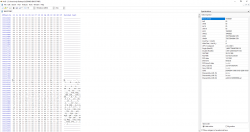
Fedor Wearing A Fedora
Member
I'm sorry about the reply button I forgot to click it last time.Here's the screenshot from the original eboot.
Also thanks for explaining the hex editor, don't have much experiece with those.
View attachment 18173
Some thing still is going wrong on the multibin to single bin conversion on your side. What you could try is pasting the correct TOC over your current...but since the conversion might've changed LBA values it might not work. Try this:
Open toc_overboard.txt, copy all. Open your eboot (before or after cdda injection, wont matter) in the hex editor, select your complete toc (so for you from 10800 till end of line of offset 10950), choose Paste Write. Save your eboot, create new edat.
If you're on HEN or CFW use ftp to copy those files to the game folder of the ps3 (so /dev_hdd0/games/sles00865/usrdir). The EDAT should stay in the USRDIR, EBOOT goes to CONTENT folder. This way you don't need to create a new pkg. Otherwise create a new pkg and install.
If that doesn't work try verifying your game rip by comparing hash values of the bin files with the correct ones:
http://redump.org/disc/2435/ You might've have an incorrect rip.
Other than that i'm afraid can't help you any further. The game is not the problem, and (hopefully without sounding like an arrogant d*ck) neither is this application. Either your rip or conversion to single bin are the cause. Because as you can see below, it works fine.
Attachments
Ok once again I need to thank you because you obviously put a lot of effort in trying to help me, especially with your video. Before I try what you say let me ask you this: In order for the program to work I need a multi bin/cue combo for DISC_1 and a combined bin in order to create the eboot for psx2psp right? Ok WHICH program are you using for both? I have the original cd (overboard, Mortal Kombat Trilogy) and I have been using IsoBuster 4.3 to create multi/bin files (Extract RAW data 2352 bytes/block). The problem is it doesn't create a cue file, only the bins, so I'm forced to go to PSX cue maker site in order to create the cue .Maybe the problem lies there? Is there another program that can create both multi bin/cue and single bin/cue so that the cue matches?Also I have been trying to make a single bin/cue directly from the cd but imgburn keeps getting stuck on track 2.Reinstallation of IMGburn didn't help.It can easily read daemon's tools virtual cd and create an image fro there though, just as you said.On the other hand UltraIso ,isobuster and poweriso create the image from the cd effortlessly. Also my cds are not scratched.Any ideas?

Evil Ninja
Member
Hello friend,
the Github link for CDDA Enabler is off. Could you upload it again?
the Github link for CDDA Enabler is off. Could you upload it again?
Fedor Wearing A Fedora
Member
Hello friend,
the Github link for CDDA Enabler is off. Could you upload it again?
Hello,
I saw you already figured it out but fyi the link is up again. Was on vacation so didn't see your message before.
Evil Ninja
Member
Hello,
I saw you already figured it out but fyi the link is up again. Was on vacation so didn't see your message before.
No problem my friend! Thank you very much = )

Cleber Dalla Nora
Forum Noob
como você cria a imagem do vigilante 8 2 com arquivos wav cdda?
Fedor Wearing A Fedora
Member
como você cria a imagem do vigilante 8 2 com arquivos wav cdda?
1.

2. your question was answered last month: https://www.psx-place.com/threads/multi-track-ps1-games.25263/page-4#post-196192
Cleber Dalla Nora
Forum Noob
my question was not answered i asked what to do after i have the wav files please can answer?
Fedor Wearing A Fedora
Member
you need to tell me first what steps or methods you've used, if you follow the steps described in the first post you shouldn't end up with wav files.
- Status
- Not open for further replies.
Similar threads
-
 PS1 Extracting (ATRAC3?) audio tracks from EBOOT.PBP
- Started by Heel
- Replies: 26
-
 PS3 4.92 Evilnat Custom Firmware (w/ Cobra v8.5) Released - CEX,PEX,D-PEX,DEX builds
- Started by STLcardsWS
- Replies: 41
-
PS3 New PS1/PS2 Emulation Features for PS3 CFW user's + Evilnat's 4.91.2-BETA 12
- Started by STLcardsWS
- Replies: 14
-
 Retro Install Batocera on USB and create your retro console.
- Started by gamerman 5000
- Replies: 0