@Berion, thanks for the insights.
@GDX
Ok, did the following.
optimized the disk via hdd checker, but no difference.
I then hooked my ps2 up again to the PC.
I injected opl-launcher for PS2 games and the headers for PS1, PS2 games and APPS (3d icon, art etc):
Advanced Menu > FHDB/HDD-OSD/PSBBN/XMB > Partitions Management > Inject OPL-Launcher (Launch PS2 games from HDD-OSD)
Advanced Menu > FHDB/HDD-OSD/PSBBN/XMB > Partitions Management > Update Partition Resources Header (Updates Title, Icons, Gameinfo, ART, KELF)
Y to all.
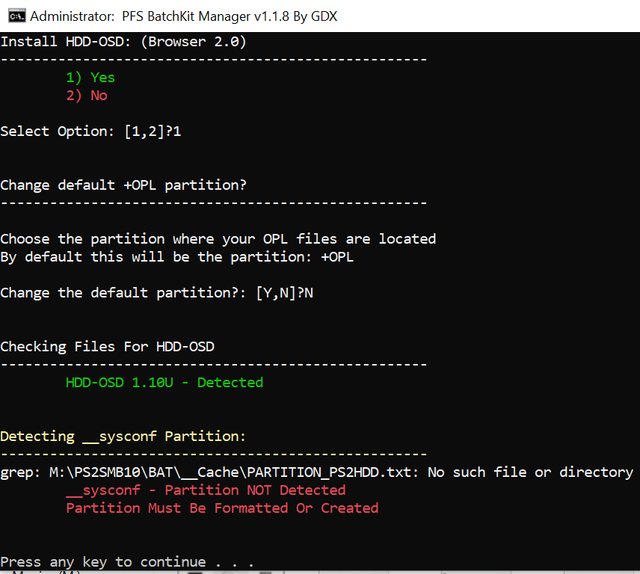
Started up the PS2. The only difference is that OPL Mini is now indeed gone and the full PS2 title is displayed. However, the HDL icon is still there. Also same PSX games have 3d icon, while others have the Generic one.
Thing is that installer logs that 3d icons etc are being installed and doesn't report assets not found or something, which makes me think everthing should be installed correctly, while it clearly isn't.
Also, if can contribute making missing 3d icons (game cases) for psx, please let me know how, I can make some.
I was wondering, when you inject OPL, does it take the latest beta OPL, stable or Mini OPL?
Lastly, I have also tried to reacht the ps2 using the NBD server:
Advanced Menu > HDD Management > NBD Server (Only to access PS2 HDD from network) > Mount Device
I first installed the driver and of course started NBD Server on PS2 in OPL (using static ip).
Whatever I do I get:
libwnbd.dll!WnbdIoctlCreate ERROR Could not create WNBD disk. Error: 1225. Error message: The remote computer refused the network connection.
I see this error is already issued under:
https://github.com/GDX-X/PFS-BatchKit-Manager/issues/33
It would be great if there's a solution for this, as it makes it easier to manage smaller things like injecting the header. Of course installing games will be a lot slower then when attached locally to PC.
Note that I can reach the PS2 with NBD using HDL Dumx and Pfsshell (using linux), so a connection with PFS Batchkit Manager should also work.
Hope this feedback can help in improving the Manager.