Thanks i will start testing itThats a bit off topic: Not sure how you would do that, custom ps3xploit maybe.
And if its possible, it would be better to mount dev_usb000/game/ as dev_hdd0/game/
Dont forget that there will be no 4GB+ support on usb000, so not all games would work. A lot would though.

You are using an out of date browser. It may not display this or other websites correctly.
You should upgrade or use an alternative browser.
You should upgrade or use an alternative browser.
PS3 pkg_custom 1.4
- Thread starter lmn7
- Start date

Louay
Senior Member
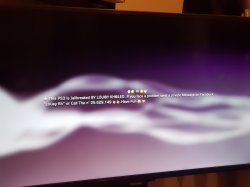
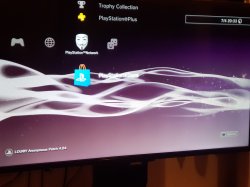
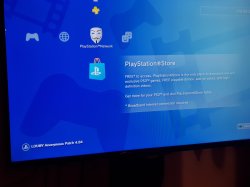
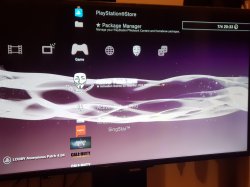
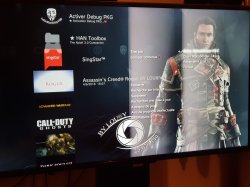
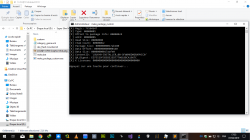
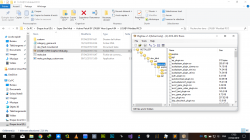
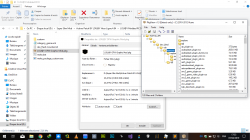
This is a video showing that my created PKG with lmn7 modified make_pkg_custom it works i take rco,wave,icons,gameboot,coldboot,epilisey warning,game sort by alphabet,game data sort by alphabet from my CFW to this HFW HAN Console with just one PKG that contains all modified RCO




PS3HANHELP
Member
Would you like to put a mod in a game with this method ??
Louay
Senior Member
??? it already can be done by creating a pkg contains all the mod and the destination folder is /dev_hdd0/game/NPXX12345Would you like to put a mod in a game with this method ??
and you can't mod on OFW like in CFW i mean you can't use Mods that have sprx,eboot edits 90% of modded games use modified sprx and eboot and those can run only in CFW
Last edited:
Louay
Senior Member
@citra mulia can you reply to pm ??

does this create a LOGO.DAT like ForcedInstallTo? that's at least true with make_package_npdrm.
No. The default folder is PS3 root which can't be written

I love this tool @lmn7. It's really useful to update plugins. e.g. The following pkg installs sman and psnpatch at the same time.
https://www.sendspace.com/file/pm64v9
The following link is an experimental 'custom' folder to install webMAN MOD (just require reboot after install the pkg)...
It's not very practical because the installer does more tasks, but it serves to document where the files & folders are installed.
https://github.com/aldostools/webMAN-MOD/tree/master/_Projects_/updater/custom/dev_hdd0
Last edited:
No. The default folder is PS3 root which can't be written
I love this tool @lmn7. It's really useful to update plugins. e.g. The following pkg installs sman and psnpatch at the same time.
https://www.sendspace.com/file/pm64v9
The following link is an experimental 'custom' folder to install webMAN MOD (just require reboot after install the pkg)...
It's not very practical because the installer does more tasks, but it serves to document where the files & folders are installed.
https://github.com/aldostools/webMAN-MOD/tree/master/_Projects_/updater/custom/dev_hdd0
Thank you, I'm really glad you're finding it useful.
I now have large packages working by processing file data in chunks, the problem is that it's incredibly slow
 . It uses the old crypt function within the script. If anyone knows Python better than I do, could you please share your knowledge to get the pkgcrypt function working with chunks? I'm a total noob when it comes to Python but I'm so close to getting this working!
Edit: Here is the crypt function (written in C) I am trying to get working with file chunks, the problem is that the data is only encrypted properly when passed as a whole.
Code:
#include <Python.h>

static PyObject *sha1_callback = NULL;

static void manipulate(uint8_t *key)
{
   uint64_t temp = key[0x38] << 56|
      key[0x39] << 48|
      key[0x3a] << 40|
      key[0x3b] << 32|
      key[0x3c] << 24|
      key[0x3d] << 16|
      key[0x3e] <<  8|
      key[0x3f];
   temp++;
   key[0x38] = (temp >> 56) & 0xff;
   key[0x39] = (temp >> 48) & 0xff;
   key[0x3a] = (temp >> 40) & 0xff;
   key[0x3b] = (temp >> 32) & 0xff;
   key[0x3c] = (temp >> 24) & 0xff;
   key[0x3d] = (temp >> 16) & 0xff;
   key[0x3e] = (temp >>  8) & 0xff;
   key[0x3f] = (temp >>  0) & 0xff;
}

static PyObject* pkg_crypt(PyObject *self, PyObject *args)
{
   uint8_t *key, *input, *ret;
   int key_length, input_length, length;
   int remaining, i, offset=0;

   PyObject *arglist;
   PyObject *result;

   if (!PyArg_ParseTuple(args, "s#s#i", &key, &key_length, &input, &input_length, &length))
      return NULL;
   ret       = malloc(length);
   remaining = length;

   while (remaining > 0)
   {
      int outHash_length;
      uint8_t *outHash;
      int bytes_to_dump = remaining;
      if (bytes_to_dump > 0x10)
         bytes_to_dump = 0x10;

      arglist = Py_BuildValue("(s#)", key, 0x40);
      result  = PyObject_CallObject(sha1_callback, arglist);
      Py_DECREF(arglist);
      if (!result)
         return NULL;
      if (!PyArg_Parse(result, "s#", &outHash, &outHash_length))
         return NULL;

      for(i = 0; i < bytes_to_dump; i++)
      {
         ret[offset] = outHash[i] ^ input[offset];
         offset++;
      }
      Py_DECREF(result);
      manipulate(key);
      remaining -= bytes_to_dump;
   }

   /* Return the encrypted data */
   PyObject *py_ret = Py_BuildValue("s#", ret, length);
   free(ret);
   return py_ret;
}

static PyObject *register_sha1_callback(PyObject *self, PyObject *args)
{
   PyObject *result = NULL;
   PyObject *temp;

   if (PyArg_ParseTuple(args, "O:set_callback", &temp))
   {
      if (!PyCallable_Check(temp))
      {
         PyErr_SetString(PyExc_TypeError, "parameter must be callable");
         return NULL;
      }
      Py_XINCREF(temp);           /* Add a reference to new callback */
      Py_XDECREF(sha1_callback);  /* Dispose of previous callback */
      sha1_callback = temp;       /* Remember new callback */
                                  /* Boilerplate to return "None" */
      Py_INCREF(Py_None);
      result = Py_None;
   }
   return result;
}

static PyMethodDef cryptMethods[] = {
    {"pkgcrypt", pkg_crypt, METH_VARARGS, "C implementation of pkg.py's crypt function"},
    {"register_sha1_callback", register_sha1_callback, METH_VARARGS, "Register a callback to python's SHA1 function, so we don't have to bother with creating our own implementation."},
    {NULL, NULL, 0, NULL}
};

PyMODINIT_FUNC initpkgcrypt(void)
{
   (void) Py_InitModule("pkgcrypt", cryptMethods);
}
Last edited:

ShaolinAssassin
Developer
Very nice. 
Funny enough, I could make a PKG with the DEX settings with your tool - while all others tools gave me an error and let 2 files out of the PKG when I tried.

***
Very small contribution : a ready-to-use custom folder - with the folders structure to install all files that can be installed using PS3Xploit extra tools. Just put your file(s)s in the right folder(s).
Files locations :
Coldboot : custom\dev_blind\vsh\resource\coldboot_*.*
Gameboot : custom\dev_blind\vsh\resource\custom_render_plugin.rco
TTF-Fonts : custom\dev_blind\data\font\*.TTF
TTF-Fonts (SONY-CC) : custom\dev_blind\data\font\SONY-CC\*.ttf
RCO : custom\dev_blind\vsh\resource\*.rco
SELF (Main VSH Module Directory) : custom\dev_blind\vsh\module\*.self
SELF (PS1 Emulator) : custom\dev_blind\ps1emu\*.self
SELF (PS2 Emulator) : custom\dev_blind\ps2emu\*.self
SELF (PSP Emulator) : custom\dev_blind\pspemu\*.self
SELF (BD Player) : custom\dev_blind\bdplayer\*.self
SPRX (VSH Modules) :custom\dev_blind\vsh\module\*.sprx
SPRX (Internal Library) : custom\dev_blind\sys\internal\*.sprx
SPRX (External Library) : custom\dev_blind\sys\external\*.sprx
SSL Cert :custom\dev_blind\data\cert\*.cer
XMB Wave : custom\dev_blind\vsh\resource\qgl\lines.qrc
XML (XMB Layout) : custom\dev_blind\vsh\resource\explore\xmb\*.xml
CEX/DEX settings :
custom\dev_blind\vsh\etc\index.dat
custom\dev_blind\vsh\etc\version.txt
custom\dev_blind\vsh\module\explore_category_game.sprx
custom\dev_blind\vsh\module\explore_plugin.sprx
custom\dev_blind\vsh\module\game_ext_plugin.sprx
custom\dev_blind\vsh\module\nas_plugin.sprx
custom\dev_blind\vsh\module\sysconf_plugin.sprx
custom\dev_blind\vsh\resource\explore\xmb\category_game_tool2.xml
custom\dev_blind\vsh\module\vsh.self
custom\dev_blind\vsh\resource\sysconf_plugin.rco
Not tested, but the result PKG is similar to @Louay's so it should work.
Funny enough, I could make a PKG with the DEX settings with your tool - while all others tools gave me an error and let 2 files out of the PKG when I tried.
***
Very small contribution : a ready-to-use custom folder - with the folders structure to install all files that can be installed using PS3Xploit extra tools. Just put your file(s)s in the right folder(s).
Files locations :
Coldboot : custom\dev_blind\vsh\resource\coldboot_*.*
Gameboot : custom\dev_blind\vsh\resource\custom_render_plugin.rco
TTF-Fonts : custom\dev_blind\data\font\*.TTF
TTF-Fonts (SONY-CC) : custom\dev_blind\data\font\SONY-CC\*.ttf
RCO : custom\dev_blind\vsh\resource\*.rco
SELF (Main VSH Module Directory) : custom\dev_blind\vsh\module\*.self
SELF (PS1 Emulator) : custom\dev_blind\ps1emu\*.self
SELF (PS2 Emulator) : custom\dev_blind\ps2emu\*.self
SELF (PSP Emulator) : custom\dev_blind\pspemu\*.self
SELF (BD Player) : custom\dev_blind\bdplayer\*.self
SPRX (VSH Modules) :custom\dev_blind\vsh\module\*.sprx
SPRX (Internal Library) : custom\dev_blind\sys\internal\*.sprx
SPRX (External Library) : custom\dev_blind\sys\external\*.sprx
SSL Cert :custom\dev_blind\data\cert\*.cer
XMB Wave : custom\dev_blind\vsh\resource\qgl\lines.qrc
XML (XMB Layout) : custom\dev_blind\vsh\resource\explore\xmb\*.xml
CEX/DEX settings :
custom\dev_blind\vsh\etc\index.dat
custom\dev_blind\vsh\etc\version.txt
custom\dev_blind\vsh\module\explore_category_game.sprx
custom\dev_blind\vsh\module\explore_plugin.sprx
custom\dev_blind\vsh\module\game_ext_plugin.sprx
custom\dev_blind\vsh\module\nas_plugin.sprx
custom\dev_blind\vsh\module\sysconf_plugin.sprx
custom\dev_blind\vsh\resource\explore\xmb\category_game_tool2.xml
custom\dev_blind\vsh\module\vsh.self
custom\dev_blind\vsh\resource\sysconf_plugin.rco
Not tested, but the result PKG is similar to @Louay's so it should work.
Attachments
Last edited:
Nice one, very useful. I didn't think about the fact that we could use this to swap between CEX/DEX on OFW. Neat.Very nice.
Funny enough, I could make a PKG with the DEX settings with your tool - while all others tools gave me an error and let 2 files out of the PKG when I tried.
View attachment 16301
***
Very small contribution : a ready-to-use custom folder - with the folders structure to install all files that can be installed using PS3Xploit extra tools. Just put your file(s)s in the right folder(s).
Files locations :
Coldboot : custom\dev_blind\vsh\resource\coldboot_*.*
Gameboot : custom\dev_blind\vsh\resource\custom_render_plugin.rco
TTF-Fonts : custom\dev_blind\data\font\*.TTF
TTF-Fonts (SONY-CC) : custom\dev_blind\data\font\SONY-CC\*.ttf
RCO : custom\dev_blind\vsh\resource\*.rco
SELF (Main VSH Module Directory) : custom\dev_blind\vsh\module\*.self
SELF (PS1 Emulator) : custom\dev_blind\ps1emu\*.self
SELF (PS2 Emulator) : custom\dev_blind\ps2emu\*.self
SELF (PSP Emulator) : custom\dev_blind\pspemu\*.self
SELF (BD Player) : custom\dev_blind\bdplayer\*.self
SPRX (VSH Modules) :custom\dev_blind\vsh\module\*.sprx
SPRX (Internal Library) : custom\dev_blind\sys\internal\*.sprx
SPRX (External Library) : custom\dev_blind\sys\external\*.sprx
SSL Cert :custom\dev_blind\data\cert\*.cer
XMB Wave : custom\dev_blind\vsh\resource\qgl\lines.qrc
XML (XMB Layout) : custom\dev_blind\vsh\resource\explore\xmb\*.xml
CEX/DEX settings :
custom\dev_blind\vsh\etc\index.dat
custom\dev_blind\vsh\etc\version.txt
custom\dev_blind\vsh\module\explore_category_game.sprx
custom\dev_blind\vsh\module\explore_plugin.sprx
custom\dev_blind\vsh\module\game_ext_plugin.sprx
custom\dev_blind\vsh\module\nas_plugin.sprx
custom\dev_blind\vsh\module\sysconf_plugin.sprx
custom\dev_blind\vsh\resource\explore\xmb\category_game_tool2.xml
custom\dev_blind\vsh\module\vsh.self
custom\dev_blind\vsh\resource\sysconf_plugin.rco
Not tested, but the result PKG is similar to @Louay's so it should work.
If you want to fix the NPDRM error with psn_package_npdrm.exe, just put two NPDRM EBOOT files in the root package folder. They can be named anything as long as the file extension is kept.
Don't ask me why this works, for some reason psn_package_npdrm.exe can only check and exclude two NPDRM files from the pkg. After that, it doesn't care anymore... LOL.
ayassinsayed
Member
Thank you, I'm really glad you're finding it useful.
I now have large packages working by processing file data in chunks, the problem is that it's incredibly slow
Edit: Here is the crypt function (written in C) I am trying to get working with file chunks, the problem is that the data is only encrypted properly when passed as a whole.
Code:#include <Python.h> static PyObject *sha1_callback = NULL; static void manipulate(uint8_t *key) { uint64_t temp = key[0x38] << 56| key[0x39] << 48| key[0x3a] << 40| key[0x3b] << 32| key[0x3c] << 24| key[0x3d] << 16| key[0x3e] << 8| key[0x3f]; temp++; key[0x38] = (temp >> 56) & 0xff; key[0x39] = (temp >> 48) & 0xff; key[0x3a] = (temp >> 40) & 0xff; key[0x3b] = (temp >> 32) & 0xff; key[0x3c] = (temp >> 24) & 0xff; key[0x3d] = (temp >> 16) & 0xff; key[0x3e] = (temp >> 8) & 0xff; key[0x3f] = (temp >> 0) & 0xff; } static PyObject* pkg_crypt(PyObject *self, PyObject *args) { uint8_t *key, *input, *ret; int key_length, input_length, length; int remaining, i, offset=0; PyObject *arglist; PyObject *result; if (!PyArg_ParseTuple(args, "s#s#i", &key, &key_length, &input, &input_length, &length)) return NULL; ret = malloc(length); remaining = length; while (remaining > 0) { int outHash_length; uint8_t *outHash; int bytes_to_dump = remaining; if (bytes_to_dump > 0x10) bytes_to_dump = 0x10; arglist = Py_BuildValue("(s#)", key, 0x40); result = PyObject_CallObject(sha1_callback, arglist); Py_DECREF(arglist); if (!result) return NULL; if (!PyArg_Parse(result, "s#", &outHash, &outHash_length)) return NULL; for(i = 0; i < bytes_to_dump; i++) { ret[offset] = outHash[i] ^ input[offset]; offset++; } Py_DECREF(result); manipulate(key); remaining -= bytes_to_dump; } /* Return the encrypted data */ PyObject *py_ret = Py_BuildValue("s#", ret, length); free(ret); return py_ret; } static PyObject *register_sha1_callback(PyObject *self, PyObject *args) { PyObject *result = NULL; PyObject *temp; if (PyArg_ParseTuple(args, "O:set_callback", &temp)) { if (!PyCallable_Check(temp)) { PyErr_SetString(PyExc_TypeError, "parameter must be callable"); return NULL; } Py_XINCREF(temp); /* Add a reference to new callback */ Py_XDECREF(sha1_callback); /* Dispose of previous callback */ sha1_callback = temp; /* Remember new callback */ /* Boilerplate to return "None" */ Py_INCREF(Py_None); result = Py_None; } return result; } static PyMethodDef cryptMethods[] = { {"pkgcrypt", pkg_crypt, METH_VARARGS, "C implementation of pkg.py's crypt function"}, {"register_sha1_callback", register_sha1_callback, METH_VARARGS, "Register a callback to python's SHA1 function, so we don't have to bother with creating our own implementation."}, {NULL, NULL, 0, NULL} }; PyMODINIT_FUNC initpkgcrypt(void) { (void) Py_InitModule("pkgcrypt", cryptMethods); }
Good work , I hope some one to help us to update that python script , i test that script pefore and i found it fail when have large file and also stuck in divide into chunck hope to find some one expert in python!
Sent from my iPhone using Tapatalk
ayassinsayed
Member
This is a video showing that my created PKG with lmn7 modified make_pkg_custom it works i take rco,wave,icons,gameboot,coldboot,epilisey warning,game sort by alphabet,game data sort by alphabet from my CFW to this HFW HAN Console with just one PKG that contains all modified RCO
View attachment 16280 View attachment 16281 View attachment 16282 View attachment 16283 View attachment 16284 View attachment 16285 View attachment 16286 View attachment 16287 View attachment 16288 View attachment 16289 View attachment 16290 View attachment 16280
Can you pm your moded files please to test it (pkg file)?
Sent from my iPhone using Tapatalk
Last edited:
Louay
Senior Member
Yup it should work as it similair like you will copy those files to dev_flash using ftp or multiman with usb after enable write permission to mount to dev_blind i will test your pkg also and reports back @ShaolinAssassinVery nice.
Funny enough, I could make a PKG with the DEX settings with your tool - while all others tools gave me an error and let 2 files out of the PKG when I tried.
View attachment 16301
***
Very small contribution : a ready-to-use custom folder - with the folders structure to install all files that can be installed using PS3Xploit extra tools. Just put your file(s)s in the right folder(s).
Files locations :
Coldboot : custom\dev_blind\vsh\resource\coldboot_*.*
Gameboot : custom\dev_blind\vsh\resource\custom_render_plugin.rco
TTF-Fonts : custom\dev_blind\data\font\*.TTF
TTF-Fonts (SONY-CC) : custom\dev_blind\data\font\SONY-CC\*.ttf
RCO : custom\dev_blind\vsh\resource\*.rco
SELF (Main VSH Module Directory) : custom\dev_blind\vsh\module\*.self
SELF (PS1 Emulator) : custom\dev_blind\ps1emu\*.self
SELF (PS2 Emulator) : custom\dev_blind\ps2emu\*.self
SELF (PSP Emulator) : custom\dev_blind\pspemu\*.self
SELF (BD Player) : custom\dev_blind\bdplayer\*.self
SPRX (VSH Modules) :custom\dev_blind\vsh\module\*.sprx
SPRX (Internal Library) : custom\dev_blind\sys\internal\*.sprx
SPRX (External Library) : custom\dev_blind\sys\external\*.sprx
SSL Cert :custom\dev_blind\data\cert\*.cer
XMB Wave : custom\dev_blind\vsh\resource\qgl\lines.qrc
XML (XMB Layout) : custom\dev_blind\vsh\resource\explore\xmb\*.xml
CEX/DEX settings :
custom\dev_blind\vsh\etc\index.dat
custom\dev_blind\vsh\etc\version.txt
custom\dev_blind\vsh\module\explore_category_game.sprx
custom\dev_blind\vsh\module\explore_plugin.sprx
custom\dev_blind\vsh\module\game_ext_plugin.sprx
custom\dev_blind\vsh\module\nas_plugin.sprx
custom\dev_blind\vsh\module\sysconf_plugin.sprx
custom\dev_blind\vsh\resource\explore\xmb\category_game_tool2.xml
custom\dev_blind\vsh\module\vsh.self
custom\dev_blind\vsh\resource\sysconf_plugin.rco
Not tested, but the result PKG is similar to @Louay's so it should work.
Last edited:
Louay
Senior Member
I will upload to mega when i go back home cause i am study in university right nowCan you pm your moded files please to test it (pkg file)?
Sent from my iPhone using Tapatalk
Attachments

ayassinsayed
Member
Thank you, I'm really glad you're finding it useful.
I now have large packages working by processing file data in chunks, the problem is that it's incredibly slow
Edit: Here is the crypt function (written in C) I am trying to get working with file chunks, the problem is that the data is only encrypted properly when passed as a whole.
Code:#include <Python.h> static PyObject *sha1_callback = NULL; static void manipulate(uint8_t *key) { uint64_t temp = key[0x38] << 56| key[0x39] << 48| key[0x3a] << 40| key[0x3b] << 32| key[0x3c] << 24| key[0x3d] << 16| key[0x3e] << 8| key[0x3f]; temp++; key[0x38] = (temp >> 56) & 0xff; key[0x39] = (temp >> 48) & 0xff; key[0x3a] = (temp >> 40) & 0xff; key[0x3b] = (temp >> 32) & 0xff; key[0x3c] = (temp >> 24) & 0xff; key[0x3d] = (temp >> 16) & 0xff; key[0x3e] = (temp >> 8) & 0xff; key[0x3f] = (temp >> 0) & 0xff; } static PyObject* pkg_crypt(PyObject *self, PyObject *args) { uint8_t *key, *input, *ret; int key_length, input_length, length; int remaining, i, offset=0; PyObject *arglist; PyObject *result; if (!PyArg_ParseTuple(args, "s#s#i", &key, &key_length, &input, &input_length, &length)) return NULL; ret = malloc(length); remaining = length; while (remaining > 0) { int outHash_length; uint8_t *outHash; int bytes_to_dump = remaining; if (bytes_to_dump > 0x10) bytes_to_dump = 0x10; arglist = Py_BuildValue("(s#)", key, 0x40); result = PyObject_CallObject(sha1_callback, arglist); Py_DECREF(arglist); if (!result) return NULL; if (!PyArg_Parse(result, "s#", &outHash, &outHash_length)) return NULL; for(i = 0; i < bytes_to_dump; i++) { ret[offset] = outHash[i] ^ input[offset]; offset++; } Py_DECREF(result); manipulate(key); remaining -= bytes_to_dump; } /* Return the encrypted data */ PyObject *py_ret = Py_BuildValue("s#", ret, length); free(ret); return py_ret; } static PyObject *register_sha1_callback(PyObject *self, PyObject *args) { PyObject *result = NULL; PyObject *temp; if (PyArg_ParseTuple(args, "O:set_callback", &temp)) { if (!PyCallable_Check(temp)) { PyErr_SetString(PyExc_TypeError, "parameter must be callable"); return NULL; } Py_XINCREF(temp); /* Add a reference to new callback */ Py_XDECREF(sha1_callback); /* Dispose of previous callback */ sha1_callback = temp; /* Remember new callback */ /* Boilerplate to return "None" */ Py_INCREF(Py_None); result = Py_None; } return result; } static PyMethodDef cryptMethods[] = { {"pkgcrypt", pkg_crypt, METH_VARARGS, "C implementation of pkg.py's crypt function"}, {"register_sha1_callback", register_sha1_callback, METH_VARARGS, "Register a callback to python's SHA1 function, so we don't have to bother with creating our own implementation."}, {NULL, NULL, 0, NULL} }; PyMODINIT_FUNC initpkgcrypt(void) { (void) Py_InitModule("pkgcrypt", cryptMethods); }
Did u make any progress to solve slow (Pkgcrypt) ? Could u share your mod script in python that u fix ( file data in chunks)?
Sent from my iPhone using Tapatalk
It not possible because /dev_hdd0 is ufs-filesystem and usb000 is fat16-filesystemThats a bit off topic: Not sure how you would do that, custom ps3xploit maybe.
And if its possible, it would be better to mount dev_usb000/game/ as dev_hdd0/game/
Dont forget that there will be no 4GB+ support on usb000, so not all games would work. A lot would though.
I edited code of (mouting usb000 as flash3) to usb000 to hdd0 it working
I checked ps3dev wiki it tells that hdd0 is ufs but hdd1 is fat so it is not possible to mount usb000as hdd0. But its is possible to mount usb000ashdd1

Niander466
Member
then would it work?It not possible because /dev_hdd0 is ufs-filesystem and usb000 is fat16-filesystem
I edited code of (mouting usb000 as flash3) to usb000 to hdd0 it working
I checked ps3dev wiki it tells that hdd0 is ufs but hdd1 is fat so it is not possible to mount usb000as hdd0. But its is possible to mount usb000ashdd1
Niander466
Member
Another doubt I have, please forgive me if I'm being a noob, but would it be possible to convert super slims to dex now? lol
Did u make any progress to solve slow (Pkgcrypt) ? Could u share your mod script in python that u fix ( file data in chunks)?
Sent from my iPhone using Tapatalk
I made some progress in the sense that I can now compile the crypt.c file, man that was a huge pain in the ass LOL. But I'm not very familiar with C to be honest, I never learned much about it. I don't know how to modify the code to process chunks instead of all of the data at once. If you know someone good in C, maybe you can show them the code and see what they can do
My edited Python script is not meant for personal use, it's just a POC to see if what I wanted could be done, and it can. I won't release it as is because it's terribly slow, but I am going to keep working on this.
What kind of pkg are you making exactly, why is it so large? And how much RAM do you have installed?
It not possible because /dev_hdd0 is ufs-filesystem and usb000 is fat16-filesystem
I edited code of (mouting usb000 as flash3) to usb000 to hdd0 it working
I checked ps3dev wiki it tells that hdd0 is ufs but hdd1 is fat so it is not possible to mount usb000as hdd0. But its is possible to mount usb000ashdd1
Yep, I already tested this, it will never work due to the file systems being different.

Possible idea - Can your pkg overwrite a folder, with a file? Because if so, you could release a "Block Singstar" pkg that just install the "game" file to dev_hdd0/tmp/explore/ . not sure if it will will work though, in middle of other stuff, but its an idea for someone to check out
Similar threads
-
PS3HEN Pop-fe cannot create .pkg of multi-disc PS1 game because PSL1GHT files are missing
- Started by LionRider
- Replies: 1
-
PS3 PkgMaker - modern alternative to Webman-Classics-Maker
- Started by rast1234
- Replies: 0
-
 PS3 Custom-Made Cover Artwork for XMB Mods Collection that I am Sharing
- Started by xHAXIMILLIONxx
- Replies: 0
-
MPS4 [YT Guide by Modded Warefare] - How to update PS4 Jailbreak Loader on 12.02 Firmware
- Started by MODDED WARFARE
- Replies: 0