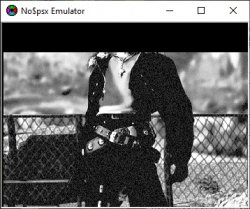
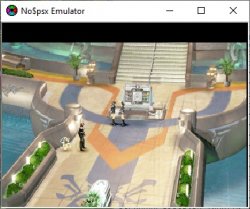
Cannot remember anything... But I found this archive in an old HDD. Some old programs of mine. No idea how they work, context of the weird screenshot notes and stuff. I see there is two versions of each tool, possibly because of bugs or false positive routine detection, I don't know...
Don't know if disc images are supported either, but if they are, no ECC correction is done so you should fix them (with ECC Regen for example) after the disc image is patched.
I checked some things.
What I had in mind (converting back PAL version exactly as it originally was in NTSC) isn't actually possible. I don't know which values they changed in the official conversion and PAL4U/Zapper 2000 can't help. These programs simply change color pattern and those couple Y-pos values. Indeed reverting back those couple lines, the iso became completely clean as a fresh dump.
I saw also that pal4u and Z2K put completely different values on color pattern (and the official USA version has also different values).
Simply changing the color pattern of PAL version to the NTSC-U one will make the ps1 (emus or real hw) to output the game in NTSC.
Also changing some Y values will do the same (even keeping PAL color pattern the game will output in NTSC if Y values are set in a certain way).
Your patch for example convert the game from PAL to NTSC without touching the color pattern.
I found out that changing a couple Y-pos values (all at the same address) is enough for having the game outputtting NTSC with perfect centering.
So I think I'll go this way for doing the cleanest possible patch, 'cause you patch is 485 bytes, it changes a lot in different areas. Maybe you was also trying to patch the game to work with POPS? Adding trainers??
About no&psx, it actually has a setting to eliminate any centering and behave as real HW, so I'm using it (quicker than POPS). I changed the Y-pos values while running the game but there's no change in real-time and if I select Reset & Run all values are restored to default. How should I do?
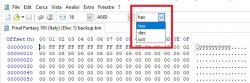
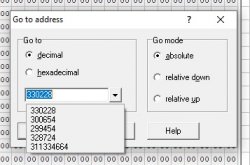
@Berion thank you for the suggestion about HxD, it is better than XVI32, much faster, it opens the game's iso instantly even on this old PC I'm using (XVI32 takes 10/15 seconds) and compare function is perfect for this job. I was used to XVI32 ui that gives you also dec. value on the address you are at the bottom screen, but I think I can enable it on some option also in HxD.




 .
.