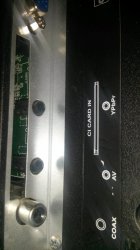
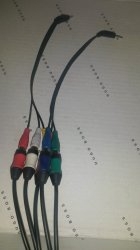
Maybe it could be set on the PS2's settings which you can access after clicking on the Reset button (where you set the time, make the component cables work, etc.).
Aaah, I get it.
The answer is:
- Either hold a button-combo during Playstation 2-Logo and after it, until the VMode changes or a question (if you want to change to progressive) appears
- ...or force it via GSM for example via the game-compatibility-settings in OPL... (usually, when the game does not support progressive)
I've read it could be set before the game starts by a button combo.
Correct! During and after the PS2-Logo, so it is actually WHEN the game is starting.
I think it is TRIANGLE + CROSS usually, but AFAIR some games use another combo (still with TRIANGLE, but + CIRCLE or +SQUARE).
Graphic Synthesizer (the PS2's GPU) ModeSelector', to force a specific VMode... (output-mode)
and if only some games support progressive mode will the component cables pay off?
Regardless if a game nativly supports it or not, the picture-quality of Component vs. Composite is very good!
So, component cables + progressive mode gives a better image then only component cables?
Yes, it does! It's VERY noticeable on side-bound movements (left-right shifting).
FMCB/FHDB is enough to start these kind of Homebrew-Apps. A modchip will very likely even interfere with GSM...
Do you have FMCB/FHDB and or a compatible model?
I remember it (the image offered by the composite cables) more or less, I don't have a CRT and the components cables were more expensive than that.
Even with a photographic/serial memory, that's not a qualifiable method to check for the quality... Compare it side by side and you definitely will notice the difference!
And will I notice any difference between the image offered by my current component cables and those ones?
Well, if you don't even notice the difference between your current component-cable and your former Composite-cables, than I presume you won't, lol... Even tho' anyone else notices it, especially on higher resolutions...
I have both problems although I don't know if the black borders one can be called that.
The black borders are a factory-menu-setting which doesn't compensate for the CRT-Overscan of analog v-modes...
Google: "Overscan" and "Factory-Service-Mode"/"Factory Settings/Menu"...
Yes... When you loose signal/picture, the green lead has either a too high or too low resistance or has a weak spot...
It is however not related to the black borders around the 'field of view'-frame...
If the source is a n El-cheapo producer/manufacturer, that doesn't necessarily mean... 'jackshit'...
and I've read many component cables have the same problem.
Where? Would you mind linking to only one or a few of these complains?
I never had that issue (losing picture), even with very cheap component-cables!
When it's said it's getting obscure what it's mean by that?
I already answered that question... Dude, I even made pictures of it for you...
Manufacturers are phasing out that connection from their boards...
They are no longer producing TVs with that connection and when they still support it, it is usually only via these adapter-cables! Do you copy/comprehend it now?! (I really don't like stating things multiple times...)
Which one, to use the current cables which have the blackout problem?
Since EVERY cable I ever got NEVER had that issue, it might be the connection on your TV...
Now? Have I said anything to the contrary before? No...! If I did, please quote it...
Yes, that is normal if you are using an analog signal on a digital screen (Flatscreen), which does not compensate for CRT-Overscan....
Read what you quoted again and you will notice, that I already correctly stated that... Then Google 'Overscan'...
Duuuuuuuuude... ARE YOU FREAKIN' SERIOUS?!? WHAT'S WRITTEN IN THE FIRST SENTENCE OF THE TEXT YOU QUOTED THERE?
Read it again... On a CRT you would NOT see these borders, because a CRT HAS Overscan...
An LCD HAS NOT, thus to get the same picture without borders all around, the LCD has to COMPENSATE for Overscan or it will show the Overscan-Area as black...
That compensation is usually done via the Factory-Settings/Menü or 'Service-Mode'...
What TV-Model do you have/use?
and like I said if I zoom the image it won't fit the screen and some things won't be visible because the image is too big so it won't perfectly fit the screen.
...and like I said, that zooming doesn't mean jackshit...
It zooms by predefined values, which also can be changed in the service-menu...
I don't have this problem on the PS3 because the image fits perfectly on the screen without touching the TV's settings (no zooming).
Via component and set to the same VMode?
If the PS3 isn't connected via the same port, let alone an entirely different and Analog vs. Digital connection + also not even the same VMode, that doesn't mean... (here it comes) JACKSHIT!!!
What happens if you connect the same component-cable to your PS3 and output only at that VMode like on a PS2?
Again, I don't have a CRT and the PS3's component cables. If it can be caused for being old that why didn't it happen with composite cables?
Do you use the same connector on your TV for Component and Composite?
That question actually includes the answer...