@sandungas
I'm using pngquant only for colour reduction. It's just super easy for me to drag and drop output file into batch. ^^
SuperPNG doesn't reduce colours, I'm using it only because of "clear transparent" option which for some reason is crucial in PSP/PSV/PS3 png files. But it is sufficient to using Gimp for that task, as this app have the same png plugin capability and it's free instead to Photoshop.
OptiPNG removing useless meta data from the header and trying the best compression. I also using it just by drag and drop file over executable. If You plan using PNGQuant to 256 colours reduction, is not usable to try optipng. And BTW, some of PSV images after "optimizing" are not show (i.e background in applications, probably due to it's size, files below ~4KB aren't displaiyng).
Yest, OPTPIX is a very specialised gamedev tool which i.e Squaresoft using in they glory ancient times. It's main purpose is automatic colour reduction from i.e 24/32bit to 2/4/8/16bit. This soft calculating it in a magnificent way! Very fast and very accurate for human eye. It also offering choosing every single alpha bit and change it for anything user want. Leaked version is old but have excellent TIM and TIM2 support (better than official PS plugins). But the price was ridiculous... Over 3000$ per license and only after dev verification (no licenses for random indie dev studios). I also don't using, just sharing the experience from old times.
Photoshop CS6 can be reduced to ~300MB. But it is not recommended as some tools and resources are quite handy. Anyway, I don't like subscribe business models so I'm stay in CS6 probably forever. I like some of the new features in CC but it's not worth lose freedom (I hate online obligatory cycle validations).
And thanks for the links. I didn't know them. ^^
The problem with pngquant is the modification is extreme, by reducing the color depth to 8 bits there is a lot of info lost
This works by creating a color palette with 256 colors... so the resulting file is like "PNG indexed color with palette"
If the console supports it then is fine, also it depends of the kind of image we are talking about... for an small icon 256 colors is good enought... specially if the icon is just using a color degrade (like the official icons of PS3 with white)
The problem of color depths related with consoles is because every bit needs to be "assigned" to a channel, and there is fully freedom for that, as example for 16 bits you can do this:
RGBA4444
RGBA6660
RGBA5551
RGBA6541
RGBA4561
etc...
This aplyes to the pixel info itself (without palette), or only to the palette (so pixel info is 1 byte each that works as a pointer to the palette for a max of 0xFF colors in the palette)
--------
The "clear transparent" of superPNG i think it does a scan of the pixels with lowest transparent levels and "cleans" them, as example... if the image has an area that is supposed to be fully transprent that pixel info should be stored with lot of zeroes... but instead of that there are many programs that adds some weird small values, like this:
Instead of having #00000000#00000000#00000000#00000000
the image has #01000000#00000020#00030000#00001200
The "clear transparent" takes all that pixels (that are not even visibles on screen) and replaces them by zeroes by using some limit (everything under 1% transparency = zero)
The commands i like from optiPNG are the ones that deletes the metadata... it seems that ones are a "must do" even if you process the image with other program before
I have not tryed it... but i have noticed optiPNG has several options to "preserve" the original color depth, palette, and colors (is something like -nc -np -nb), by doint that combo optiPNG only cleans the "garbage" metadata, maybe some padding areas, or dunno... the point is the color info is preserved (so visually there is not any change but the filesize is smaller)
I guess there must be other tools that does this... but thinking in performing all actions with a batch... i think the last step of the script could be optipng doing this cleanup
-----
Btw, did you know GimConv.exe (the tool used in PS3 theme editors and RCOmage) allows to create and transform TIM files ?
I realized about it when messing around with it and i noted some experimental tests here, at bottom of the page
http://www.psdevwiki.com/ps3/Talk:GimConv
Actually... you can use GimConv.exe to create RGBA PNG based formats (and allows to reorder color channels in any order, and different color depths with palettes or not)
Is a little tool but it does a lot of things, more than i could imagine, and is not intended only to PSP and PS3 consoles, GIM format was intended to "unify" lot of features supported by lot of image formats
-----
I installed photoshop 7 yesterday and is only 72mb (i deselected imageready in the installer) and it flyes, lol
They have gone downhill since CS (v8) when it started losing eficience and increasing in complexity... i know there are a lot of goodies in versions over 7 (mostly related with the tools/toolbox or layers management) but are not so important imo... i mean i would like to have them running in photoshop 7 but i dont want to pay the penalty of making the program more complex
In photoshop CC the product they are selling is a "service" instead of a program... because is under montly subscription, and the price is insane for a casual user (is like 40€ every months)
How they pretends for a normal user to pay that just to make some image edition for hobby ?
At that price is only for professionals (that makes money from it, by selling his work), but for normal people is a no way
Is a bad marketing practise... i mean... i understand adobe deserves to be in the top one position in the rank of image editors and his product needs to be paid as a professional tool of the higest level... but not allowing other people to use it is like shooting in his feet
And the most time it passes... gimp is becoming better, now they are very close, most people did not know (included me until some weeks ago) but gimp allows to use plugins that "mimicks" some photoshop functions
There is one to add the "layer effects" (you know... drop shadows, bevel and emboss, etc...)
There is other to "import" photoshop plugins (so you can use any photoshop plugin in gimp)
Other for "single mode window" (so floating windows are docked at corners, and when you minimize it all windows are grouped)
Dont remember right now how much more (i used it a lot time ago but i returned to photoshop) but there are 4 or 5 gimp plugins that are a "must have" and makes gimp to work pretty similar than photoshop

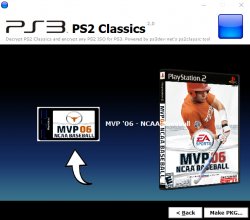


 command line
 Maybe Affinity break it one day.