PS3 PS3 1.75 tb internal hdd upgrade formatting utility

This doesn't really matter. If You set HPA zone, You need format HDD on PS3 whatever firmware is now in use (any OFW, any CFW, any HFW, any MFW, literally any kind of fw). PS3 doesn't know there is HPA, and doesn't understand it (that's the reason why HPA works in the first place for this purpose).
I think there is an small misunderstanding here, his questions are mostly focused in the procedures and problems related with exceeding the safe limits, and you are mostly thinking in hdd mods that respects the safe limits

To keep the things inside the safe limits we can use HPA to find the max value that allows all system functions related with hdd to work normally, i fully agree with you btw, our problem (or at least, my problem) is i dont know where is that limit so im not sure how worthy it is... the idea is to take a hdd of 1.5TB (or bigger) and start reducing his capacity with HPA to the point where all system functions continues working normally

And what he wants, about exceeding that limits also requires to use HPA because there is a point where the PS3 simply refuses to format hdd's with huge capacities. He is not going to be able to run the "restore filesystem" or any hdd manteinance task, but the PS3 is going to acept the hdd as valid. The reason why some people downgrades to 4.46 is because it seems in 4.47 (or newer firmware versions) sony added some kind of check to prevent this mod problem
 
To keep the things inside the safe limits we can use HPA to find the max value that allows all system functions related with hdd to work normally, i fully agree with you btw, our problem (or at least, my problem) is i dont know where is that limit so im not sure how worthy it is... the idea is to take a hdd of 1.5TB (or bigger) and start reducing his capacity with HPA to the point where all system functions continues working normally
This post has some info on that: https://www.psx-place.com/threads/p...upgrade-formatting-utility.11989/#post-100471

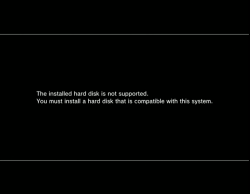
I actually tried to do this last night. I put in a 2TB firecuda drive, while on 4.84.2 REX I was getting this error:
upload_2021-1-13_16-9-36.png

So then I downgraded to 4.46 REX, now I was no longer getting that error and it would actually attempt to install FW, but it kept freezing during the preparing stage (unpacking PUP to dev_hdd1).

I then burned MHDD to a CD and booted from it to try and reduce the size of my HDD. Unfortunately I could not get that app to see my drive so I gave up. It is possible it was due to the fact it's a SSHD, or maybe just due to my specific SATA controller on my motherboard. I might try again some time.

I was hoping to be able to test using some of these files from 4.46 on newer FW. I know the recovery menu could still be an issue, but even if it could format and do the file system check from gameOS successfully it would be some progress and make using a 2TB much more viable.

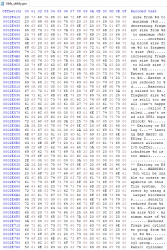
upload_2021-1-13_16-15-21.png


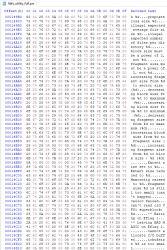
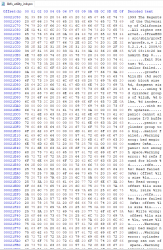
I suspect we could patch these files to unlock the extra 8% space too, if we knew how, which I don't. We could also probably patch these to be less picky about when to force a format.
upload_2021-1-13_16-18-34.png upload_2021-1-13_16-20-51.png upload_2021-1-13_16-22-31.png upload_2021-1-13_16-23-40.png


Maybe one of the reverser types would like to have a look at these files. It would be awesome to be able to have the extra 8% unlocked, and allow 2TB drives to format properly on CFW. @esc0rtd3w @habib @mysis @haxxxen @littlebalup
 
Well, is not exactly the same, we have a disagreement of what is safe and whats not safe :D
In his original post he said this, is good he mentioned the accurate number of sectors btw, as far i remember there was other thread in the forum where other user was doing this same experiments and was mentioning the accurate number of sectors too
...I have discovered a way to use as much as 1.86TB...
3633537126 sectors will allow a PS3 running 4.46 firmware to format and successfully boot using such a disk
So we know reducing the sector number with HPA to 3633537126 and downgrading to 4.46 allows to format the HDD in the PS3, and that value is going to allow for 1.86TB or so
But.. by doing that there are some hdd functions related with filesystem manteinance tasks that are going to be broken
And you know how ends all that stories, in the first days/weeks it looks the PS3 is working normally, but after some time is going to force a hdd format
In my oppinion the same experiment could be made, but with smaller size, we know the "safe" size is going to be in between 1.5TB and 1TB
 
But.. by doing that there are some hdd functions related with filesystem manteinance tasks that are going to be broken
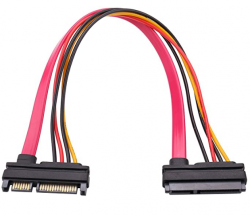
Yeah, I thought that size was safe on 4.46. I might be wrong here. I need to do some tests myself. I will order a normal 2TB drive and try with that. I think I will get a 3.5" drive and use a SATA male to female cable to hook it up outside of the PS3, with external power.

upload_2021-1-14_1-37-31.png

We have a few things to clear up. There is:
  • What works on 4.46
  • What is safe on 4.46
  • What works on 4.87
  • What is safe on 4.87
 
Yeah, I thought that size was safe on 4.46. I might be wrong here. I need to do some tests myself. I will order a normal 2TB drive and try with that. I think I will get a 3.5" drive and use a SATA male to female cable to hook it up outside of the PS3, with external power.

View attachment 29942

We have a few things to clear up. There is:
  • What works on 4.46
  • What is safe on 4.46
  • What works on 4.87
  • What is safe on 4.87
Great, btw, what i do with MHDD (in a desktop PC) is to open the PC and disconnect all SATA devices, except the optical disc drive (to boot MHDD from it) and the hdd i want to check

The reason is because when MHDD boots you are presented with an screen where you are supposed to select the HDD (by his model/serial), and incase of having several HDD's connected is very confusing to figure which HDD is each
Also, connecting the HDD directly to the PC motherboard allows to detect the HDD's fine (not sure about SSD's never tryed MHDD with an SDD)

Another btw... that 8% of space reserved (for something i dont understand) could be directly related with the restrictions of max capacity because it could happen that some of the functions that calculates that theoretical max capacity takes in consideration the 8%
Also, it could happen that the limitaton is related with the space available in dev_hdd0 only (not counting the other partitions for VFLASH regions... or linux incase someone installed it)
 
@sandungas I'm very interesting in plug the most higher internal hdd on ps3 (only for fun!, to reach the limit ^^"") ((But I know I'm a fish knowledge in linux OS -_-"")) you think using this Berion tutorial ( https://www.psx-place.com/threads/tutorial-hdd-mounting-and-decryption-on-linux.23308/page-9 ((I send the page9 for the tutorial on english translate by cinnamon_cat_crunch64))) when mount and decrypt the hdd on linux, can copy the partitions to other more big hdd (with resize the data partition) and encrypt again with the ps3 keys to have the same format and files on internal hdd, you think this will be functionall?? And if not function, what can be the problem? any hardware limitation or other?? ((Thanks for your time and sorry for bad english! \_"^^"_/))
 
@sandungas I'm very interesting in plug the most higher internal hdd on ps3 (only for fun!, to reach the limit ^^"") ((But I know I'm a fish knowledge in linux OS -_-"")) you think using this Berion tutorial ( https://www.psx-place.com/threads/tutorial-hdd-mounting-and-decryption-on-linux.23308/page-9 ((I send the page9 for the tutorial on english translate by cinnamon_cat_crunch64))) when mount and decrypt the hdd on linux, can copy the partitions to other more big hdd (with resize the data partition) and encrypt again with the ps3 keys to have the same format and files on internal hdd, you think this will be functionall?? And if not function, what can be the problem? any hardware limitation or other?? ((Thanks for your time and sorry for bad english! \_"^^"_/))
You can connect a PS3 hdd to PC and extract the files from it (by using the EID_root_key that is unique for your PS3), this works fine, you can do it in linux or in windows
After that you can connect the new hdd to the PS3, allow the PS3 to format it, and then use FTP or USB to restore the files in the new hdd

If you are asking about connecting "source hdd" and "target hdd" together in a PC, both encrypted, and transfer files from one to the other... is something we cant do yet because the PC programs (or better said, the filesystem driver used by that programs) doesnt allows to write
 
I found the limit firmware 4.87 can handle, it's 1.65TB or 1649.267441663999989GB.
Not documented anywhere I could find so I thought i'd share here as its the first hit on google.

On a shucked 2TB Seagate Slim Portable ST2000LM007 I had to trim the drive with HDAT2/HPA to a max of 3221225472 sectors for 4.87 to be able to safely handle all HDD operations. (Had to burn a CD, USB boot would not set the drive or see drives correctly)
Probably the same for most 2TB drives.

On a fresh install/format with 4.87.2 Evilnat Cobra this gives you a total
Free Space of 1366GB / 1536GB
 
3221225472 sectors is equally 1.5TiB. It would be better for us all to drop SI in IT because this leading to confusion. :P

3221225472 * 512 = 1649267441664 bytes = ~1.65TB = 1.5TiB
 
Last edited:
1TiB = 1024 gibi bytes
1TB = 1000 giga bytes

This is where confusion started because all peoples mixing those terms. In IT everything based on binary system, so counting by 1000 is wrong. In example Windows Explorer showing proper values (counting by 1024) but in old terminology (TB), so proper 1.5TiB it shows as 1.5TB... The same PS3 doing. Worth to mention that marketing bastards using this to cheating peoples.
 
Its all French to me :)
I found that number by higher or lower each decimal place and testing each time like a game puzzle.

Unfortunately although it formats fine without requiring a downgrade the second you try to do a file system restore it corrupts and requires formatting :(

I was warned but still gave it a try, oh well... Will probably just try a 1TB.
 
I can confirm that OFW 4.88 works with 1.500 TiB (1,536 GiB, ~1.65TB) = 3,221,225,472 sectors with 512 bytes, but it is not safe ("Restore File System" issue).
For a safe working system use 963 GiB = 1,034,013,376,512 Bytes = 2,019,557,376 sectors with 512 bytes (*1).
Please note those different units. The actual limit is 1.5 TiB (recognize the i, powers of 1024), but harddisk manufacturer's always use TB (without i, powers of 1000) and this is nearly ~1.65TB. The PS3 OFW uses GiB under system information, but writes it as "GB" :apologetic:
So no new limit found, just confirming the already known one for OFW 4.88 with already known "Restore File System" issue.

PS3: Fat CECHH04
Tested HDD: Samsung/Seagate Spinpoint ST2000KM003 (2TB)
Tested SSD: Samsung 870 Evo (2TB)
Software: Ultimate Boot CD (v5.3.9, with HDAT2 v5.3 under HDD > Diagnostics), optionally use Linux's "hdparm -N p<sectors> --yes-i-know-what-i-am-doing /dev/<drive>"
  • Make a backup of the PS3 system with the old HDD/SSD (settings, games, saved data)
  • Burn Ultimate Boot CD to a DVD (ISO is bigger than 700 MB)
  • Prepare PC: open case to (later) connect HDD, enable CSM mode (non-UEFI)
  • Boot PC from Ultimate Boot CD
  • Choose HDD > Diagnostics > HDAT2
  • After HDAT2 loaded connect the HDD to the PC
  • Press D to re-detect all drives
  • Select the correct HDD/SSD
  • Choose to set the protected area (SATA feature HPA)
    • If it is not present, maybe you can unfreeze it. (Thanks Berion)
  • On the field new user value press the INS key to enter the wanted available sectors: 3,221,225,472 (without thousands separators)
  • Then set the new value with the S key
  • Put the prepared HDD/SSD into the PS3 and initialize it with OFW 4.88 from an USB stick as usual
  • Additionally test "Restore File System" from the PS3 safe mode (will reset your video/audio settings). (Thanks sandungas)
    • Safe mode (since OFW 2.50)
      • Sony's "Using PS3 Safe Mode" video
        • PS3 in standby mode = LED red (XMB: "Turn Off system" -or- hold power button until turrned off); hold power button for ~13s and release it when the LED turns red again; again hold power button for ~10s and release it after the 3rd beep (double beep)
      • Connect a controller via USB cable to the PS3
      • Execute "Restore File System"
      • Check that it does not want to format the drive and that the PS3 system works afterwards
  • Restore backup to the PS3 system with the new HDD/SSD
While checking my available drives for the SATA feature HPA I recognized that all my HDDs (6) supported it out-of-the-box, but not all of my SSDs:
  • SANDisk Ultra 3D (500GB, 4TB): supports HPA
  • Adata SU650 (1.9TB): does not support HPA out-of-the-box, maybe have to unfreeze as Berion explained below?!? (no able to re-check)
  • Samsung 870 Evo (2TB): supports HPA
During my searches I also found the following note about HPA and Linux: https://www.thomas-krenn.com/en/wik...ting_HPA_Disabling_for_Affected_Linux_Systems

*1 = Did some tests to narrow down the actual "Restore File System" issue:
  • 500GB HDD without HPA: works / 9,767,73,168 sectors = 500,107,862,016 bytes = ~465.8 GiB
  • 500GB HDD with HPA down to 400GiB: works, 400 GiB = 429,496,729,600 bytes = 838,860,800 sectors (of 512 [/4096])
  • 2TB SSD with HPA down to 400GiB: works
  • Conclusion: Software issue in OFW with "Restore File System" functionality.
  • Finding limit <1.5 TiB for "Restore File System" functionality:
    • 1.00 TiB: FAILS, 1,048,576 MiB = 1,099,511,627,776 Bytes = 2,147,483,648 sectors (of 512)
    • 1.00 TiB - 1 sector: FAILS, 2,147,483,647 sectors (32bit integer limit)
    • 1,000 GiB: FAILS, 1,024,000 MiB = 1,073,741,824,000 Bytes = 2,097,152,000 sectors (of 512)
    • 800 GiB: works, 819,200 MiB = 858,993,459,200 Bytes = 1,677,721,600 sectors (of 512)
    • 900 GiB: works, 921,600 MiB = 966,367,641,600 Bytes = 1,887,436,800 sectors (of 512)
    • 950 GiB: works, 972,800 MiB = 1,020,054,732,800 Bytes = 1,992,294,400 sectors (of 512)
    • 975 GiB: FAILS, 998,400 MiB = 1,046,898,278,400 Bytes = 2,044,723,200 sectors (of 512)
    • 960 GiB: works, 983,040 MiB = 1,030,792,151,040 Bytes = 2,013,265,920 sectors (of 512)
    • 970 GiB: FAILS, 993,280 MiB = 1,041,529,569,280 Bytes = 2,034,237,440 sectors (of 512)
    • 965 GiB: FAILS, 988,160 MiB = 1,036,160,860,160 Bytes = 2,023,751,680 sectors (of 512)
    • 962.75 GiB: works, 985,856 MiB = 1,033,744,941,056 Bytes = 2,019,033,088 sectors (of 512)
    • 963.00 GiB: works, 986,112 MiB = 1,034,013,376,512 Bytes = 2,019,557,376 sectors (of 512)
    • 963.50 GiB: FAILS, 986,624 MiB = 1,034,550,247,424 Bytes = 2,020,605,952 sectors (of 512)
    • 963.25 GiB: FAILS, 986,368 MiB = 1,034,281,811,968 Bytes = 2,020,081,664 sectors (of 512)

 
Last edited:
Hardly believe that are some SSD not supported HPA. I believe You didn't unfreeze them and that's why You couldn't change HPA.

About link from the end. Yes, some distributions removing HPA/DCO automatically and this guy shows how to check it. Also some UEFIs also auto-removing it so this is not always OS thing.
 
I can confirm that OFW 4.88 also supports 1.500 TiB (~1.65TB). After initialization of a prepared 2TB HDD I restarted the PS3 twice, then disconnected it hard from power while it was running to force a file system check. After the file system check it just started normally.

PS3: Fat CECHH04
HDD: Samsung/Seagate Spinpoint ST2000KM003 (2TB, 512-sectors: 3,907,029,168)
Software: Ultimate Boot CD (v5.3.9, with HDAT2 v5.3 under HDD > Diagnostics)
  • Burned Ultimate Boot CD to a DVD (ISO is bigger than 700 MB)
  • Prepared PC: opened case to (later) connect HDD, enabled CSM mode (non-UEFI)
  • Booted PC from Ultimate Boot CD
  • Chose HDD > Diagnostics > HDAT2
  • After HDAT2 loaded I connected the HDD to the PC
  • Pressed D to re-detect all drives
  • Selected the correct HDD
  • Chose to set the protected area (SATA feature HPA)
  • On new user value I pressed the INS key, so that I could enter the wanted available sectors: 3,221,225,472 (without thousands separators)
  • Then I set the new value with the S key.
  • Put the prepared HDD into the PS3 and initialized it with OFW 4.88 from an USB stick as usual.
While checking my available drives for the SATA feature HPA I recognized that all my HDDs (6) supported it, but not all of my SSDs:
  • SANDisk Ultra 3D (500GB, 4TB): supports HPA
  • Adata SU650 (1.9TB): does not support HPA
During my searches I also found the following note about HPA and Linux: https://www.thomas-krenn.com/en/wik...ting_HPA_Disabling_for_Affected_Linux_Systems
There is no need to do the power cut, is better to enter recovery menu and use option 3, named "Restore Filesystem"
https://www.semperthree.com/ps3recoverymenu.html

There are some old versions of hiren's boot CD smaller than 250mb, containing a tool named MHDD that allows to change the HPA setting
And also allows to perform "surface scans" to identify problems, is very slow, but extremelly relliable

So now you have a hdd of ~1.65TB fully working ? (included the filesystem checks), thats a bit shocking, is the first time i see it
As far i know even the hdds that are 1.5TB from factory had the filesystem manteinance functions broken
 
Nothing shocking. 1.5TiB is not the same as 1.5TB. We all should use proper values, so no one be mislead.

1000 MB = 1TB
1024 MiB = 1TiB
1,5TiB=~1.65TB

3221225472 * 512B = 1649267441664B = 1.5TiB

:P
 
Hardly believe that are some SSD not supported HPA. I believe You didn't unfreeze them and that's why You couldn't change HPA.

About link from the end. Yes, some distributions removing HPA/DCO automatically and this guy shows how to check it. Also some UEFIs also auto-removing it so this is not always OS thing.

Thanks. Didn't get this when reading the thread. Unfortunately I do not have that SSD anymore, so I cannot re-check.
 
There is no need to do the power cut, is better to enter recovery menu and use option 3, named "Restore Filesystem"
https://www.semperthree.com/ps3recoverymenu.html

There are some old versions of hiren's boot CD smaller than 250mb, containing a tool named MHDD that allows to change the HPA setting
And also allows to perform "surface scans" to identify problems, is very slow, but extremelly relliable

So now you have a hdd of ~1.65TB fully working ? (included the filesystem checks), thats a bit shocking, is the first time i see it
As far i know even the hdds that are 1.5TB from factory had the filesystem manteinance functions broken

Thanks for reminding me about the recovery menu, doing the power cut was just the first option that came to mind.

Be careful with those units. The actual limit is 1.5 TiB (recognize the i, powers of 1024), but harddisk manufacturer's always use TB (without i, powers of 1000) and this is nearly ~1.65TB.
So no new limit found, just confirming the already known one for OFW 4.88.
 
@Berion @T.D. read again what i wrote, the sentence had a condition, by ignoring the condition you are twisting my words
So now you have a hdd of ~1.65TB fully working ? (included the filesystem checks), thats a bit shocking, is the first time i see it
As far i know even the hdds that are 1.5TB from factory had the filesystem manteinance functions broken

Never heard about it ?, read this customer review for a 1.5TB hdd in amazon
https://www.amazon.co.uk/gp/custome...f=cm_cr_srp_d_rvw_ttl?ie=UTF8&ASIN=B00KY9M6FY

Or this reports in the forum:
https://www.psx-place.com/threads/p...e-formatting-utility.11989/page-3#post-241355
File system check does not work. Even if you reduce the volume of the HDD to 1.5 TB - the check still does not work.

https://www.psx-place.com/threads/maximum-internal-hdd-size.18174/#post-124561
I tried a 1.5TB drive a few times and it would format and function fine, but if you hit X to check the file system after a bad shutdown it would fail immediately and leave no option other than format, Even after a restart.

https://www.psx-place.com/threads/best-ps3-hard-drive-to-upgrade-now-in-2020.28908/
Lost everything i had on a 1.5TB yesterday...apparently BECAUSE its over 1TB HDD
but ive read somewhere that even with 1TB if you do the "safe boot menu # 3 check system file" it will automatically give you corrupted/error message with NO OTHER CHOICE than reformat/wipe the HDD!

So i have to insist in what i said, is the first time i see someone reporting a 1.5TB FULLY working
 
@Berion @T.D. read again what i wrote, the sentence had a condition, by ignoring the condition you are twisting my words


Never heard about it ?, read this customer review for a 1.5TB hdd in amazon
https://www.amazon.co.uk/gp/custome...f=cm_cr_srp_d_rvw_ttl?ie=UTF8&ASIN=B00KY9M6FY

Or this reports in the forum:
https://www.psx-place.com/threads/p...e-formatting-utility.11989/page-3#post-241355


https://www.psx-place.com/threads/maximum-internal-hdd-size.18174/#post-124561


https://www.psx-place.com/threads/best-ps3-hard-drive-to-upgrade-now-in-2020.28908/


So i have to insist in what i said, is the first time i see someone reporting a 1.5TB FULLY working
My test was just a file system check that didn't reveal any error, so I tested the "Restore File System" functionality and this only works up to a size of 963 GiB = 1,034,013,376,512 Bytes = 2,019,557,376 sectors with 512 bytes. Updated my post above accordingly.
 
Last edited:
Back
Top