PS3 PS3 FAT CECHC04 - COK-002 - GLOD - no video on HDMI and Component

Did another de-lid today, decided that liquid metal is to risky and adds unknown variables to me testing the console. The delid did nothing so I took it apart to check the paste was making contact with the die and the underside of the heat spreader. Well it was so I then decided to add the pressure mod. Well that dropped the temps by 5 degrees.

Just shows that a working sealed unit that had a CPU idling at 62 degrees may actually have a BGA issue thats simply waiting to get worse. So now it idles at 58 degrees and doesn't go higher than 60 under load. Before it went to 67 under load which was actually good considering it had never been opened for a clean.

Maybe there is a design flaw somewhere on the motherboard or are BGA issues inevitable because of poor fan control via Syscon and the age of the console, or is it something that can be prevented? Will increasing the fan speed in webman help BGA issue's? I increase to 32 percent and set it so the temps won't go above 68 degrees, I have never had a console go GLOD using this profile and of course the pressure mod is in place.

So I'm now thinking the risk of a de-lidd just isn't worth it when added pressure is as good and in this case today, is better.


Sent from my SM-G988B using Tapatalk
 
The temps I'm quoting are with the fan set to 32 percent, silly me for not pointing that out!

Sent from my SM-G988B using Tapatalk
 
design flaw somewhere on the motherboard
We have a few that we can see:

The use of lead-free solder, which makes the solder weaker, work harder and cracks more easily

the way the heatsink is positioned also doesn't help with thermal dissipation, because the heatsink is below the processor, which makes the heat, instead of passing to it, concentrate on the back of the CPU, more specifically on the BGA's , increasing mechanical wear of the BGA.

aluminum heatsinks, thermal paste with low thermal dissipation already from the factory, processor produced in large lithography together with the high electrical consumption of the set as a whole, etc.

I can talk for hours about the design errors that lead to such an error.
 
Will that actually improve the temps?

Sent from my SM-G988B using Tapatalk
I'll be honest, I can't tell you.
in theory yes, if the folder under the IHS is dry, but we have no way of monitoring it in the SB, only some people do it as a protective measure, even if mine was working I would leave it that way, I just tested it because it was scrap
 
You guys heard anything about updating one with bad or non working WiFi card, after or meantime the process stuck in recovery mode for ever? Just been told about it could happen. Do you have any relevant information about this. Now im afraid to update, and start the DFW process. . :/
 
under no circumstances should you update the ps3 using OFW, HFW or CFW with a damaged bluetooth module.

in these cases, you should update it using a CFW Evilnat NOBT, which will ignore the damaged bluetooth and update normally.
just be careful with your CECHC, for being NAND in case of Brick it is extremely difficult to recover, almost nobody owns a Teensy these days and it is no longer produced.
 
You guys heard anything about updating one with bad or non working WiFi card, after or meantime the process stuck in recovery mode for ever? Just been told about it could happen. Do you have any relevant information about this. Now im afraid to update, and start the DFW process. . :/
I have loads of spares, I have the WiFi and Bluetooth parts for a CECHC. I'm pretty sure they are interchangeable.


Sent from my SM-G988B using Tapatalk
 
Is that what you need?
4000c4a63dfa067c952e1b6ee43cd9ae.jpg


Sent from my SM-G988B using Tapatalk
 
Make sure the ribbon cable is the right way round, some people put them back incorrectly and it obviously does t connect

Sent from my SM-G988B using Tapatalk
 
Make sure the ribbon cable is the right way round, some people put them back incorrectly and it obviously does t connect

Sent from my SM-G988B using Tapatalk
Strange. It connects but it's still not working correctly.
It does the same via LAN and WiFi too.
 

Attachments

  • IMG_20220401_113216.jpg
    IMG_20220401_113216.jpg
    4.5 MB · Views: 40
  • IMG_20220401_113230.jpg
    IMG_20220401_113230.jpg
    3.8 MB · Views: 29
  • IMG_20220401_113233.jpg
    IMG_20220401_113233.jpg
    4.8 MB · Views: 29
Wanted to set the time via LAN internet. This 80710A06 error came.
Doing a full restore. I'll be back soon. It says 3hrs 56 mins to be ready. Lol
 

Attachments

  • IMG_20220401_113547.jpg
    IMG_20220401_113547.jpg
    4.2 MB · Views: 39
Most of that time is simply formatting the harddrive. I don't see how that would make any difference. You could try "restore default settings" .and this will restore you Internet and WiFi settings.


Sent from my SM-G988B using Tapatalk
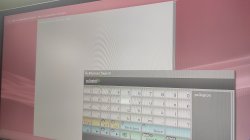
 
If your on a outdated dash it will always give that error, when setting the date and time

Sent from my SM-G988B using Tapatalk
 
Back
Top