PSX-FPKG

PS4 PSX-FPKG (by Jabu) - A Tool to convert PS1 (PSX) games for use on PS4 v0.3

Would anyone mind having a look at the POINT BLANK games? These run absolutely flawlessly with the Jabu's latest tool, however all 3 games are essentially unplayable as the cross marks which indicate your gun are almost completely transparent. For all 3 games. I dont know what would cause this and only this critical issue?
 
Config, TOC, settings+cheats and icons for Looney Tunes Racing

lua
Code:
-- Looney Tunes Racing (NTSC-U)
-- ported to PS4 lua by Stayhye
-- emu used=syphon filter v2


local patcher = function()
--[All Cups & Tracks Unlocked]
R3K_WriteMem16(0x800986E8,0xFFFF)
R3K_WriteMem16(0x800986F4,0xFFFF)
R3K_WriteMem16(0x800986F8,0xFFFF)
--[All Characters Unlocked]
R3K_WriteMem16(0x800986F0,0xFFFF)
R3K_WriteMem16(0x800986F2,0xFFFF)
--[All Movies Unlocked]
R3K_WriteMem16(0x800986FC,0xFFFF)


end

EM_AddVsyncHook(patcher)
 

Attachments

Mizzurna Falls (SLPS01783)
Widescreen patch + Disable dithering
Code:
-- Mizzurna Falls
-- ported to PS4 lua
-- emu used=syphonfilter v2
local patcher = function()
--Widescreen
R3K_WriteMem16(0x800FE2B0,0x0c00)
--Disable dithering
R3K_WriteMem16(0xD0054300,0x0200)
R3K_WriteMem16(0x80054300,0x0000)
end
EM_AddVsyncHook(patcher)

config-title.txt
Code:
--gpu-scanout-fps-override=ntsc
--scale=6

Mizzurna Falls. Quick Look!
VIDEO
 
Mizzurna Falls (SLPS01783)
Widescreen patch + Disable dithering
Code:
-- Mizzurna Falls
-- ported to PS4 lua
-- emu used=syphonfilter v2
local patcher = function()
--Widescreen
R3K_WriteMem16(0x800FE2B0,0x0c00)
--Disable dithering
R3K_WriteMem16(0xD0054300,0x0200)
R3K_WriteMem16(0x80054300,0x0000)
end
EM_AddVsyncHook(patcher)

config-title.txt
Code:
--gpu-scanout-fps-override=ntsc
--scale=6

Mizzurna Falls. Quick Look!
VIDEO

your disable dither code is incorrect. It has a d code in it.

it should be:

Code:
local no_dith1 = R3K_ReadMem16(0x054300)
if no_dith1 == 0x0200 then
R3K_WriteMem16(0x80054300,0x0000)
end

this should give you correct effect.
 
your disable dither code is incorrect. It has a d code in it.

it should be:

Code:
local no_dith1 = R3K_ReadMem16(0x054300)
if no_dith1 == 0x0200 then
R3K_WriteMem16(0x80054300,0x0000)
end

this should give you correct effect.
idk it looks fine for me but i try your too,
 
Persona 2 Tsumi Innocent Sin (SLPS02100)
Widescreen patch
Code:
-- Persona 2 Tsumi Innocent Sin
-- ported to PS4 lua
-- emu used=syphonfilter v2
local patcher = function()
--Widescreen
R3K_WriteMem16(0x80087A68,0x0C00)
end
EM_AddVsyncHook(patcher)

config-title.txt
Code:
--gpu-scanout-fps-override=ntsc
--scale=6

Persona 2 Tsumi Innocent Sin. Short GamePlay!
VIDEO
 
The Lost World Jurassic Park (SLES00903)
Widescreen patch
Code:
-- The Lost World Jurassic Park
-- ported to PS4 lua
-- emu used=syphonfilter v2
local patcher = function()
--Widescreen
R3K_WriteMem16(0x80065460,0x0c00)
end
EM_AddVsyncHook(patcher)

Plus attached Toc. file

config-title.txt
Code:
--gpu-scanout-fps-override=ntsc
--scale=6

The Lost World Jurassic Park. Short GamePlay!
VIDEO
 

Attachments

Chicken Run (SLES03285)
Widescreen patch
Code:
-- Chicken Run
-- ported to PS4 lua
-- emu used=syphonfilter v2
local patcher = function()
--Widescreen
R3K_WriteMem16(0x800B6D0C,0x0C00)
end
EM_AddVsyncHook(patcher)

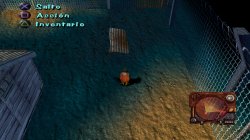
Plus you can see attached Widescreen pics!

config-title.txt (FiX for Annoyd bug with controls)
Code:
--gpu-scanout-fps-override=ntsc
--scale=6
--libcrypt=26B6

Chicken Run. Before\\\After FiX Comparison + Short GamePlay!
VIDEO

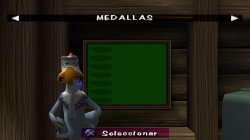
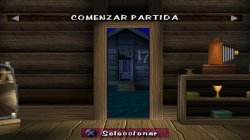
Chicken Run. Widesceen and Spanish Lang Test!
VIDEO
 

Attachments

  • Wide01.jpg
    Wide01.jpg
    792.1 KB · Views: 40
  • Wide02.jpg
    Wide02.jpg
    976.3 KB · Views: 40
  • Wide03.jpg
    Wide03.jpg
    1.4 MB · Views: 42
Configs, settings and icons for Vandal Hearts II

lua

Code:
-- Vandal Hearts II (US) (SLUS-00940) 
-- Disable dithering hack by krHACKen 
-- ported to PS4 lua by Stayhye
-- emu used=syphon filter v2


local patcher = function()
--Disable dithering 
R3K_WriteMem16(0x300C4B59,0x0001)
R3K_WriteMem16(0x300C5299,0x0001)
R3K_WriteMem16(0x300C5391,0x0001)
R3K_WriteMem16(0x300EEF71,0x0000)
R3K_WriteMem16(0x300F25B9,0x0000)
R3K_WriteMem16(0x300F2651,0x0000)


end

EM_AddVsyncHook(patcher)
 

Attachments

Harry Potter & the Chamber of Secrets (SLUS01503)
config-title.txt
Code:
--ctlanalog=on
--gpu-scanout-fps-override=ntsc
--scale=6
--cdrom-cmd-time=100
--cdrom-max-seek=true

Left and Right Analog sticks is activated! Menu lag, Intro video loop issue, Music loop issue and some black screens in cutscenes - FiXed! This game always was pretty hard for emulators! Game have another hidden bugs, but now much playble! Main thing is - Turn on autosave in start of game! If you have some black screens, or lose sound or another bugs - try exit from game to main menu and load last save! Also remote back option of PSX emu will help sometime too!

Harry Potter & the Chamber of Secrets PSXtoPS4 Test


Harry Potter and the Chamber of Secrets. Short GamePlay!
VIDEO
 
Hi!!.. @Stayhye, Vika23 do you test your configs/scripts?

Aconcagua
(both SCPS10131, SCPS-10132) Is there any Black screen fix or config?

Thank you!

Aconcagua (SCPS10131, SCPS10132)
config-title.txt (FiX for Black screen?)
Code:
--gpu-scanout-fps-override=ntsc
--scale=6
--cdrom-cmd-time=100
--cdrom-max-seek=true

In my test game work fine! You can see on video!
Aconcagua. Quick Look!
VIDEO


Just some small noticeble issue in left side of intro!
 
Back
Top