PSX-FPKG

PS4 PSX-FPKG (by Jabu) - A Tool to convert PS1 (PSX) games for use on PS4 v0.3

Well, looks like we got good news too! New emu have sound FiX! I think all games with crackling issue will be Fixed now! Soul Reaver at least is - FiXed! Sound while gameplay is good now!

Code:
# Enable LopnorSPU to fix some audio issues
--use-lopnor-spu=1

Looks like this is FiX for sound!

Legacy of Kain Soul Reaver. Short GamePlay!
VIDEO
 
So, testing first game with new emu and.....Skullmonkeys game still have missing/appear objects issue as with syphon filter 1 emu!
That make me think, that compatibility of games will be same...
VIDEO

Nice! poking around inside eboot, found some new commands

txt
Code:
--bios-hide-sce-osd=1
--has-shown-start-select-help=1
--sim-analog-pad=0x2020
--ctlanalog=ON
#--boot-disc-id=
--image-dir=data
--enable-change-disc-ui=true
--cdrom-fake-slow-async-read=true
--force-pad-connect=0b1
#--ps1-title-id=
--app-volume=1.00
#--bios
#--use-lopnor-spu=1
#--imageName=
--globalgamedata-dir=global
#--pace-gpu-dma
#--mdec-dma-period
--force-frame-blend=false
#--guncon.
#--multitap
#--cdrom-max-seek.
#--vram-read-frame-delay.
--present-delay-scanlines=auto
--50hz-to-60hz-conversion-enabled=1
#--id-engine.
#--metal-gear-solid.
#--drawrect-fill-hack.
#--grandia-gpu-hack.
#--cdrom-cmd-time.
--cdrom-cache-mode=none #none,priority
#--force-modchip-check=1
#--deterministic
#--userui-region-selector=true
#--force-pad-disconnect.
#--force-pad-connect
#--gpu-scanout-fps-override-ntsc.
#--gpu-scanout-fps-override-pal
lua
Code:
R3K_GetPC.
R3K_SetPC.
R3K_GetHi.
R3K_SetHi.
R3K_GetLo.
R3K_SetLo.
R3K_GetGpr.
R3K_SetGpr.
R3K_ReadMem8.
R3K_ReadMem16.
R3K_ReadMem32.
R3K_ReadMemFloat.
R3K_ReadMemString.
R3K_WriteMem8.
R3K_WriteMem16.
R3K_WriteMem32.
R3K_WriteMemFloat.
R3K_WriteMemString.
R3K_WriteMemStringZ.
R3K_AddHook.
R3K_RemoveHook.
R3K_InsnReplace.
R3K_BurnCycles.
R3K_FlushCache.
EM_PadRead.
EM_PadWrite.
EM_PadReadLeftStick.
EM_PadReadRightStick.
EM_PadSetButtonsMode.
EM_ThrottleMax.
EM_ThrottleNormal.
EM_NeoMode.EM_CRC32.
EM_AddVsyncHook.
EM_RemoveVsyncHook.
EM_LoadConfig.
EM_SaveConfig.
EM_LoadState.
EM_SaveState.
EM_Launch.
EM_GetLegacyTitleId.
EM_GetStoreRegion.
EM_GetRequestNtscRegion.
EM_GetDiscImageName.
EM_GetSettingCli.
EM_SetSettingCli.
EM_GetCDRom.
EM_SetCDRom.
EM_GetDiscId.
EM_LoadDiscId.
EM_DiscSwap.
EM_Reboot.
AppHost_GetLocaleTag.
TR_Unlock.
at.
v0.
v1.
a0.
a1.
a2.
a3.
t0.
t1.
t2.
t3.
t4.
t5.
t6.
t7.
s0.
s1.
s2.
s3.
s4.
s5.
s6.
s7.
t8.
t9.
k0.
k1.
gp.
sp.
fp.
ra.
gpr.
ctl.

lol mod-chip check? in emu?
 
Last edited:
Nice! poking around inside eboot, found some new commands

Code:
--force-modchip-check
--50hz-to-60hz-conversion-enabled
--id-engine
--drawrect-fill-hack
--grandia-gpu-hack
--mcd-export
--mcd-export-dir
--show-fps-graph
--remap
--graph-fps-resolution
--enable-change-disc-ui
--cdrom-fake-slow-async-read

lol mod-chip check? in emu?
what is mod-chip check?
 
what is mod-chip check?

on a real PS1 console, some game detected if you had a mod-chip installed to play backups and would not play. I don't know what it could be in an emu for...

BTW, looks like we can create presets for games in .json fomat.

Untitled.png
 
Last edited:
did you or anyone figure out with games like mgs with 2 or 4 discs? When i try bulid it says like insert disc 1 or some!

Code:
print ("Loading disc-selection.lua from global scripts")
require "sce-locale"

-- Registers the discs for the active language using EM_SetCDRom().
-- This takes into account region switching if given 2 disc maps to use.
--
-- default_disc_map: Cannot be nil.  A table of the form
-- {
--    en  = { <list of image paths> },
--    fr  = { <list of image paths> },
--    de  = { <list of image paths> },
--    it  = { <list of image paths> },
--    es  = { <list of image paths> }
-- }
--
-- ntsc_disc_map: Similar format to default_disc_map if region switching is supported.  Can be nil which
-- will use default_disc_map in its place.
--
-- default_crypts: Can be nil which indicated no crypt will be used.  A table of the form
-- {
--    en = "0xad70",
--    fr = "0x7c23",
--    de = "0xacb8",
--    it = "0xea8a",
--    es = "0x1c3d",
-- }
--
-- ntsc_crypts: Similar format to pal_crypts.  If this is nil then the table from pal_crypts will be used.
-- If no crypt should be used then specify an empty table.
--
RegisterDiscs = function(default_disc_map, ntsc_disc_map, default_crypts, ntsc_crypts)
   local region = EM_GetStoreRegion()
   print ("[BOOT] Region = ", region)
 
   local request_ntsc = EM_GetRequestNtscRegion()
   print ("[BOOT] Request NTSC region = ", request_ntsc)

   if ntsc_disc_map == nil then
     ntsc_disc_map = default_disc_map
   end

   if default_crypts == nil then
     default_crypts = {}
   end

   if ntsc_crypts == nil then
     ntsc_crypts = default_crypts
   end

   local key = nil
   local discs = nil
   local crypt = nil
   local locale, lang = GetLocaleLangPair()
   local discs_map = nil
   local crypts = nil

   if request_ntsc then
     printf("[BOOT] NTSC preferred, using that image.")
     discs_map = ntsc_disc_map
     crypts = ntsc_crypts
 
   else
     printf("[BOOT] Registering default images for the region.")
     discs_map = default_disc_map
     crypts = default_crypts
 
   end

   key = FindLocaleTableKey(discs_map, locale, lang, "en")
   discs = discs_map[key]
   crypt = crypts[key]

   local i
   for i, disc in ipairs(discs) do
     -- patch up for older versions of the emulator that didn't understand /imagedata/ prefix.
     -- [jstine] added 2023-02-01
     if EM_GetTitleVaultPath == nil then
       if string.match(disc, "^/xem_titlevault/data/") then
         disc = string.gsub(disc, "^/xem_titlevault/data/", "")
       elseif string.match(disc, "^/xem_imagedata/") then
         disc = string.gsub(disc, "^/xem_imagedata/", "")
       end
     end
     EM_SetCDRom(disc, i)
   end

   if crypt then
     EM_SetSettingCli("--libcrypt=" .. crypt)
   end

end

did you try any of this?(instuctions in lua)

so, something like:


require "disc-selection"

local ntsc_disc_map = {
en = { "disc01.bin" },
{ "disc02.bin" }
}

RegisterDiscs(pal_disc_map, ntsc_disc_map)


the old way should still work as well


--image0="data/disc01.bin"
--image1="data/disc02.bin"


*edit - none of these work for multi-disc
 
Last edited:
Code:
print ("Loading disc-selection.lua from global scripts")
require "sce-locale"

-- Registers the discs for the active language using EM_SetCDRom().
-- This takes into account region switching if given 2 disc maps to use.
--
-- default_disc_map: Cannot be nil.  A table of the form
-- {
--    en  = { <list of image paths> },
--    fr  = { <list of image paths> },
--    de  = { <list of image paths> },
--    it  = { <list of image paths> },
--    es  = { <list of image paths> }
-- }
--
-- ntsc_disc_map: Similar format to default_disc_map if region switching is supported.  Can be nil which
-- will use default_disc_map in its place.
--
-- default_crypts: Can be nil which indicated no crypt will be used.  A table of the form
-- {
--    en = "0xad70",
--    fr = "0x7c23",
--    de = "0xacb8",
--    it = "0xea8a",
--    es = "0x1c3d",
-- }
--
-- ntsc_crypts: Similar format to pal_crypts.  If this is nil then the table from pal_crypts will be used.
-- If no crypt should be used then specify an empty table.
--
RegisterDiscs = function(default_disc_map, ntsc_disc_map, default_crypts, ntsc_crypts)
   local region = EM_GetStoreRegion()
   print ("[BOOT] Region = ", region)
 
   local request_ntsc = EM_GetRequestNtscRegion()
   print ("[BOOT] Request NTSC region = ", request_ntsc)

   if ntsc_disc_map == nil then
     ntsc_disc_map = default_disc_map
   end

   if default_crypts == nil then
     default_crypts = {}
   end

   if ntsc_crypts == nil then
     ntsc_crypts = default_crypts
   end

   local key = nil
   local discs = nil
   local crypt = nil
   local locale, lang = GetLocaleLangPair()
   local discs_map = nil
   local crypts = nil

   if request_ntsc then
     printf("[BOOT] NTSC preferred, using that image.")
     discs_map = ntsc_disc_map
     crypts = ntsc_crypts
 
   else
     printf("[BOOT] Registering default images for the region.")
     discs_map = default_disc_map
     crypts = default_crypts
 
   end

   key = FindLocaleTableKey(discs_map, locale, lang, "en")
   discs = discs_map[key]
   crypt = crypts[key]

   local i
   for i, disc in ipairs(discs) do
     -- patch up for older versions of the emulator that didn't understand /imagedata/ prefix.
     -- [jstine] added 2023-02-01
     if EM_GetTitleVaultPath == nil then
       if string.match(disc, "^/xem_titlevault/data/") then
         disc = string.gsub(disc, "^/xem_titlevault/data/", "")
       elseif string.match(disc, "^/xem_imagedata/") then
         disc = string.gsub(disc, "^/xem_imagedata/", "")
       end
     end
     EM_SetCDRom(disc, i)
   end

   if crypt then
     EM_SetSettingCli("--libcrypt=" .. crypt)
   end

end

did you try any of this?(instuctions in lua)

so, something like:

Code:
require "disc-selection"

local ntsc_disc_map = {
   en = { "disc1.bin" , "disc2.bin"}
}

RegisterDiscs(pal_disc_map, ntsc_disc_map)

the old way should still work as well

Code:
--image0="data/disc01.bin"
--image1="data/disc02.bin"

i try
Code:
--image0="data/disc01.bin"
--image1="data/disc02.bin"

but got crash, i try again then!
 
I figured out multi-disc.

It goes like this

config-title.txt
Code:
--image-dir=data
--enable-change-disc-ui=true
app_boot.lua
Code:
require "disc-selection"

local default_disc_map = {
   en = { "disc01.bin" , "disc02.bin"  }
       
}

RegisterDiscs(default_disc_map)

change disc will appear in settings in option menu

20230814_192428_00123776.jpg
 
I figured out multi-disc.

It goes like this

config-title.txt
Code:
--image-dir=data
--enable-change-disc-ui=true
app_boot.lua
Code:
require "disc-selection"

local default_disc_map = {
   en = { "disc01.bin" , "disc02.bin"  }
      
}

RegisterDiscs(default_disc_map)

change disc will appear in settings in option menu

View attachment 41048
yes i notice that command late!
Code:
-enable-change-disc-ui

Thanks!
 
you can still use your old setup from syphon filter 1 emu.

Code:
--enable-change-disc-ui=1    <<but you need to add this
--image0="path/name.bin"
--image1="path/name.bin"

and i found out how to name the disc (you can also use this on old sf1 emu)

Code:
--enable-change-disc-ui=1
--imageName0="Parasite Eve II Disc 1"
--imageName1="Parasite Eve II Disc 2"
--imageName2="Parasite Eve I"
--image0="path/name.bin"
--image1="path/name.bin"
--image2="path/name.bin"

and we yeah we still don't know the swap disc works, i believe the change disc is for collection purposes not for hot swap games
 
you can still use your old setup from syphon filter 1 emu.

Code:
--enable-change-disc-ui=1    <<but you need to add this
--image0="path/name.bin"
--image1="path/name.bin"

and i found out how to name the disc (you can also use this on old sf1 emu)

Code:
--enable-change-disc-ui=1
--imageName0="Parasite Eve II Disc 1"
--imageName1="Parasite Eve II Disc 2"
--imageName2="Parasite Eve I"
--image0="path/name.bin"
--image1="path/name.bin"
--image2="path/name.bin"


Very Nice! Thanks!

and we yeah we still don't know the swap disc works, i believe the change disc is for collection purposes not for hot swap games

There is this in lua

Code:
EM_GetDiscId.
EM_LoadDiscId.
EM_DiscSwap.
EM_Reboot
 
Colin McRae Rally 2.0 [NTSC-U] (SLUS-01222) | Widescreen


config-title.txt


Code:
# Colin McRae Rally 2.0 [NTSC-U] (SLUS-01222)

--sim-analog-pad=0x2020
--bios-hide-sce-osd=1
--has-shown-start-select-help=1
--gpu-scanout-fps-override=ntsc
--scale=6

# following settings are machine-generated
--region-dir=SIEA
--ps4-trophies=0
--ps5-uds=0
--trophies=0


script.lua

Code:
-- #Colin McRae Rally 2.0 [NTSC-U] (SLUS-01222)
-- Widescreen hack by El_Patas
-- ported to PS4 lua by vFxMz
-- emu used=syphonfilter v2

local patcher = function()
R3K_WriteMem16(0x80056BB0,0x2EEE)
R3K_WriteMem16(0x80056BB2,0x0001)
end
EM_AddVsyncHook(patcher)


Can please someone look to the PAL Version SLES02605 too? still can't get it working with the widescreen.
 
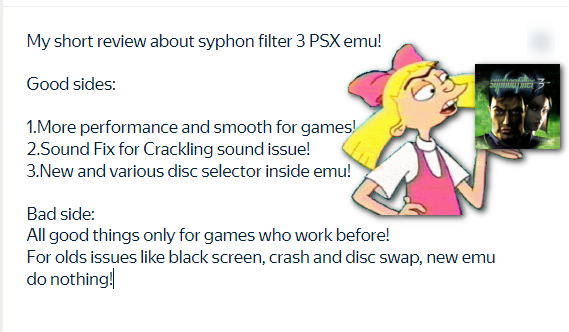
My short review about Syphon Filter 3 (New PSX emu)!
If in a nutshell, then new emu do nothing for old issues like black screen, crashing and looks like for disc swap too!
Also forgot add note that i no feeling any input lag now! (Controls have more good sensetive)
review.png
 
Nice! poking around inside eboot, found some new commands

txt
Code:
--bios-hide-sce-osd=1
--has-shown-start-select-help=1
--sim-analog-pad=0x2020
--ctlanalog=ON
#--boot-disc-id=
--image-dir=data
--enable-change-disc-ui=true
--cdrom-fake-slow-async-read=true
--force-pad-connect=0b1
#--ps1-title-id=
--app-volume=1.00
#--bios
#--use-lopnor-spu=1
#--imageName=
--globalgamedata-dir=global
#--pace-gpu-dma
#--mdec-dma-period
--force-frame-blend=false
#--guncon.
#--multitap
#--cdrom-max-seek.
#--vram-read-frame-delay.
--present-delay-scanlines=auto
--50hz-to-60hz-conversion-enabled=1
#--id-engine.
#--metal-gear-solid.
#--drawrect-fill-hack.
#--grandia-gpu-hack.
#--cdrom-cmd-time.
--cdrom-cache-mode=none #none,priority
#--force-modchip-check=1
#--deterministic
#--userui-region-selector=true
#--force-pad-disconnect.
#--force-pad-connect
#--gpu-scanout-fps-override-ntsc.
#--gpu-scanout-fps-override-pal
lua
Code:
R3K_GetPC.
R3K_SetPC.
R3K_GetHi.
R3K_SetHi.
R3K_GetLo.
R3K_SetLo.
R3K_GetGpr.
R3K_SetGpr.
R3K_ReadMem8.
R3K_ReadMem16.
R3K_ReadMem32.
R3K_ReadMemFloat.
R3K_ReadMemString.
R3K_WriteMem8.
R3K_WriteMem16.
R3K_WriteMem32.
R3K_WriteMemFloat.
R3K_WriteMemString.
R3K_WriteMemStringZ.
R3K_AddHook.
R3K_RemoveHook.
R3K_InsnReplace.
R3K_BurnCycles.
R3K_FlushCache.
EM_PadRead.
EM_PadWrite.
EM_PadReadLeftStick.
EM_PadReadRightStick.
EM_PadSetButtonsMode.
EM_ThrottleMax.
EM_ThrottleNormal.
EM_NeoMode.EM_CRC32.
EM_AddVsyncHook.
EM_RemoveVsyncHook.
EM_LoadConfig.
EM_SaveConfig.
EM_LoadState.
EM_SaveState.
EM_Launch.
EM_GetLegacyTitleId.
EM_GetStoreRegion.
EM_GetRequestNtscRegion.
EM_GetDiscImageName.
EM_GetSettingCli.
EM_SetSettingCli.
EM_GetCDRom.
EM_SetCDRom.
EM_GetDiscId.
EM_LoadDiscId.
EM_DiscSwap.
EM_Reboot.
AppHost_GetLocaleTag.
TR_Unlock.
at.
v0.
v1.
a0.
a1.
a2.
a3.
t0.
t1.
t2.
t3.
t4.
t5.
t6.
t7.
s0.
s1.
s2.
s3.
s4.
s5.
s6.
s7.
t8.
t9.
k0.
k1.
gp.
sp.
fp.
ra.
gpr.
ctl.

lol mod-chip check? in emu?

Crash Bandicoot 3: Warped Pls. Fix config?
 
Back
Top