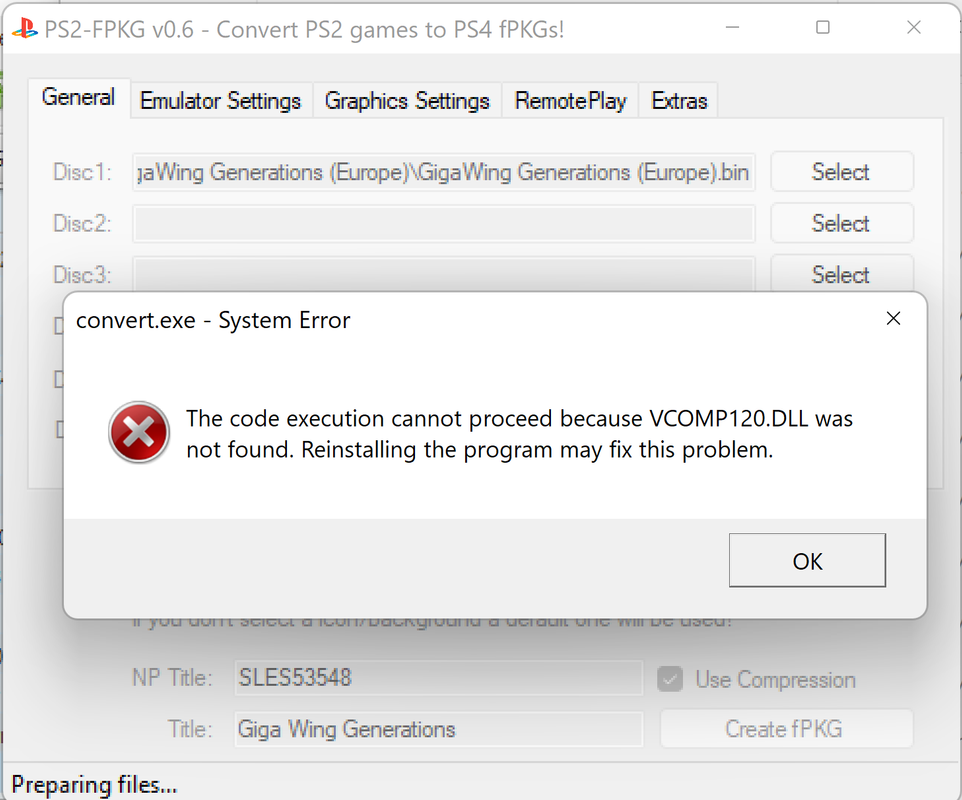
I too am having this issue. I've Looked all over the place for a Fix, to no avail.
I have all the possible C++ Studio Redists. available for download already on my PC, and have repaired them all, and ran SFC /Scannow in CMD Prompt, no errors...
It seems to be the PNG that is causing this stubborn issue, if you do not add a Background nor Icon image it will create the fPKG without error...
READ HERE FOR FIX: I have been able to work around this issue, by creating the fPKGs through Releases · xXxTheDarkprogramerxXx/PS3Tools · GitHub, and then using Releases · pearlxcore/PS4-PKG-Tool · GitHub to Extract the proper 512 x 512 image, and rename it to icon0.png and place it in the "png" folder (located in the "stuff" directory of Jabus tool) of the tools directory and then create the fPKGs, without error and with the proper boxart image, drawn from within the games data files.
I have been filtering through these 2 programs because, Darkprogrammers tool does not seem to save the config. settings nor auto-apply custom configs, but is generating the proper Boxart image for me to use with Jabu's tool. I hope someone reading this finds this information helpful! I hope to see update v.7 soon, that addresses' and fixes this issue. Thank all of you devs so much for making all this possible!