Ultimate Toolbox

PS3 [RELEASE] ★ Ultimate Toolbox v2.03 - It Only Does Everything! v2.03 (FW 4.84 - 4.91)

I do not mind including rcos like software_update_plugin.rco as those have never been modded by anyone really except me, so theres no other mods to potentially conflict with.

Maybe you could include various color options for impose_plugin.rco and software_update_plugin.rco.

Here are the ones from Ferrox Mod. They look nice when you press PS, although I would prefer them in a different color.
 

Attachments

I guess there are other software_update_plugin.rco mods to conflict with then, I might remove that feature. Really dont want to get into rco mods. To much hassle.
 
I guess there are other software_update_plugin.rco mods to conflict with then, I might remove that feature. Really dont want to get into rco mods. To much hassle.

What kind of conflict? I have installed them and I haven't noticed a conflict yet.

Ferrox Mod also installs xmb_plugin_normal.rco but I find it too invasive to have their logo all the time on XMB.

EDIT: I modded this one using rcomagegui 1.1. I'm using this on Rebug Lite 4.86.1
Basically the colors are changed. I don't see what conflict it could cause.
upload_2021-1-24_18-32-54.png
 

Attachments

Last edited:
@DeViL303 more feedback for your next update:

1- In Gaia Visualizations, almost all options say "Install Gaia Visualization" except one that says "Install OFW Gaia Mod"
2- In Gaia, Font & Wave Visualizations, it would be good to include an id number. e.g. "Install Gaia Visualization 7"
3- Installing Themes only download the theme. webMAN can download & install the theme using /install.ps3?<url>
Maybe you could give the option to use webMAN for certain operations.
4- Some modules offer the option "Remove this module". It would be nice if it includes the approximate size of the folder.
5- I know you mentioned about not include RCO mods, although some mods would be nice:
5a- Option to rename ★ /app_home/PS3_GAME to ★ /app_home or ★ PlayStation®3 (see explore_plugin_rcos attached)
5b- Option to change impose colors (I posted a couple in my previous posts)
6- In your theme list you miss the PS4 XMB 2.0. It is one of my favorites. It is very small and clean.See the attachment.
7- In an early post I mentioned the option to promote File Explorer & Package Manager Pro to the root of Game.
I attached the XML with the mod. I also changed a bit the order of the items, so app_home is above webMAN Games.
The reason of the new order is that webMAN now allows to set a default application in /app_game when you unmount a game.
So it's convenient to have the icon next to webMAN Games.
8- The line.qrc for fire still has the issue that I reported with the audio player. I attached the moded version that you made that works fine. Maybe the same fix should be applied to other lines.qrc
9- "Visual Customisation" menu use "British" English. But the options has "Customization" in "American" English.
10- In "Add Reboot Options" is asks "Add Power Options + Power Off?" but the installed options actually are named "Reboot Options" and "Shut Down" . I prefer "Power Off" over "Shut Down".
11-Download resources are returning 404 error.
 

Attachments

Last edited:
What kind of conflict? I have installed them and I haven't noticed a conflict yet.

Ferrox Mod also installs xmb_plugin_normal.rco but I find it too invasive to have their logo all the time on XMB.

EDIT: I modded this one using rcomagegui 1.1. I'm using this on Rebug Lite 4.86.1
Basically the colors are changed. I don't see what conflict it could cause.
Conflict is maybe the wrong word. I just mean that if someone patches their system to block FW updates now for example, then they will lose any other mods they already had on the software_update_plugin.rco. Maybe not such a big deal with this rco, but the more rcos I include the more of an issue it becomes. Next thing is I need to include double the amount of rcos just to support Rebugs red icons and standard blue icons, Then do I support Overflow CFWs purple icons or not and so on. Very easy to end up needing to include 20 rcos just for one option on the menu, with sub menus for every different possible CFW variation. It gets really complicated very quickly.

The other option is to make this "Rebug Only" but I rather not do that.

1- In Gaia Visualizations, almost all options say "Install Gaia Visualization" except one that says "Install OFW Gaia Mod"
2- In Gaia, Font & Wave Visualizations, it would be good to include an id number. e.g. "Install Gaia Visualization 7"
Good idea I will tidy that up and add numbers to each one.
3- Installing Themes only download the theme. webMAN can download & install the theme using /install.ps3?<url>
Maybe you could give the option to use webMAN for certain operations.
You mean it can apply the theme too? That is cool I didn't know that. The current method just downloads it to dev_hdd0/theme/. It is kinda of installed as in it's there to be selected, but applying it too would be nice.

I do plan to add a webMAN MOD specific module to the toolbox so maybe these kind of options could be in there. I want to try avoid relying too much on webMAN MOD for the main features as some crazy people do not use wMM. :)
4- Some modules offer the option "Remove this module". It would be nice if it includes the approximate size of the folder.
I will add that. Every "remove this module" option has the download option right above it with the resource size mentioned, but it's no problem to include the size on the remove option too.

I was thinking of maybe having the remove module options only appear inside the Toolbox Setup > Module menu, this way it declutters the other menus a little, I mean to only have the download option show inside the actual modules all the time.

5- I know you mentioned about not include RCO mods, although some mods would be nice:
5a- Option to rename ★ /app_home/PS3_GAME to ★ /app_home or ★ PlayStation®3 (see explore_plugin_rcos attached)
5b- Option to change impose colors (I posted a couple in my previous posts)
I could include that, but again it will need at least 3 variations due to different color icons in different CFW. It would be ideal if these type of mods could be included in CFW out of the box but I know its hard to get CFW creators to change traditions.
6- In your theme list you miss the PS4 XMB 2.0. It is one of my favorites. It is very small and clean.See the attachment
I will add that one for sure.
7- In an early post I mentioned the option to promote File Explorer & Package Manager Pro to the root of Game.
I attached the XML with the mod. I also changed a bit the order of the items, so app_home is above webMAN Games.

I will consider that but every CFW has a slightly different category_game.xml and replacing it causes issues for people, If I remove the normal package manager then someone uninstalls Ultimate toolbox then they no longer have any way to install pkgs, I guess can add extra warnings saying this will wipe out any mods you already have in the game category or something, also adding extra options there causes the duplicate icons issues on the ingame xmb. I do have my fix for that issue but it requires even bigger mods to the xml. The other option is to include sub menus with options for every type of CFW but its gets very complicated very quickly which I want to avoid if possible. Also it means I need to test on all different CFW version which makes things take way way longer.

8- The line.qrc for fire still has the issue that I reported with the audio player. I attached the moded version that you made that works fine. Maybe the same fix should be applied to other lines.qrc
Yeah, I will need to repack all those lines.qrc I guess, Also lots of those have different custom colors depending on the place on XMB, for example some have modded music player preset, some have modded coldboot preset, if I force the main preset all the time like I did with the fire wave they lose all that. , I was actually thinking of making my own pack of lines.qrc files as lots of those current ones have issues, but that's another days work. :)

9- "Visual Customisation" menu use "British" English. But the options has "Customization" in "American" English.
You are right, I must standardize that to one or the other. I guess I will go with US english, not sure.
10- In "Add Reboot Options" is asks "Add Power Options + Power Off?" but the installed options actually are named "Reboot Options" and "Shut Down" . I prefer "Power Off" over "Shut Down".
No prob, will change that. What about "Turn Off System" like OFW or you prefer "Power Off" over that? I do not mind.
11-Download resources are returning 404 error.

That is annoying, damn, looks like dropbox are giving me new links now when I replace files with new versions. They never used to do that..feck. Maybe it's cos I switched over to the desktop application now.. That is head wrecking. I could use my server for those but its getting really slow due to all the use.

I think I will just go back to one pkg, the full version. It's too much work for me making it modular, too many variations leads to too many bugs.. I guess if someone cant spare 400MB then this toolbox is not for them :) I've removed the links to the base version.

 
Last edited:
...some crazy people do not use wMM. :)
Are you trying to be offensive on purpose, or is just a lack of understanding about the needs and preferences of other people ?, let me present you some software design concepts, maybe it rings some bells, the same could be applyed to the cobra discussion of the other day or any other software
https://en.wikipedia.org/wiki/Needs_analysis
https://en.wikipedia.org/wiki/Scope_(project_management)
https://en.wikipedia.org/wiki/Feature_creep
 
Are you trying to be offensive on purpose, or is just a lack of understanding about the needs and preferences of other people ?, let me present you some software design concepts, maybe it rings some bells, the same could be applyed to the cobra discussion of the other day or any other software
https://en.wikipedia.org/wiki/Needs_analysis
https://en.wikipedia.org/wiki/Scope_(project_management)
https://en.wikipedia.org/wiki/Feature_creep
Jeez, it was a joke. I'm sorry if mentally ill people feel offended.

Welcome to the thread anyway, seems this is your first post here.

The funny thing is, I am actually trying to accommodate people who do not use webMAN and this is the thanks I get.

And if was trying to be offensive you would fucking know about it! :D
 
Last edited:
It's in the sprx. Separated by nulls.

upload_2021-1-25_15-38-54.png


The funny thing is they put "factory service mode" also separated by nulls, but it actually displays like that on the XMB with the dots, I do not think it was meant to, or maybe it was, idk.

You can remove the spaces from the factory service mode text, and then have room to include a warning like "Do not install FW while in FSM" or something like that.
 
It's in the sprx. Separated by nulls.

View attachment 30367

The funny thing is they put "factory service mode" also separated by nulls, but it actually displays like that on the XMB with the dots, I do not think it was meant to, or maybe it was, idk.

You can remove the spaces from the factory service mode text, and then have room to include a warning like "Do not install FW while in FSM" or something like that.

Maybe we can set it to be read from the rco?

I did it in the explorer_plugin.sprx the text of the debug side menu "clean cache" just changed the hardcoded text to msg_cache and it now reads from my custom text string inside the explorer_plugin_full.rco
 
Maybe we can set it to be read from the rco?

I did it in the explorer_plugin.sprx the text of the debug side menu "clean cache" just changed the hardcoded text to msg_cache and it now reads from my custom text string inside the explorer_plugin_full.rco
That's interesting, maybe you can, worth a try.

I kind of doubt it will work though due to the nulls. You would need to put "m.s.g._.i.p.a.d.d.r.e.s.s" and my guess is it will just display like that.

It would be interesting to see if that trick works with "Unlink" and "Unlink (folder)" too.
 
It's in the sprx. Separated by nulls.

View attachment 30367

The funny thing is they put "factory service mode" also separated by nulls, but it actually displays like that on the XMB with the dots, I do not think it was meant to, or maybe it was, idk.

You can remove the spaces from the factory service mode text, and then have room to include a warning like "Do not install FW while in FSM" or something like that.

The text are separated by null because the messages use unicode characters (wchar_t = 16bit) instead of ansi (char_t = 8bit).

Not sure about the dots that you mention, but the text is meant to be separated by spaces. Maybe to make it more visible.
 
The text are separated by null because the messages use unicode characters (wchar_t = 16bit) instead of ansi (char_t = 8bit).

Not sure about the dots that you mention, but the text is meant to be separated by spaces. Maybe to make it more visible.
Yeah its spaces not dots, I forgot. You are probably right it's to make it more visible

Seeing as it has a big red box its kind of visible enough really, IMO it would be better to have a warning there about not installing FW. Would have saved a few people in the past..maybe :)
 
IMO it would be better to have a warning there about not installing FW. Would have saved a few people in the past..maybe :)

Totally agree... it's a shame that CFW creators don't include these kind of warnings. It would prevent a lot of issues to noob users.
 
@DeViL303 Testing Package Manager Pro I noticed that All Package Files has a delay of a few seconds.
This is irrelevant if you only install 1 or 2 packages. But if you use it a lot, these may sum some minutes o_O

I attached 4 modded versions of PMP for your review. So you could include an option in Ultimate Toolbox Setup to choose one:
1- NAND version includes all device (like your original release)
2- NOR version omits dev_ms, dev_sd and dev_cf. It could exclude usb2 and usb3 too, but I left them.
3- Optimized version for usb0 and usb1. This is significatively more faster than your original file and has the most frequently used ports.
4- Same as 3, but "All Packages Files" was renamed to "My Packages Files" (due it excludes rebug; it is found in the list below).
Included the folder /dev_hdd0/tmp/wm_res in "Internal Hard Disk Drive" (this folder contains the add-ons for webMAN MOD)
 

Attachments

@DeViL303 In addition to the patch that allows explore_plugin show the images (PNG, JPG)
https://www.psx-place.com/threads/r...only-does-everything.32466/page-2#post-276026

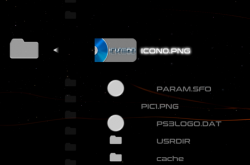
This modified rco reduces the annoying visual effect of the rotating icon (and the broken look of the feature).
I replaced the image for txt_loading_icon with a white circle, so the rotation is barely noticed.

This improves the user experience of the Delete Package Files in the Package Manager and the File Explorer.
upload_2021-1-25_21-21-58.png

In the rco attached I also replaced the ★/app_home/PS3_GAME with ★ PlayStation®3

Maybe @Evilnat wants to include the patch and this modified rco in his 4.87.3
 

Attachments

Last edited:
@DeViL303 Testing Package Manager Pro I noticed that All Package Files has a delay of a few seconds.
This is irrelevant if you only install 1 or 2 packages. But if you use it a lot, these may sum some minutes o_O

I attached 4 modded versions of PMP for your review. So you could include an option in Ultimate Toolbox Setup to choose one:
1- NAND version includes all device (like your original release)
2- NOR version omits dev_ms, dev_sd and dev_cf. It could exclude usb2 and usb3 too, but I left them.
3- Optimized version for usb0 and usb1. This is significatively more faster than your original file and has the most frequently used ports.
4- Same as 3, but "All Packages Files" was renamed to "My Packages Files" (due it excludes rebug; it is found in the list below).
Included the folder /dev_hdd0/tmp/wm_res in "Internal Hard Disk Drive" (this folder contains the add-ons for webMAN MOD)
Great ideas.Maybe we can get away with just a NAND and NOR version though to make things simpler for users. Maybe just 1 and 4?

@DeViL303 In addition to the patch that allows explore_plugin show the images (PNG, JPG)
https://www.psx-place.com/threads/r...only-does-everything.32466/page-2#post-276026

This modified rco reduces the annoying visual effect of the rotating icon (and the broken look of the feature).
I replaced the image for txt_loading_icon with a white circle, so the rotation is barely noticed.

This improves the user experience of the Delete Package Files in the Package Manager and the File Explorer.
View attachment 30378

In the rco attached I also replaced the ★/app_home/PS3_GAME with ★ PlayStation®3

Maybe @Evilnat wants to include the patch and this modified rco in his 4.87.3
That is really nice. Cool.
 

Similar threads

Back
Top