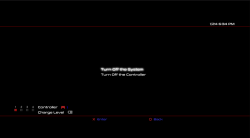
What kind of conflict? I have installed them and I haven't noticed a conflict yet.
Ferrox Mod also installs xmb_plugin_normal.rco but I find it too invasive to have their logo all the time on XMB.
EDIT: I modded this one using rcomagegui 1.1. I'm using this on Rebug Lite 4.86.1
Basically the colors are changed. I don't see what conflict it could cause.
Conflict is maybe the wrong word. I just mean that if someone patches their system to block FW updates now for example, then they will lose any other mods they already had on the software_update_plugin.rco. Maybe not such a big deal with this rco, but the more rcos I include the more of an issue it becomes. Next thing is I need to include double the amount of rcos just to support Rebugs red icons and standard blue icons, Then do I support Overflow CFWs purple icons or not and so on. Very easy to end up needing to include 20 rcos just for one option on the menu, with sub menus for every different possible CFW variation. It gets really complicated very quickly.
The other option is to make this "Rebug Only" but I rather not do that.
1- In Gaia Visualizations, almost all options say "Install Gaia Visualization" except one that says "Install OFW Gaia Mod"
2- In Gaia, Font & Wave Visualizations, it would be good to include an id number. e.g. "Install Gaia Visualization 7"
Good idea I will tidy that up and add numbers to each one.
3- Installing Themes only download the theme. webMAN can download & install the theme using /install.ps3?<url>
Maybe you could give the option to use webMAN for certain operations.
You mean it can apply the theme too? That is cool I didn't know that. The current method just downloads it to dev_hdd0/theme/. It is kinda of installed as in it's there to be selected, but applying it too would be nice.
I do plan to add a webMAN MOD specific module to the toolbox so maybe these kind of options could be in there. I want to try avoid relying too much on webMAN MOD for the main features as some crazy people do not use wMM.

4- Some modules offer the option "Remove this module". It would be nice if it includes the approximate size of the folder.
I will add that. Every "remove this module" option has the download option right above it with the resource size mentioned, but it's no problem to include the size on the remove option too.
I was thinking of maybe having the remove module options only appear inside the Toolbox Setup > Module menu, this way it declutters the other menus a little, I mean to only have the download option show inside the actual modules all the time.
5- I know you mentioned about not include RCO mods, although some mods would be nice:
5a- Option to rename ★ /app_home/PS3_GAME to ★ /app_home or ★ PlayStation®3 (see explore_plugin_rcos attached)
5b- Option to change impose colors (I posted a couple in my previous posts)
I could include that, but again it will need at least 3 variations due to different color icons in different CFW. It would be ideal if these type of mods could be included in CFW out of the box but I know its hard to get CFW creators to change traditions.
6- In your theme list you miss the PS4 XMB 2.0. It is one of my favorites. It is very small and clean.See the attachment
I will add that one for sure.
7- In an early post I mentioned the option to promote File Explorer & Package Manager Pro to the root of Game.
I attached the XML with the mod. I also changed a bit the order of the items, so app_home is above webMAN Games.
I will consider that but every CFW has a slightly different category_game.xml and replacing it causes issues for people, If I remove the normal package manager then someone uninstalls Ultimate toolbox then they no longer have any way to install pkgs, I guess can add extra warnings saying this will wipe out any mods you already have in the game category or something, also adding extra options there causes the duplicate icons issues on the ingame xmb. I do have my fix for that issue but it requires even bigger mods to the xml. The other option is to include sub menus with options for every type of CFW but its gets very complicated very quickly which I want to avoid if possible. Also it means I need to test on all different CFW version which makes things take way way longer.
8- The line.qrc for fire still has the issue that I reported with the audio player. I attached the moded version that you made that works fine. Maybe the same fix should be applied to other lines.qrc
Yeah, I will need to repack all those lines.qrc I guess, Also lots of those have different custom colors depending on the place on XMB, for example some have modded music player preset, some have modded coldboot preset, if I force the main preset all the time like I did with the fire wave they lose all that. , I was actually thinking of making my own pack of lines.qrc files as lots of those current ones have issues, but that's another days work.
9- "Visual Customisation" menu use "British" English. But the options has "Customization" in "American" English.
You are right, I must standardize that to one or the other. I guess I will go with US english, not sure.
10- In "Add Reboot Options" is asks "Add Power Options + Power Off?" but the installed options actually are named "Reboot Options" and "Shut Down" . I prefer "Power Off" over "Shut Down".
No prob, will change that. What about "Turn Off System" like OFW or you prefer "Power Off" over that? I do not mind.
11-Download resources are returning 404 error.
That is annoying, damn, looks like dropbox are giving me new links now when I replace files with new versions. They never used to do that..feck. Maybe it's cos I switched over to the desktop application now.. That is head wrecking. I could use my server for those but its getting really slow due to all the use.
I think I will just go back to one pkg, the full version. It's too much work for me making it modular, too many variations leads to too many bugs.. I guess if someone cant spare 400MB then this toolbox is not for them
I've removed the links to the base version.