
You are using an out of date browser. It may not display this or other websites correctly.
You should upgrade or use an alternative browser.
You should upgrade or use an alternative browser.
PS3 (Research/Experimental) - NEC/TOKIN Capacitors Replacement - YLOD
- Thread starter Naked_Snake1995
- Start date

vaiz aragorn
Forum Noob
Oh nice, i'll check that asap

evaldas256
Member
Update on the 14 x 470uf 10V and 1 old Tokin per chip CECHG that i revived after going over the board with the hair dryer. It went back to the same 2-3 second YLOD, after working fine for five days. I am using chinese tantalums, so i presumed maybe not enough capacitance is the problem, added 3 more tantalums per chip, 470uf 2.5V this time and it didn't fix it  So now it is a total of 17 470uf caps per chip + 1 old Tokin.
Seeing as the hair dryer revived it for 5 days, i guess this is narrows it down to being a capacitor problem. Any suggestions would be lovely.
So now it is a total of 17 470uf caps per chip + 1 old Tokin. Seeing as the hair dryer revived it for 5 days, i guess this is narrows it down to being a capacitor problem. Any suggestions would be lovely.

ElGris
Senior Member
Even with a cheap flux you can solder anything. It's only a matter of practice. The short will never go away, both processors have little impedance I believe, that's why many caps are shorting. And why trying to find one of them that could be damaged is a total nightmare.Ok then, i'll resolder and check all of them. My flux is really bad, i think it causes bad results tbh. Once i got all the tantalums off the board the should i have short between positive and negative on the pads of the nec/tokins?
ElGris
Senior Member
Remove that NEC and check every chinese tantalum. Those yellow ones are cancer. And don't use the hairdryer, that won't help you.Update on the 14 x 470uf 10V and 1 old Tokin per chip CECHG that i revived after going over the board with the hair dryer. It went back to the same 2-3 second YLOD, after working fine for five days. I am using chinese tantalums, so i presumed maybe not enough capacitance is the problem, added 3 more tantalums per chip, 470uf 2.5V this time and it didn't fix it
Seeing as the hair dryer revived it for 5 days, i guess this is narrows it down to being a capacitor problem. Any suggestions would be lovely.
vaiz aragorn
Forum Noob
So i desoldered all caps, and checked their capacities, some of them were around 500 but usually they were around 470uf. I resoldered them again and made the bridges, but it's still same. Nothing changed. I checked every connection i soldered, they are all fine. I don't knnow what to do now. Should i replace more nec/tokins? My caps from china haven't arriverd yet tho.

Griggs
Member
So i desoldered all caps, and checked their capacities, some of them were around 500 but usually they were around 470uf. I resoldered them again and made the bridges, but it's still same. Nothing changed. I checked every connection i soldered, they are all fine. I don't knnow what to do now. Should i replace more nec/tokins? My caps from china haven't arriverd yet tho.
I'm in the same boat. I've replaced all NEC's with the original jumper method.
My next project when I get time is to reconfigure the tantalums like the method used by Workz_777.
This configuration makes more sense to me and is much more similar to the factory circuit design. It may make a difference, it may not. But I'll report back when I complete it.
vaiz aragorn
Forum Noob
Maybe i should try that too. I haven't replaced NEC's on the bottom side yet. But i'll try
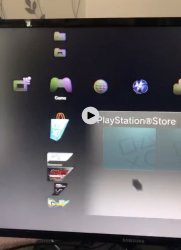
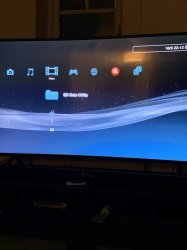
I have discovered another very interesting thing today. Fourth console this week with YLOD arrived this morning but this one was special, original box great visual condition, seal is there I thought to myself this is going to be a walk in the park. Replaced Tokins on RSX side put the power supply on plugged it in turned it on and green light is on but..... all I had were green and red dots on the screen and I thought I lost the battle GLOD. Fortunately I thought to myself I am going to reset it and plug the controller in just cause I can. Controller synched and after pressing X screen came to life with HDMI output confirmation. Console logged in but the screen was all glitched and discolored surely RSX was dying but I thought i would instal a game to see if the glitching is present in 3D mode as well as the console was stable. Fired up MaxPayne 3 and the screen was artifacting like GPU was one leg in its grave. I then let it sit with the game running another 20 minutes to see if it will make it worse. After 20 minutes I decided to run an update of the firmware but realised that I did not plug the wifi adapter. I turned the console off and nearly burned the skin on my palm when I rested my hand on the power supply. THIS THING WAS CLOSE TO SETTING ITSELF ON FIRE!!!!! Quickly disconnected the console form mains replaced the power supply with a known working one I had, turned the console on and....NO GLITCHING NO ARTIFACTS PERFECT 3D GPU running at 68 degrees idle. How extraordinary is that!?!?!?!? Photos below
Attachments
jmmattison
Member
That's impressive!! I have a cecha in same condition as you describe! I'm hoping to replace tokens and bring it back to life!
Sent from my SM-G965U using Tapatalk
Sent from my SM-G965U using Tapatalk
That's impressive!! I have a cecha in same condition as you describe! I'm hoping to replace tokens and bring it back to life!
Sent from my SM-G965U using Tapatalk
How is it possible that all these years nobody has diagnosed these properly... reball bullshit. All five I have are CECHC can't find a CECHA here in the UK

joe musashi
Member
Update on the 14 x 470uf 10V and 1 old Tokin per chip CECHG that i revived after going over the board with the hair dryer. It went back to the same 2-3 second YLOD, after working fine for five days. I am using chinese tantalums, so i presumed maybe not enough capacitance is the problem, added 3 more tantalums per chip, 470uf 2.5V this time and it didn't fix it
Seeing as the hair dryer revived it for 5 days, i guess this is narrows it down to being a capacitor problem. Any suggestions would be lovely.
SO YOU ARE RECOMMENDED TO USE TANTALUM 470UF 10V?
evaldas256
Member
Considering the PS3 is YLODing again, no.SO YOU ARE RECOMMENDED TO USE TANTALUM 470UF 10V?
joe musashi
Member
Considering the PS3 is YLODing again, no.
then what is the best tantalum or any other thing that can make ps3 work so good without ylod?

marciolsf
Member
That's one of the things this thread is about -- we're trying to figure that out. No one has come up with a definitive "buy this brand of caps with this particular specs" yet, which is why no one has answered your question yet. Your best bet is to match the specs as close as we understand them (2400uf for the cell, and 2400uf for the RSX, each with at least 2.5v per cap), and then go from there. If you have access to a scope (not a multimeter!), try to get a read of the caps before you remove any components. Once you decide to get started, don't do it all at once, be methodical about it -- verify the values of each cap before you install them (you can use a multimeter for that, if it can read enough uf -- check the manual for your particular multimeter), replace one of the caps (most people get started with the rsx caps on the bottom of the board), then see if it works. If it doesn't, try another one, test, rinse, repeat.then what is the best tantalum or any other thing that can make ps3 work so good without ylod?
Even then, keep in mind it might still not work! Many of us have done exactly that, still no luck, and it may or may not be a damaged BGA. We're still coming up with ways to identify that. This is very much a work in progress, and i'm not trying to discourage you from trying, i just think you have to jump on the fray and see what we get.
Last edited:

db260179
Member
Ok, so i usally dont comment on the whole NEC tokin issues. So here goes...
I've been repairing a lot of PS3 FAT models recently
The NEC tokin defects has been known for a while and was heavly reported when toshiba had to recall alot of laptops to replace them.
So to diagnose them, a oscillscope or removed from the board is the only way to truely find out whats wrong with them.
A fresh new NEC tokin will read about 2000uf capacitance, overtime this will drop and most boards i diagnose they tend to drop to 1300 - 1200uf - This is still enough for the PS3 to work at full load without causing the YLOD.
Boards that have had nec tokin fails tend to show runtime issues rather than boot up issues.
So to the point, the whole nec tokins issue is one of many issues that cause the PS3 boards to have a YLOD - its not the one and only issue. And from my repairing these is the 1 in 10 of problems.
So I will list the issue i spend most of the time repairing:
Well simple steps, and logical steps will identify the cause of your YLOD - I suggest some diagnose process before attempting any nec tokin replacement as 9 out 10 times results in further breakage!
Tools are the important part of this process - Good multimeter, tweezers, solder paste, flux, thermal paste, schematics, basic component removal hot air gun, IR BGA preheater is a must.
And patience!!
Step 1. is easily diagnosed, you can apply pressure to the bottom and turn on, if there is no ylod then thats the issue - dry joints
Step 2. After being on for a less than a minute the fan will spin up fast and overheat issue will show up on screen - if you are on the cfw you can see the what temps are shown and identify the CELL or RSX.
Step3. This one is interesting and a basic resistance check can be used to identify:
So the CELL and RSX on the nec tokins pins will give a resistance level on the ground and postive pins:
CELL - 5.0, 3.3ohms down to 2.2ohms, if 0.2 ohms then most likely dead cell
RSX - 4.4 ohms down to 1.1ohms again 0.4 or lower dead im afraid
This logic can be applied to the other IC's, this is nothing new and basic electronics but a must to diagnose issues.
I would use this logic on boards that i have no schematics.
A big problem i have is getting parts, so i spend alot of time removing parts from donor boards.
I hope this helps this thread in its approach to this issue and not blindly going in a taking off nec tokins without thinking what could be the issue?
I've been repairing a lot of PS3 FAT models recently
The NEC tokin defects has been known for a while and was heavly reported when toshiba had to recall alot of laptops to replace them.
So to diagnose them, a oscillscope or removed from the board is the only way to truely find out whats wrong with them.
A fresh new NEC tokin will read about 2000uf capacitance, overtime this will drop and most boards i diagnose they tend to drop to 1300 - 1200uf - This is still enough for the PS3 to work at full load without causing the YLOD.
Boards that have had nec tokin fails tend to show runtime issues rather than boot up issues.
So to the point, the whole nec tokins issue is one of many issues that cause the PS3 boards to have a YLOD - its not the one and only issue. And from my repairing these is the 1 in 10 of problems.
So I will list the issue i spend most of the time repairing:
- 80% - Dry solder under the RSX, breaking contact causing YLOD issues
- 10% - Dried thermal paste causing overheat alerts
- 4% - Dead RSX or CELL - mostly down to heat frying them - sony's fan policy is insane and allows the cell and rsx to go to 85C
- 2% - Broken Blue ray drives - controller fails, laser lens break
- 2% - Short circuits - SMD capacitors going short circuit
- 1% - Dead southbridge - Very rare but they do fail
- 1% - Other odd ball issues and simple fixes, nec tokins
Well simple steps, and logical steps will identify the cause of your YLOD - I suggest some diagnose process before attempting any nec tokin replacement as 9 out 10 times results in further breakage!
Tools are the important part of this process - Good multimeter, tweezers, solder paste, flux, thermal paste, schematics, basic component removal hot air gun, IR BGA preheater is a must.
And patience!!
Step 1. is easily diagnosed, you can apply pressure to the bottom and turn on, if there is no ylod then thats the issue - dry joints
Step 2. After being on for a less than a minute the fan will spin up fast and overheat issue will show up on screen - if you are on the cfw you can see the what temps are shown and identify the CELL or RSX.
Step3. This one is interesting and a basic resistance check can be used to identify:
So the CELL and RSX on the nec tokins pins will give a resistance level on the ground and postive pins:
CELL - 5.0, 3.3ohms down to 2.2ohms, if 0.2 ohms then most likely dead cell
RSX - 4.4 ohms down to 1.1ohms again 0.4 or lower dead im afraid
This logic can be applied to the other IC's, this is nothing new and basic electronics but a must to diagnose issues.
I would use this logic on boards that i have no schematics.
A big problem i have is getting parts, so i spend alot of time removing parts from donor boards.
I hope this helps this thread in its approach to this issue and not blindly going in a taking off nec tokins without thinking what could be the issue?
That's one of the things this thread is about -- we're trying to figure that out. No one has come up with a definitive "buy this brand of caps with this particular specs" yet, which is why no one has answered your question yet. Your best bet is to match the specs as close as we understand them (2400uf for the cell, and 2400uf for the RSX, each with at least 2.5v per cap), and then go from there. If you have access to a scope (not a multimeter!), try to get a read of the caps before you remove any components. Once you decide to get started, don't do it all at once, be methodical about it -- verify the values of each cap before you install them (you can use a multimeter for that, if it can read enough uf -- check the manual for your particular multimeter), replace one of the caps (most people get started with the rsx caps on the bottom of the board), then see if it works. If it doesn't, try another one, test, rinse, repeat.
Even then, keep in mind it might still not work! Many of us have done exactly that, still no luck, and it may or may not be a damaged BGA. We're still coming up with ways to identify that. This is very much a work in progress, and i'm not trying to discourage you from trying, i just think you have to jump on the fray and see what we get.
marciolsf
Member
Ok, so i usally dont comment on the whole NEC tokin issues. So here goes...
I've been repairing a lot of PS3 FAT models recently
The NEC tokin defects has been known for a while and was heavly reported when toshiba had to recall alot of laptops to replace them.
So to diagnose them, a oscillscope or removed from the board is the only way to truely find out whats wrong with them.
A fresh new NEC tokin will read about 2000uf capacitance, overtime this will drop and most boards i diagnose they tend to drop to 1300 - 1200uf - This is still enough for the PS3 to work at full load without causing the YLOD.
Boards that have had nec tokin fails tend to show runtime issues rather than boot up issues.
So to the point, the whole nec tokins issue is one of many issues that cause the PS3 boards to have a YLOD - its not the one and only issue. And from my repairing these is the 1 in 10 of problems.
So I will list the issue i spend most of the time repairing:
So, how do you diagnose these issues?
- 80% - Dry solder under the RSX, breaking contact causing YLOD issues
- 10% - Dried thermal paste causing overheat alerts
- 4% - Dead RSX or CELL - mostly down to heat frying them - sony's fan policy is insane and allows the cell and rsx to go to 85C
- 2% - Broken Blue ray drives - controller fails, laser lens break
- 2% - Short circuits - SMD capacitors going short circuit
- 1% - Dead southbridge - Very rare but they do fail
- 1% - Other odd ball issues and simple fixes, nec tokins
Well simple steps, and logical steps will identify the cause of your YLOD - I suggest some diagnose process before attempting any nec tokin replacement as 9 out 10 times results in further breakage!
Tools are the important part of this process - Good multimeter, tweezers, solder paste, flux, thermal paste, schematics, basic component removal hot air gun, IR BGA preheater is a must.
And patience!!
Step 1. is easily diagnosed, you can apply pressure to the bottom and turn on, if there is no ylod then thats the issue - dry joints
Step 2. After being on for a less than a minute the fan will spin up fast and overheat issue will show up on screen - if you are on the cfw you can see the what temps are shown and identify the CELL or RSX.
Step3. This one is interesting and a basic resistance check can be used to identify:
So the CELL and RSX on the nec tokins pins will give a resistance level on the ground and postive pins:
CELL - 5.0, 3.3ohms down to 2.2ohms, if 0.2 ohms then most likely dead cell
RSX - 4.4 ohms down to 1.1ohms again 0.4 or lower dead im afraid
This logic can be applied to the other IC's, this is nothing new and basic electronics but a must to diagnose issues.
I would use this logic on boards that i have no schematics.
A big problem i have is getting parts, so i spend alot of time removing parts from donor boards.
I hope this helps this thread in its approach to this issue and not blindly going in a taking off nec tokins without thinking what could be the issue?
Thank you for the suggestion on checking resistance values on step 3! A few people here have tested the pads for resistance values, trying to figure out why we appear to have a short, but we haven't had reference values yet, so this is great.
I'm going to check those values on my board and see where I get. I've been reading the syscon for errors, and the code I get (A0403034) indicates BE Error, so I'm guessing it'll be reading .2ohms there.
marciolsf
Member
Huge sigh of relief! I'm getting 2.2 on the cell side, and 2.6 to 3 on the rsx side. I still don't know why it won't get past boot, but at least the chips aren't dead. I've tried the pressure test, and no dice there either, so I doubt it's the solder balls (in my board, anyway).
db260179
Member
So these errors come from another thread and are correct, if you say you have error A0403034, then thats actually the RSX at fault
POWER ERRORS:
0003001 POW_FAIL
A0093004 RSX_POW_FAIL
A0093003 CELL_POW_FAIL
BE ERRORS:
A0213013 BE_SPI DI/DO ERROR
A0213011 BE_SPI CS ERROR
A0203010 BE_INIT OR BE_POWGOOD OR CLOCK ERRORS
RSX ERRORS:
A0404002 RSX_SPI DI/DO ERROR
A0404411 - ERROR ON RSX SPI? (My problem)
SB ERRORS:
A0302203 SB_SPI DI/DO ERROR
A0313032 SB_CLOCK OR INIT ERROR
OTHERS:
A0022110 MK I2C ERROR (OR OTHER CLOCK's ERRORS)
upd.
A0403034 and A0404411 - RSX PROBLEMS ( I replaced the RSX)
new my problem: A0603040 - maybe SS2 Bady or NAND error.
So if you have a uart connection to the syscon then you can run some external or internal commands.
My suggestion is run the command 'errlog' in internal mode, and paste it here, its basically a history of all your faults that your board has reported - time stamps might be weird, but usually the last error is the most recent.
What is suspect is wrong with your RSX chip could be - faulty ram chips
I'll upload a picture of what to measure for resistance on the rsx. If that checks out ok, then a possible power source issue on the 12v,5v or 3.3v line.
https://imgur.com/a/IyYDSb4
Anything lower than these values means a bad rsx chip.
Other diagnoses would involve voltage tests on the tests points.
QUOTE="marciolsf, post: 247220, member: 53484"]Thank you for the suggestion on checking resistance values on step 3! A few people here have tested the pads for resistance values, trying to figure out why we appear to have a short, but we haven't had reference values yet, so this is great.
I'm going to check those values on my board and see where I get. I've been reading the syscon for errors, and the code I get (A0403034) indicates BE Error, so I'm guessing it'll be reading .2ohms there.[/QUOTE]
POWER ERRORS:
0003001 POW_FAIL
A0093004 RSX_POW_FAIL
A0093003 CELL_POW_FAIL
BE ERRORS:
A0213013 BE_SPI DI/DO ERROR
A0213011 BE_SPI CS ERROR
A0203010 BE_INIT OR BE_POWGOOD OR CLOCK ERRORS
RSX ERRORS:
A0404002 RSX_SPI DI/DO ERROR
A0404411 - ERROR ON RSX SPI? (My problem)
SB ERRORS:
A0302203 SB_SPI DI/DO ERROR
A0313032 SB_CLOCK OR INIT ERROR
OTHERS:
A0022110 MK I2C ERROR (OR OTHER CLOCK's ERRORS)
upd.
A0403034 and A0404411 - RSX PROBLEMS ( I replaced the RSX)
new my problem: A0603040 - maybe SS2 Bady or NAND error.
So if you have a uart connection to the syscon then you can run some external or internal commands.
My suggestion is run the command 'errlog' in internal mode, and paste it here, its basically a history of all your faults that your board has reported - time stamps might be weird, but usually the last error is the most recent.
What is suspect is wrong with your RSX chip could be - faulty ram chips
I'll upload a picture of what to measure for resistance on the rsx. If that checks out ok, then a possible power source issue on the 12v,5v or 3.3v line.
https://imgur.com/a/IyYDSb4
Anything lower than these values means a bad rsx chip.
Other diagnoses would involve voltage tests on the tests points.
QUOTE="marciolsf, post: 247220, member: 53484"]Thank you for the suggestion on checking resistance values on step 3! A few people here have tested the pads for resistance values, trying to figure out why we appear to have a short, but we haven't had reference values yet, so this is great.
I'm going to check those values on my board and see where I get. I've been reading the syscon for errors, and the code I get (A0403034) indicates BE Error, so I'm guessing it'll be reading .2ohms there.[/QUOTE]
Last edited:
Similar threads
-
 PS3 Interesting PS3 Errors (1802, 1701, 1601) and Capacitor Replacement
- Started by Cheshire UK
- Replies: 2
-
PS3 CECHA00 with several SYSCON errors (3004, 1001,1002, 2120,3011)
- Started by LSL
- Replies: 7
-
PS3 A0801002 after 4 nec/tokin replacement (maybe Felix or anyone help me)
- Started by Swhalegod
- Replies: 3
-
Hello newcomer to the ps3 modding scene, needing help with syscon diagnostic
- Started by ascendantprime
- Replies: 1