
PS4 [Research]PS2 emulator configuration on PS4

Well thank you kozarovv for your help and time, but unfortunately, it still don't work. Same issue. You weren't kidding about the massive slowdown tho! Intro and menus lagged liked crazy alone. But afterwards after I selected the fighters and level, it was a complete black screen this time (I waited like 5 minutes after selecting fighters and level). That was with the 1st config you gave me. Oddly enough? The second config you gave me had no slowdown and did nothing at all, which was odd cuz you said "both" would cause slowdowns. Only the 1st config did. 2nd had no effect at all.
Ok, so no idea what is the issue then. :(

Honestly, I shouldn't have wasted my time with this,
Actually that wasn't waste of time. Someday if someone will try to fix it again, then we will know what was already tested.

cuz it says on this part of the forums by GrimDoe (idk why this site won't let me post links, but it's the "PS2 Game Status - PS4's - PS2 EMU" thread), that Def Jam Vendetta had "graphics missing" under the "Indef Technical Issues" tab. Sucks, cuz this game AND Urban Reign are both my 2 favorite fighting games on the PS2 other than Def Jam Fight For New York which runs flawlessly.
Keep in mind that PS2 game status site can also have games that can be fixed by config, maybe someone doesn't tried yet.

Again, thank you for your help. We tried.
Thanks for testing :)

Game just won't display the graphics correctly to be playable :( I'll just have to keep playing the games that won't work on my JB PS3 still until (if ever, like you guys say) something else gets developed that might possibly make them work.
PS3 is not bad to play ps2 games :) You are only missing 2x2 uprender comparing to PS4.
 
Hey guys, thanks for all the info in the thread, it's incredible how much work everyone has put into getting these games running :D Sadly it's still all way over my head and the sheer level of work and testing is crazy -- so far I've been having a blast getting a bunch of games working and, aside from a few holdouts, it has been quite fun and effortless. However! I'm running into an issue getting Metal Saga running properly; the game runs great, looks great, plays great .. but unfortunately it has an old PCSX2 glitch, namely a black screen whenever you open Equip menu or SatCom.

forums . pcsx2 . net/Thread-Metal-Saga-Satcom-black-screen

"Ignore DMAC writes when it is busy" and "Delay VIF1 Stalls (VIF1 FIF0)"

I remember this from playing Metal Saga on PCSX2 myself and it's easily fixed (iirc and going by the thread) by utilising 1 or 2 of the PCSX2 hacks. Can either of these be applicable to PS2emu on PS4? If so, could somebody please help me out with a config-emu-ps4.txt file? Thank you very much! :)
 
New stuff for eboots released after 10th may 2017. Not work on older eboots!

--ee-static-block-links
--ee-insn-flush-pc
--ee-insn-callmark
--ee-peephole
--ee-ignore-break
--ee-inline-limit-full
--ee-inline-limit-partial
--ee-jit-pagefault-threshold
--ee-jit-opt-debug
--ee-insn-marking
--ee-inst-marking
--ee-break-as-nop
--ee-stlf-cycle-threshold
--ee-native-function
--ee-sif0-cycle-scalar
--ee-sif1-cycle-scalar

--vif-thread-chunk-size
--mfifo-manual-drain
--mfifo-chunk-drain-cycles

--iop-hook
--iop-cycle-scalar
--iop-tight-slice-count
--iop-sif0-cycle-scalar
--iop-sif1-cycle-scalar

--fpu-no-clamp-range

--pcr0-delta-hack

--vu-range-merge
--vu0-clamp-range
--vu0-mul0fix-range
--vu0-mpg-cycles
--vu1-clamp-range
--vu1-mul0fix-range
--vu1-native-patch
--vu-jit-disasm

--cdvd-sector-read-cycles
--cdvd-sector-seek-cycles

--gs-uv-shift-pointsampling
--gs-h2l-list-opt
--gs-h2l-accurate-hash
--gs-ignore-rect-correction
--gs-ignore-dirty-page-border
--gs-render-tile-threshold
--gs-opt-frbuff-switch
--gs-frontend-opt-mode

--cop2-regalloc
--cop2-no-clamp-range

--elf-symbols=
--map-symbols=
--symbols=

--pc-bisect-srcfile=

--lua-use-pcall
--lua-trace-gc
--lua-trace-fn
--lua-trace-hooks
--lua-trace-vmsteps
--app-entitlement

new gs upscallers (no cl) - Bilinear, Point
Not tested CL uprenders:

'up2x2simple' (simple fetch) ;
'mipmap2x2'
'clutmerge2x2'
'up2x2skipinterp'
'DarkCloud2'
'fantavision'
'OptRightTri'
'up2x2tc',(tri cache)
'h2lpool2x2'

Signs of dejitter, and deinterlacer!
 
Last edited:
It's great to see Sony really is still working on newer iterations of the emulator, iirc they pretty much abandoned the ps2net_emu like MS abandoned their old OGon360 emulator. Though;

Signs of dejitter, and deinterlacer!

HELL YEAH.

I'm also going to try some of the more recent EBOOTs, along with more recent ps2-emu-compiler.self, to see if older troublesome games work now, specifically the blackscreen games.
 
Different builds and different IDs... I still remember having to play around with half a dozen different IDs to get FFVIII working, and while some would load the game, they'd have a variety of glitches/issues, until the game hit PSN officially and people could see what IDs Sony used :D
 
@Grim Doe

I can confirm that Mortal Kombat Shaolin Monks is working finally (my dream come true lol) with emu built around august 2017, try your luck with that one emu, mate ;) Game is a bit glitchy with some slow downs but its better than nothing. Messing with some of the configs might get things prettier.
p.s hint: its inside Jak 1 official ps2 classic ;)

p.p.s thanks stayhye ;)
 
So I have been trying to get the Shadow Hearts series to work. Outside of battle the game has very slow frame-rate, once in battle it goes to normal speed. After character model loads his body then disappears, eyes and his knuckles are only shown but battle works fine otherwise.

I have tried
--fpu-no-clamping=0
--fpu-clamp-operands=1
--fpu-clamp-results=1

since i read on pcsx2 forums that fixes the missing character models in battle. But for me It doesn't fix anything. So I tried
--fpu-no-clamping=0
--fpu-clamp-operands=1
--fpu-clamp-results=1
--vu0-no-clamping=0
--vu1-no-clamping=0
--vu0-clamp-operands=1
--vu0-clamp-results=1
--vu1-clamp-operands=1
--vu1-clamp-results=1
--cop2-no-clamping=0
--cop2-clamp-operands=1
--cop2-clamp-results=1


but still nothing. I tried those settings in the ps4.txt config file, then i tested it in the

cli.conf patch file and nothing seems to work. I feel like I'm doing something so simple wrong.

Any idea?
 
Add this line to config file:

--mtap1=always
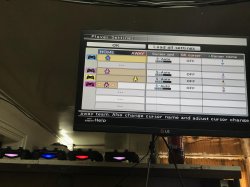
It works, but there is no 2 port (2-player) and two of dualshocks lighting white
 

Attachments

  • IMG_0562.JPG
    IMG_0562.JPG
    1 MB · Views: 346
Urban Reign, Soul Calibur 2 and Soul Calibur 3 boots with this one as well. Still not working though
use the emu from official jak and daxter, will not work with older one..
How to use emu from official jak and daxter?
 
Last edited:
Tested on Tekken Tag on emu from Jak (PS2PSN) repackage. Performance improved with --gs-adaptive-frameskip=1.
Nice to know, thanks. I think this can be important find. Anyway using frameskip on game like tekken, where timing is important part of gameplay, is not best idea. But for now, there is no better option.
 
I find for me, tekken tag tournament works fine(no slowdown)except on the snow stage. Other than that, it seems fine. And I'm pretty good at tekken :-p
 

Similar threads

Back
Top