
nifengyuexia
Member
Can you test and add configuration for this game?I don't know without testing it...

Can you test and add configuration for this game?I don't know without testing it...
Thank you very much, maybe giving up is also a good choice. I will test other games!--ee-ignore-segfault=RW is what should get rid of segfault, but even then game can crash. This is just error remover.
Edit: Nevermind, you have different error. No idea.

Kind of. But is more complicated.
Rayman arena (US) sooner or later stuck on
1DE9B0
1DEB94
1DEC00
1DEC54
1DEEA0
1DEEDC
1DF078
1DF0B4
1DF154
Because of sync issues between EE-VU.

--fpu-no-clamping=0
--fpu-clamp-results=1
--vu0-no-clamping=0
--vu0-clamp-results=1
--vu1-no-clamping=0
--vu1-clamp-results=1
--cop2-no-clamping=0
--cop2-clamp-results=1
--vu0-opt-flags=1
--vu1-opt-flags=1
--cop2-opt-flags=1
--vu0-const-prop=0
--vu1-const-prop=0
--vu1-jr-cache-policy=newprog
--vu1-jalr-cache-policy=newprog
--vu0-jr-cache-policy=newprog
--vu0-jalr-cache-policy=newprogNope, different issue.Can this be relevant for games with the mVu problem, like second sight or gun?
Castlevania COD look worseMy God, this should be the most serious graphics problem in the games I have tested

I don't think i can help with those titles.You should take a look at these two files:
apiRequest(0.1)

-- loi 255.0 to -255.0 to fix cliping calculation
emuMediaPatch(0xba2, 12 + 0x528, { 0x437f0000 }, { 0xc37f0000 })
emuMediaPatch(0xba2, 12 + 0x620, { 0x437f0000 }, { 0xc37f0000 })Possible fix for Castlevania: Curse of Darkness SLUS_211.68 only
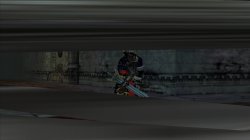
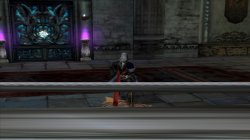
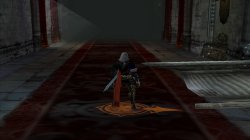
I'm correcting some calculations on VU to get correct clipping. That should remove SPS. At least on PCSX2 it worked without changing clamping. Please test. Issue was massive gfx corruption since start, and after going into chamber. So is easy to check. FYI @sabin1981
Code:apiRequest(0.1) -- loi 255.0 to -255.0 to fix cliping calculation emuMediaPatch(0xba2, 12 + 0x528, { 0x437f0000 }, { 0xc37f0000 }) emuMediaPatch(0xba2, 12 + 0x620, { 0x437f0000 }, { 0xc37f0000 })
Possible fix for Castlevania: Curse of Darkness SLUS_211.68 only
I'm correcting some calculations on VU to get correct clipping. That should remove SPS. At least on PCSX2 it worked without changing clamping. Please test. Issue was massive gfx corruption since start, and after going into chamber. So is easy to check. FYI @sabin1981
Code:apiRequest(0.1) -- loi 255.0 to -255.0 to fix cliping calculation emuMediaPatch(0xba2, 12 + 0x528, { 0x437f0000 }, { 0xc37f0000 }) emuMediaPatch(0xba2, 12 + 0x620, { 0x437f0000 }, { 0xc37f0000 })
apiRequest(0.1)

eeInsnReplace(0x92fd28, 0x437f0000, 0xc37f0000)
eeInsnReplace(0x92c540, 0x437f0000, 0xc37f0000)
eeInsnReplace(0x92c690, 0x437f0000, 0xc37f0000)
eeInsnReplace(0x92c868, 0x437f0000, 0xc37f0000)
eeInsnReplace(0x92cad8, 0x437f0000, 0xc37f0000)
eeInsnReplace(0x92cc28, 0x437f0000, 0xc37f0000)
eeInsnReplace(0x92ce28, 0x437f0000, 0xc37f0000)
eeInsnReplace(0x92cf08, 0x437f0000, 0xc37f0000)
eeInsnReplace(0x92d020, 0x437f0000, 0xc37f0000)
eeInsnReplace(0x92d6a0, 0x437f0000, 0xc37f0000)
eeInsnReplace(0x92da30, 0x437f0000, 0xc37f0000)
eeInsnReplace(0x92ee68, 0x437f0000, 0xc37f0000)
eeInsnReplace(0x92eec8, 0x437f0000, 0xc37f0000)
eeInsnReplace(0x92ef28, 0x437f0000, 0xc37f0000)
eeInsnReplace(0x92f208, 0x437f0000, 0xc37f0000)
eeInsnReplace(0x92fc78, 0x437f0000, 0xc37f0000)
eeInsnReplace(0x92feb0, 0x437f0000, 0xc37f0000)
eeInsnReplace(0x92fef8, 0x437f0000, 0xc37f0000)
eeInsnReplace(0x931310, 0x437f0000, 0xc37f0000)
eeInsnReplace(0x931578, 0x437f0000, 0xc37f0000)
eeInsnReplace(0x9317f0, 0x437f0000, 0xc37f0000)
eeInsnReplace(0x931d48, 0x437f0000, 0xc37f0000)
eeInsnReplace(0x931e88, 0x437f0000, 0xc37f0000)Can you test one more time? This is heavy patch that for sure gonna break something else, i just want to know that issue is really where i'm looking it.
Code:apiRequest(0.1) eeInsnReplace(0x92fd28, 0x437f0000, 0xc37f0000) eeInsnReplace(0x92c540, 0x437f0000, 0xc37f0000) eeInsnReplace(0x92c690, 0x437f0000, 0xc37f0000) eeInsnReplace(0x92c868, 0x437f0000, 0xc37f0000) eeInsnReplace(0x92cad8, 0x437f0000, 0xc37f0000) eeInsnReplace(0x92cc28, 0x437f0000, 0xc37f0000) eeInsnReplace(0x92ce28, 0x437f0000, 0xc37f0000) eeInsnReplace(0x92cf08, 0x437f0000, 0xc37f0000) eeInsnReplace(0x92d020, 0x437f0000, 0xc37f0000) eeInsnReplace(0x92d6a0, 0x437f0000, 0xc37f0000) eeInsnReplace(0x92da30, 0x437f0000, 0xc37f0000) eeInsnReplace(0x92ee68, 0x437f0000, 0xc37f0000) eeInsnReplace(0x92eec8, 0x437f0000, 0xc37f0000) eeInsnReplace(0x92ef28, 0x437f0000, 0xc37f0000) eeInsnReplace(0x92f208, 0x437f0000, 0xc37f0000) eeInsnReplace(0x92fc78, 0x437f0000, 0xc37f0000) eeInsnReplace(0x92feb0, 0x437f0000, 0xc37f0000) eeInsnReplace(0x92fef8, 0x437f0000, 0xc37f0000) eeInsnReplace(0x931310, 0x437f0000, 0xc37f0000) eeInsnReplace(0x931578, 0x437f0000, 0xc37f0000) eeInsnReplace(0x9317f0, 0x437f0000, 0xc37f0000) eeInsnReplace(0x931d48, 0x437f0000, 0xc37f0000) eeInsnReplace(0x931e88, 0x437f0000, 0xc37f0000)
I'm starting to hate how inaccurate is that emu when it comes to VU. Thanks for testing anyway.
I have KOF98 config, is different situation. Problem is that most of things like that will be game specific, and require specific patches. Here is KOF98 fix for that from official config.The official 2D King of Fighters 98UM also has this kind of problem. It should be fixed in LUA. Can it be extracted as a reference?
apiRequest(2.0)

local gpr = require( "ee-gpr-alias" )
local eeObj = getEEObject()

-- Fix bug 10414 - large stretched polygons block view of player characters

local FixPointTable = function()

        local s6 = eeObj.GetGpr(gpr.s6)                    -- obj in question
        local p5Tbl = eeObj.ReadMem32(s6+0x10)            -- ptr to object's data
        local numPts = eeObj.ReadMem32(p5Tbl+0x110)        -- num points in list
        local pTbl = 0x1bd6ce0                            -- bg_point_buff (we need to scan this)
        for i = 1, numPts do
            local stat = eeObj.ReadMem32(pTbl + 0xc)    -- check 4th word, should be 0
            if (stat ~= 0) then                            -- if not, we need to fix
                if (i > 1) then                            -- if this is any but the first entry
                    stat = eeObj.ReadMem64(pTbl-0x10)    -- fix by replacing the x, y with
                    eeObj.WriteMem64(pTbl, stat)        -- the previous entry's x and y.
                    stat = 0x0000000080000000            -- replace the z with 0x80000000
                    eeObj.WriteMem64(pTbl+8, stat)        -- replace the 4th word with 0
                else
                    stat = eeObj.ReadMem32(pTbl + 0x1c)    -- if this is the first entry
                    if (stat == 0) then                    -- make sure the second entry is kosher
                        stat = eeObj.ReadMem64(pTbl+0x10)
                        eeObj.WriteMem64(pTbl, stat)    -- if it is, use the x, y from that entry.
                        stat = 0x0000000080000000        -- replace the z with 0x80000000
                        eeObj.WriteMem64(pTbl+8, stat)    -- replace the 4th word with 0
                    else
                        eeObj.WriteMem64(pTbl, 0)                        -- if the 2nd entry is not kosher
                        eeObj.WriteMem64(pTbl+8, 0x0000000080000000)    -- write 0, 0, 0x80000000, 0
                    end
                end
            else                                        -- check if Z value is between 0 and 0x8000
                stat = eeObj.ReadMem32(pTbl + 8)        -- if so, overwrite Z with 0x80000000
                if (stat <= 0x8000) then
                    eeObj.WriteMem32(pTbl+8, 0x80000000)
                end
            end
            pTbl = pTbl + 0x10
        end
end

eeObj.AddHook(0x439dc8, 0x008e150180, FixPointTable)I have KOF98 config, is different situation. Problem is that most of things like that will be game specific, and require specific patches. Here is KOF98 fix for that from official config.
Code:apiRequest(2.0) local gpr = require( "ee-gpr-alias" ) local eeObj = getEEObject() -- Fix bug 10414 - large stretched polygons block view of player characters local FixPointTable = function() local s6 = eeObj.GetGpr(gpr.s6) -- obj in question local p5Tbl = eeObj.ReadMem32(s6+0x10) -- ptr to object's data local numPts = eeObj.ReadMem32(p5Tbl+0x110) -- num points in list local pTbl = 0x1bd6ce0 -- bg_point_buff (we need to scan this) for i = 1, numPts do local stat = eeObj.ReadMem32(pTbl + 0xc) -- check 4th word, should be 0 if (stat ~= 0) then -- if not, we need to fix if (i > 1) then -- if this is any but the first entry stat = eeObj.ReadMem64(pTbl-0x10) -- fix by replacing the x, y with eeObj.WriteMem64(pTbl, stat) -- the previous entry's x and y. stat = 0x0000000080000000 -- replace the z with 0x80000000 eeObj.WriteMem64(pTbl+8, stat) -- replace the 4th word with 0 else stat = eeObj.ReadMem32(pTbl + 0x1c) -- if this is the first entry if (stat == 0) then -- make sure the second entry is kosher stat = eeObj.ReadMem64(pTbl+0x10) eeObj.WriteMem64(pTbl, stat) -- if it is, use the x, y from that entry. stat = 0x0000000080000000 -- replace the z with 0x80000000 eeObj.WriteMem64(pTbl+8, stat) -- replace the 4th word with 0 else eeObj.WriteMem64(pTbl, 0) -- if the 2nd entry is not kosher eeObj.WriteMem64(pTbl+8, 0x0000000080000000) -- write 0, 0, 0x80000000, 0 end end else -- check if Z value is between 0 and 0x8000 stat = eeObj.ReadMem32(pTbl + 8) -- if so, overwrite Z with 0x80000000 if (stat <= 0x8000) then eeObj.WriteMem32(pTbl+8, 0x80000000) end end pTbl = pTbl + 0x10 end end eeObj.AddHook(0x439dc8, 0x008e150180, FixPointTable)
I stripped texture replacement, and shaders from config, that why they aren't the same.I have the official European version of the King of Fighters 98 configuration. Compared with what you have issued above, they are not the same.
Just wanted to point how that exact issue is resolved there. Original config will break game without shader/texture files. One i posted above should work fine on custom iso (with cli from original, and without uprender (set to none)).
I stripped texture replacement, and shaders from config, that why they aren't the same.
Pm me SLPS_257.83 file. I will see they are differ muchI want to apply the above configuration to the Japanese version of the King of Fighters 98UM for testing. Can you transplant them for me? Because I mostly play the Japanese version in our area, I have some requests! SLPS_25783
Pm me SLPS_257.83 file. I will see they are differ much
apiRequest(2.0)

local gpr = require( "ee-gpr-alias" )
local eeObj = getEEObject()

-- Fix bug 10414 - large stretched polygons block view of player characters

local FixPointTable = function()

        local s6 = eeObj.GetGpr(gpr.s6)                    -- obj in question
        local p5Tbl = eeObj.ReadMem32(s6+0x10)            -- ptr to object's data
        local numPts = eeObj.ReadMem32(p5Tbl+0x110)        -- num points in list
        local pTbl = 0x1D47840                            -- bg_point_buff (we need to scan this)
        for i = 1, numPts do
            local stat = eeObj.ReadMem32(pTbl + 0xc)    -- check 4th word, should be 0
            if (stat ~= 0) then                            -- if not, we need to fix
                if (i > 1) then                            -- if this is any but the first entry
                    stat = eeObj.ReadMem64(pTbl-0x10)    -- fix by replacing the x, y with
                    eeObj.WriteMem64(pTbl, stat)        -- the previous entry's x and y.
                    stat = 0x0000000080000000            -- replace the z with 0x80000000
                    eeObj.WriteMem64(pTbl+8, stat)        -- replace the 4th word with 0
                else
                    stat = eeObj.ReadMem32(pTbl + 0x1c)    -- if this is the first entry
                    if (stat == 0) then                    -- make sure the second entry is kosher
                        stat = eeObj.ReadMem64(pTbl+0x10)
                        eeObj.WriteMem64(pTbl, stat)    -- if it is, use the x, y from that entry.
                        stat = 0x0000000080000000        -- replace the z with 0x80000000
                        eeObj.WriteMem64(pTbl+8, stat)    -- replace the 4th word with 0
                    else
                        eeObj.WriteMem64(pTbl, 0)                        -- if the 2nd entry is not kosher
                        eeObj.WriteMem64(pTbl+8, 0x0000000080000000)    -- write 0, 0, 0x80000000, 0
                    end
                end
            else                                        -- check if Z value is between 0 and 0x8000
                stat = eeObj.ReadMem32(pTbl + 8)        -- if so, overwrite Z with 0x80000000
                if (stat <= 0x8000) then
                    eeObj.WriteMem32(pTbl+8, 0x80000000)
                end
            end
            pTbl = pTbl + 0x10
        end
end

eeObj.AddHook(0x4F4094, 0x8e150180, FixPointTable)