PS4 [Research]PS2 emulator configuration on PS4

Dead or Alive 2 - Hardcore SLPS_250.26

Code:
apiRequest(0.1)
 -- Fix freeze
emuMediaPatch(0x17FF05, 12 + 0x7E4, { 0x2404002B }, { 0x27C40010 }) 
emuMediaPatch(0x17FF05, 12 + 0x7E8, { 0x0C0032B3 }, { 0x0C0032B7 })
emuMediaPatch(0x17FF05, 12 + 0x7EC, { 0x27C50010 }, { 0x00000000 })
emuMediaPatch(0x17FF05, 12 + 0x5e8, { 0x27bdfff0 }, { 0x03e00008 })
emuMediaPatch(0x17FF05, 12 + 0x5ec, { 0xafbe0008 }, { 0x00000000 })
emuMediaPatch(0x17FF0F, 12 + 0x6fc, { 0x27bdfff0 }, { 0x03e00008 })
emuMediaPatch(0x17FF0F, 12 + 0x700, { 0xafbe0008 }, { 0x00000000 })
emuMediaPatch(0x17FF19, 12 + 0x10c, { 0x27bdfff0 }, { 0x03e00008 })
emuMediaPatch(0x17FF19, 12 + 0x110, { 0xafbe0008 }, { 0x00000000 })
emuMediaPatch(0x17FF19, 12 + 0x164, { 0x27bdfff0 }, { 0x03e00008 })
emuMediaPatch(0x17FF19, 12 + 0x168, { 0xafbe0008 }, { 0x00000000 })
emuMediaPatch(0x17FF19, 12 + 0x1bc, { 0x27bdfff0 }, { 0x03e00008 })
emuMediaPatch(0x17FF19, 12 + 0x1c0, { 0xafbe0008 }, { 0x00000000 })
emuMediaPatch(0x17FF1A, 12 + 0x7f0, { 0x27bdfff0 }, { 0x03e00008 })
emuMediaPatch(0x17FF1A, 12 + 0x7f4, { 0xafbe0008 }, { 0x00000000 })
eeInsnReplace(0x2B666C, 0x24060001, 0x24060000)

Doable also via lopnor, but that's easier.
The test has passed and can now be started in two configurations, choose one of them
 
Everblue 2 "Missing textures fix"

SLES_513.81

Code:
apiRequest(0.1)

eeInsnReplace(0x230b68, 0x4be503bc, 0x4b0c211c)
eeInsnReplace(0x230b6c, 0x4b0c211c, 0x4be503bc)
eeInsnReplace(0x230b84, 0x4be603bc, 0x4bc0295c)
eeInsnReplace(0x230b88, 0x4bc0295c, 0x4be603bc)
eeInsnReplace(0x230ba0, 0x4be703bc, 0x4bc0319c)
eeInsnReplace(0x230ba4, 0x4bc0319c, 0x4be703bc)
eeInsnReplace(0x230bbc, 0x4be803bc, 0x4bc039dc)
eeInsnReplace(0x230bc0, 0x4bc039dc, 0x4be803bc)
eeInsnReplace(0x230bd8, 0x4be903bc, 0x4bc0421c)
eeInsnReplace(0x230bdc, 0x4bc0421c, 0x4be903bc)
eeInsnReplace(0x230bf4, 0x4bea03bc, 0x4bc04a5c)
eeInsnReplace(0x230bf8, 0x4bc04a5c, 0x4bea03bc)
eeInsnReplace(0x230c10, 0x4beb03bc, 0x4bc0529c)
eeInsnReplace(0x230c14, 0x4bc0529c, 0x4beb03bc)
Passed the test, fixed the missing graphics
 
Tested the European version and the US version, both frozen on the menu screen
Can you test this on US version?

Code:
apiRequest(0.1)

emuMediaPatch(0x531, 12 + 0x380, { 0x27bdff70 }, { 0x27bdffe0 })
emuMediaPatch(0x531, 12 + 0x3bc, { 0x27bd0090 }, { 0x27bd0120 })
 
Can you test this on US version?

Code:
apiRequest(0.1)

emuMediaPatch(0x531, 12 + 0x380, { 0x27bdff70 }, { 0x27bdffe0 })
emuMediaPatch(0x531, 12 + 0x3bc, { 0x27bd0090 }, { 0x27bd0120 })
Has been tested again on the US version, the result is a blue screen crash
 
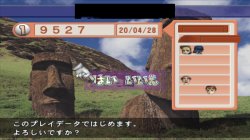
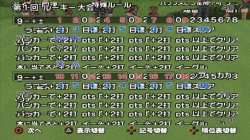
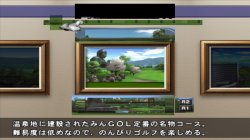
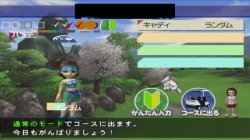
Minna no Golf 4 flower screen phenomenon:
大众高尔夫4jak_20200428191416.jpg 大众高尔夫4jak_20200428192031.jpg 大众高尔夫4原_20200428190652.jpg 大众高尔夫4原_20200428190722.jpg
 
Ok, since you already figured out fix for that issue, let's try eliminate slowdown with config from HST.

Code:
--gs-use-deferred-l2h=0
--l2h-2d-params=0x0000000800000010,0x00000000300a1400,256
--gs-motion-factor=60
--mtap1=always
--gs-opt-frbuff-switch=1
--gs-ignore-dirty-page-border=1
--gs-ignore-rect-correction=1
Performance problems have been alleviated, and occasionally there will be a decline. --L2h-2d-params = 0x0000000800000010,0x00000000300a1400,256 This string of codes may not be applicable to the Japanese version, or there is an offset
 
SLPS_259.83 attempt. Sadly SLPS_254.07 use different code. So no fix for it.

Code:
apiRequest(2.0)

local gpr = require( "ee-gpr-alias" )
local eeObj = getEEObject()

-- Fix bug 10414 - large stretched polygons block view of player characters

local FixPointTable = function()
     
        local s6 = eeObj.GetGpr(gpr.s6)                    -- obj in question
        local p5Tbl = eeObj.ReadMem32(s6+0x10)            -- ptr to object's data
        local numPts = eeObj.ReadMem32(p5Tbl+0x110)        -- num points in list
        local pTbl = 0x1E3C4D0                            -- bg_point_buff (we need to scan this)
        for i = 1, numPts do
            local stat = eeObj.ReadMem32(pTbl + 0xc)    -- check 4th word, should be 0
            if (stat ~= 0) then                            -- if not, we need to fix  
                if (i > 1) then                            -- if this is any but the first entry
                    stat = eeObj.ReadMem64(pTbl-0x10)    -- fix by replacing the x, y with
                    eeObj.WriteMem64(pTbl, stat)        -- the previous entry's x and y.
                    stat = 0x0000000080000000            -- replace the z with 0x80000000
                    eeObj.WriteMem64(pTbl+8, stat)        -- replace the 4th word with 0
                else
                    stat = eeObj.ReadMem32(pTbl + 0x1c)    -- if this is the first entry
                    if (stat == 0) then                    -- make sure the second entry is kosher
                        stat = eeObj.ReadMem64(pTbl+0x10)
                        eeObj.WriteMem64(pTbl, stat)    -- if it is, use the x, y from that entry.
                        stat = 0x0000000080000000        -- replace the z with 0x80000000
                        eeObj.WriteMem64(pTbl+8, stat)    -- replace the 4th word with 0        
                    else
                        eeObj.WriteMem64(pTbl, 0)                        -- if the 2nd entry is not kosher
                        eeObj.WriteMem64(pTbl+8, 0x0000000080000000)    -- write 0, 0, 0x80000000, 0
                    end
                end
            else                                        -- check if Z value is between 0 and 0x8000
                stat = eeObj.ReadMem32(pTbl + 8)        -- if so, overwrite Z with 0x80000000
                if (stat <= 0x8000) then
                    eeObj.WriteMem32(pTbl+8, 0x80000000)
                end
            end
            pTbl = pTbl + 0x10
        end
end

eeObj.AddHook(0x41E934, 0x8e150180, FixPointTable)


Sorry for the inconvenience that configuration works
because I try to run the game and it never starts the game emu should be used that I put it as a ".lua" file
Sorry for my English
 
Sorry for the inconvenience that configuration works
because I try to run the game and it never starts the game emu should be used that I put it as a ".lua" file
Sorry for my English
Sorry, i don't understand. Maybe try google translate.

------------------------------------------------------------------------------------------------------------------------

Jak & Daxter 2 SCES_516.08


Fix speed issues (mostly), fix shadows (cutscenes shadows still can have issues), fix flickering textures.
Please note that game can randomly throw error on cutscenes. Sadly there is nothing i can do about it without PS4.
As a additional speedhack you can try to add
--gs-adaptive-frameskip=1

and/or

--vu1-jr-cache-policy=newprog
--vu1-jalr-cache-policy=newprog
--vu0-jr-cache-policy=newprog
--vu0-jalr-cache-policy=newprog

Ok, here is config.

CLI
Code:
--ee-jit-pagefault-threshold=20
--gs-frontend-opt-mode=1
--gs-use-mipmap=1
--gs-kernel-cl="mipmap"
--gs-kernel-cl-up="mipmap2x2"
--vif-ignore-invalid-cmd=1
--vu1-mpg-cycles=144
--cop2-no-clamping=1
--host-audio-latency=0.040

LUA
Code:
-- Jak 2 EU
apiRequest(2.2)

local emuObj         = getEmuObject()
local gsObj            = getGsObject()

gsObj.SetDeinterlaceShift(0)
emuObj.SetGsTitleFix( "forceSimpleFetch", "reserved", { texMode=1  } )
emuObj.SetGsTitleFix( "SetSelfRender", "reserved", { fbmask= 0x00FFFFFF , renderSelf=1 , zmsk=1 , alpha=0 , texMode=1  } )
emuObj.SetGsTitleFix( "ignoreSprite", "reserved", {  texType=1 , tw=5 , th=8, zmsk=1 , alpha=0x80000044  } )

Game work like that:
ignore shadows, should be fine now. Big thanks to @nifengyuexia for help.
 
What I am trying to say is that if this configuration works because I try and when I run it I get an error from the ps4
Should I use any specific emu?
 
Can someone fix the error on WIKI? The arrow in the picture is wrong, I used jak emu to test on the US version, the game runs perfectly
QQ截图20200430145753.png

Subsequent chapters will freeze, and the US and Japanese versions are tested.
QQ截图20200430150455.png

Naruto: Ultimate Ninja, Naruto: Ultimate Ninja 2, Naruto: Ultimate Ninja 3, StarOcean3 emu can not run, the official NEOGEO emu and NEOGEOv2 emu can only run, Naruto Shippuden: Ultimate Ninja 4 and Naruto Shippuden: Ultimate Ninja 5, use KOF98 emu Can run with jak emu, Naruto: Ultimate Ninja 3, Naruto Shippuden: Ultimate Ninja 4 and Naruto Shippuden: Ultimate Ninja 5 have flickering problems
QQ截图20200430150826.png
 
Here is something that need explanation. FFXII Zodiac Job System (international), original unpatched game work fine on PS4. But English translation fail to even show PS2 logo. I was aware there is something wrong with image after patching. Because i worked on it to make it work on PS3.

Issues i was aware:

  • Image is not multiply of 0x4000 (both PS3, and PS4 check that)
  • There is something wrong with sector count detection.

On ps3 i resolved that by creating patch that added missing bytes to make image multiply of 0x4000, then added LIMG sector with correct data. On ps3 this forced emulator to read LIMG, game boot, everything fine.

Ok, since i was aware that PS4 emulator also read LIMG, i though that should work also here. But nope, for some reason LIMG was read, but ignored. Further investigation shows that emu have few more checks for CDVD. One of them check DVD image offset 0x8050, and 0x8054. This was something that break image read before it even start.
Translation patch don't care about fixing that as this was not really issue for PS2, or PCSX2. This show that my fix for PS3 also was wrong (hey, but worked!), and it was pure luck that ps3 emu care more about LIMG data, than real data.

Ok, but what is on 0x8050 - 54?
Image size. Yep, emu refused to boot ISO because data from that sector was different comparing to file size. Easy.
With previous knowledge in mind that emu does check for 0x4000 multiply, i added 0x2000 empty bytes to translated ISO. Then counted sectors, result is 2042184 (because we start counting from 0, not 1), that translated to HEX is 1F2948.

While i have correct sector count for fixed image, i was able to patch 0x8050 - 54 with it. One with big endian, and one with little endian.

patched_issue.jpg

Additionally game seems to have some kind of "LIMG" for own use. Which i also added just in case, not sure that was really needed. This seems to be always at start of last sector of disc, and sector count is -1.


92243131_559290988056033_5137629906561138688_n.jpg

Bam! Game boot fine. We don't even need real LIMG sector at all! Here is short how to + ready patch for patched(...) image.

  • Get your English patched image with MD5: 9E078F38041FC6EA1C1967C66F6340E9
  • Patch it using my patch (use deltapatcher_v2.0.1, or similar to apply patch)
  • Then check that iso have that MD5: A2BFD990CD7D8B5FBF00D00CFD867AAC
  • if yes, made PKG.
  • Have fun playing translated game ;)

Patch download: https://www115.zippyshare.com/v/1S7rdITW/file.html
mirror in this post (zipped)
 

Attachments

Last edited:
Hi again, everybody
Can someone help me with a recent problem and I don't know how to help
The problem is that I get this error "CE-34878-0" when starting a newly created ps2 game with the "orbis-pud-gen" but with ps4 and ps2 games that I had I reinstall them and it works download some new ps4 games and it also works now use the program "ps4 ps2 classics gui" to create a pkg i install it and it works fine
my question is can there be a solution I would stay with the program but it doesn't allow adding ".lua" file
The games I tried are:
The King of fighters 2002 tougeki edition: (I want to add the file ".lua" to this game
Resident evil code veronica: (this one too)
army men major malfunction: this game starts but first savedata appears damaged and does not let me advance
 

Similar threads

Back
Top