PS4 [Research]PS2 emulator configuration on PS4

I use text config and lua config!
KOF2000 emu used!
Maybe you don't understand what I'm trying to express. That's right, the configuration you use will degrade the quality of certain games. So for now, I'm very cautious about this configuration. When using this configuration, please compare with The clarity of the previous game is not configured. If there is a drop, then this configuration is not the best way to repair it. Of course, if the sharpness does not drop, it is great!;)
 
Maybe you don't understand what I'm trying to express. That's right, the configuration you use will degrade the quality of certain games. So for now, I'm very cautious about this configuration. When using this configuration, please compare with The clarity of the previous game is not configured. If there is a drop, then this configuration is not the best way to repair it. Of course, if the sharpness does not drop, it is great!;)
well i test first stage! For me fps not drops! And as i say graphic stay more good then u not use lua! That lua also help fix broken graphic in some NFS games!
 
well i test first stage! For me fps not drops! And as i say graphic stay more good then u not use lua! That lua also help fix broken graphic in some NFS games!

This setting is the same as the one you used to fix the white lines in Crash Twinsanity. And unfortunately the loss of quality is huge, maybe it doesn't appear so much on ps4 pro, but on ps4 slim it's really bad.
 
This setting is the same as the one you used to fix the white lines in Crash Twinsanity. And unfortunately the loss of quality is huge, maybe it doesn't appear so much on ps4 pro, but on ps4 slim it's really bad.
well some configs fix something and broke something in same time, yes im use boost mode in pro version maybe thats why its good for me! I just saying that lua fix ropes in first stage, maybe someone find a way how fix that by another way!
 
@mrjaredbeta or @nifengyuexia, is there any chance of any of you trying to fix the Black game? I have a .pnach file for collision failure in game, but it still has the white line equal to Crash Twinsanity game. There's still the problem of the blast sound. If any of you are interested, I'll send you the .pnach file.
 
@mrjaredbeta or @nifengyuexia, is there any chance of any of you trying to fix the Black game? I have a .pnach file for collision failure in game, but it still has the white line equal to Crash Twinsanity game. There's still the problem of the blast sound. If any of you are interested, I'll send you the .pnach file.
you will be laugh, but same config as for prince and crash will fix white outline for black)) Sadly dont know how fix the sound so i just turn off sound on tv set for minimum
 
you will be laugh, but same config as for prince and crash will fix white outline for black)) Sadly dont know how fix the sound so i just turn off sound on tv set for minimum
Yes, I used this setting on Black, even activating 480p, the loss of graphic quality is huge on a slim ps4, it looks like Black Minecraft Edition :biggrin2::biggrin2::biggrin2:
 
The test is effective. Now the game runs at full speed, but the picture quality will be very bad. Enabling custom 480p line-by-line code can greatly improve the picture quality.

TXT
all
Code:
--gs-kernel-cl="mipmap"
--gs-kernel-cl-up="mipmap2x2"
--gs-use-mipmap=1
Fix flickering texture

Gauntlet: Seven Sorrows (SLUS-21077)
LUA

Code:
apiRequest(1.0)
local eeObj = getEEObject()
local emuObj = getEmuObject()
local patcher = function()

eeObj.WriteMem32(0x3b0d4c,0x00000000)--Fix frame rate
eeObj.WriteMem32(0x446200,0x24020002)--Widescreen
eeObj.WriteMem32(0x107244,0x3c050000)--480P progressive mode
eeObj.WriteMem32(0x10724c,0x3c060050)
eeObj.WriteMem32(0x107254,0x3c070001)
eeObj.WriteMem32(0x107514,0x3c090010)
end
emuObj.AddVsyncHook(patcher)

Gauntlet: Seven Sorrows (SLES-53667)
LUA

Code:
apiRequest(1.0)
local eeObj = getEEObject()
local emuObj = getEmuObject()
local patcher = function()

eeObj.WriteMem32(0x3b0d4c,0x00000000)--Fix frame rate
eeObj.WriteMem32(0x446620,0x24020002)--Widescreen
eeObj.WriteMem32(0x107244,0x3c050000)--480P progressive mode
eeObj.WriteMem32(0x10724c,0x3c060050)
eeObj.WriteMem32(0x107254,0x3c070001)
eeObj.WriteMem32(0x107514,0x3c090010)
end
emuObj.AddVsyncHook(patcher)

star ocean 3 v2emus

Thanks @mrjaredbeta and @nifengyuexia, the game works great, adding --mtap1=always
--mtap2=always to TXT, works perfectly for 4 players.
 
Name : Argus-ui Jeonsa (Korea) (US Name : Rygar Legendary Adventure)
ID : SCKA200.06
Region : Korea
System : NTSC-J
Use Config : --fpu-accurate-range=0x1485C4,0x148724 (SCAJ_200.16)
#Fix for freeze after leaving the first area.

I tried applying the US version and the Japanese version configuration file respectively, but failed.

I need the Korean version config file please
 
Name : Argus-ui Jeonsa (Korea) (US Name : Rygar Legendary Adventure)
ID : SCKA200.06
Region : Korea
System : NTSC-J
Use Config : --fpu-accurate-range=0x1485C4,0x148724 (SCAJ_200.16)
#Fix for freeze after leaving the first area.

I tried applying the US version and the Japanese version configuration file respectively, but failed.

I need the Korean version config file please

SCKA 200.06
Code:
--fpu-accurate-range=0x1486cc,0x14882c
 
SCKA 200.06
Code:
--fpu-accurate-range=0x1486cc,0x14882c
Thank you!!!!!!!!!!!!!

Name : Tantei Jinguji Saburo - Innocent Black // Tantei Jinguji Saburo - Kind of Blue
Region : Korea (NTSC-J)
ID : SLKA250.71 // SLKA252.24
Issue : Same problem for both games : black screen after company logo

help me~
 
Last edited by a moderator:
Xenosaga Episode I: Der Wille zur Macht (SLUS-20469)

LUA
Code:
apiRequest(1.0)
local eeObj = getEEObject()
local emuObj = getEmuObject()
local patcher = function()

--Disable character shadows to fix graphics errors
eeObj.WriteMem32(0x244a90,0x03e00008)
end
emuObj.AddVsyncHook(patcher)


Xenosaga Episode I: Chikara e no Ishi (SLPS-29002)

LUA

Code:
apiRequest(1.0)
local eeObj = getEEObject()
local emuObj = getEmuObject()
local patcher = function()

--Disable character shadows to fix graphics errors
eeObj.WriteMem32(0x244418,0x03e00008)
end
emuObj.AddVsyncHook(patcher)

Xenosaga - Episode I - Der Wille zur Macht_20210624182205.jpg Xenosaga - Episode I - Der Wille zur Macht_20210624184341.jpg

Thanks @Mrjaredbetade for his help to fix this game

JakV2 emus
 
id : SLPS259.83
name : king of fighters 2002 unlimited match (togeki ver)
emu : Jak v2
TXT Setting :
--force-frame-blend=1
--gs-use-deferred-l2h=0
--gs-use-clut-merge = 1
--gs-kernel-cl = "clutmerge"
--gs-kernel-cl-up = "clutmerge2x2"

LUA Setting :
apiRequest(2.0)
local gpr = require( "ee-gpr-alias" )
local eeObj = getEEObject()
-- Fix large stretched polygons block view of player characters, based on official config
local FixPointTable = function()

local s6 = eeObj.GetGpr(gpr.s6)
local p5Tbl = eeObj.ReadMem32(s6+0x10)
local numPts = eeObj.ReadMem32(p5Tbl+0x110)
local pTbl = 0x1E3C4D0
for i = 1, numPts do
local stat = eeObj.ReadMem32(pTbl + 0xc)
if (stat ~= 0) then
if (i > 1) then
stat = eeObj.ReadMem64(pTbl-0x10)
eeObj.WriteMem64(pTbl, stat)
stat = 0x0000000080000000
eeObj.WriteMem64(pTbl+8, stat)
else
stat = eeObj.ReadMem32(pTbl + 0x1c)
if (stat == 0) then
stat = eeObj.ReadMem64(pTbl+0x10)
eeObj.WriteMem64(pTbl, stat)
stat = 0x0000000080000000
eeObj.WriteMem64(pTbl+8, stat)
else
eeObj.WriteMem64(pTbl, 0)
eeObj.WriteMem64(pTbl+8, 0x0000000080000000)
end
end
else
stat = eeObj.ReadMem32(pTbl + 8)
if (stat <= 0x8000) then
eeObj.WriteMem32(pTbl+8, 0x80000000)
end
end
pTbl = pTbl + 0x10
end
end
eeObj.AddHook(0x41E934, 0x8e150180, FixPointTable)


Result : error CE-34878-0.

how can i do?
 
20210701_005149.jpg

20210701_005603.jpg


SLPS25915 (The King of Fighters 2002 Unlimited Match)

TXT
--force-frame-blend=1
--gs-use-deferred-l2h=0

LUA
Code:
apiRequest(2.0)

local gpr = require( "ee-gpr-alias" )
local eeObj = getEEObject()

-- Fix large stretched polygons block view of player characters, based on offcial patch

local FixPointTable = function()
      
        local s6 = eeObj.GetGpr(gpr.s6)                   
        local p5Tbl = eeObj.ReadMem32(s6+0x10)           
        local numPts = eeObj.ReadMem32(p5Tbl+0x110)       
        local pTbl = 0x1F0F150                         
        for i = 1, numPts do
            local stat = eeObj.ReadMem32(pTbl + 0xc)   
            if (stat ~= 0) then                               
                if (i > 1) then                           
                    stat = eeObj.ReadMem64(pTbl-0x10)   
                    eeObj.WriteMem64(pTbl, stat)       
                    stat = 0x0000000080000000           
                    eeObj.WriteMem64(pTbl+8, stat)       
                else
                    stat = eeObj.ReadMem32(pTbl + 0x1c)   
                    if (stat == 0) then                   
                        stat = eeObj.ReadMem64(pTbl+0x10)
                        eeObj.WriteMem64(pTbl, stat)   
                        stat = 0x0000000080000000       
                        eeObj.WriteMem64(pTbl+8, stat)           
                    else
                        eeObj.WriteMem64(pTbl, 0)                       
                        eeObj.WriteMem64(pTbl+8, 0x0000000080000000)   
                    end
                end
            else                                       
                stat = eeObj.ReadMem32(pTbl + 8)       
                if (stat <= 0x8000) then
                    eeObj.WriteMem32(pTbl+8, 0x80000000)
                end
            end
            pTbl = pTbl + 0x10
        end 
end

eeObj.AddHook(0x4E78D4, 0x8e150180, FixPointTable)


Cracks in 4 stages
Seth Ramon Vanessa Stage
May Lee Hinako Xiangfei Stages
Robert Ryo Yuri Stages
Takuma, Heidern, chin Stage
 
Hey, everyone! just found out about this awesome thread, and the amazing work everyone has put into getting these PS2 games preserved.

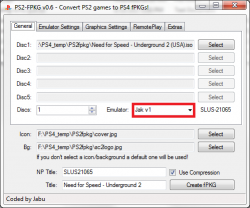
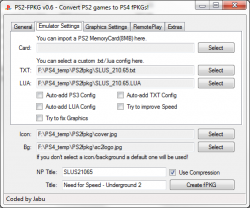
Could someone please check to make sure I didn't miss something? NFSU2 is running much better, but I'm still having some issues. Lags hard in places, especially where several cars are bunched together. I posted the MD5 of the eboot.bin, just in case that's an issue. Maybe I need to build the pkg another way?

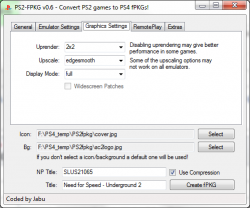
PS2 fpkg 1.png PS2 fpkg 2.png PS2 fpkg 3.png

Jak v1 eboot.bin MD5:
Code:
51a3e24396d409dfd018b8eaf42c65d5

TXT:
Code:
--vif1-instant-xfer=0
--gs-progressive=1

LUA:
Code:
apiRequest(1.0)

local eeObj = getEEObject()
local emuObj = getEmuObject()

local widescreen = function()

eeObj.WriteMem32(0x001D77C8,0x100000B4) --speed fix

eeObj.WriteMem32(0x001D7ED4,0x2C420001) --60FPS

--Disable eAttachTargetMoveSprites
eeObj.WriteMem32(0x001D3930,0x03e00008)
eeObj.WriteMem32(0x001D3934,0x0)

--Disable DepthIntoAlpha
eeObj.WriteMem32(0x0056FFA4,0x0)

--Disable DepthOfField
eeObj.WriteMem32(0x00570268,0x0)

--Disable Fog
eeObj.WriteMem32(0x0057004C,0x0)

--Disable Smear (require depthIntoAlpha to work anyway)
eeObj.WriteMem32(0x00570098,0x0)

--Rain modifier (hacked from RainInTheHeadlights)
-- 3e000000 for full screen, 40000000 for light rain only
eeObj.WriteMem32(0x00574158,0x40000000)

--Better Car Brightness (orig. 437F)
eeObj.WriteMem32(0x001C2704,0x3C01439F)

--Lower World Lights Flare
eeObj.WriteMem32(0x001C3EE0,0x3C013F40)

--Lower Road/Traffic Yellow/Orange Lights Flare
eeObj.WriteMem32(0x001C3260,0x3C013F50)

--Aspect Ratio and Icons Fix:
eeObj.WriteMem32(0x001CCAF4,0x0C0ED18B)
eeObj.WriteMem32(0x003B462C,0x3C03004C)
eeObj.WriteMem32(0x003B4630,0xE474D848)
eeObj.WriteMem32(0x003B4634,0x03E00008)
eeObj.WriteMem32(0x003B4638,0x2404001A)
eeObj.WriteMem32(0x0056FB44,0x3F5B8D14) -- Corrected 4:3 aspect
eeObj.WriteMem32(0x0056FB48,0x3F24A9CF) -- Corrected 16:9 aspect
eeObj.WriteMem32(0x0056FBF4,0x3F154000) -- Corrected 4:3 rendering
eeObj.WriteMem32(0x0056FBF8,0x3F470000) -- Corrected 16:9 rendering

end

emuObj.AddVsyncHook(widescreen)

emuObj.SetDisplayAspectWide()

 
Last edited:
Hey, everyone! just found out about this awesome thread, and the amazing work everyone has put into getting these PS2 games preserved.

Could someone please check to make sure I didn't miss something? NFSU2 is running much better, but I'm still having some issues. Lags hard in places, especially where several cars are bunched together. I posted the MD5 of the eboot.bin, just in case that's an issue. Maybe I need to build the pkg another way?

View attachment 34281 View attachment 34282 View attachment 34283

Jak v1 eboot.bin MD5:
Code:
51a3e24396d409dfd018b8eaf42c65d5

TXT:
Code:
--vif1-instant-xfer=0
--gs-progressive=1

LUA:
Code:
apiRequest(1.0)

local eeObj = getEEObject()
local emuObj = getEmuObject()

local widescreen = function()

eeObj.WriteMem32(0x001D77C8,0x100000B4) --speed fix

--Disable eAttachTargetMoveSprites
eeObj.WriteMem32(0x001D3930,0x03e00008)
eeObj.WriteMem32(0x001D3934,0x0)

--Disable DepthIntoAlpha
eeObj.WriteMem32(0x0056FFA4,0x0)

--Disable DepthOfField
eeObj.WriteMem32(0x00570268,0x0)

--Disable Fog
eeObj.WriteMem32(0x0057004C,0x0)

--Disable Smear (require depthIntoAlpha to work anyway)
eeObj.WriteMem32(0x00570098,0x0)

--Rain modifier (hacked from RainInTheHeadlights)
-- 3e000000 for full screen, 40000000 for light rain only
eeObj.WriteMem32(0x00574158,0x40000000)

--Better Car Brightness (orig. 437F)
eeObj.WriteMem32(0x001C2704,0x3C01439F)

--Lower World Lights Flare
eeObj.WriteMem32(0x001C3EE0,0x3C013F40)

--Lower Road/Traffic Yellow/Orange Lights Flare
eeObj.WriteMem32(0x001C3260,0x3C013F50)

--Aspect Ratio and Icons Fix:
eeObj.WriteMem32(0x001CCAF4,0x0C0ED18B)
eeObj.WriteMem32(0x003B462C,0x3C03004C)
eeObj.WriteMem32(0x003B4630,0xE474D848)
eeObj.WriteMem32(0x003B4634,0x03E00008)
eeObj.WriteMem32(0x003B4638,0x2404001A)
eeObj.WriteMem32(0x0056FB44,0x3F5B8D14) -- Corrected 4:3 aspect
eeObj.WriteMem32(0x0056FB48,0x3F24A9CF) -- Corrected 16:9 aspect
eeObj.WriteMem32(0x0056FBF4,0x3F154000) -- Corrected 4:3 rendering
eeObj.WriteMem32(0x0056FBF8,0x3F470000) -- Corrected 16:9 rendering

end

emuObj.AddVsyncHook(widescreen)

emuObj.SetDisplayAspectWide()
First, there is no need for text configuration, and secondly, your lua should be as concise as possible, and extra code does not need to be added! Try jak v2 emulator

try

LUA
Code:
apiRequest(1.0)

local eeObj = getEEObject()
local emuObj = getEmuObject()

local patcher = function()

eeObj.WriteMem32(0x1D77C8,0x100000B4) --speed fix

eeObj.WriteMem32(0x1D7ED4,0x2C420001) --60FPS

--Disable eAttachTargetMoveSprites
eeObj.WriteMem32(0x1D3930,0x03e00008)
eeObj.WriteMem32(0x1D3934,0x0)

--Disable DepthIntoAlpha
eeObj.WriteMem32(0x56FFA4,0x0)

--Disable DepthOfField
eeObj.WriteMem32(0x570268,0x0)

--Disable Fog
eeObj.WriteMem32(0x57004C,0x0)

--Disable Smear (require depthIntoAlpha to work anyway)
eeObj.WriteMem32(0x570098,0x0)

--Rain modifier (hacked from RainInTheHeadlights)
-- 3e000000 for full screen, 40000000 for light rain only
eeObj.WriteMem32(0x574158,0x40000000)

--Better Car Brightness (orig. 437F)
eeObj.WriteMem32(0x1C2704,0x3C01439F)

--Lower World Lights Flare
eeObj.WriteMem32(0x1C3EE0,0x3C013F40)

--Lower Road/Traffic Yellow/Orange Lights Flare
eeObj.WriteMem32(0x1C3260,0x3C013F50)
end

emuObj.AddVsyncHook(patcher)
 
Last edited:

Similar threads

Back
Top