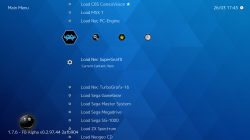
RetroArch (PS3)

PS3 RetroArch (PS3) - Guide (2018 - WIP) __

Its already there.......

3rd party apps section.
WebMAN MOD tab and you will see the info.
Click the spoiler and you will see paths. Same table

will add that note about bios thanks
Oh, thanks!
Any idea what is the path for Sega Master System? There are only Genesis / Mega Drive and Game Gear paths dor Sega consoles.


Open the file in an hex editor(hxd for example), Set view to "Dec". Select first 512 bytes and delete them. Save the file.

@endz and @NewFile What files or guide you guys are talking about?


Sent from my Redmi Note 5 using Tapatalk
 
Last edited:
@endz and @NewFile What files or guide you guys are talking about?
The file syscard3.pce
If i understood right, what he said about using a hexeditor to remove the first 512 bytes of the file is an alternative to what you did show here
upload_2019-3-13_23-42-44-png.15327


The "dd" comand at bottom is telling the block size is 512, it skips 1 block and starts reading the "input" file, then it saves the file as "output"


Edit:
There is a "dd" for windows btw incase you want to run that command in windows. But is easyer to use a hexeditor as explained
And btw, remember usually inside a hexeditor the values are in hexadecimal... so 512 bytes (in decimal) are 0x200 bytes (in hexadecimal)... you just need to select the first 0x200 bytes, delete them and save the file
 
Last edited:
How to update Retroarch to 1.76?
I ask this because inside retroarch`s 1.75 folder all of my screenshots and covers are there.
If I update installing the PKG will it erase the retroarch folder and install a fresh one or it will just overwrite the executable and it's files?
can you make a torrent of your retroarch whit your covers? I cant manage to make covers apear in my.
 
can you make a torrent of your retroarch whit your covers? I cant manage to make covers apear in my.
No need for it.

You can download all thumbnails, screenshots and covers for all systems here:
http://thumbnailpacks.libretro.com/

Then you have to setup a path for them on Retroarch (by config [retroarch.cfg] or using its UI/xmb).
The default one is /dev_hdd0/game/SSNE10000/thumbnails

If I remember correctly if you have a Playlist named Super Nintendo, inside the thumbnails path you need to create a subfolder with the same name as well, "Super Nintendo" (/dev_hdd0/game/SSNE10000/thumbnails/Super Nintendo) and put the PNGs inside.

After that it should work.... but if it doesn't work it could be that the roms filenames that you have are mispelled or are different from the thumbnails names. Tip: If your games were renamed/organized by No-Intro.dat (cartridges) or Redump (CDs/ISOs) the chance of getting every thumbnail showing is higher because they are standards for Retroarch.

Sometimes some thumbnails can crash when you are browsing your playlist. To fix that, remove the specific troublesome thumbnail or recreate the thumbnail or get this one from another source.

Tool that can save your ass is RetroArch Playlist Buddy (Playlist and thumbnail generation app):
https://forums.libretro.com/t/retroarch-playlist-buddy-playlist-and-thumbnail-generation-app/8417
https://gbatemp.net/threads/retroarch-wiiu-wip.447670/page-302

 
No need for it.

You can download all thumbnails, screenshots and covers for all systems here:
http://thumbnailpacks.libretro.com/

Then you have to setup a path for them on Retroarch (by config [retroarch.cfg] or using its UI/xmb).
The default one is /dev_hdd0/game/SSNE10000/thumbnails

If I remember correctly if you have a Playlist named Super Nintendo, inside the thumbnails path you need to create a subfolder with the same name as well, "Super Nintendo" (/dev_hdd0/game/SSNE10000/thumbnails/Super Nintendo) and put the PNGs inside.

After that it should work.... but if it doesn't work it could be that the roms filenames that you have are mispelled or are different from the thumbnails names. Tip: If your games were renamed/organized by No-Intro.dat (cartridges) or Redump (CDs/ISOs) the chance of getting every thumbnail showing is higher because they are standards for Retroarch.

Sometimes some thumbnails can crash when you are browsing your playlist. To fix that, remove the specific troublesome thumbnail or recreate the thumbnail or get this one from another source.

Tool that can save your ass is RetroArch Playlist Buddy (Playlist and thumbnail generation app):
https://forums.libretro.com/t/retroarch-playlist-buddy-playlist-and-thumbnail-generation-app/8417
https://gbatemp.net/threads/retroarch-wiiu-wip.447670/page-302
Thanks for your atention, save my life! :)
 
No need for it.

You can download all thumbnails, screenshots and covers for all systems here:
http://thumbnailpacks.libretro.com/

Then you have to setup a path for them on Retroarch (by config [retroarch.cfg] or using its UI/xmb).
The default one is /dev_hdd0/game/SSNE10000/thumbnails

If I remember correctly if you have a Playlist named Super Nintendo, inside the thumbnails path you need to create a subfolder with the same name as well, "Super Nintendo" (/dev_hdd0/game/SSNE10000/thumbnails/Super Nintendo) and put the PNGs inside.

After that it should work.... but if it doesn't work it could be that the roms filenames that you have are mispelled or are different from the thumbnails names. Tip: If your games were renamed/organized by No-Intro.dat (cartridges) or Redump (CDs/ISOs) the chance of getting every thumbnail showing is higher because they are standards for Retroarch.

Sometimes some thumbnails can crash when you are browsing your playlist. To fix that, remove the specific troublesome thumbnail or recreate the thumbnail or get this one from another source.

Tool that can save your ass is RetroArch Playlist Buddy (Playlist and thumbnail generation app):
https://forums.libretro.com/t/retroarch-playlist-buddy-playlist-and-thumbnail-generation-app/8417
https://gbatemp.net/threads/retroarch-wiiu-wip.447670/page-302
Have try several timae download mame and finalburn thumbnails, all the trys give-me corrupted file. :(

PS: If I grab the cheat files from 1,6,7 and drop into 1,7,6, will the cheats work? Or there is a way to install the 2 versions?

Thanks in advanced!
 
I don't know about cheats. I never used these files.

About the thumbnails saga, I pointed you to download from http://thumbnailpacks.libretro.com because it was easier.
But your second choice is what I really did, I downloaded Github Desktop from https://desktop.github.com/
Then I created an account and through that tool I downloaded from https://github.com/libretro-thumbnails/libretro-thumbnails the thumbnail folder.

Third choice: maybe if you use a download manager that supports resume, you could try to download again from
http://thumbnailpacks.libretro.com without corrupting your files.
 
Last edited:
Greetings Retro Community!

There is new Core for PS3 at Nightly Libretro:
fbalpha (not fbalpha2012)

Last time we saw this core was from RetroArch 1.7.1 Extended from @Zar .

No reason why this core shouldn't work, but I'll check it anyway.

EDIT - So FBA can apparently play systems other than arcade (have not tested, though), as can be seen here...

fba.png

(Load Content will load standard arcade games)

Tried 1 game that has always worked (Cyberlip), and got the loaded content-black screen freeze. This could be a romset issue - FBA needs current set, unlike FBA2012/MAME, and I'll see if that's the problem. If not, then since this has happened with multiple cores, they might be being coded in a way that is incompatible with the PS3.

EDIT 2 -Well, an updated romset of Street Fighter II worked, so maybe that's the issue. But that doesn't explain the other cores not working. It also doesn't explain how MAME2003 Plus Chokes on some games that MAME2003 plays fine.
 
Last edited:
EDIT 2 -Well, an updated romset of Street Fighter II worked, so maybe that's the issue.
Good job sir (:

I just load some ROMs and it didn't worked for me while using this core
So this official FB Alpha needs romset in order to working properly...
I think i prefer that Unofficial FB Alpha from 1.7.1 Extended
 
Back
Top