JasonMa
Forum Noob
First of all, no need to enable debug PKG.
Let's see, for that work you should:
1 - CONVERT ISO to PKG using psp2ps3
2- sign using ps3resigner from habib (when the program asks, you type "yes" for marking psp flag).
3- put on the root of usb.
4- on the ps3, enable han and then, install pkg from the usb ( there only please wait will appear)
5-after "please wait" disappear, the pkg will be transfered o PKG manager> psn content.
6-Then, just install and see if the game works.
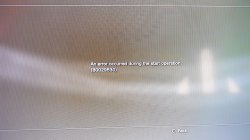
Hi, thanks for you tutorial but I still get 80029567 while I tried to install pkg file I converted.
The process I did are:
- Using PSP2PS3_v2.1.2 convert the PSP ISO file to pkg with default setting.
- Using ps3xploit_rifgen_edatresign to sign the pkg file with PSP flag and NON-PSP flag both.
- Generated signed pkg files and still can't install it ( ps3 opened HAN Enabler only)
- After I enable debug PKG still got 80029567 error
thanks if you have any solution
 , and i found out that there is a improved version that was only released in japan, Final Fantasy XII International Zodiac Job System, and the good thing is that exists an english patch for it, not the config file type, but a mix between the usa release. But you have to do some extra steps before signing it, all is well detailed on this guide, and here you have the files that cannot be downloaded from the post. Also you can use thisxmb icons if you want.