PS3 [Tutorial] HDD mounting and decryption on Linux

@Hellion75 No, and even partition cannot be mounted (only decrypted but this is of course obvious).

Script is for changing free space reserving and works on raw dump of tiny piece of UFS2 partition which user must did before add it as argument. It will not help You in Your journey.

If there is serious hardware fault (like i.e "pour out" capacitors (I don't know if in English there is such term, so let's say: worn)) You shouldn't not only never turnig it on in such state but it also makes all diagnostics etc. pointless. But this is what You already know. ;p

This makes situation even harder because You cannot relay on PS3 in one mandatory task. The plan in theory looks like this:
  1. Making sector by sector image of PS3 HDD, let's say "ps3_disk_fup.img". ;]
  2. Making another copy of this image for data safety purpose (to keep it untouched in case of another potential solutions in future); let's say "ps3_disk_frankenstein.img".
  3. Formatting it on PS3 side (it must be the same disk because this free You from serious hex editing later).
  4. Decrypting it on PC and making copy of superblock of UFS2 (in other words: making 131072 Byte dump from "/dev/mapper/ps2hdd2").
  5. Decrypting Frankenstein and inject healthy superblock into heart of the monster.
  6. Write "Franky" to the real HDD (doesn't matter which one but with size exactly the same or larger). In case of different HDD, this is valid for all NOR models with the same firmware (fw version installed on PS3 and "artefacts" left of on HDD).
But... Your PS3 could not allow You to proper format HDD and also proper turning off. Also we don't know if only superblock is broken, damages can be in further file system and because of no FreeBSD solution for it's fs tools it can be beyond repairs.
At least for now, or at least for range of my knowledge.

Good luck. ^^
 
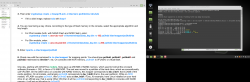
Hello @Berion . I am here again haha. I have another problem with tutorial. I am in step 6 (Check now with the command ls -la /dev/mapper/ for mapping points. You should see ps3hdd, ps3hdd1, ps3hdd2 and
ps3hdd3 redirected to /dev/dm-*, etc. On consoles with NOR memory, ps3hdd1 is VFLASH, or virtual flash.). However, I can't see ps3hdd1, pshdd2 and pshdd3 mapping points. You can see it in the image. My PS3 is a SLIM model.
Thanks in advance.
 

Attachments

  • Screenshot from 2021-01-30 17-49-19.png
    Screenshot from 2021-01-30 17-49-19.png
    574.9 KB · Views: 86
Based on attached screen:

Your "/dev/sdb" isn't PS3 HDD (which cryptsetup warning points to, but it is not 100% perfect judge as PS3 can leave some junk from old partition table) or ata key isn't proper (ERK bad dump; ERK was not dumped from the same console which HDD comes from or ATA Key isn't generated for Your console model series).

This means that HDD wasn't decrypted because kpartx doesn't created partitions mappings.

For proof that diagnose, paste results of both commands:
Code:
hexdump -C /dev/sdb | head -8
hexdump -C /dev/mapper/ps3hdd | head -8

If for sdb shows You quite blank space, then it is not PS3 HDD and You identified it wrong. ;)
If for ps3hdd shows You "random data" the same as above or wrong key.


Let's start from scratch... ;p
1. What is exactly Your PS3 model (i.e CECH-2004, CECH-2502B and so on)?
2. What option number You have chose in keygen? Must be 4th if You have slim.
3. In what version keygen is? Should be v1.8b.
 
Last edited:
Hello again @Berion I format again the hdd of ps3 and try again....and fail again -_-'''
what is the fail this time??? Thanks again for your help!!
Code:
mint@mint:~$ sudo fdisk -l
-----
Disk /dev/sda: 1.37 TiB, 1500301910016 bytes, 2930277168 sectors
Disk model: Generic         
Units: sectors of 1 * 512 = 512 bytes
Sector size (logical/physical): 512 bytes / 4096 bytes
I/O size (minimum/optimal): 4096 bytes / 4096 bytes
----
mint@mint:~$ sudo su
root@mint:/home/mint# insmod '/home/mint/Desktop/PS3HD/bswap16.ko'
root@mint:/home/mint# cryptsetup create -c bswap16-ecb -d /dev/zero ps3hdd-bs /dev/sda
root@mint:/home/mint# cryptsetup create -c aes-xts-plain64 -d /home/mint/Desktop/PS3HD/ata_key.bin -s 256 ps3hdd /dev/mapper/ps3hdd-bs
root@mint:/home/mint# kpartx -a /dev/mapper/ps3hdd-bs
read error, sector 0
read error, sector 1
read error, sector 29
 
ps3hdd-bs is Yours HDD, still encrypted but with bytes reversed (that's the reason of this mapper). You must feed kpartx by decrypted data, which should be ps3hdd.

:P
 
@Berion I cannot DM you, so I'll write here:
right now I'm stuck at page 5, step 3, that is

cryptsetup create -c bswap16-ecb -d /dev/zero ps3hdd-bs /dev/sdb

returns


device-mapper: reload ioctl on ps3hdd-bs (254:0) failed: No such file or directory

right now I'm troubleshooting that on my own, but I have never used any of these tools, so it would be nice to have author's help.
 
@mardab Hi and welcome on our forum.

Have You loaded bswap16-ecb module (step no.2 on the same page)? Without it, cryptsetup will not know what to do with "bswap16-ecb" because it is not of any algorithm which he know. This specific kernel module serving it.

If You are using Linux Mint live distribution (not updated, not installed and updated), then You can blindly use already compiled modules scattered in this thread attachments, matching of course to the specific kernel version used in specific Linux Mint distribution as default one. If You using different Linux and/or with different kernel, You must compile bswap16-ecb.ko by Yourself (which maybe sounds complex but it is rather easy task ^^).

At least for now, I don't see any other cause. Would be nice if You will write also Your distribution name and kernel version (not everyone following exactly the tutorial so it is not always obvious ;]).

PS: I do not remember now, but maybe it is also error related to not found /dev/sdx (i.e sdb if Your PS3 HDD is sdb). I cannot experiment on my current setup so it is more like blind shot.
 
Last edited:
I see - my 5.10 kernel reports presence of bswap16, I thought that was the one to have. When it comes to that kernel object, I don't quite get where are the sources for it, that's my one complaint with your PDF instructions, web search points to FreeBSD man pages.

P.S. Would you kindly host your projects on your github page?
 
Oh that's interesting. What distribution are You using? And what returns "sudo lsmod | grep bswap16"? Maybe it is sufficient to give cryptosetup "bswap16" instead of "bswap16-ecb", or maybe it is not a kernel module but standalone application which needs a little different approach. Or maybe even similar app name...

All files are in attachments in first post of this thread. ;) Your interesting is "bswap16-ecb v1.1.7z" of course.

BTW: None of those applications/modules were made by me. I'm only author of tutorials and keygen script for transforming EID Root Key (mandatory for HDD decryption) into ATA and VFLASH Keys. Just like Prometheus, I brought to us some fire as information on dev wiki isn't the easiest one and interesting of devs in this matter wasn't great. So thanks to my effort, You have condensed knowledge how to mount HDD on Linux. Yet, if You want only read data from user partition or VFLASH area with filesystems, much easier is to use HDD Reader (for Linux or Windows).
 
Last edited:
I made an account just to say this: This is truly incredible work, especially on a console that is so old now. I was looking for a way to write directly to the PS3 HDD since FTP is not very fast, and this looks extremely promising. Unfortunately I am not familiar with Linux, but it seems like all of this could be automated with a simple script or GUI. Maybe someone will get it working someday! Regardless, keep up the great work Berion!
 
@Saaif88 Thank You. ^^
However, I just assembled the knowledge into step by step tutorial. All software was written by various of great minds. I'm more like Prometheus who took the fire from Olympus. :D

Of course it can be used as shell scripts, fully automating. It doesn't need GUI, as after changing byte order, decryption and mounting, You can use build-in Linux standard file manager like i.e Nemo, Nautilus, Thunar, Dolphin, PCMan FileManager etc. Actually, that's not a bad idea to do but currently I don't have time for it. I'm working on few PS2 projects which I hope release this summer (or earlier).

If You only want data read functionality, just use HDD Reader (Windows/Linux) made by @3141card and send him some donation. The same with @aldostools which wrote GUI for it (Windows only). It is a lot easier than Linux "terminal way" which is rather for writing an/or reading raw areas not covered by filesystems on PS3 HDD.
 
Thanks for the add Berion.

Because of your email request. Should be doable. The swap partition is always the same size, etc. a static generation of a "fresh" empty FAT32 is therefore feasible, to break a update loop.
 
It can be life saver for peoples with broken fw copy, broken fw unpacked data and of course for broken file system as FAT32 isn't safest fs on the world politely saying, and I heard it is using often by games as quick cache. Well, this is just idea to also not bother peoples with Linux to rescue their HDD.

I cannot test it unfortunately, as I currently don't have PS3. Yet I have one disk image on which I can try.

And speaking of HDD Reader. Would You like @aldostools to update GUI for few new features of latest PS3 HDD Reader builds? Like i.e disk image support, files replacing, dev_flash/2/3.
 
Just out of curiosity, has anyone been trying to read PS3 HDD with these tools on FreeBSD? (Native UFS2 etc. - also I use FBSD exclusively for my unix needs.)

If not I might give that a shot when I have some time to play around.

Thanks @Berion for good backing up guides, both this and the one explaining what to back up from where.
 
@Lwiz I've tried but gave up: https://www.psx-place.com/threads/hdd-keys-generating-scripts.10610/page-7 the same as @gmipf.

Because of lack of tools for byte swapping and maybe decryption too, I tried approach with exposing decrypted mapper (i.e "/dev/mapper/ps3hdd2" which was UFS2 partition in my case) for which trying to connect to it via BSD on VM. But this idea failed because:
  • VM doesn't talk with mappers so I feed it the same way as physical device (edited vm config to point mapper as real HDD; which could also be a bad idea ;p)
  • GhostBSD on which I have tried, said it is not UFS2 but FFS so I didn't try to mount it
  • my knowledge about BSD systems are equal to zero ;p
So! If You feels been good at BSD, then You are welcome to experiment. I would love to hear the results.
 
Last edited:
@Lwiz
Because of lack of tools for byte swapping and maybe decryption too, I tried few approach with exposing decrypted mapper (i.e "/dev/mapper/ps3hdd2" which was UFS2 partition in my case) for which trying to connect to it via BSD on VM. But this idea failed because:
  • VM doesn't talk with mappers so I feed it the same way as physical device (which could also be a bad idea ;p)
So! If You feels good, then You are welcome to experiment. I would love to hear the results.

Can't promise nor won't promise anything, but I will give this a shot given time. Also I'll be working on real iron, so VM limitations won't bother.
 
If You don't find anything for BE to LE conversion on the fly, try to make sector by sector copy of already byte-swapped device and mount it as image. Or maybe bswap16-ecb kernel module could be converted to daemon? I dunno. Encryption could be handled by geli I believe, at least for NOR models (AES XTS 128, for PS3 with NAND is obsolete now AES CBC 192).

Also another idea would be exposed decrypted mapper, as network block device for which BSD should have some client if I'm not mistaken.

Sure thing. Even if You tried and failed too, I'm still interesting the way and steps. Even in far future from now. I'll remember. :D
 
On a tangent, silly thing that just came into my mind. I wonder how much of PS3 UFS2 code is exposed to devs - could it be maybe possible to backport stuff from more recent freebsd kernel to PS3.

PS3 UFS2 implementation with TRIM & journaling... One can dream (although that stuff is way out of my meager dev abilities...)
 

Similar threads

Back
Top