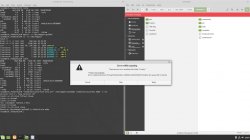
Because You cannot choose device. Device is encrypted, and with custom partition table which this app also don't understand (even if You give him unencrypted disk). You thinking about it in Windows ways.

I'll try explain it in chain of hell below.
Linux see PS3HDD as any other HDD, the device, as "
/dev/sdx". It is encrypted so every tool will understand it as empty (because for them is random data without any structure which can recognize as partition table and file system tables). On top of that, PS3 using BE, not LE, so all bytes are in reverse order.
What Network Block Device Client (
nbd-client) is doing with
bswap16, is translating on the fly LE to BE and expose it as network device (in our case, local network, "
/dev/nbdx"). So from this point, this specific device is the same encrypted HDD but seen as device with "normal byte order" instead to "sdx".
Next step is creating mapper by
cryptsetup which (also on the fly) decrypting it by provided keys and by specified algorithm. This app exposing it as mapper name which You have chose (in case of my tutorial, I chose "ps3hdd"). So exposed another device family are mappers on "
/dev/mapper/ps3hdd/" which is a device; and numbers after it are found understood partitions. And mappers are the virtual devices on which You can work (mounting them, managing data, fixing them etc. etc).
Last step is mouting filesystems from partitions as some folder in host file system (i.e I chose mount mapper with ps3 user partition as "
/home/mint/ps3/dev_hdd0/" but can be any of course i.e "
/home/hadobedo/idkwtf/"). And here, all is done by
kpartx and
mount.
Windows automatically mounting every found partitions from all mass storage device and giving them alphabet letters. If he doesn't find it, then doesn't show it in Explorer, and any talks with it can be achieved only by lower level interactions. In example HDD Reader is doing everything alone himself because build-in tools in Windows are very basic and cannot provide such functionality as in Linux above (all those tools, except bswap16, are standalone Linux software).
- - -
About fixing/scanning FAT32 on Linux: maybe try this (and remember what I'm writing above :P):
https://askubuntu.com/questions/147228/how-to-repair-a-corrupted-fat32-file-system



 ).
).