
You are using an out of date browser. It may not display this or other websites correctly.
You should upgrade or use an alternative browser.
You should upgrade or use an alternative browser.
PS3 [Tutorial] (Read Warning) Installing Red Ribbon Linux on Rebug 4.81.2 - 4.84.2 D / REX
- Thread starter dazzaXx
- Start date

dazzaXx
Member
Yeah it should work fine, as long as it comes with the wireless dongle that plugs into the usb port.Hello hello to all! I've got a noob question coming your way! Is it the same if i use a wireless keyboard for the set up?
Awesomeness! Many thanks DazzaXx will get right on it then and will post everything afterwards! Y'all have a great day or night!!Yeah it should work fine, as long as it comes with the wireless dongle that plugs into the usb port.
dazzaXx
Member
You too my man, hope it goes well!Awesomeness! Many thanks DazzaXx will get right on it then and will post everything afterwards! Y'all have a great day or night!!

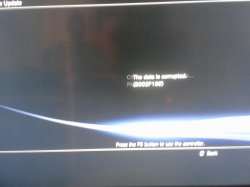
Hello hello!! I was doing step 3 from the unformatted version and got this error, I'm on 4.84 rebug. I'm not sure what I did wrong.
I'm gonna re-download everything just in case that's what caused it because sometimes my mega account gets depleted as I'm downloading.
I'm gonna re-download everything just in case that's what caused it because sometimes my mega account gets depleted as I'm downloading.
Attachments
Last edited:
dazzaXx
Member
Are you on CEX or DEX?Hello hello!! I was doing step 3 from the unformatted version and got this error, I'm on 4.84 rebug. I'm not sure what I did wrong.
I'm gonna re-download everything just in case that's what caused it because sometimes my mega account gets depleted as I'm downloading.
I'm on CEX my ps model is CECH-2504bAre you on CEX or DEX?
dazzaXx
Member
Did you download both packages i linked? Including the one for CEX users?I'm on CEX
Yes I did and I'm re-downloading them again now they're almost doneDid you download both packages i linked? Including the one for CEX users?
Hello hello! Was wondering what I did wrong to get that error maybe I misunderstood something!
After downloading "this special REBUG 4.81.2 Linux package and the PUP for CEX users" I formated my usb and proceeded to create a "PS3 folder and an UPDATE folder in the PS3 folder on the root of the usb" then I copied the PUP file in the UPDATE folder and deleted the name of the PUP file and kept PS3UPDAT.
After downloading "this special REBUG 4.81.2 Linux package and the PUP for CEX users" I formated my usb and proceeded to create a "PS3 folder and an UPDATE folder in the PS3 folder on the root of the usb" then I copied the PUP file in the UPDATE folder and deleted the name of the PUP file and kept PS3UPDAT.
dazzaXx
Member
Theres no reason for it not to work, have you tried updating via safe mode?Hello hello! Was wondering what I did wrong to get that error maybe I misunderstood something!
After downloading "this special REBUG 4.81.2 Linux package and the PUP for CEX users" I formated my usb and proceeded to create a "PS3 folder and an UPDATE folder in the PS3 folder on the root of the usb" then I copied the PUP file in the UPDATE folder and deleted the name of the PUP file and kept PS3UPDAT.
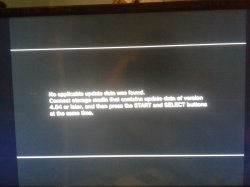
I'm gonna try it now hopefully it'll work!Theres no reason for it not to work, have you tried updating via safe mode?
dazzaXx
Member
It says you can only install over 4.84, you need QA Flags enabled in order to downgrade since the firmware i include is 4.82.I got this message when I updated from safe mode, any clue into what might be going wrong?
Thank you in advance i really appreciate you helping me with this issue!!
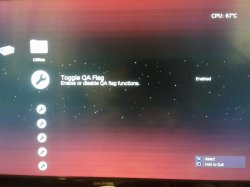
Hello DazzaXx I'm gonna switch and do it and post the result,many thanks DazzaXx!!!It says you can only install over 4.84, you need QA Flags enabled in order to downgrade since the firmware i include is 4.82.
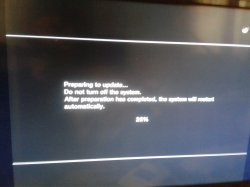
Your the man DazzaXx!! I switched QA flag from REBUG Toolbox then tried to update from the XMB update gave me the same error then I tried updating from safe mode it worked perfectly now I'm continuing the steps ! I'll post everything afterwards!!It says you can only install over 4.84, you need QA Flags enabled in order to downgrade since the firmware i include is 4.82.
Many many thanks DazzaXx!!!!
Attachments
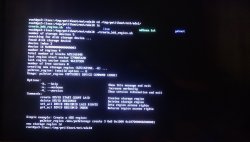
I did the process till step 14 ,after entering petitboot to bring up the list I selected live: it said failed so I did the process again and took a picture of the screen when I entered " ./create_hdd_region.sh " gave me options ,I'm not sure if what to pick. Might you be able to explain to me please?
Attachments
dazzaXx
Member
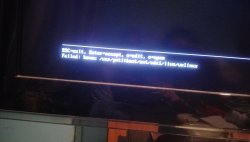
The script is automated meaning you don't need to input anything as it does what it needs to automatically, it seems the script hasnt been able to detect the OtherOS partition, did you press the 'Restore PS3 System' option in safe mode after you installed the patched Rebug firmware?I did the process till step 14 ,after entering petitboot to bring up the list I selected live: it said failed so I did the process again and took a picture of the screen when I entered " ./create_hdd_region.sh " gave me options ,I'm not sure if what to pick. Might you be able to explain to me please?
Yes I restored the ps3 from safe mode and checked the ps version it was correct 4.82.1 if I'm not mistaken (I edited this message to post the error it gave)The script is automated meaning you don't need to input anything as it does what it needs to automatically, it seems the script hasnt been able to detect the OtherOS partition, did you press the 'Restore PS3 System' option in safe mode after you installed the patched Rebug firmware?
Attachments
Similar threads
-
PS3 Anything I should know about side effects of a failed OtherOS install attempt?
- Started by jakint0sh
- Replies: 6
-
-
PS3 [Tutorial] Update Frankenstein PS3 Firmware That is Too Low to Initialize RSX (< 3.41) (NAND Models)
- Started by byt3swap
- Replies: 0
-
PS3 [Tutorial] Update Frankenstein PS3 Firmware That is Too Low to Initialize RSX (< 3.41) (NAND Models)
- Started by byt3swap
- Replies: 0