PS3 [Tutorial] (Read Warning) Installing Red Ribbon Linux on Rebug 4.81.2 - 4.84.2 D / REX

Guys keep it civil take it elsewhere. We are a community some more knowledgeable then others. We all have to start somewhere as we were all n00bs at one point. What's annoying is listening to grow men act like keyboard commands. It's not right to belittle someone and that doesn't give anyone a reason to fire back. This is how communities fall apart. We have been drama free since day one as well as a tight knit group of users. Like your mom's most likely said "If there isn't something nice to say just don't say it at all"
Understood.
 
Guys keep it civil take it elsewhere. We are a community some more knowledgeable then others. We all have to start somewhere as we were all n00bs at one point. What's annoying is listening to grow men act like keyboard commands. It's not right to belittle someone and that doesn't give anyone a reason to fire back. This is how communities fall apart. We have been drama free since day one as well as a tight knit group of users. Like your mom's most likely said "If there isn't something nice to say just don't say it at all"
I apologize, because it was all my fault. Now I realized Chaos Husky was not referring to me. I'm extremely embarrassed, sorry :(
 
I apologize, because it was all my fault. Now I realized Chaos Husky was not referring to me. I'm extremely embarrassed, sorry :(


No need guys I just have a job to do around here. If we ignore stuff chaos ensues. Everyone makes mistakes even me around here and the boss man will call me out on it as well.
 
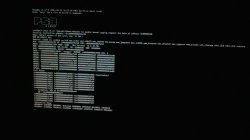
So I successfully installed d-rex rebug, as well as nor petitboot (CECHL PS3 PHAT) and did the red ribbon onto my USB as described in the tutorial. When I boot to other os and try to type cd /tmp/petitboot/mnt/sdd1/ it cuts me off giving me a USB core paging error.
 

Attachments

  • PHOTO_20190806_042503.jpg
    PHOTO_20190806_042503.jpg
    574.4 KB · Views: 176
So I successfully installed d-rex rebug, as well as nor petitboot (CECHL PS3 PHAT) and did the red ribbon onto my USB as described in the tutorial. When I boot to other os and try to type cd /tmp/petitboot/mnt/sdd1/ it cuts me off giving me a USB core paging error.
Hmm that interesting.. never encountered that error before so i wouldn't know personally on what to do. Try rebooting the entire system with the usb stick still plugged in, also try every port on the system, it could be a faulty port.
 
Hmm that interesting.. never encountered that error before so I wouldn't know personally on what to do. Try rebooting the entire system with the USB stick still plugged in, also try every port on the system, it could be a faulty port.
It sees the stick and if I react fast enough it will boot onto the stick environment, but my keyboard shuts off as soon as the boot menu comes up.... I tried rebooting and even refreshed the system... and different USB ports to no avail... been stuck on this for a few days now....
 
Does the resize tool only work for reserving 22GB? I would like to reserve 200 or 250GB for Linux. Once space is reserved are we free to partition it anyway we would like? I'm looking to have a separate /boot and then a handful of partitions for different OS's. Thanks for all the great work.
 
Does the resize tool only work for reserving 22GB?
As far as i know, yes. Although im not 100% sure since im not a whiz with Linux, nor how it functions internally, maybe its possible to allocate way more by updating the tool that you can use to allocate the space in the update file.
 
I got a problem when installing Red Ribbon Linux. The problem is that I can't access the petitbootloader at all via Rebug and only by entering safe mode it gets me there but once I try to cd to the location it tells me it can't do so. Pls help. When I try to get there via the toolbox all I get is no signal (Kein Signal in German)
IMG_20190820_233551.jpg
 
I got a problem when installing Red Ribbon Linux. The problem is that I can't access the petitbootloader at all via Rebug and only by entering safe mode it gets me there but once I try to cd to the location it tells me it can't do so. Pls help. When I try to get there via the toolbox all I get is no signal (Kein Signal in German)
View attachment 19623
Did you install the correct version of petitboot depending on what console you have? Either a Phat OR Slim PS3? Because there are two variants dependant on that because they have different flash types, Phat PS3's have 256MB NAND and Slims having 16MB NOR.
 
I got a problem when installing Red Ribbon Linux. The problem is that I can't access the petitbootloader at all via Rebug and only by entering safe mode it gets me there but once I try to cd to the location it tells me it can't do so. Pls help. When I try to get there via the toolbox all I get is no signal (Kein Signal in German)
View attachment 19623

Did you modify anything after resizing flash/installing petitboot? What exact cd command are you typing and what exactly does it tell you? If it is "location not found" make sure you have the flashdrive in the correct port. Verify your petitboot for nor/nand like DazzaXx suggested too.
 
Did you modify anything after resizing flash/installing petitboot? What exact cd command are you typing and what exactly does it tell you? If it is "location not found" make sure you have the flashdrive in the correct port. Verify your petitboot for nor/nand like DazzaXx suggested too.
Nvm, it seemed to be a partitioning issue. I downgraded back to 3.20 DEX to create a partition, updated back to 4.81 Rebug DEX and then I only had to choose the first option which appeared after booting into otheros via the toolbox...kinda strange but it's solved now. Sorry for the kate response but it's fixed now.
 
Did you install the correct version of petitboot depending on what console you have? Either a Phat OR Slim PS3? Because there are two variants dependant on that because they have different flash types, Phat PS3's have 256MB NAND and Slims having 16MB NOR.

I've got a NOR PS3, so I used the NOR petitboot. But I already fixed the issue by downgrading to 3.20, created a new otheros partition there and then repeated the process on 4.81 but I was already able to select linux without typing any commands
 
As far as i know, yes. Although im not 100% sure since im not a whiz with Linux, nor how it functions internally, maybe its possible to allocate way more by updating the tool that you can use to allocate the space in the update file.

You can reserve up to 1TB for linux, you just have to patch emer_init.self with the correct value.
 
hello. iam very new to all this. my question is that can we run linux off from a usb drive if yes then how. help would be much appreciated
 
hello. iam very new to all this. my question is that can we run linux off from a usb drive if yes then how. help would be much appreciated
It is possible yes, but you'd need to somehow install it beforehand and then copy the already installed files to a usb stick, unless you have two usb sticks, one to boot from and one to install to, but i wouldnt know if you can actually do this as i have never tried it before.
 
Back
Top