
UPDATE v1.6 Released:
.Another great release for the PS Vita community arrives today.. As many of you already know in recent days Grand Theft Auto: III (updated to v1.3) & also just the other day Grand Theft Auto: Vice City was ported by the PS Vita / PS TV from @Rinnegatamante / @Theflow0, Now these devs Theflow / Rinnegatamante & aap all had a role in development of Grand Theft Auto: San Andreas to the PS Vita (& PSTV) , where theflow states on release "We gave the PS Vita THE game it always deserved. GTA: SA with authentic PS2 atmosphere on-the-go" . Unlike the previous two vita ports in the GTA Series that used a reversed-engineered engine, GTA:SA-Vita is using the mobile version (apk-android)) of the game and adding a "wrapper", like what we saw in Max Payne vita Port recently released utilizing the kubridge.skprx . The wrapper/port contains many custom hooks and patches to get the game running well on the PS Vita. You will need to provide the Game FIles yourself, the game can be purchased on the Play Store.
Also developer Rinnegatamante has provided a configuration app to configure various settings, easily. Also, as usual MVG. has a great video, as the dev/youtuber is covering this release as he was one of the tester's, that is for sure worth checking out for some additional insight.. .
You can also view some of the development details/timeline about this port in this thread >>here<< with a review of various development tweets. Also developer's should take not and view the changes involving VitaGL that not only helped with this port but will help in future projects utilizing VitaGL. All the the details about this release with additional info about setup and preferred settings on your Vita/PS TV can be found below in the release docs, along with a few tips like activating PC cheats..
.Another great release for the PS Vita community arrives today.. As many of you already know in recent days Grand Theft Auto: III (updated to v1.3) & also just the other day Grand Theft Auto: Vice City was ported by the PS Vita / PS TV from @Rinnegatamante / @Theflow0, Now these devs Theflow / Rinnegatamante & aap all had a role in development of Grand Theft Auto: San Andreas to the PS Vita (& PSTV) , where theflow states on release "We gave the PS Vita THE game it always deserved. GTA: SA with authentic PS2 atmosphere on-the-go" . Unlike the previous two vita ports in the GTA Series that used a reversed-engineered engine, GTA:SA-Vita is using the mobile version (apk-android)) of the game and adding a "wrapper", like what we saw in Max Payne vita Port recently released utilizing the kubridge.skprx . The wrapper/port contains many custom hooks and patches to get the game running well on the PS Vita. You will need to provide the Game FIles yourself, the game can be purchased on the Play Store.
Also developer Rinnegatamante has provided a configuration app to configure various settings, easily. Also, as usual MVG. has a great video, as the dev/youtuber is covering this release as he was one of the tester's, that is for sure worth checking out for some additional insight.. .
You can also view some of the development details/timeline about this port in this thread >>here<< with a review of various development tweets. Also developer's should take not and view the changes involving VitaGL that not only helped with this port but will help in future projects utilizing VitaGL. All the the details about this release with additional info about setup and preferred settings on your Vita/PS TV can be found below in the release docs, along with a few tips like activating PC cheats..
-
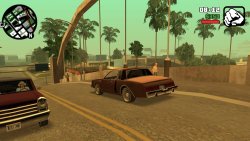
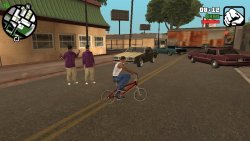
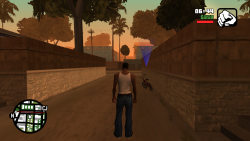
Grand Theft Auto: San Andreas PS Vita Port
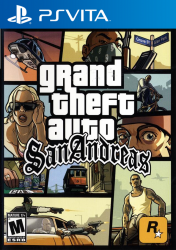
This is a wrapper/port of Grand Theft Auto: San Andreas Android for the PS Vita with lots of custom patches such as:
- Fixed camera controls for flying vehicles (including the Hydra jet).
- Fixed broken facial expressions.
- Fixed cheats hash key table.
- Removed specular lighting on pedestrians.
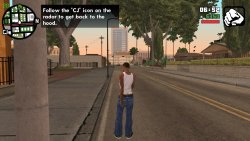
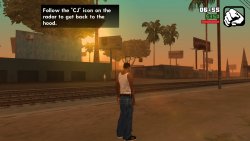
- Added PS2-like rendering.
The port works by loading the official Android ARMv7 executable in memory, resolving its imports with native functions and patching it in order to properly run.
-
Setup Instructions (For End Users)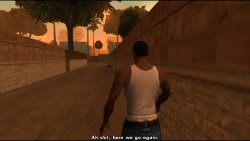
In order to properly install the game, you'll have to follow these steps precisely:
- Install kubridge and FdFix by copying kubridge.skprx and fd_fix.skprx to your taiHEN plugins folder (usually ux0:tai) and adding two entries to your config.txt under *KERNEL:
*KERNEL
ux0:tai/kubridge.skprx
ux0:tai/fd_fix.skprx
- Optional: Install PSVshell to overclock your device to 500Mhz.
- Install libshacccg.suprx, if you don't have it already, by following this guide.
- Obtain your copy of Grand Theft Auto: San Andreas v2.00 legally (com.rockstargames.gtasager is not supported!) for Android in form of an .apk file and one or more .obb files (usually main.8.com.rockstargames.gtasa.obb and patch.8.com.rockstargames.gtasa.obb located in /sdcard/android/obb/com.rockstargames.gtasa). You can get all the required files directly from your phone and they can be extracted with whatever Zip extractor you prefer (eg: WinZip, WinRar, etc...).
- Extract the assets folder from your .apk file to ux0:data and rename it to gtasa.
- Extract the file libGTASA.so from the lib/armeabi-v7a folder inside your .apk file to ux0:data/gtasa.
- Extract the whole main.8.com.rockstargames.gtasa.obb file to ux0:data/gtasa.
- Extract the whole patch.8.com.rockstargames.gtasa.obb file to ux0:data/gtasa.
- Extract gamefiles.zip to ux0:data/gtasa.
- Optional: For a more authentic console experience, copy the file ux0:data/gtasa/data/360Default1280x720.cfg to ux0:data/gtasa/Adjustable.cfg. This file is a leftover from the Xbox 360 version and provides you the console HUD (e.g. radar on bottom left).
- Install GTASA.vpk on your PS Vita.
The ux0:data/gtasa folder should contain all the files and directories as shown below.
-
Configurator App
- After fully installing the port, you'll be able to configure it with the Configurator app.
- The Configurator app will allow users to enable or disable a set of optimizations, patches and renderer alterations to best match users taste.
- You can launch the Configurator app by clicking on the Configuration button located on the LiveArea section of the port as shown in the following screenshot.
-
Tips and Tricks
- In order to reduce occasional stutters in-game, delete both ux0:data/gtasa/scache_small_low.txt and ux0:data/gtasa/scache_small.txt, then create a copy of the ux0:data/gtasa/scache.txt file to have two version of it. (for example scache(1).txt so in the end you end up with both scache.txt and scache(1).txt inside the ux0:data/gtasa/ folder), then rename scache.txt to scache_small.txt and scache(1).txt to scache_small_low.txt . This will however make the loading screen longer since it needs to compile more shaders ahead.
- You can input PC cheats by pressing L+SELECT to open the on-screen keyboard. See https://gtagmodding.com/sanandreas/cheats/ for the full list of cheats (you can input cheat codes in lowercase as well as uppercase). Note that a few cheats have been removed from the Android version.
- The L2/R2 buttons are mapped to the rear touchpad on the top and the L3/R3 buttons are mapped to the front touchpad on the bottom.
- In order to save storage on your Memory Card, you can safely delete all files in sub-folders of ux0:data/gtasa/texdb which end with:
- .dxt.dat, .dxt.tmb, dxt.toc
- .etc.dat, .etc.tmb, etc.toc
-
Build Instructions (For Developers)
In order to build the loader, you'll need a vitasdk build fully compiled with softfp usage.
You can find a precompiled version here: Linux / Windows.
Additionally, you'll need these libraries to bee compiled as well with -mfloat-abi=softfp added to their CFLAGS:
As last requirement, you'll need to compile vitaGL with make HAVE_SBRK=1 HAVE_SHARK=1 SOFTFP_ABI=1 SHARED_RENDERTARGETS=1 NO_DEBUG=1 install.
After all these requirements are met, you can compile the loader with the following commands:
mkdir build && cd build
cmake -G "Unix Makefiles" ..
make -
Credits
- Rinnegatamante for porting the renderer using vitaGL, providing the companion app and making various improvements to the port.
- aap for porting PS2-rendering aka skygfx.
- Freakler for providing LiveArea assets.
- frangarcj, fgsfds and Bythos for graphics-related stuff.
- CBPS/SonicMastr for PIB, which was used on earlier stages of development.
- isage for the native audio backend for OpenAL-Soft.
-
View latest updates:
- Links:
t https://github.com/TheOfficialFloW/gtasa_vita/blob/master/README.md.
Download: github.com/TheOfficialFloW/
Mirror: VitaDB
Code Source: github.com/TheOfficialFloW/gtasa_vita
Last edited:







