PS3 [UPDATE2] multiMAN v 04.81.00 / .01 /.02 ( BASE / UPDATE / STEALTH for CEX & DEX) Updates by deank

(SEE UPDATE x2 v4.81.01 + 4.81.02 ) Original Article: 04.80.00: Developer @deank has brought his popular backup manager up to date with the release of multiMAN v04.81.00 . In this release the developer has added of course 4.81 CFW support for what appears only on CEX CFW at this time, but Stealth (aka StealthMAN) user will see an update supporting 4.81 CEX. This is a feature rich and popular backup manager that now has full 4.81 (CEX) Support . Additional releases for the PS3 firmware update of 4.81 can be seen here in our forums.


(4.81.01): deank has released the latest version that gives full DEX support to the backup manager. Update 2 (4.81.02) developer @deank has released a new update providing a fix for a reported issue that addressed a problem with nethost/netiso feature on DEX Custom Firmwares

multiMAN_4.81_CFW_deank.jpg


  • Deank (1/8/2017) said:
    mM 04.81.02 was released when I removed the link for the test version and is available within mM as always (or from the web column) Also sacd-ripper.pkg is updated to support DEX 4.80

    This SACD Ripper is compiled with support from 3.55 up to 4.81. It doesn't require keys on usb stick and hopefully the extracted modules will work on all firmwares. Let me know if someone tests it.

    http://multiman.deanbg.com/multiman/feed/app/sacd-ripper.pkg

    Update x2 multiMAN v04.81.02

    • Fixed nethost/netiso issues on DEX CFW

    UPDATE - multiMAN v04.81.01
    • Added support for CFW 4.81 (DEX)

    NEW - multiMAN v04.81.00
    • Added support for CFW 4.81 (CEX)
    • Added update for Stealth version

    multiMAN v04.80.00

    * Added support for CFW 4.80
    * Added update for Stealth version

    multiMAN v04.78.02/04.78.03
    * Fixed naming of FLASH/LV1/LV2 exports for CFW 4.66/4.76/4.78
    * Fixed EBOOT.BIN/SPRX patching for CFW 4.66/4.76/4.78
    * Updated Showtime/Movian to latest Bleeding Edge (04.99.812) - http://movian.tv
    * Updated stealthMAN (multiMAN Stealth version) to 04.78.02

    multiMAN v04.78.01
    * Fixed crash when scanning for /net_host (ps3netsrv) games

    multiMAN v04.78.00
    * Added support for CFW 4.78
    * Updated Japanese translation by Kyan_dudl

    multiMAN v04.76.00
    * Added support for CFW 4.76
    * Fixed BD-Mirror for 4.75 DEX


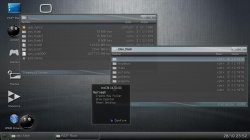
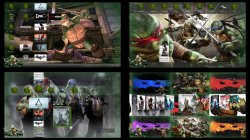
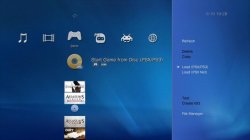
  • Various ScreenShots of multiMAN and its different views and modes.
    MM3.jpg Screenshot_4.jpg PREVIEW.jpg multiman-backup-manager-2.jpg multiman-backup-manager-3.jpg multiman-backup-manager.jpg multiman-backup-manager-4.jpg multiman-backup-manager-5.jpg

(New Version) Download:


Last edited:
There is finally a ntfs library available for compiling with multiman & webman. Currently deank is looking into adding ntfs support to webman. I have no idea whether he intends to change ntfs support in multiman.

Also the usb.cfg isn't always needed it depends on the drive.
If you mm asks you for it then you need to make it with the hw information you get under Windows. Once made, cope it with ftp in the installation directory.

Afaik mmOS ntfs support is as good as it is ever going to get unless the new library is used.
 
Last edited:
There is finally a ntfs library available for compiling with multiman & webman. Currently deank is looking into adding ntfs support to webman. I have no idea whether he intends to change ntfs support in multiman.

Also the usb.cfg isn't always needed it depends on the drive.

Afaik mmOS ntfs support is as good as it is ever going to get unless the new library is used.

FERROX 4.81 COBRA 7.5 Will be released?
 
@Deank


First off: This is only a cosmetic issue. But I will ask anyway.

In mmCM (I mean not mm), it is not possible to dump the LV1-Memory & LV2-Memory.
It is only possible to make there a dump from the FLASH. I understand... Everything has its order.

But there appears: "Press [START] to export GameOS memory to file"
After pressing "START", we can see: "Do you want to export FLASH memory to a file?"

Is it possible to change this in "Press [START] to export FLASH memory to a file" in upcoming MultiMan releases?
Only in mmCM. In mm is everything ok.


Greetz
 
Last edited:
I am not sure if you are aware of this issue but I recently tried to copy a file with a colon in the file name from the PS3 hard drive to a usb flash drive and my PS3 froze. I had to force my PS# to shutdown by holding down the power button. The issue kept happening until I removed the colon from the file name.
 
Did the file copy operation take place in mmOS?
Some characters can be tricky to deal with, the same kind of issue was raised with webMAN-MOD some time ago...

@deank?
Freeze when copying file with colon in file name?
 
I have rebug 4.75.3 rex cobra 7.10 with multiman 4.76.00 , when update to multiman 4.81.2 , the games iso
not recognize ( iso invalid When i run) , but with multiman 4.76.00 all perfect (iso and iso split) , I use ps3 iso tools v2.2 for Converted games jb to iso
 
I have rebug 4.75.3 rex cobra 7.10 with multiman 4.76.00 , when update to multiman 4.81.2 , the games iso
not recognize ( iso invalid When i run) , but with multiman 4.76.00 all perfect (iso and iso split) , I use ps3 iso tools v2.2 for Converted games jb to iso

It'd be nice if you can test more higher versions to find out which one stopped working first before 4.81.02


Sent from my iPhone using Tapatalk
 
I just checked... ISO games load just fine (mm 4.80/4.81/4.81.02). There are no specific changes in mM for the last year or so, except for the netiso.
 
i have cobra activated in rebug toolbox
all fine with MMCM(GAMES iso an jb )
but When I change,
--Switch MMCM to multiMAN mode : change fine
--Switch multiMAN to MMCM mode : Your current configuration is not supported! Cobra compatible firmware is not detected and mmCM cannot operate. Click OK to launch multiMAN.
i have Restarts ps3 , for work all right with MMCM,
because,,,,,
 
i have cobra activated in rebug toolbox
all fine with MMCM(GAMES iso an jb )
but When I change,
--Switch MMCM to multiMAN mode : change fine
--Switch multiMAN to MMCM mode : Your current configuration is not supported! Cobra compatible firmware is not detected and mmCM cannot operate. Click OK to launch multiMAN.
i have Restarts ps3 , for work all right with MMCM,
because,,,,,

It was a bug in Cobra 7.1 and I think I fixed that in Cobra 7.2+ so Unfortunately your option is to update your fw or just don't swap to multiman mode or reboot every time


Sent from my iPhone using Tapatalk
 
I want updated rebug , Which is more stable:
-Rebug rex 4.76.1 or 4.78.1 cobra 7.2
-Rebug rex 4.78.2 or 4.80.1 cobra 7.3
-Rebug rex 4.81.1 cobra 7.31
-Rebug rex 4.81.2 cobra 7.5
with least bug with backup manager
 
I want updated rebug , Which is more stable:
-Rebug rex 4.76.1 or 4.78.1 cobra 7.2
-Rebug rex 4.78.2 or 4.80.1 cobra 7.3
-Rebug rex 4.81.1 cobra 7.31
-Rebug rex 4.81.2 cobra 7.5
with least bug with backup manager
Just install the latest one, Rebug REX 4.81.2 with Cobra 7.50.
 

Featured content

Trending content

Back
Top