
- Forums
- PlayStation 3 (PS3)
- PS3 Homebrew
- PS3 Homebrew Apps / Plugins / Emulators
- PS3 Plugins (sprx)
- webMAN MOD
You are using an out of date browser. It may not display this or other websites correctly.
You should upgrade or use an alternative browser.
You should upgrade or use an alternative browser.

PS3 webMan Classics Maker: Launch ISOs straight from XMB 3.0.0-beta3
- Thread starter jacobsson
- Start date

@aldostools a PS3 EXTRA icon can launch an app cant it? I know we can launch an app from webman Launchpad with the psgm play command. Would this be a workaround possibly? a Fake ps3 extra disk gets mounted, with just psp launcher on it?
I'm not sure if that would work, since when a PSPISO is mounted, webMAN mounts first the ISO in /dev_bdvd as a DVD to read the ICON and get the keys, tag & code from the EBOOT.BIN or EBOOT.BIN if the umd is using the prometheus patch.
Months ago I was trying to make PSPISO playable from NTFS or from netsrv, faking the PSPISO as it was stored locally in /dev_bdvd, then tried to mount the PSPISO from /dev_bdvd but I didn't have success because the /dev_bdvd was being unmounted here:
https://github.com/aldostools/webMAN-MOD/blob/master/cobra/cobra.c#L1624
After several tries I desisted, although I still think it should be possible to achieve it with some tweaks in cobra_set_psp_umd and probably in Cobra too.
I make this story because both "solutions" involve the use of /dev_bdvd with PSPISO. Maybe some devs like @habib @Zar or @bguerville could be interested in this topic.
In any case, I think it would be better to try to use PKGDIR or INSDIR instead of PS3_EXTRA.
Last edited:

sandungas
Developer
Just a theory, but have you noticed there is a xmbml file in all official firmwares named null.xml. And is like... empty (only contains the "root" view id)No, that's different. That is a bit more like when you install an app and it appears, although different again, not really sure.
If you was to use an xml renaming system like i mentioned, it would appear after you rename to correct name in the xml query, only after re entering the sub category its in, But if you then name it something else after it has loaded, the item would not "unload" until you reboot. So its still not perfect.
I always thought it works as some kind of "fallback", and the fact that exists in all official firmwares it means is still used in some way
So im thinking... you can repeat what you did, but to "hide" the contents of the external xml in XMB instead of removing/deleting the file you could try to replace it by a file like the null.xml
Is the same style than the official null.xml (empty), but you need to change the name, this way:
Code:
<?xml version="1.0" encoding="UTF-8"?>

<XMBML version="1.0">
	<View id="your_custom_name_here" />
</XMBML>
I guess the stuff displayed in XMB is going to be "updated" because it seems the firmware is reloading the contents of the external xml everytime you enter in it, right ?... not sure if is going to hide it completly though
------------
Edit:
And this ?
Code:
<Pair key="bar_action"><String>hide</String></Pair>The way how the attribute "bar_action" works is unknown, but most probably the name "bar" is a reference to the "Xross Media Bar"
Last edited:

jacobsson
Senior Member
@sandungas
First I want to thank you for the proposal! I'm not entirely sure how to execute this idea but I'm really interested in testing it so please bare with me.
My understanding of your proposal is the following:
1. Make a 'fallback file' named category_game.xml with the content:
2. This file should then overwrite the current category_game.xml and category_game_tool2.xml
3. (in theory) when entering the game category the xml should be reloaded and update 'my_psp_launcher' with the new data and hide it?
First I want to thank you for the proposal! I'm not entirely sure how to execute this idea but I'm really interested in testing it so please bare with me.
My understanding of your proposal is the following:
1. Make a 'fallback file' named category_game.xml with the content:
Code:
<?xml version="1.0" encoding="UTF-8"?>

<XMBML version="1.0">
    <View id="my_psp_launcher" />
    <Pair key="bar_action"><String>hide</String></Pair>
</XMBML>
2. This file should then overwrite the current category_game.xml and category_game_tool2.xml
3. (in theory) when entering the game category the xml should be reloaded and update 'my_psp_launcher' with the new data and hide it?

Not really, it seems to only work the first time, if a file does not exist it will keep checking for it, but if it has been found then it is llike loaded into RAM or something, and even if you delete the file or replace it with dummy, they items will still be there. Actually this trick only works if there is no dummy file in the first place, as if a dummy file is loaded, then it will not check again. This only works if the file has not been found yet by the query.So im thinking... you can repeat what you did, but to "hide" the contents of the external xml in XMB instead of removing/deleting the file you could try to replace it by a file like the null.xml
Is the same style than the official null.xml (empty), but you need to change the name, this way:
I guess the stuff displayed in XMB is going to be "updated" because it seems the firmware is reloading the contents of the external xml everytime you enter in it, right ?... not sure if is going to hide it completly thoughCode:<?xml version="1.0" encoding="UTF-8"?> <XMBML version="1.0"> <View id="your_custom_name_here" /> </XMBML>
Basically its a one way thing, you can make something appear, but to remove it you must reboot or reload XMB.
Not so sure about that bitI always thought it works as some kind of "fallback", and the fact that exists in all official firmwares it means is still used in some way
 I would say half the stuff is not used in current FW, from icons for Home and widgets, to widget xmls, to arcade stuff in retail rcos etc. Category xmls can be stripped down 75% or more without removing any features (retail).
sandungas
Developer
I was trying to find a solution for the problem devil303 was mentioning, what he was doing is to add a query in category_game.xml that makes the loading process to "jump" to a different .xml@sandungas
First I want to thank you for the proposal! I'm not entirely sure how to execute this idea but I'm really interested in testing it so please bare with me.
My understanding of your proposal is the following:
1. Make a 'fallback file' named category_game.xml with the content:
Code:<?xml version="1.0" encoding="UTF-8"?> <XMBML version="1.0"> <View id="my_psp_launcher" /> <Pair key="bar_action"><String>hide</String></Pair> </XMBML>
2. This file should then overwrite the current category_game.xml and category_game_tool2.xml
3. (in theory) when entering the game category the xml should be reloaded and update 'my_psp_launcher' with the new data and hide it?
And using a plugin to modify that "children" xml
But it seems the XMB keeps a copy in RAM everytime the "children" xml is loaded, and that copy is not updated unless you reboot the PS3 or reload the XMB (by entering and quitting an app)
The other idea of the "bar_action" is because im guessing the XMB have some way to indicate that it needs to be reloaded, and i guess it can be reloaded by category
The probabilities of the "bar_action" to be this im talking about are low thought, i just mentioned it because i was looking at the list of known attributes in wiki to see which one could be (incase there is one that does this reload, or indicates it needs to be loaded in a special way)

Not really, it seems to only work the first time, if a file does not exist it will keep checking for it, but if it has been found then it is llike loaded into RAM or something, and even if you delete the file or replace it with dummy, they items will still be there. Actually this trick only works if there is no dummy file in the first place, as if a dummy file is loaded, then it will not check again. This only works if the file has not been found yet by the query.
Basically its a one way thing, you can make something appear, but to remove it you must reboot or reload XMB.
Not so sure about that bit
Perhaps launch an app that wasn't signed properly to launch (we've seen poorly made eboots do this), which would cause the app to launch, then black screen, back to xmb causing reload? It's kinda janke, but it could work?
Well yes, its easy to show hide an item after a XMB reload, there are lots of ways to do it, actually, if you could modify webman, you could have it so when the game gets mounted, it enables the launcher via xml edit/swap, then when you unmount the game, or mount another different type, you could have it removed via opposite xml edit/swap, XMB reload would be required for it to be removed from xmb, you could just leave it, just wait for next normal reload that will happen anyway after booting an app, or rebooting. Or you could have an auto reload to remove it, not really worth it imo.
thinking about it, it wont be a swap exactly. For the initial enabling, what you need is no xml there at all starting off, so no item, then you copy the xml to the location the xml query is looking to, that will make the items appear (if you have re-entered the folder where it is) , then to remove the PSP launcher, the xml would need to be deleted and the XMB reloaded.
I'm releasing this here because it's somehow related to this topic.
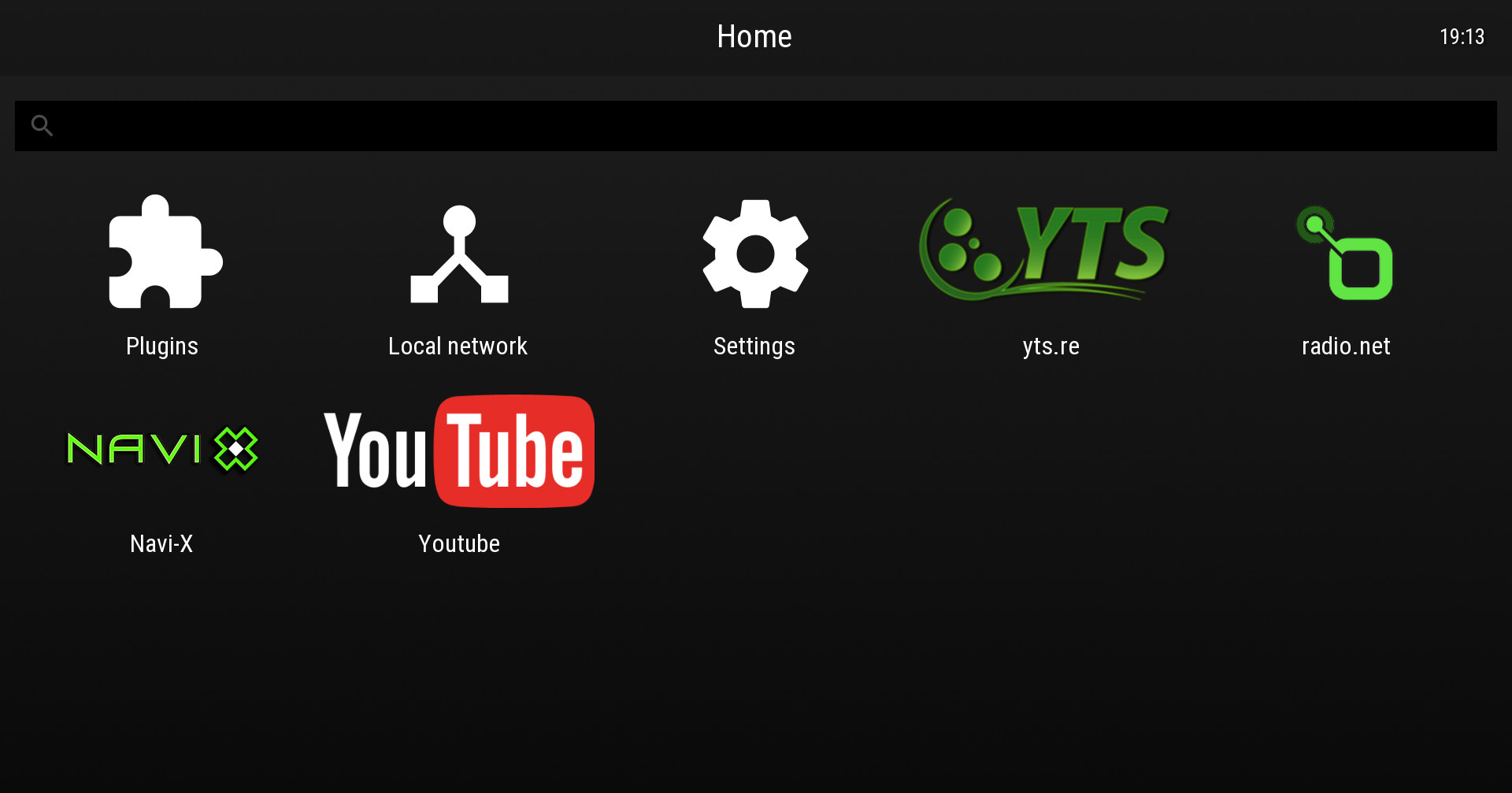
I have been asked by various users that only use the PS3 to watch movies, for a way to boot the console directly to MOVIAN.
Well, here is how:
1- Extract MOVIAN.ISO from the ZIP attached to this post and copy it to /dev_hdd0/PS3ISO (the ISO is only 96KB). If you prefer copy it /PS3ISO on an USB drive.
2- Go to http://127.0.0.1/setup.ps3 and put the full path the option for "Check for /dev_hdd0/PS3ISO/MOVIAN.ISO on startup"
3- Also check the option "Delay loading of AUTOBOOT.ISO/last-game (Disc Auto-start)"
4-Press the SAVE button, close the browser and return to XMB
5- Go to Settings column on XMB, browse down until System Settings and turn on the option "Disc Auto-Start"
https://manuals.playstation.net/document/en/ps3/current/settings/discboot.html
The next time that you boot, the system will load automatically MOVIAN, so you can enjoy your favorite MKV, torrent, youtube, etc.
The MOVIAN.ISO could be customized for other homebrews, except the Backup Managers that eject the BDVD when they start, forcing the launcher to return to XMB. RetroArch works, but the icons showed black in my test.
TIP:
You can use this ISO to make it start MOVIAN with the combo: GET /play.ps3/dev_hdd0/PS3ISO/MOVIAN.ISO
Or start MOVIAN remotely from the PC using the same web command.
I have been asked by various users that only use the PS3 to watch movies, for a way to boot the console directly to MOVIAN.
Well, here is how:
1- Extract MOVIAN.ISO from the ZIP attached to this post and copy it to /dev_hdd0/PS3ISO (the ISO is only 96KB). If you prefer copy it /PS3ISO on an USB drive.
2- Go to http://127.0.0.1/setup.ps3 and put the full path the option for "Check for /dev_hdd0/PS3ISO/MOVIAN.ISO on startup"
3- Also check the option "Delay loading of AUTOBOOT.ISO/last-game (Disc Auto-start)"
4-Press the SAVE button, close the browser and return to XMB
5- Go to Settings column on XMB, browse down until System Settings and turn on the option "Disc Auto-Start"
https://manuals.playstation.net/document/en/ps3/current/settings/discboot.html
The next time that you boot, the system will load automatically MOVIAN, so you can enjoy your favorite MKV, torrent, youtube, etc.
The MOVIAN.ISO could be customized for other homebrews, except the Backup Managers that eject the BDVD when they start, forcing the launcher to return to XMB. RetroArch works, but the icons showed black in my test.
TIP:
You can use this ISO to make it start MOVIAN with the combo: GET /play.ps3/dev_hdd0/PS3ISO/MOVIAN.ISO
Or start MOVIAN remotely from the PC using the same web command.
Last edited:
jacobsson
Senior Member
I'm releasing this here because it's somehow related to this topic.
I have been asked by various users that only use the PS3 to watch movies, for a way to boot the console directly to MOVIAN.
Well, here is how:
1- Extract MOVIAN.ISO from the ZIP attached to this post and copy it to /dev_hdd0/PS3ISO (the ISO is only 96KB). If you prefer copy it /PS3ISO on an USB drive.
2- Go to http://127.0.0.1/setup.ps3 and put the full path the option for "Check for /dev_hdd0/PS3ISO/MOVIAN.ISO on startup"
3- Also check the option "Delay loading of AUTOBOOT.ISO/last-game (Disc Auto-start)"
4-Press the SAVE button, close the browser and return to XMB
5- Go to Settings column on XMB, browse down until System Settings and turn on the option "Disc Auto-Start"
https://manuals.playstation.net/document/en/ps3/current/settings/discboot.html
The next time that you boot, the system will load automatically MOVIAN, so you can enjoy your favorite MKV, torrent, youtube, etc.
The MOVIAN.ISO could be customized for other homebrews, except the Backup Managers that eject the BDVD when they start, forcing the launcher to return to XMB. RetroArch works, but the icons showed black in my test.
TIP:
You can use this ISO to make it start MOVIAN with the combo: GET /play.ps3/dev_hdd0/PS3ISO/MOVIAN.ISO
Or start MOVIAN remotely from the PC using the same web command.
Hi @aldostools
Thank you very much for sharing this information! I must admit (as I had many times before) that I can't wrap my head around how to use this feature to solve the PSP Launch issue, I have no shame left so I'd though it's just better to ask: did you have a particular solution in mind for me using this MOVIAN autoboot feature? =)
Try this test buildHi @aldostools
Thank you very much for sharing this information! I must admit (as I had many times before) that I can't wrap my head around how to use this feature to solve the PSP Launch issue, I have no shame left so I'd though it's just better to ask: did you have a particular solution in mind for me using this MOVIAN autoboot feature? =)
https://www.psx-place.com/threads/release-reload-xmb-app-v1-00.23387/page-2#post-169427
Make sure that you have installed the proper PKG of PSP Launcher that has the title id: PSPC66820 like one of these:
PSP Remasters Launcher Fixed [jjkkyu]
https://store.brewology.com/get/homebrew.php?id=247&fid=1239
PSP Launcher [Official by COBRA]
https://store.brewology.com/get/homebrew.php?id=247&fid=1179
Last edited:
jacobsson
Senior Member
Try this test build
https://www.psx-place.com/threads/release-reload-xmb-app-v1-00.23387/page-2#post-169427
Make sure that you have installed the proper PKG of PSP Launcher that has the title id: PSPC66820 like one of these:
PSP Remasters Launcher Fixed [jjkkyu]
https://store.brewology.com/get/homebrew.php?id=247&fid=1239
PSP Launcher [Official by COBRA]
https://store.brewology.com/get/homebrew.php?id=247&fid=1179
Just read the release notes, and oh man you truly are a stand-up guy!
I'm going to give it a go as soon I've uploaded an image sample of my first webMAN Classics GUI to you guys
Last edited:
jacobsson
Senior Member
@aldostools
First off all I just want to say that I have no skills in graphical design and I'm only doing GUI because I think it's really fun. Some people might think it looks amateur-ish, I have no problem with that. It has some nice and useful features though!
Current features:

First off all I just want to say that I have no skills in graphical design and I'm only doing GUI because I think it's really fun. Some people might think it looks amateur-ish, I have no problem with that. It has some nice and useful features though!
Current features:
- fetching 750KB per ISO/BIN over FTP, the parsing these to extract the TITLE_ID, which is then used to find in the meta data automatically (by using local json DB) building your list of games available on the system
- Click PIC0/PIC1/ICON0 will let you replace it with through file browsing
- Building webMAN Classics of course
- Saving 'project folders' of webMAN Classics
- It's all written i python so it's both Win and Linux friendly
- Images and texts are previewed as a true representation of how it will look on the XMB of your PS3 (all UI graphics such as clocks/category items are rendered on top of your images)
- PIC0/PIC1/ICON0 will scraped as a gallery to choose as an option
- Pictures should be able to fit (shrinking/cropping) to the given resolution
- Pictures will have options to paste 'webMAN banners' (optional) such as the one in the example image below
- UI themes
- etc
Last edited:
jacobsson
Senior Member
@aldostools
I couldn't quite get the hang of how to auto-start the PSPISO, I have the correct PSP Launcher and your latest release installed. Do I need to edit the XML or have the 'show PSP Launcher' option ticked? Thanks man!
I couldn't quite get the hang of how to auto-start the PSPISO, I have the correct PSP Launcher and your latest release installed. Do I need to edit the XML or have the 'show PSP Launcher' option ticked? Thanks man!
Check 'show PSP Launcher' then save. Rescan to generate the nre xml with the link to the launcher.
Nice one! You replied to my Reddit thread about loading games off the network which unfortunately does not work... I hope you or @aldostools could shed some light on as it would be so much convenient for someone who runs games off a NAS server. I am looking forward to the release of the GUI though. Will you be able to implement the addition of other files (Like ICON1.PAM and SND0.AT3) for games that have them?
Similar threads
-
PS3 PkgMaker - modern alternative to Webman-Classics-Maker
- Started by rast1234
- Replies: 0
-
PS3 Webman Classics Maker, can't create pkg from ntfs ISO
- Started by InTheZone
- Replies: 0
-
-
 PS3 Problems loading ISOs under Evilnat 4.90/Multiman
- Started by PlanetFox
- Replies: 1