sorry for the confusion I did, in fact what I meant is, there a way to connect with the webman on my pc without necessarily an ip on the ps3? I mean 0.0.0.0, I can only connect to the webman when ps3 receives something like 192.168.0.xxxNot sure what you mean...
WMM is a http server & localhost (local domain which resolves as 127.0.0.1) or 127.0.0.1 are loopback interface adresses that automatically point to local servers (ie if you use them in the ps3 browser, they will point to the ps3 servers), they are only meaningful at local level.
Same thing applies to your PC, if you use either of them, you will be calling the PC's servers. You cannot query another device's servers with loopback addresses, at least not unless you set up some kind of redirection system.
To query wMM from your PC you must use an address pointing to the PS3.
The best way is to use the PS3 LAN IP address (192.168.xxx.xxx) but in theory you could also
1. use the router's Internet IP if your router is configured to route Internet based queries on a dedicated port or widely to the PS3 (it makes little sense to use the Internet for a local server request but it is still an option).
2. use a domain name if you have a DNS server configured on your LAN to resolve the name to the PS3 local IP address (it makes little sense to use such a complex setup unless it's already in place for other reasons).
3. etc..
I suggest you tweak your router configuration to set up a static LAN IP address for your PS3 if it's not already the case. You should do it for both WiFi & ethernet if you switch connection type every now and again.
With static adresses, you no longer need to bother finding out the PS3 IP every time you need to query wMM, use FTP or whatever feature querying the PS3 from a PC or smartphone.

- Forums
- PlayStation 3 (PS3)
- PS3 Homebrew
- PS3 Homebrew Apps / Plugins / Emulators
- PS3 Plugins (sprx)
- webMAN MOD
You are using an out of date browser. It may not display this or other websites correctly.
You should upgrade or use an alternative browser.
You should upgrade or use an alternative browser.

PS3 webMAN MOD - General Information Thread 1.47.48q
- Thread starter STLcardsWS
- Start date

The IP is THE identifier a browser uses to route traffic on your LAN.sorry for the confusion I did, in fact what I meant is, there a way to connect with the webman on my pc without necessarily an ip on the ps3? I mean 0.0.0.0, I can only connect to the webman when ps3 receives something like 192.168.0.xxx
The only alternative is to use a domain name like we do for Internet Urls however in that case the browser must use a DNS server which holds the correspondence between the domain name & the IP it points to, behind the scenes, the query ultimately goes to the IP address.
To sum up, no matter the setup, the PS3 must have a valid & router attributed IP or communication with another device through the router is not possible.
If you don't want to use the PS3 IP in your PC browser, you would have to setup some redirection manager, whether it's a proxy that redirects certain requests automatically to the PS3 IP address (easier to setup) or a local DNS server that would resolve a name into the PS3 IP address, something along those lines, there are various ways to go about this.
In any case, you would either have to install a server on your PC (or your smartphone) or configure your router if it offers a suitable feature or...
And you may need to modify your network settings (most likely on PC & possibly on PS3 depending on the setup) according to the new setup.
Generally speaking I don't really see much point though. In your case, you might wanna consider carefully the complications that such a setup might bring versus its potential benefits.
Last edited:


It is listed in the combos as "GAME MENU".is it just me or is sman launcher gone from 1.47.31 ? i dont see it on the button combos
Hold START or L2+R2 to show it on XMB
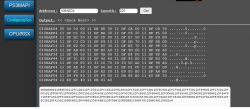
could someone give me some tips how i use this cheat using the webman? I'm a little confused, because I used to use netcheat, and it did everything automatically, but I wanted to learn how to use webman manually..
how would this cheat look? what do i have to do with these addresses?
9,999,999 Credits
CodeFreak / PS3UserCheat
6 010BAED4 00000808
0 00000000 05F5E0FF
how would this cheat look? what do i have to do with these addresses?
9,999,999 Credits
CodeFreak / PS3UserCheat
6 010BAED4 00000808
0 00000000 05F5E0FF
Attachments

Strizay
Member
Just a couple of questions. I just noticed a listing for SLauncher under Webman today, I clicked on it and it brought up a grid of my games. Then I hit □ a few times and it changes from listing games from all 3 systems, to just the single system by itself. Like it will list all the PS2 games, hit □ again and it will list just the PSX games. I think this is awesome. But it said on the description that coverflow has been added and I don't see it. How do I access the coverflow, that will show all of my games in one long list? Also, where are the covers for PS2 and PSX stored? They show up in the 3 folders under Webman, but not on the game manager. And last, How do I access the file manager?
Just a couple of questions. I just noticed a listing for SLauncher under Webman today, I clicked on it and it brought up a grid of my games. Then I hit □ a few times and it changes from listing games from all 3 systems, to just the single system by itself. Like it will list all the PS2 games, hit □ again and it will list just the PSX games. I think this is awesome. But it said on the description that coverflow has been added and I don't see it. How do I access the coverflow, that will show all of my games in one long list? Also, where are the covers for PS2 and PSX stored? They show up in the 3 folders under Webman, but not on the game manager. And last, How do I access the file manager?
The Coverflow in webMAN MOD can be accessed from PC or tablet using http://ip-address-of-ps3/games.ps3
That option is disabled on PS3 web gui because the Internet browser is not good enough to display it.
IMO The best Coverflow available for PS3 is found in ManaGunZ.
multiMAN and IRISMAN have a Coverflow mode too.
Last edited:
Strizay
Member
ManaGunz doesn't support encrypted PS2 isos, that's why I don't use it.The Coverflow in webMAN MOD can be accessed from PC or tablet using http://ip-address-of-ps3/games.ps3
That option is disabled on PS3 because the Internet browser is not good enough to display it.
IMO The best Coverflow available for PS3 is found in ManaGunZ.
multiMAN and IRISMAN have a Coverflow mode too.
@aldostools for PS3 NOR models, on system coldboot the fans ramp up to 100% then step down. This problem does not exist on Slim NOR models or fat NAND models. Possible bug? Tested with Webman MOD 1.47.31/1.47.32 + 4.86.2/4.87.2
@aldostools for PS3 NOR models, on system coldboot the fans ramp up to 100% then step down. This problem does not exist on Slim NOR models or fat NAND models. Possible bug? Tested with Webman MOD 1.47.31/1.47.32 + 4.86.2/4.87.2
I know this issue has been reported only with SKUs model CECHLxx (PS3 NOR model). I'm not aware if this happens on other NOR models. This issue seems to happen when the PS3 is turned off via PS menu or the power button.
The known workaround for these models is to turn off the PS3 using the combo L3+SELECT+X
could someone tell me how to disable any notification related to ps3mapi?
ps3mapi only show notifications when a ps3mapi server connection starts, when the connection ends and when the NOTIFY verb is used.
If you need to disable all these, you need to compile the project commenting the lines calling the functions: show_msg and vshNotify_WithIcon in the module /include/ps3mapi.h
thanksps3mapi only show notifications when a ps3mapi server connection starts, when the connection ends and when the NOTIFY verb is used.
If you need to disable all these, you need to compile the project commenting the lines calling the functions: show_msg and vshNotify_WithIcon in the module /include/ps3mapi.h
I have a few questions about using webman MOD. I'm running Evilnat 4.87 CFW and I have the latest version of both RetroArch and webman MOD and I also have PKG/ROM Launcher installed. Everything seems to be working except my ROMs, after being launched via the Roms folder located under "webMAN Games/ROMS". Webman MOD mounts the rom successfully but after it attempts to launch, I just get kicked straight back to XMB. Also, I'm doing all of this over network with PS3 NET Server. Any idea if I'm doing anything wrong?
I thought I remember reading somewhere that I didn't need to run PKG/ROM Launcher, that webman MOD just needed the pkg installed to boot into RetroArch, is this correct? Also does webman MOD launch Movian directly as well if any media folders/files are mounted?
Side Note, I was wondering if it is at all possible to add FIRMWARE/MUSIC/PICTURE/PKG/VIDEO under "webMAN Games" instead of having to go into network folders to mount. Not a big deal but I like that layout under webman GAMES and would like to avoid that extra few menu hops.
Any help/info will be greatly appreciated. Regards.
I thought I remember reading somewhere that I didn't need to run PKG/ROM Launcher, that webman MOD just needed the pkg installed to boot into RetroArch, is this correct? Also does webman MOD launch Movian directly as well if any media folders/files are mounted?
Side Note, I was wondering if it is at all possible to add FIRMWARE/MUSIC/PICTURE/PKG/VIDEO under "webMAN Games" instead of having to go into network folders to mount. Not a big deal but I like that layout under webman GAMES and would like to avoid that extra few menu hops.
Any help/info will be greatly appreciated. Regards.
I have a few questions about using webman MOD. I'm running Evilnat 4.87 CFW and I have the latest version of both RetroArch and webman MOD and I also have PKG/ROM Launcher installed. Everything seems to be working except my ROMs, after being launched via the Roms folder located under "webMAN Games/ROMS". Webman MOD mounts the rom successfully but after it attempts to launch, I just get kicked straight back to XMB. Also, I'm doing all of this over network with PS3 NET Server. Any idea if I'm doing anything wrong?
I thought I remember reading somewhere that I didn't need to run PKG/ROM Launcher, that webman MOD just needed the pkg installed to boot into RetroArch, is this correct? Also does webman MOD launch Movian directly as well if any media folders/files are mounted?
Side Note, I was wondering if it is at all possible to add FIRMWARE/MUSIC/PICTURE/PKG/VIDEO under "webMAN Games" instead of having to go into network folders to mount. Not a big deal but I like that layout under webman GAMES and would like to avoid that extra few menu hops.
Any help/info will be greatly appreciated. Regards.
Please download and re-install ROMS_PKG_Launcher from here:
https://github.com/aldostools/webMAN-MOD/releases/download/1.47.32/ROMS_PKG_Launcher.pkg
The previous update the EBOOT was not signed properly, causing the return to XMB without launch the ROM. The issue should be fixed in this pkg. My apologies for the inconveniences.
No worries, thanks for the help. I tried the link you posted and got the same result. I uninstalled the previous version before I installed the newer version. It's mounting the rom just not launching RetroArch. Anything else I can try?
Edit:
I got it working, I went back to webMAN MOD 1.47.30 assets and got the ROM/PKG Launcher from there and it worked.
This is the link that worked:
https://github.com/aldostools/webMAN-MOD/releases/download/1.47.30/ROMS_PKG_Launcher.pkg
Edit:
I got it working, I went back to webMAN MOD 1.47.30 assets and got the ROM/PKG Launcher from there and it worked.
This is the link that worked:
https://github.com/aldostools/webMAN-MOD/releases/download/1.47.30/ROMS_PKG_Launcher.pkg
Last edited:
@aldostools If and when you get a chance, I'd appreciate any info on the other questions I had from my first post.
I read that it's possible to auto-launch Movian at startup, same with RetroArch. I'm "assuming" Movian can launch files similar to how RetroArch does with webman MOD, or how Showtime does with multiMAN.
If it's more hassle than it's worth then let me know :P. Or maybe there's a way I can attempt this myself, some info would be greatly appreciated. I was looking at your github and I'm guessing in order to add FIRMWARE/MUSIC/PICTURE/PKG/VIDEO under "webMAN Games" would require changing the source a bit? Not as easy as editing a .xml?
I have a few questions about using webman. Does webman MOD launch Movian directly as well if any media folders/files are mounted?
I was wondering if it is at all possible to add FIRMWARE/MUSIC/PICTURE/PKG/VIDEO under "webMAN Games" instead of having to go into network folders to mount. Not a big deal but I like that layout under webman GAMES and would like to avoid that extra few menu hops.
Any help/info will be greatly appreciated. Regards.
I read that it's possible to auto-launch Movian at startup, same with RetroArch. I'm "assuming" Movian can launch files similar to how RetroArch does with webman MOD, or how Showtime does with multiMAN.
If it's more hassle than it's worth then let me know :P. Or maybe there's a way I can attempt this myself, some info would be greatly appreciated. I was looking at your github and I'm guessing in order to add FIRMWARE/MUSIC/PICTURE/PKG/VIDEO under "webMAN Games" would require changing the source a bit? Not as easy as editing a .xml?

you can have webman start an iso when webman starts. it comes with one for movian but you can make others.I read that it's possible to auto-launch Movian at startup, same with RetroArch. I'm "assuming" Movian can launch files similar to how RetroArch does with webman MOD
after movian starts, you select the file to play within movian.
@Coro Thanks. Yea, I read that information after googling for a few hours.
https://www.psx-place.com/threads/webman-mod-v1-47-15-by-aldostools.23624/ (Forgive me I don't know how to link direct posts. But it's quoted from a reply by @aldostools in that thread.)
Quote from @aldostools :
I was more specifically asking, since that is possible, is it then possible that Movian is similar to RetroArch, and can launch a media file directly from webman MOD. And if so, it'd be nice if webMAN mod recognized the MUSIC/PICTURE/VIDEO folders/files being mounted and just auto launched Movian upon selecting a media folder/file, similar to how webmanMOD does it for RetroArch with rom files.
Kind of why I was asking in the first place, because, if it were possible, I'd love for the "FIRMWARE/MUSIC/PICTURE/PKG/VIDEO" folders to be listed under "webMAN Games". Might appear redundant and it very well might be, but it would eliminate the one extra menu hop to go over to mount from "Network Folders" if using PS3_NET_Server. With the added bonus of everything neatly listed together much like your folder structure when loading anything for the ps3, "BDISO/DVDISO/GAMES/MUSIC/PICTURE/PKG/PS2ISO/PS3ISO/PSPISO/PSXISO/ROMS/VIDEO".
The media folder "Bluray and DVD" could just list the "BDISO/DVDISO/MUSIC/PICTURE/VIDEO" as sub folders, much how the "ROMS" folder lists the subfolders for the different types of roms one might have. And then you'd select a media folder/file, it'd mount and launch movian directly. Assuming any of that is possible.
lol Forgive me if this seems nonsensical to you all. I just think it'd be a neat addition if it's possible (which it should be) and if it I could do it myself as to avoid any extra work thrown @aldostools , I would. Sort of the reason I began my question to begin with, I was thinking maybe I'd be told, "yea, just do this or read this and you can achieve it." lol
https://www.psx-place.com/threads/webman-mod-v1-47-15-by-aldostools.23624/ (Forgive me I don't know how to link direct posts. But it's quoted from a reply by @aldostools in that thread.)
Quote from @aldostools :
"The MOVIAN.ISO is a modified version of PKG/ROM Launcher converted to ISO that allows to auto-start directly to Movian when the PS3 starts using the official option Disc Auto Start of the PS3.
1. Download and install Movian
2. Download MOVIAN.ISO and copy it to PS3 as /dev_hdd0/PS3ISO/MOVIAN.ISO
3. In PS3, go to Settings column, open the System Settings menu and turn On the option Disc Auto Start. Read the following article for further information about that option:
https://manuals.playstation.net/document/en/ps3/current/settings/discboot.html
4. Go to http://127.0.0.1/setup.ps3 and put a check mark in the following 2 options:
View attachment 16596
5. Reboot.
The MOVIAN.ISO should be mounted as a "disc icon" when the XMB is loaded and after a few seconds the disc will be launched and MOVIAN will be loaded.
The same method can be used to auto launch RetroArch and any homebrew signed as retail SELF (it doesn't work with npdrm selfs or EBOOT.BIN).
Most of the backup managers (multiMAN, IRISMAN, ManaGunZ) can't be launched either because they unmount the /dev_bdvd when they start, unloading MOVIAN.ISO and returning to XMB."
I was more specifically asking, since that is possible, is it then possible that Movian is similar to RetroArch, and can launch a media file directly from webman MOD. And if so, it'd be nice if webMAN mod recognized the MUSIC/PICTURE/VIDEO folders/files being mounted and just auto launched Movian upon selecting a media folder/file, similar to how webmanMOD does it for RetroArch with rom files.
Kind of why I was asking in the first place, because, if it were possible, I'd love for the "FIRMWARE/MUSIC/PICTURE/PKG/VIDEO" folders to be listed under "webMAN Games". Might appear redundant and it very well might be, but it would eliminate the one extra menu hop to go over to mount from "Network Folders" if using PS3_NET_Server. With the added bonus of everything neatly listed together much like your folder structure when loading anything for the ps3, "BDISO/DVDISO/GAMES/MUSIC/PICTURE/PKG/PS2ISO/PS3ISO/PSPISO/PSXISO/ROMS/VIDEO".
The media folder "Bluray and DVD" could just list the "BDISO/DVDISO/MUSIC/PICTURE/VIDEO" as sub folders, much how the "ROMS" folder lists the subfolders for the different types of roms one might have. And then you'd select a media folder/file, it'd mount and launch movian directly. Assuming any of that is possible.
lol Forgive me if this seems nonsensical to you all. I just think it'd be a neat addition if it's possible (which it should be) and if it I could do it myself as to avoid any extra work thrown @aldostools , I would. Sort of the reason I began my question to begin with, I was thinking maybe I'd be told, "yea, just do this or read this and you can achieve it." lol
@aldostools If and when you get a chance, I'd appreciate any info on the other questions I had from my first post.
I read that it's possible to auto-launch Movian at startup, same with RetroArch. I'm "assuming" Movian can launch files similar to how RetroArch does with webman MOD, or how Showtime does with multiMAN.
If it's more hassle than it's worth then let me know :P. Or maybe there's a way I can attempt this myself, some info would be greatly appreciated. I was looking at your github and I'm guessing in order to add FIRMWARE/MUSIC/PICTURE/PKG/VIDEO under "webMAN Games" would require changing the source a bit? Not as easy as editing a .xml?
It is not easy to add more groups. Indeed to add the sub-groups to ROMS category was a challenge.
FIRMWARE/MUSIC/PICTURE/PKG/VIDEO stored in exFAT/NTFS are stored in BD & DVD folder.
You can add a new category if you add the file wm_custom.xml to the root of USB or internal HDD.
Customize that file to your needs.
Similar threads
-
MPS5 {Modded Warefare} Overview & Setup of etaWEN v2.2B from LigthingMods
- Started by MODDED WARFARE
- Replies: 1
-

-
MYouTube - Modded Warefare [PS5] New etaHEN 2.0B & Itemzflow 1.09 Fully Released with 5.xx / 6.xx fw support for PlayStation 5
- Started by MODDED WARFARE
- Replies: 0
-