
You are using an out of date browser. It may not display this or other websites correctly.
You should upgrade or use an alternative browser.
You should upgrade or use an alternative browser.
Featured content
![[PS4 Tutorial] Updating GoldHEN on a Jailbroken PS4 with Vue after Free](/data/xfmg/thumbnail/0/113-137b41a7b77c467116315c0bc705e823.jpg?1780529124)



See Release / Discussion Thread >> Here
Apollo Save Tool (PS4)
Features
Easy to use: no save-mount patches or advanced setup needed. (GoldHEN or ps4debug payload required)
Standalone: no computer required, everything happens on the PS4.
Automatic settings: auto-detection of PS4 firmware, User ID, and Account-ID settings.
Multi-user: supports multiple user accounts.
Save Management
Save files listing: quick access to all the save files on USB and the internal PS4 HDD (+ file details)...
>>> See OFFICIAL RELEASE THREAD for More Info <<<
.
Introduction:
vitaQuakeII is a port of Quake II for PSVITA.
At the moment vitaQuakeII has unique features like dualshock rumbling when player get hit. It supports also double analogs for comfortable gameplay, online and locale multiplayer with featured servers, soundtracks support, sounds support and a lot more stuffs.
The port is fully hardware accelerated and supports high res textures pack and official mission packs.
Features:
- Native...
Arisen Studio
by ohhsodead
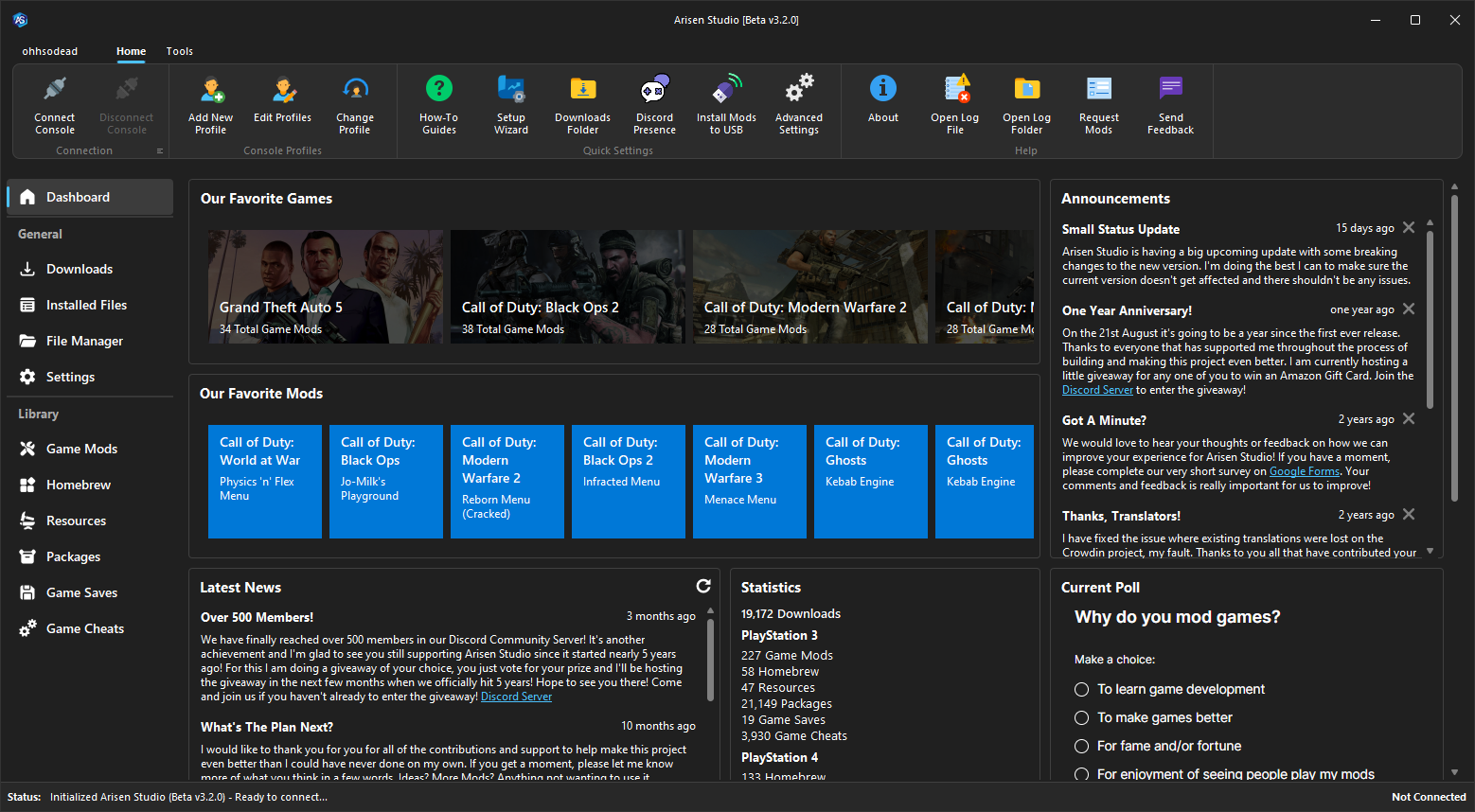
The elegant, powerful, and open-source mod manager. Arisen Studio allows you to easily browse through a regularly updated database of mods, game saves, homebrew, resources, themes, and much more for the PlayStation 3 and Xbox 360. All mods have been tested and verified in our library, which is populated by me, a few friends, and awesome contributors. Arisen Studio can also be used as an FTP client to automatically install and uninstall mods directly from your...
What is Adrenaline?
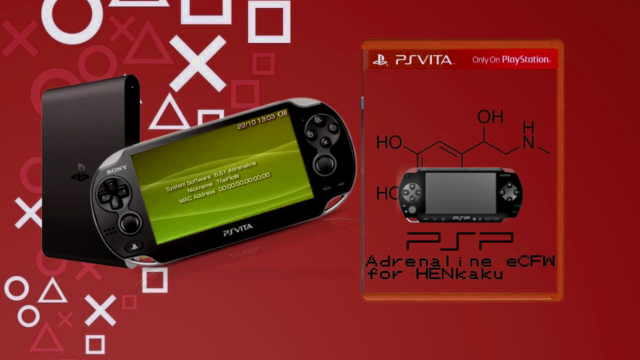
Adrenaline is a software that modifies the official PSP Emulator using taiHEN CFW framework to make it run a PSP 6.61 custom firmware. Thanks to the power of taiHEN, Adrenaline can inject custom code into the IPL which allows unsigned code to run at boottime.
How to install:
Download Adrenaline.vpk and install it using VitaShell.
Launch Adrenaline and press :but x: to download the 6.61 firmware.
After finishing it will automatically terminate.
Relaunch Adrenaline...
.VIEW RELEASES DETAILS AND USAGE IN THIS THREAD HERE:
>>> psx-place.com/forums <<<
What is this?
Well, FunTuna is a compilation of edited existing homebrew.
It includes custom versions of Fortuna, Free McBoot, uLaunchELF and the Free McBoot Configurator. All of them edited to works from "mc0:/BOOT/" only and edits the timestamps of that folder back to "2099-12-31 23:59:59" when something is edited inside.
Also, the FMCB used in FunTuna is a standalone ELF, not as a OSDSYS Update, so it means you can copy it from one Memory Card to another and it WILL work.
Also, this...
GE Patch Plugin
by TheFloW
GE Patch Plugin was created by TheFloW, which is an experimental plugin for Adrenaline that allows end-users to play some PSP games in native resolution on their PS Vita / PS TV. TheFloW is asking for help testing games and updating the compatibility list (please see the Compatibility List tab below to contribute).
This is an experimental plugin for Adrenaline that allows you to play a few games in native resolution.
Please help testing games and filling out...
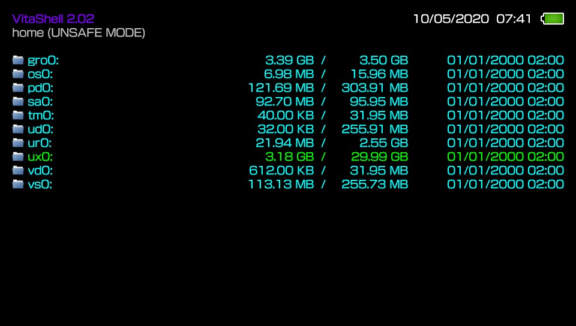
VitaShell is an alternative replacement of the PS Vita's LiveArea. It offers you a file manager, package installer, built-in FTP and much more. This homebrew was an entry of the Revitalize PS Vita homebrew competition and won the first prize. HENkaku's molecularShell is also based on VitaShell.
How to use an USB flash drive as Memory Card on a PS TV:
Format your USB flash drive as exFAT or FAT32.
Launch VitaShell and press ▲ in the home section.
Select Mount uma0: and attach your USB...
See Release Thread and Details @:
>> Link <<
(or click the "Discussion" button in the toolbar above)
RetroArch (PS4)
This is a native PS4 port of RetroArch. The current release (R4) is based off v1.8.8 of the main project. You will need a jailbroken PS4 running 5.05 fw to install and use this port.
Cores Install Instructions:
Install and run the Cores Installer app to get the libretro cores (aka emulators). (The app can be deleted after installing the cores)
Alternatively you may download them using the "Core Updater" feature in RetroArch.
Notice(s):
Cores are now installed to...
Wild Gunman Remake
35th Anniversary (another one, following duck hunt remake ) GAME A Only (Game B (released in v1.01) & C coming soon)
Note: "Holster your gun to start" means to lower the sight until it can not be seen on the screen
Release Source: https://twitter.com/Lapy05575948/status/1139378435640266753
Duck Hunt Remake
Version 1.00
Version 1.01
Changelogs
v1.01
Now with local multiplayer for Two,
v1.00
Initial Release
The (in)famous remake of the classic NES game Chip & Dale: Rescue Rangers, is now released open-source and completely free. All the levels of original game are recreated block-by-block with new graphics, physics, and improved gameplay. (via)
Chip and Dale: Remastered PS4 port.
This game was made by RR16 studio. You can download it here. (gmk file, you need GM8 or higher to play it) And also my PSVita port here.
You can also press O in main menu to switch between ORIGINAL and REMIX...
Brutal PS4 DooM
(powered by Unity)
Brutal PS4 DooM Features:
Blood Spraying Effect added to Gunshot wounds
Dynamic Lights have been mounted to Imp's Fireball explosion, and to Blood droplets
Downloads
Brutal PS4 DooM.pkg
Release Thread / Source: psxhax.com
RetroArch has been ported to the PlayStation2 by @fjtrujy, and starting as of version 1.7.6 you can already try it on your own homebrew-enabled PS2!
A couple of (libretro) cores have been included as part of this initial release:
2048
FCEUmm (NES / Disk System emulator)
QuickNES (NES emulator)
Picodrive (Mega Drive/Genesis/Master System/32x emulator)
Note: To run Picodrive and FCEUmm at fullspeed, you need to set Vsync to off. QuickNES will be fullspeed with vsync on.
How to use it on...
Included Libretro Cores (as of v1.7.6)
81_libretro
fceumm_libretro
fmsx_libretro
fuse_libretro
gambatte_libretro
gw_libretro
mednafen_pce_fast_libretro
mgba_libretro
mu_libretro
nxengine_libretro
picodrive_libretro
quicknes_libretro
snes9x2005_libretro
snes9x2005_plus_libretro
tempgba_libretro
How to add Roms:
1. Unpack GBAdvance_ (PS2) .pkg using FAKE_PKG_Generator ;
2. Open Image / disc01.iso using CDGenPS2 v3 ;
3. Place all your roms files in the ROMS folder ;
4. Generate a new iso named disc01.iso with your roms files within ;
5. Repack the Fpkg with the new generated disc01.iso (use same password : 00000000000000000000000000000000).
Additional details in the psx-place news coverage...
You will find in the attached archive 2 pkgs:
- RetroArch_NES
- Roms_NES_Installer
To install the NES Roma, you will have to create the same pkg including your own Roma, so I prepared a Fpkg to decompile with Fake_PKG_Generator (Password: 00000000000000000000000000000000).
How to create your Fpkg with your roms:
- Decompile Roms_NES_Installer.pkg with FAKE_PKG_Generator
- In the folder Image / recover disc01.iso file
- Open this disc01.iso file with CDGenPS2 v3
- You will find a ROMS...
CMFileManager-PSP
Features:
Copy files/folders.
Move files/folders.
Delete files/folders.
Multi file handling functions for copy/move/delete.
File properties. (File size, creation time, modification time, access times, permissions)
Creating directories.
Renaming files/folders.
Image viewer.
Auto USB mount (with ef0:/ and ms0:/ support for PSP GO).
Dark theme mode.
Browse other drives like flah0, flash1 and UMD (if not using PSP GO).
Buttons:
Press DPAD Up to move the cursor...