
The PS3 Tools Collection by aldostools has been updated to version 2.7.38, this collection contains over 50+ very useful tools and utilities for Custom Firmware user's. In this update several applications have been updated by the developer with 4.70 CFW Support among other changes depending on the tool. You can see some of the latest Tools updated below with all the changes defined in the logs provided in the quotes below. Also, you can view the source link and also this forum link here at PSX-Place for some additional information on some of these tools included in this highly recommended collection.
About lastGAME Customizer:This tool takes advantage of the customization options that multiMAN's lastGAME applet offers, allowing to create PKG files that mount PS3 Games, PS1 games and AVCHD movies directly from the XMB, without having to launch multiMAN's GUI (btw lastGAME = multiMAN without GUI).This app supports multiMAN's lastGAME and now also IRISMAN's LastPLAY
Features:
- Current version supports the newest LastPlay 1.03 and lastGAME 11.0:
12.0: loads the multiMAN's payload on 3.55, 4.21, 4.30, 4.31, 4.40, 4.41, 4.46, 4.50, 4.53, 4.55, 4.60 and 4.65/4.66
12.0 COBRA: for COBRA 7.0 CFW implemented on 4.46 Rogero, 4.46 Habib, 4.46 Cobra, 4.53 Habib, 4.55 Habib, 4.65/4.66 Cobra/Rebug Cobra
4.1: loads Hermes payload for firmwares 3.41, 3.55, 4.21, 4.30 (multiMAN is not required)
- Allows to connect to PS3 via FTP to retrieve the list of games installed on HDD or on external devices
- Supports drag & drop of multiple folders (x:\GAMES) to create multiple PKGs instantly
- Supports command line interface (CLI). Use /? for info.
- Allows to mount ISOs (PS2, PSP, PSX, DVD, BDM) and load remote backups (Cobra dongle is required)
- Support direct boot (certain games only). Games that require BD mirror are now supported in lastGAME8 and above.
multiMAN 04.66.10 or higher is required for PSX isos using lastGAME
Changes in 1.5.1: Added lastGAME 12.0.
Note: For BD-mirror feature with lastGAME, multiMAN 04.66.xx must be installed. BD-mirror setting is stored in the PS3GAME.INI created for each game by multiMAN or by Game Settings Manager
ABOUT: PS3 GET CFW Symbols
This tool is for DEVELOPERS only!! It helps to find the memory offsets of the CFW functions (aka symbols). Although the tool cannot find all the symbols, it's able to find up to 90% of them, leaving more time to the developer to focus on other more productive tasks.
This tool helped me (aldostools) and Joonie to port the mamba payload to 3.55, 4.21, 4.30, 4.31, 4.40, 4.41, 4.50, etc.. This means that now you can play ISOs also on these versions of CFW using IRISMAN and even on other Iris forks.
Changelogs
- NEW v1.5.6: Improved selection of text when copying from the hex viewer. Now can use F3 to jump to the selected address.
- v1.5.3: Fixed a bug parsing "patch_func2_offset".
- v1.5.2: Added Ctrl+G to go to an specific address in Interactive mode.
- v1.5: Fixed a stupid bug finding the syscall_table_offset for DEX. Added shortcut to the calculator, and new commands to find syscalls.
- v1.4.3: Added find syscall_table_offset. In the Interactive mode enter 'S' for syscall_table_offset or 'T' for TOC.
- v1.4.1: Added option to scroll up/down the offsets in interactive mode. The default template contains the symbols for cobra (instead of just mamba).
- v1.4: Now can find the RTOC offsets thanks to a new method provided to me by Joonie. THANKS to him!!!
- v1.3: Added a new interactive mode to search an entered symbol and display the found symbol and values in hex viewer format.
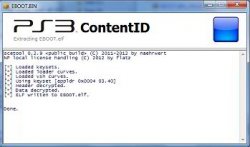
What IS PKG CONTENT ID?
This windows tools will allow you to quickly view the ContentID of any package and also manages several file extensions for a seamless integration with Windows Explorer.
NOTE: On Windows 7, the context menu for convert RIF/RAP files is not available when you select more that 15 rif/rap files. To fix this issue download this registry fix and double click on the Fix_Context_Menu_Limited_to_15_items_on_Windows_7.reg
Latest Changes:
- Added support to Make PKG on multiple selected folders, updated to support 4.70
What is PS3 Keys?
- The handy tool will allow you to Edit, Verify and Create the .ps3 keys in binary format rap/.edat files.
What's New: Added support for keys up to version 4.70.
Download: PS3 Tools Collection v2.7.38 **UPDATED MIRROR** @ MEGA
PS3 Get CFW Symbols (DEV TOOL not included in collection)
Source: ps3tools.aldostools.org
PS3 Get CFW Symbols (DEV TOOL not included in collection)
Source: ps3tools.aldostools.org
Last edited by a moderator:







